
Alternatives
A Veo 3 NSFW alternative for the uncensored adult clips Google's policy excludes
A search for Veo 3 NSFW tends to end at one finding: Veo is a Google model, and Google's rules for its generative AI services forbid explicit sexual material, such as content meant for sexual gratification. Vellria is an uncensored video and image engine whose terms allow fictional adult clips, paid run by run from prepaid credits rather than through a Google AI plan or a per-second API bill. This page sets the two side by side on clip length, cost and filtering, then lists the video models available here. Vellria has no affiliation with Google; Veo is Google's name, used only to identify what we compare.
Free to start: a new account created with Google gets 20 free credits, valid for 7 days (about 10 images on Z-Image Turbo Uncensored), and every signed-in account gets free daily uses of the NSFW prompt generator and the image to prompt tool.
Why Veo will not render adult clips
Veo answers to the same policy that governs Google's image models. That policy, dated 17 December 2024 in the copy we opened on 14 October 2026, lists explicit sexual material meant for gratification among its forbidden uses, and developers calling the Gemini API agree to follow it under the API's additional terms. Beyond the policy, the Veo page of the Gemini API documentation says each generated video is run through safety filters and memorization checks before it is returned.
So a Veo 3 uncensored setting is not something this page can point you to, and we describe no way around Google's filters. On Vellria none is needed for the clips its terms allow: a scene between invented adults reaches the video model in your words, with no rewriting layer of ours in between, and the provider's own filter still in place.
Side by side
Details about Veo were checked on October 14, 2026 from its own site and may have changed since.
Browse the models| Vellria | Veo | |
|---|---|---|
| Explicit adult clips | Allowed when the cast is fictional and adult | Barred by Google's Prohibited Use Policy (17 Dec 2024) |
| Screening | Automatic prompt check; provider filters apply | API docs: safety filters and memorization checks |
| Clip length | Set per model; listed on each model page | Veo 3.1: 4, 6 or 8 s; 1080p and 4K need 8 s |
| Paying | Prepaid credits per run; plans optional | API: billed per second, by variant and resolution (14 Oct 2026) |
| Blocked or failed run | Credits return if the provider fails the run | API docs: no charge when a video is blocked |
| Where it runs | Studio in the browser, plus a REST API | Gemini API; Flow with a Google AI Plus, Pro or Ultra plan |
See what the models make
Real outputs from the models on this page, each shown with the exact prompt that produced it. Copy a prompt, or open the model and run it yourself.
Seedance 2.5 UncensoredImage to video
Scenes that arrive with sound, 4–30 s up to 1080p, or bring a still to life as the first frame.
from 35 credits / s
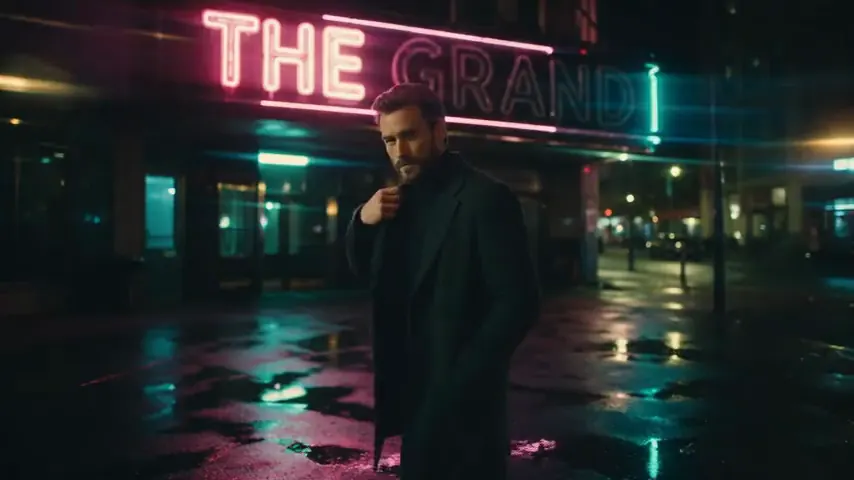
The man turns up his coat collar and walks slowly toward the camera as rain falls, the neon sign flickering above him, the camera dollies back
Wan 3.0 Pro UncensoredImage to video
Step up for final takes: 2–30 s with sound up to 1080p; start from a still to keep your framing.
from 20 credits / s
Rose petals drift down onto her as she opens her eyes and smiles, gentle overhead camera rotation
Seedance 2.0 UncensoredImage to video
Scenes with sound in 4–15 s takes up to 1080p, or bring a still to life as the opening frame.
from 30 credits / s
She lifts the whiskey glass, takes a slow sip and glances toward the camera as neon light flickers through the window, subtle slow push-in
Pruna P-Video 2 Pro UncensoredText to video
For the take you keep: 5–15 s clips with sound at 480p or 768p, or start from a still.
from 12 credits / s
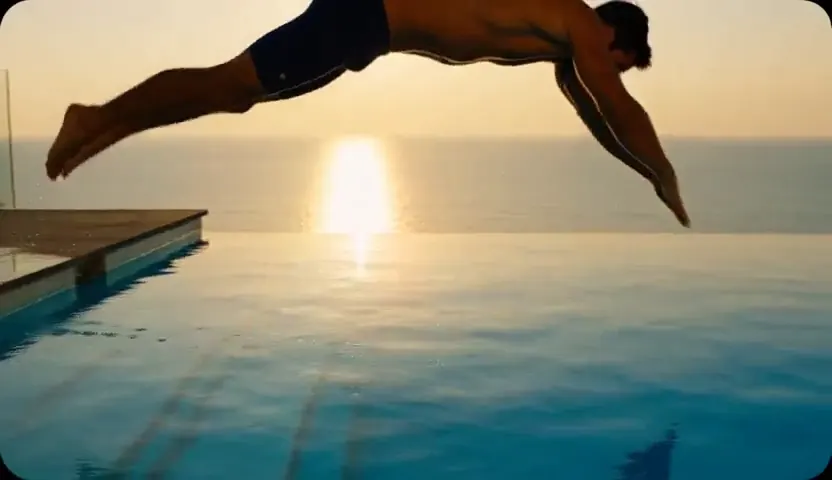
Slow-motion shot of a man in his thirties diving into a turquoise infinity pool at sunset, water splashing in golden light, the camera follows from the side
MiniMax H3 Max UncensoredImage to video
For the take you keep: 5–15 s clips up to 4K with sound; start from a still if you have one.
from 15 credits / s
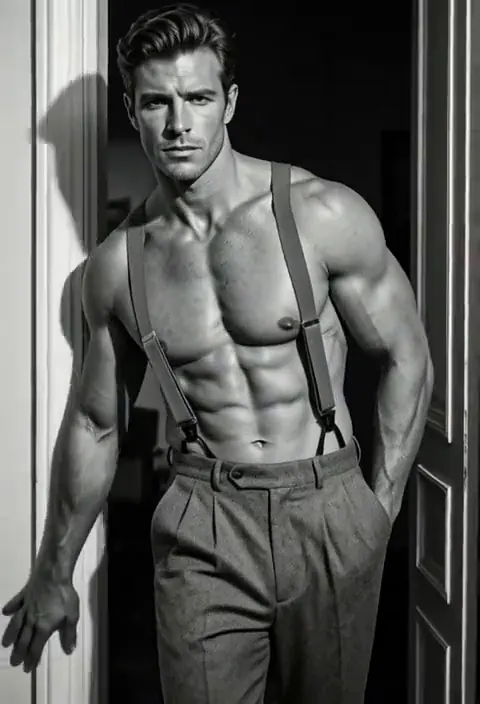
He pushes off the doorframe and steps toward the camera, light sweeping across his torso, slow dramatic motion
Wan 3.0 UncensoredText to video
Long single takes up to 30 s with sound, 480p to 1080p, or animate a still as the opening shot.
from 15 credits / s
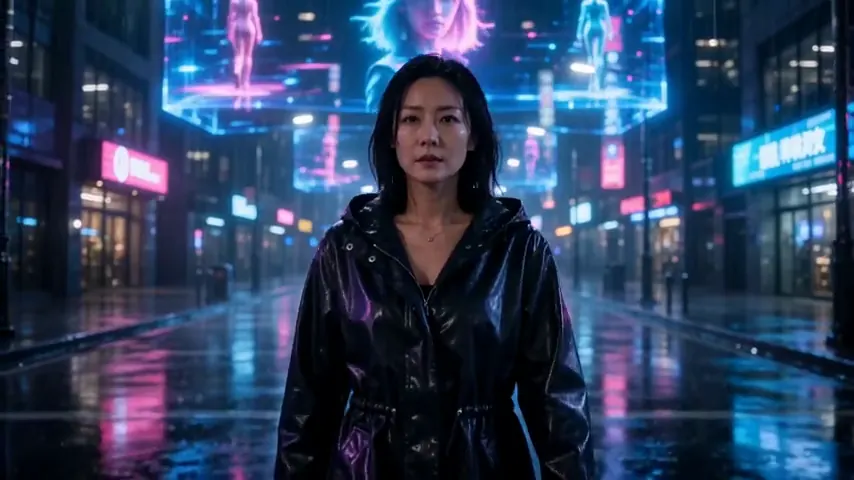
A neon-lit street at night, a woman in her thirties in a glossy black raincoat walks toward the camera through the rain as holograms flicker overhead, steady tracking shot


What Veo offers
The Gemini API documentation now lists Veo 3.1 in three variants, veo-3.1-generate-preview plus a Fast and a Lite version, and marks the older Veo 3.0 model IDs as deprecated. Google describes Veo 3.1 as generating video with native audio. Its clips run 4, 6 or 8 seconds, 720p is the default, and 1080p or 4K require the 8-second length. Vellria does not offer any Veo model.
Most people meet Veo through Google Flow rather than the API. Flow's help page says access requires a Google AI Plus, Pro or Ultra plan and that users must be 18 or older, and the Google AI plans page lists 1,000 Flow credits with AI Pro along with a limited trial of Veo 3.1 Lite. Flow's help page does not publish a credit cost per clip; it says the cost appears in the product once you choose a model. We make no claim about output quality, and if your project fits Google's policy, Veo is a sound choice.
Per-second billing next to credits
The Gemini API pricing page, updated and read on 14 October 2026, bills Veo by the second of video with audio, at a rate set by the variant and the resolution: Veo 3.1 costs the most per second, Fast less and Lite the least, and 4K costs more than 720p or 1080p. The page lists no free tier for any of the three, so an 8-second clip at 1080p costs eight times that resolution's per-second rate. The Veo documentation also says you are not charged when a video is blocked.
Vellria bills in credits drawn from a prepaid balance. Every video model's page shows the lengths and resolutions it supports and what each second costs in credits, so you can work out what a clip will cost before starting, and when a provider fails a run the credits flow back on their own. Starter and Pro are optional monthly plans; running a model needs none.
Video models to try instead
Seedance 2.5 from ByteDance gave the steadiest adult clips in our runs and costs more per second than the next one. Wan 3.0 Pro from Alibaba is a dependable all-rounder for most everyday work. Pruna P-Video 2 Pro rounds out the list; its page shows the lengths and resolutions it accepts.
For a broader view, the uncensored AI video generator page explains how video works here, explicit clips written from scratch are covered on the NSFW AI video generator page, and our guide to uncensored video models compares them.
Seedance 2.5 Uncensored
Scenes that arrive with sound, 4–30 s up to 1080p, or bring a still to life as the first frame.
Video
from 35 credits / s
Wan 3.0 Pro Uncensored
Step up for final takes: 2–30 s with sound up to 1080p; start from a still to keep your framing.
Video
from 20 credits / sFrom a still to a clip, and the API
Every video model here can take a single image as its opening frame, which is how many people build a scene: make the still first, then set it moving. NSFW image to video walks through that route, and if your stills used to come from Gemini, our Nano Banana alternative covers the image side.
Developers moving off Veo's API will find a familiar shape. Google's documentation says a Veo request starts a long-running job and returns an operation to poll; on Vellria you send a key as a Bearer token, receive a job id and poll it until the clip is ready. The API docs list every field and pricing lists the credit packages.
MiniMax H3 Max Uncensored
For the take you keep: 5–15 s clips up to 4K with sound; start from a still if you have one.
Video
from 15 credits / s
Pruna P-Video 2 Pro Uncensored
For the take you keep: 5–15 s clips with sound at 480p or 768p, or start from a still.
Video
from 12 credits / sTry it with a ready prompt
Each prompt opens in Studio with the text already in the box and the model selected; change anything you like before you run it.
Video prompt
An adult couple in a vintage convertible at dusk on a desert highway, she climbs onto his lap and kisses him, warm sunset light, slow crane down, film look.
Video prompt
An adult woman in a sheer kimono walks through a steamy outdoor hot spring at night, lets the kimono slide off and steps into the water, paper lanterns glowing, slow tracking shot.
Switching from Veo in 3 steps
Sign up with Google
Create an account with Google: a new account gets 20 free credits, valid for 7 days, once per person. An account made with an email and password works too, without the gift.
Paste your prompt
Open an image model in Studio and paste a prompt you used on Veo, written out in full sentences. The model page shows the price before you run it.
Turn the image into a video
Send the finished image to a video model as its start frame and describe the movement. Video is priced per second, and the cost is shown before the clip starts.
FAQ ( 5 )
Frequently asked questions
Can Veo 3 make NSFW videos?
Is there a Veo 3 alternative without any filter?
How does Veo's per-second price compare with Vellria's credits?
Can I use Veo on Vellria?
Can I try it for free?
Other alternatives
- Hailuo AI alternative
- Kling AI alternative
- PixVerse alternative
- Higgsfield alternative
- Grok Imagine alternative
- Sora alternative
- Pollo AI alternative
- Civitai alternative
- Venice AI alternative
- Mage.space alternative
- Candy AI alternative
- Promptchan alternative
- SoulGen alternative
- Perchance alternative
- OurDream AI alternative
- Seduced AI alternative
- Unstable Diffusion alternative
- Nano Banana alternative
- ChatGPT image alternative
- Midjourney alternative
- Leonardo AI alternative
- Tensor.Art alternative
- PixAI alternative
- NovelAI alternative
- SeaArt alternative
Try Vellria on the sign-up gift
Free to start: a new account created with Google gets 20 free credits, valid for 7 days (about 10 images on Z-Image Turbo Uncensored), and every signed-in account gets free daily uses of the NSFW prompt generator and the image to prompt tool.