
Moss Image Uncensored
Moss Image Uncensored is OpenMOSS's image model, hosted on Vellria with nothing to install: text to image, output up to 1024×1024. Run it in Studio or over the REST API, 5 credits (100 credits = $1.00).
vellria-moss-imageMoss Image is developed by OpenMOSS. Vellria provides access to the model; it does not own it. All trademarks belong to their respective owners.
Output
No generation yetCover art
5 credits
Your request will cost 5 credits.
About MOSS Image
Also known as: MOSS-Image · Moss Image · OpenMOSS MOSS-Image
MOSS Image is the text-to-image model from the OpenMOSS team, a diffusion transformer that reads its prompt through a Qwen text encoder. It was built for two things many image models handle poorly: long, detailed descriptions that lay out a whole scene, and short lines of English or Chinese text rendered inside the picture. Vellria runs it hosted and uncensored, as an online generator and through the API.
Every run is a single resolution of roughly one megapixel at one flat price, so the only choice before generating is the frame. There are fifteen shapes, more than on any other image model here: square, the classic landscape and portrait proportions, the wide and tall screen formats, and panoramic extremes for banners and phone wallpapers.
Write the prompt as a paragraph rather than a tag list: who is in the picture, what they wear, where they are, the light, the lens and the mood. Words that should appear in the image, on a sign, a label or a poster, go in quotation marks. There is no negative prompt and no prompt-expansion step, so the model works from your wording exactly as written.
MOSS Image starts from text only and does not take an uploaded picture. For lettering together with edits of pictures you attach, compare FLUX.2 Klein 9B; to change a picture you already have, Qwen Image 2.1 follows edit instructions across several references.
MOSS Image in action
MOSS Image outputs with the exact prompts behind them.
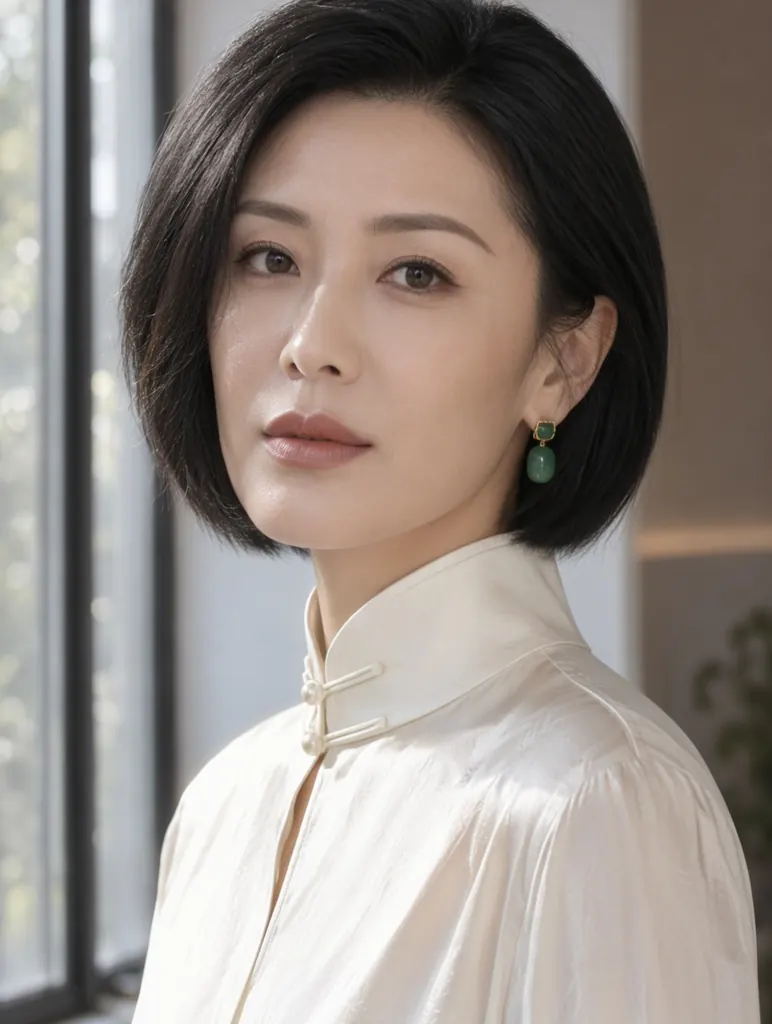
Text to image
Close-up editorial portrait of a Chinese woman in her late thirties with a sleek black bob and jade earrings, wearing a high-collared ivory silk blouse, soft window light from the left, calm direct gaze, fine skin texture, 85mm photograph
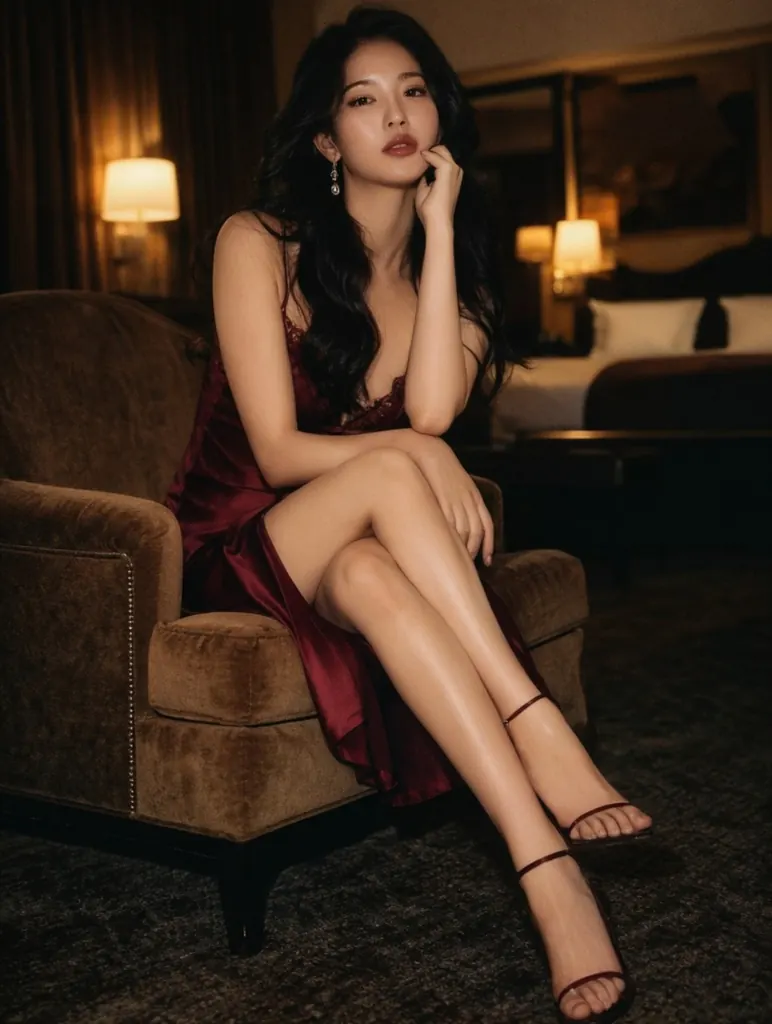
Text to image
Boudoir photo of an elegant woman in her thirties in a wine-red satin slip seated on the edge of a velvet armchair in a dim hotel suite, legs crossed, warm lamplight, tasteful and suggestive, film photography look
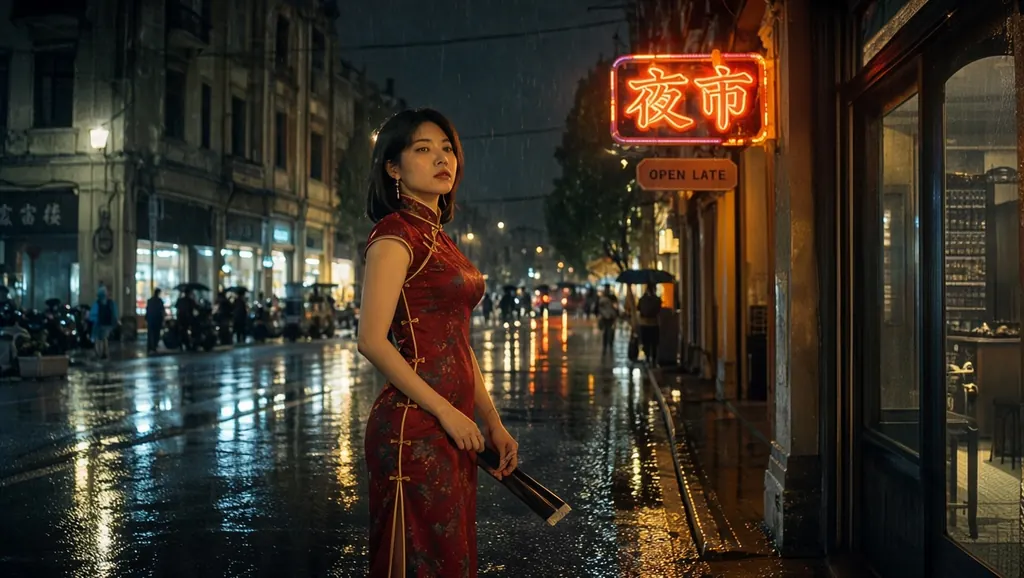
Text to image
Rainy night street in an old Asian city, a woman in her thirties in a red qipao standing under a glowing neon sign that reads '夜市' and a smaller sign reading 'OPEN LATE', reflections on the wet pavement, cinematic photo
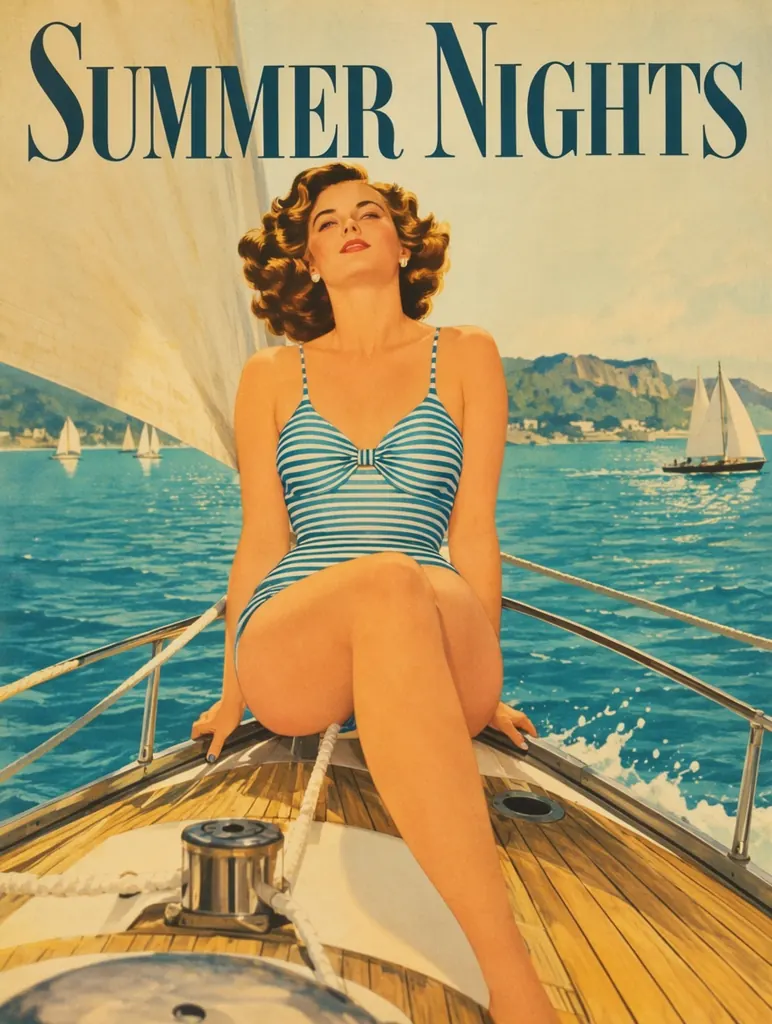
Text to image
Vintage 1950s travel poster of a woman in her thirties in a striped swimsuit sitting on the bow of a sailboat, the headline 'SUMMER NIGHTS' across the top in clean serif letters, turquoise bay behind her, flat screen-print colors
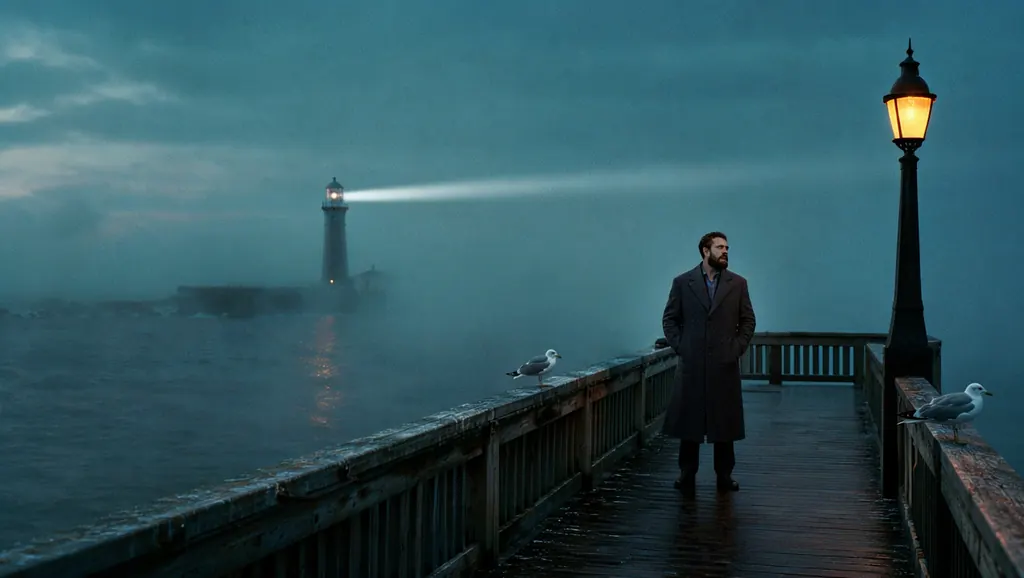
Text to image
A bearded man in his late thirties in a charcoal wool coat stands at the end of an empty wooden pier at blue hour, fog rolling over the water, a single lamp post glowing amber beside him, a distant lighthouse beam cutting through the mist, gulls resting on the railing, muted teal palette, 35mm film grain
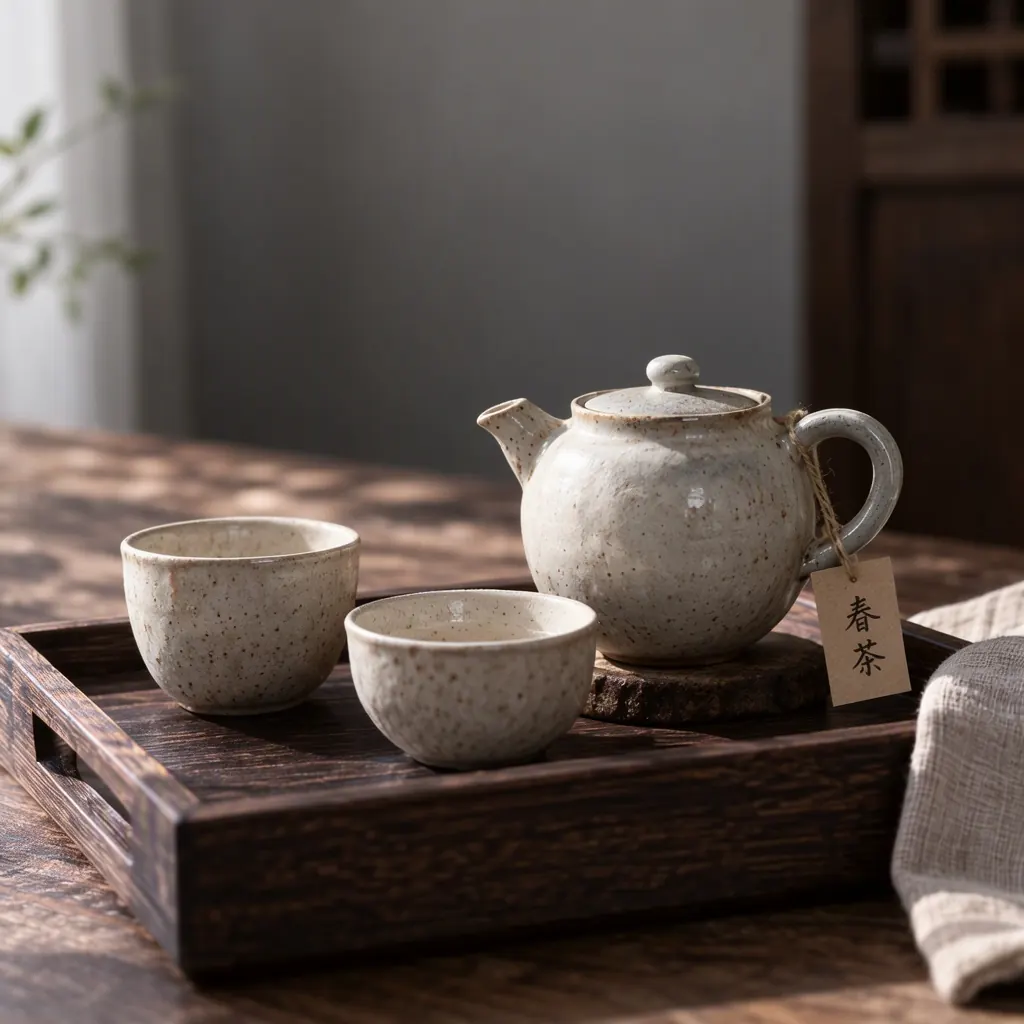
Text to image
A handmade ceramic tea set on a dark wooden tray beside a folded linen cloth, a small paper tag tied to the teapot handle with the handwritten characters '春茶', soft side light, quiet still-life photography, no logo
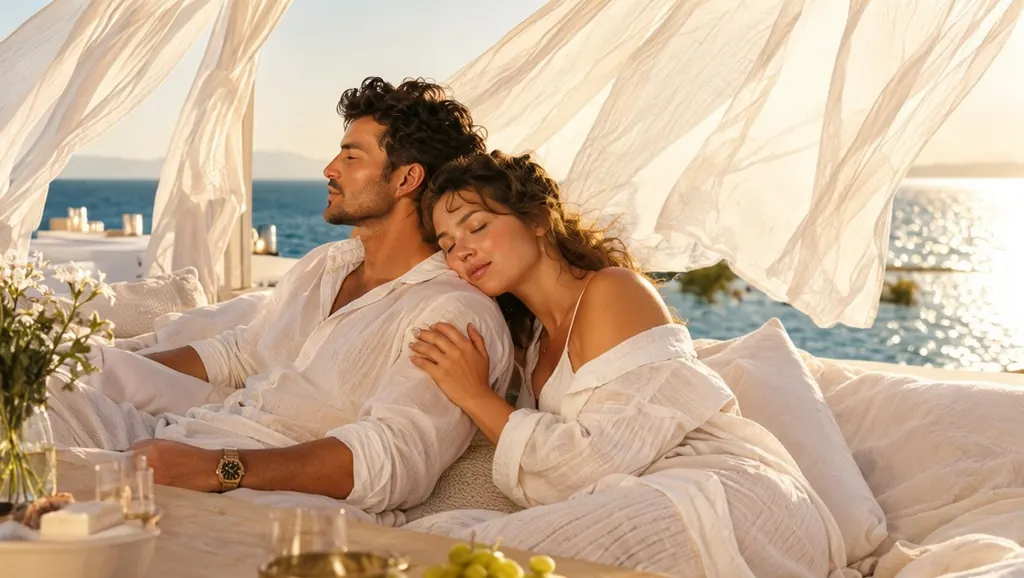
Text to image
A couple in their thirties in white linen lounging on a sunlit terrace daybed by the sea, her head resting on his shoulder, bare shoulders, sheer curtains moving in the breeze, warm afternoon light, intimate and tasteful, photorealistic
When to pick MOSS Image
Pick it when
- Your prompt is long and specific, and the model should follow the whole description rather than a few keywords.
- The picture needs a short line of legible text, in English or Chinese, on a sign, a poster or a label.
- You want an unusual frame, such as a panoramic banner or a tall phone wallpaper, at one flat price.
Pick another model when
- You want to edit or restyle a picture you already have; Qwen Image 2.1 takes reference pictures.
- The final image must be larger than about one megapixel; Seedream 5.0 Pro renders finished high-resolution images.
- You want the cheapest photoreal drafts from short prompts; Z-Image Turbo costs less per picture.
How to use MOSS Image on Vellria
- Prompt: up to 10,000 characters in the panel above.
- This model starts from text alone, so there is nothing to upload.
- Cost: 5 credits — see pricing.
Example prompts
A rainy night market street, an adult woman in her thirties in a red qipao under a glowing sign that reads '夜市' and a smaller sign reading 'OPEN LATE', reflections on the wet pavement, cinematic photo.
Wide frame: an adult couple in silk robes on a hotel balcony at dusk, city lights below, two champagne glasses on the railing, soft warm light, detailed editorial photograph.
Tall frame: a vintage pin-up poster of an adult woman in a polka-dot swimsuit on a beach towel, the headline 'SUMMER NIGHTS' across the top, 1950s print texture.
An adult man in his thirties with a short beard and an open linen shirt sits on the edge of an unmade bed in a sunlit loft, morning light through tall windows, a coffee cup in his hand, plants on the sill, film grain, shallow depth of field.
Panoramic banner: a misty mountain lake at sunrise, a wooden cabin on the shore with the words 'SLOW MORNINGS' painted on its roof, soft pastel palette.
Tips
- Describe the scene in full sentences and in order: subject, clothing, pose, setting, light and camera. The model is made for long prompts, so detail helps rather than confuses.
- Put every word that should appear in the picture in quotation marks and keep each line short: a sign, a title or a label rather than a paragraph.
- English and Chinese lettering both render; say where the text sits, for example on a neon sign, a book cover or a shirt.
- Choose the frame first: the panoramic shapes suit banners and wallpapers, the square and portrait shapes suit faces and posters.
- Fix the seed when you compare two wordings of the same prompt, so the only difference is the one you made.
Specifications
| Size: | 1024×1024 (1:1)1248×832 (3:2)832×1248 (2:3)1168×880 (4:3)880×1168 (3:4)1136×912 (5:4)912×1136 (4:5)1360×768 (16:9)768×1360 (9:16)1440×720 (2:1)720×1440 (1:2)1552×656 (21:9)656×1552 (9:21)1760×576 (3:1)576×1760 (1:3) |
|---|
See also: uncensored AI image generator.
Pricing
| Size | Credits |
|---|---|
| 1024×1024 (1:1) | 5 credits |
| 1248×832 (3:2) | 5 credits |
| 832×1248 (2:3) | 5 credits |
| 1168×880 (4:3) | 5 credits |
| 880×1168 (3:4) | 5 credits |
| 1136×912 (5:4) | 5 credits |
| 912×1136 (4:5) | 5 credits |
| 1360×768 (16:9) | 5 credits |
| 768×1360 (9:16) | 5 credits |
| 1440×720 (2:1) | 5 credits |
| 720×1440 (1:2) | 5 credits |
| 1552×656 (21:9) | 5 credits |
| 656×1552 (9:21) | 5 credits |
| 1760×576 (3:1) | 5 credits |
| 576×1760 (1:3) | 5 credits |
MOSS Image vs FLUX.2 Klein 9B and Qwen Image 2.1
MOSS Image is the long-prompt specialist among the image models on Vellria: a text-only model from the OpenMOSS team that follows detailed descriptions, sets short English or Chinese lines inside the frame and offers the widest choice of shapes at one flat price.
| Model | Price | Max size | Reference images |
|---|---|---|---|
| Moss Image Uncensored This page | 5 credits | 1024×1024 | None |
| Flux 2 Klein 9B Uncensored | 5 credits | 1024×1024 | Up to 3 |
| Qwen Image 2.1 Uncensored | from 7 credits | 1184×896 | Up to 10 |
Prices and limits come from the live model catalog.
MOSS Image or FLUX.2 Klein 9B?
- Reference images: Up to 3 (MOSS Image: None)
- Extra reference images: No extra charge (MOSS Image: —)
FLUX.2 Klein 9B is the other model tuned for clean lettering, and it also edits pictures you attach. Pick it when a sign or label has to go into a picture you already have, and MOSS Image when the whole scene starts from a long description.
MOSS Image or Qwen Image 2.1?
- Price: from 7 credits (MOSS Image: 5 credits)
- Max size: 1184×896 (MOSS Image: 1024×1024)
- Reference images: Up to 10 (MOSS Image: None)
- Extra reference images: +1 credit per extra image (MOSS Image: —)
Qwen Image 2.1 also handles text in the frame and adds an edit mode that combines many references. Use it when pictures have to be merged or changed, and MOSS Image for fresh scenes in panoramic or unusual frames.
MOSS Image API: price and a first request
MOSS Image costs 5 credits over the API, the same rate as in Studio. Model id vellria-moss-image on POST /v1/generate/image.
curl https://vellria.com/v1/generate/image \
  -H "Authorization: Bearer vll_..." \
  -H "Content-Type: application/json" \
  -d '{
    "model": "vellria-moss-image",
    "prompt": "…",
    "size": "1024*1024"
  }'
Parameters, polling and uploads: API documentation · NSFW image API.
FAQ
Does MOSS Image allow NSFW?
Yes, for fictional adult content: nudity and explicit scenes between adults are allowed. Minors are refused automatically, and real people may not be depicted without their consent.
Is MOSS Image free?
No, there is no free plan, but a new account created with Google gets 20 credits as a gift, valid for 7 days: enough to try MOSS Image, which costs 5 credits. After that every run is paid from prepaid credits at the rate this page shows before you start, and a run that fails at the provider is refunded automatically. Is there a free uncensored AI generator? covers the cheapest way to a first result.
Who makes MOSS Image?
The OpenMOSS team, the research group behind the MOSS family of models. On Vellria it runs hosted as an uncensored online generator and API, with nothing to install.
Can MOSS Image write text inside the picture?
Yes. Put the words in quotation marks and say where they belong. Short English or Chinese lines, such as a sign, a title or a label, come out most reliably; long passages of small text are still hit and miss.
Can MOSS Image edit my own picture?
No. On Vellria it is text to image only. To change a picture you already have, use Qwen Image 2.1, which follows edit instructions and accepts several references.
Can I use MOSS Image through the API?
Yes. The API section on this page shows the request; see the API reference for authentication, polling and downloads.
Related models
Turn a still into a clip with one of our video models.
Wan 3.0 Spicy Uncensored
Wan 3.0 takes of 2–30 s at 480p to 1080p from text or a first frame, with sound on or off.
Video
from 13 credits / s
Wan 3.0 Pro Spicy Uncensored
Full HD takes of 2–30 s from text or a first frame at a single 1080p step, sound on or off.
Video
45 credits / s
Wan 3.0 Prime Spicy Uncensored
The faster Wan 3.0 Spicy tier: 2–30 s at 480p to 1080p from text or a still, sound on or off.
Video
from 17 credits / s