
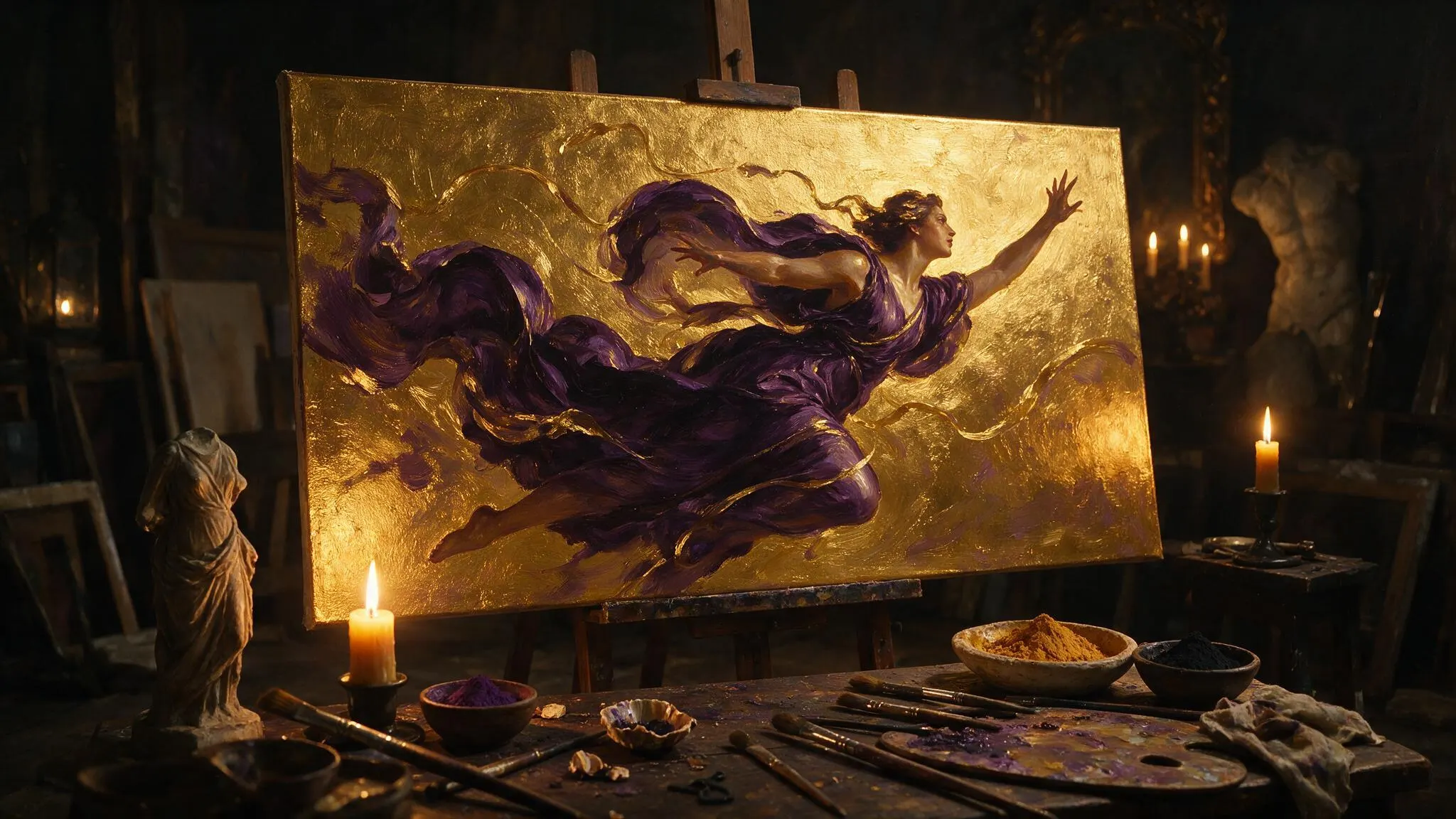
Seedream 5 Lite Uncensored
Seedream 5 Lite Uncensored is ByteDance's image model, hosted on Vellria with nothing to install: text to image and image to image, output up to 4704×2016. Run it in Studio or over the REST API, 8 credits (100 credits = $1.00).
vellria-seedream-5-liteSeedream 5 Lite is developed by ByteDance. Vellria provides access to the model; it does not own it. All trademarks belong to their respective owners.
Output
No generation yetCover art
8 credits
Your request will cost 8 credits.
About Seedream 5.0 Lite
Also known as: Seedream 5 Lite · ByteDance Seedream 5.0 Lite
Seedream 5.0 Lite is the high-resolution member of ByteDance's Seedream 5.0 family. 'Lite' describes its position in the line-up, not its output: it produces the largest images of any Seedream tier we run, including ultrawide frames, and it returns edits at exactly the same sizes as fresh images. Like Seedream 5.0 Pro, it is the successor to Seedream 4.5 and Seedream 4.0, built by ByteDance's Seed team.
Its real strength is the series. Pick a shape once and every later edit comes back at precisely that shape, so a long chain of changes stays one picture rather than a run of crops. That makes it the model for a character set or a photo story: generate the first frame, then feed each result back as a reference and change one thing at a time — the outfit, the location, the pose — while the subject holds.
Its reference limit is also the highest among our image models, and extra pictures carry no surcharge, which suits composites assembled from several of your own sources: a character sheet, a room, a prop and a lighting reference merged into one frame. Write which reference contributes what; the model does better when each attachment has a job.
For a single polished portrait, Seedream 5.0 Pro is the more focused choice; for fast drafts at one flat price, try Seedream 5.0 Flash. If you want a character to stay consistent across a whole set, the guide on keeping a character consistent walks through the reference loop in detail.
Seedream 5.0 Lite in action
Seedream 5.0 Lite outputs with the exact prompts behind them.
Text to image
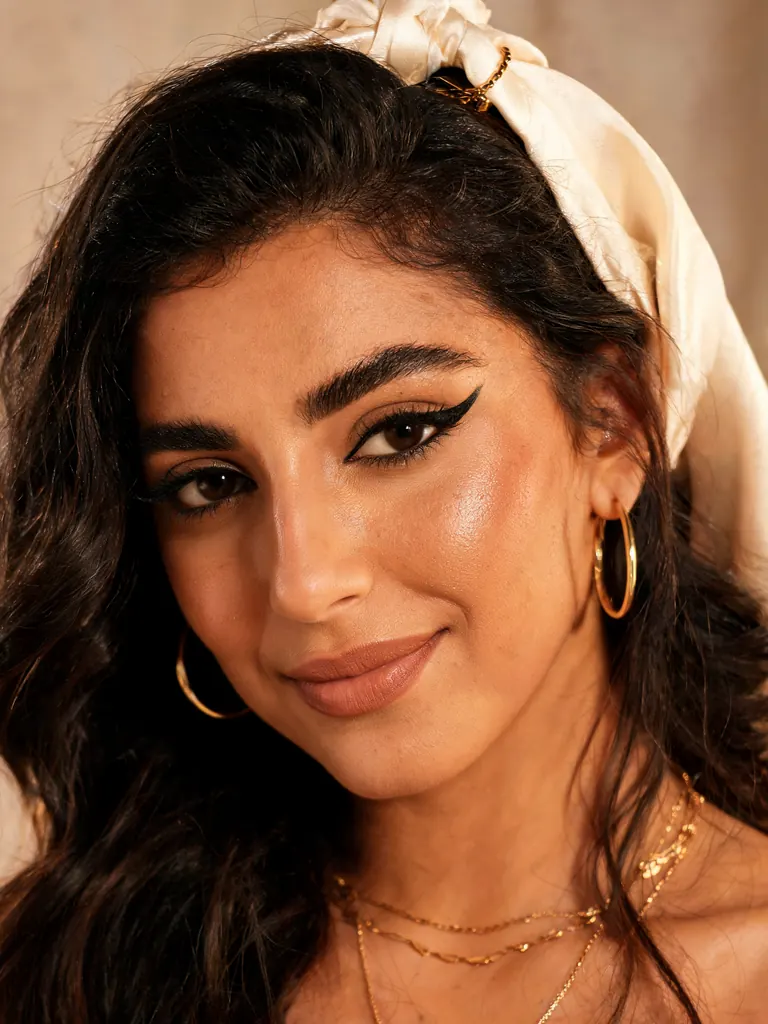
Ultra-detailed beauty portrait of a Middle Eastern woman in her early thirties with dark wavy hair and bold winged eyeliner, a silk scarf loosely draped over her hair, gold jewelry, warm studio light, pore-level skin detail
Text to image
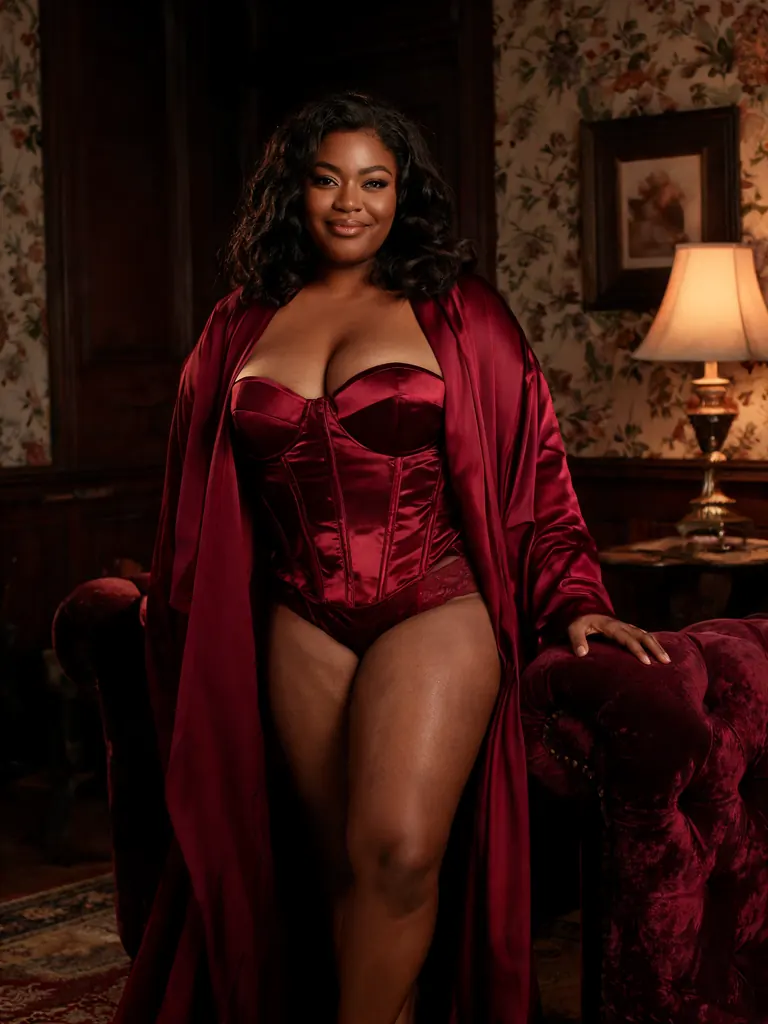
Lingerie campaign photo of a plus-size Black woman in her thirties in a burgundy satin corset and matching robe, confident pose in a vintage parlor beside a velvet armchair, warm moody lighting, high-end catalog style
Text to image
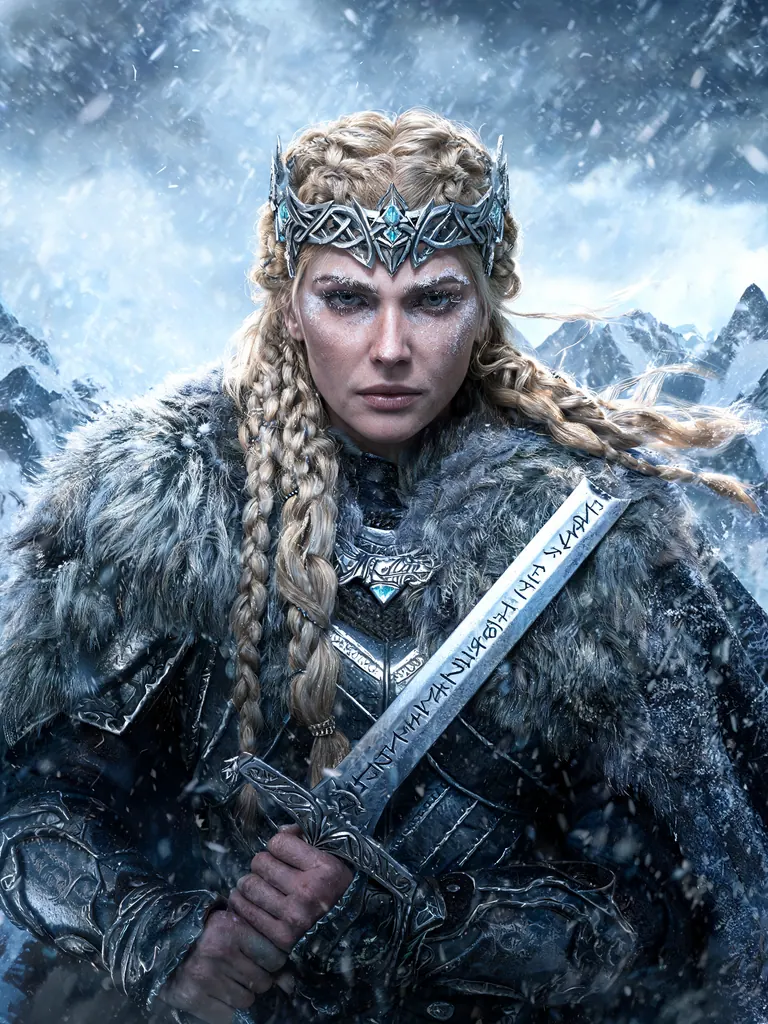
Epic fantasy portrait of a Nordic warrior queen in her forties with braided blonde hair, a fur mantle and an ornate silver crown, holding a rune-carved sword, snowstorm behind her, painterly realism, extreme detail
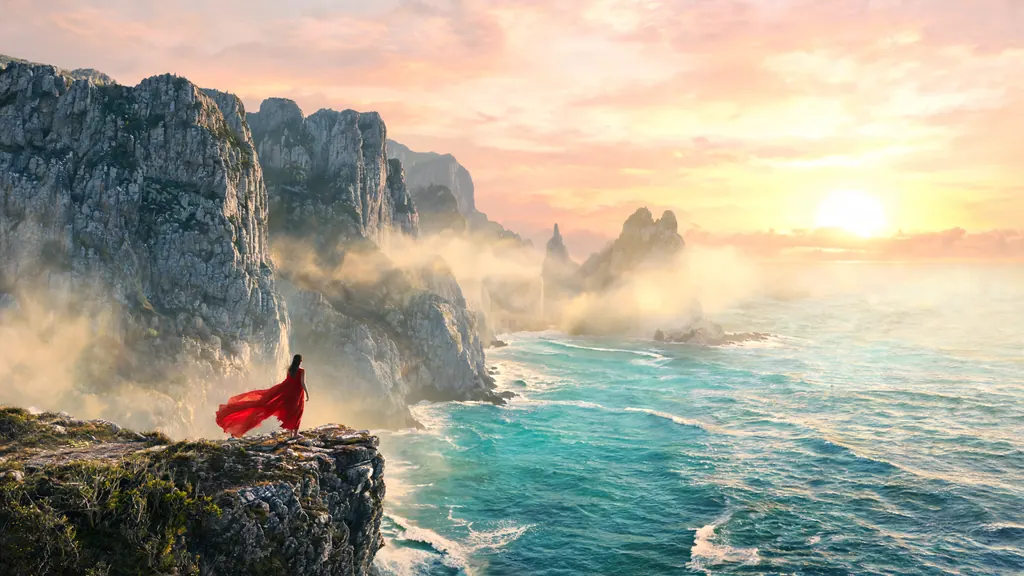
Text to image
Sweeping landscape of a lone woman in a flowing red dress standing on a cliff above a turquoise sea at sunrise, a small figure against towering limestone cliffs, golden mist, epic cinematic composition
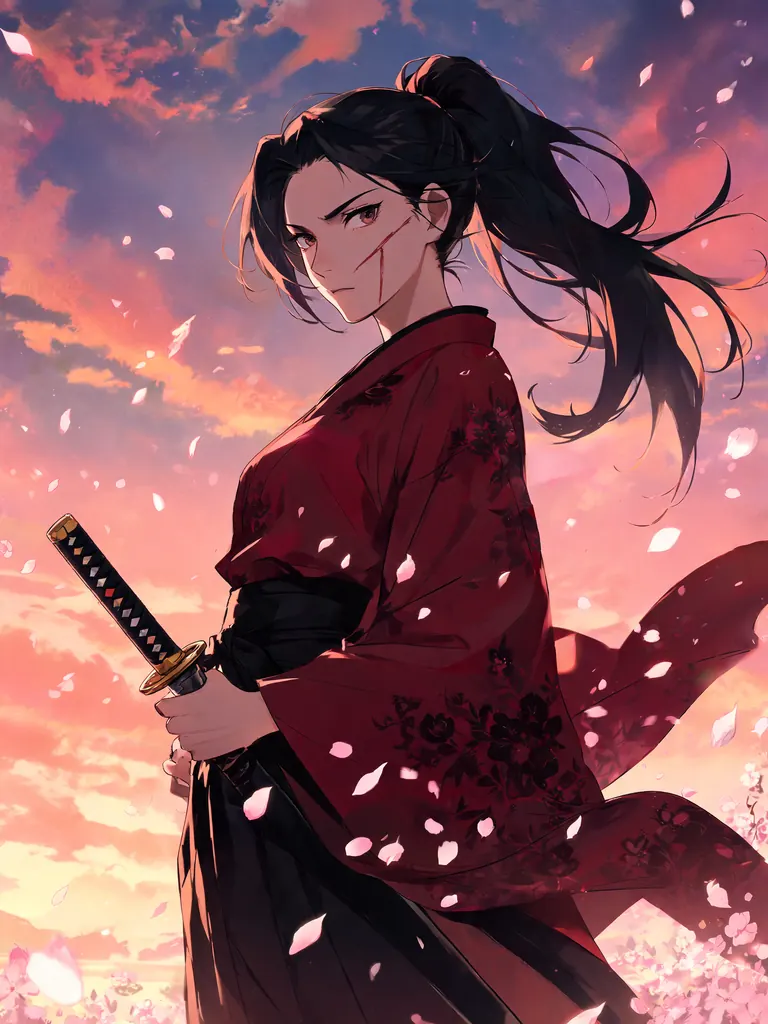
Text to image
Detailed anime illustration of an adult samurai woman in her thirties with a scar across her cheek and a high ponytail, crimson kimono and katana, cherry blossoms swirling, dramatic dusk sky, sharp linework
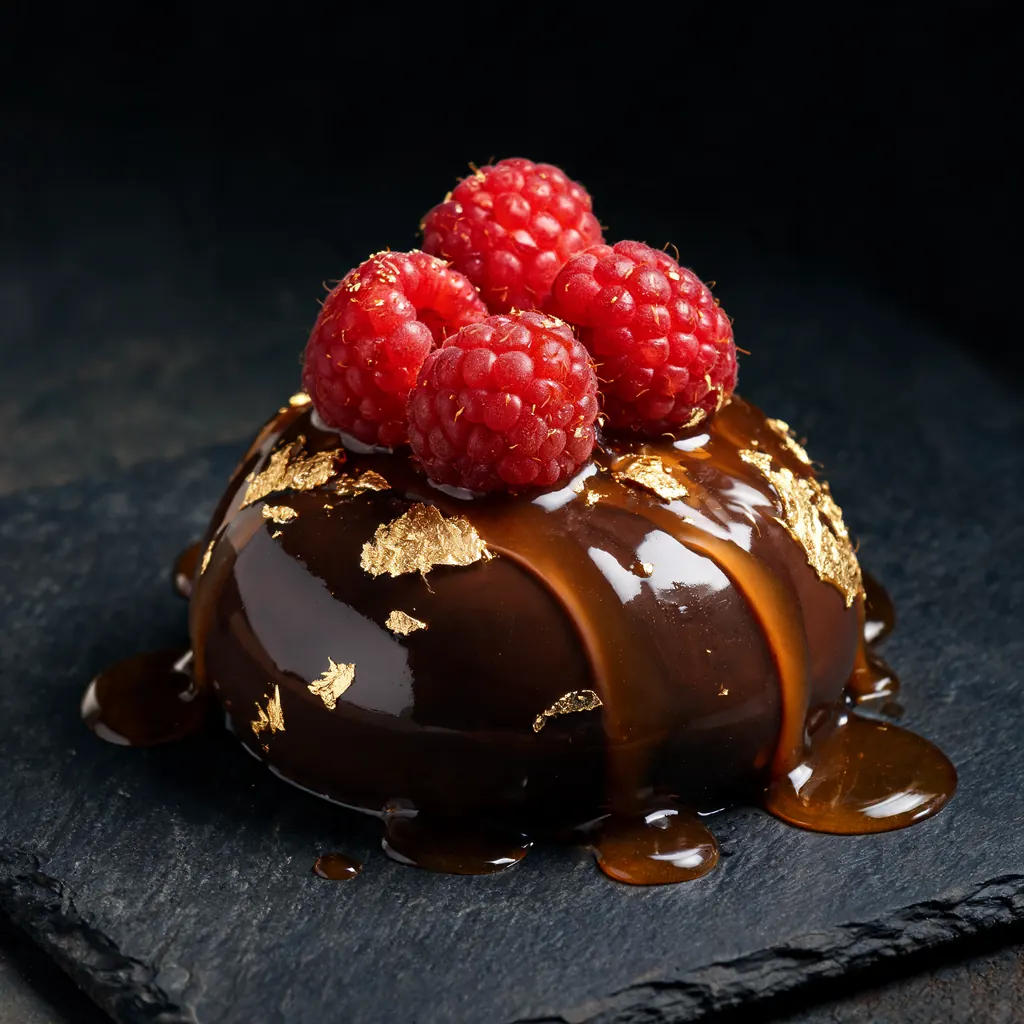
Text to image
Hyperreal macro still life of a glossy chocolate dessert with gold leaf, fresh raspberries and a drizzle of caramel on a dark slate plate, dramatic side light, food magazine photography
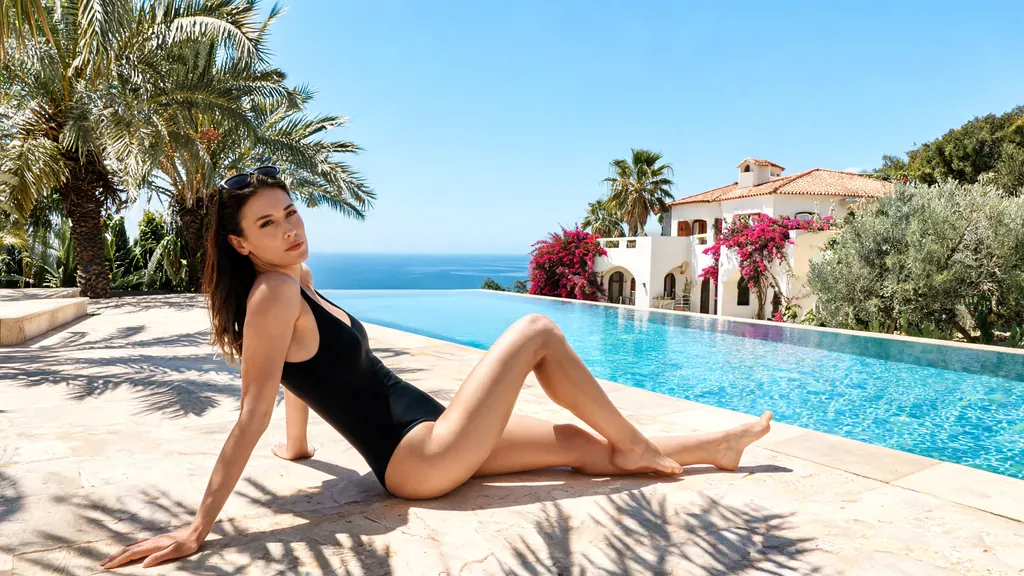
Text to image
Wide shot of a woman in her thirties lounging by an infinity pool in a sleek black one-piece swimsuit, sunglasses pushed up into her hair, palm shadows across the deck, Mediterranean villa, bright summer editorial
- Before
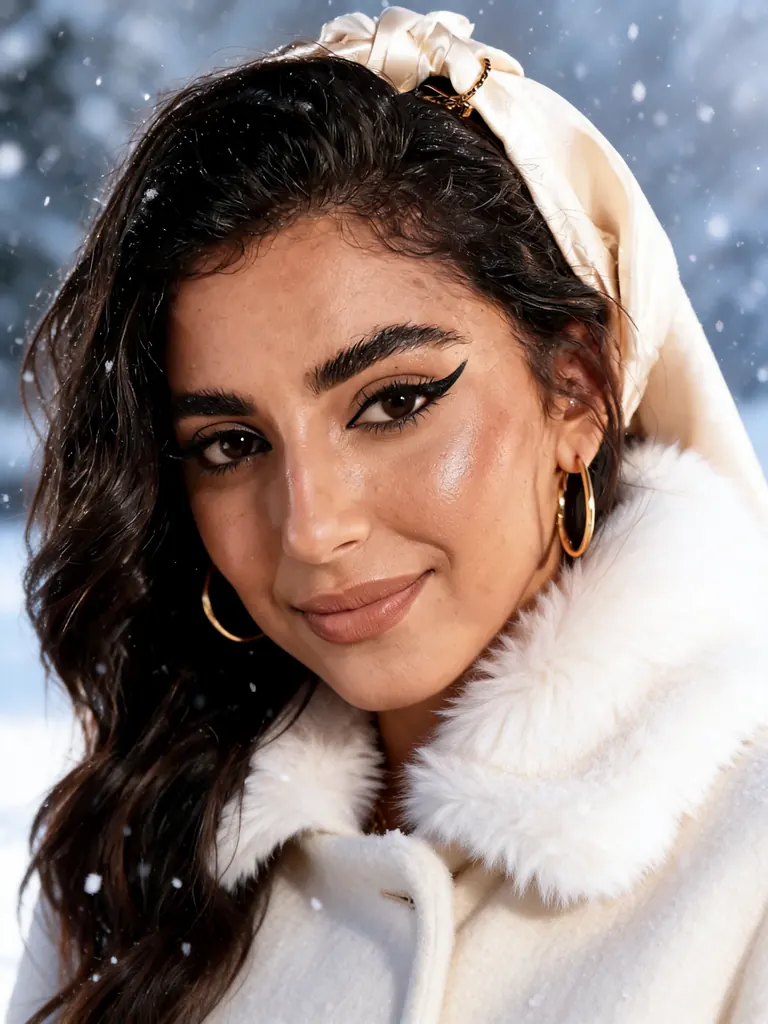 After
Edit
Make it a snowy winter scene: add a cream wool coat with a fur collar and softly falling snow; keep her face, makeup and pose
When to pick Seedream 5.0 Lite
Pick it when
- You are building a character set or photo story where every edit must come back at exactly the same size and shape.
- The deliverable is a very large or ultrawide image, such as a panoramic scene or a wide banner with an off-centre subject.
- You want to merge many of your own reference pictures into one frame without paying extra for each added picture.
Pick another model when
- You need a single polished portrait or cover rather than a series; Seedream 5.0 Pro is aimed at that finished frame.
- You only want fast, inexpensive drafts to test a pose or costume; Seedream 5.0 Flash runs every draft at one flat price.
- You need a quick instruction edit with up to three pictures and a seed for reruns; Qwen Image Edit 2511 handles that.
Prompt or reference
Start fresh for the first image. For a series where the same subject has to hold across pictures, keep every later pass on a reference, feeding the previous result back in. It takes up to ten pictures at once, at no extra cost, which suits composites built from several sources.
How to use Seedream 5.0 Lite on Vellria
- Prompt: up to 10,000 characters in the panel above.
- To edit or combine pictures, attach 1–10 reference images; leave them out to start from text.
- Cost: 8 credits — see pricing.
Example prompts
Ultrawide cinematic frame of an adult woman lounging nude on a chaise in a modernist villa, floor-to-ceiling windows, desert sunset outside, long shadows, architectural photography.
Character sheet of an original adult heroine: front, side and back views, fitted leather bodysuit, red braid, neutral grey background, consistent proportions.
Using reference 1 for the woman and reference 2 for the room: place her reading on the window seat in a silk slip, morning light.
Panoramic fantasy scene of adult mermaids resting on rocks at low tide, wet hair over bare shoulders, golden hour, highly detailed water.
Next frame in the series: same woman, same room, now standing by the window in a robe, evening blue light.
Tips
- Choose the final shape on the first image; later edits keep it, so changing your mind later means starting over.
- Number your references in the prompt ('reference 1 for the face, reference 2 for the outfit') so each one has a clear role.
- For a series, feed the previous result back in rather than the first image, and change only one element per step.
- Ultrawide frames need a subject placed off-centre; say where in the frame the person sits.
Specifications
| Size: | 3072×3072 (1:1, 3K)3456×2592 (4:3, 3K)2592×3456 (3:4, 3K)3744×2496 (3:2, 4K)2496×3744 (2:3, 4K)4096×2304 (16:9, 4K)2304×4096 (9:16, 4K)4704×2016 (21:9, 4K) |
|---|---|
| Reference images: | 1–10 reference images |
See also: uncensored AI image generator · uncensored image editor.
Pricing
| Size | Credits |
|---|---|
| 3072×3072 (1:1, 3K) | 8 credits |
| 3456×2592 (4:3, 3K) | 8 credits |
| 2592×3456 (3:4, 3K) | 8 credits |
| 3744×2496 (3:2, 4K) | 8 credits |
| 2496×3744 (2:3, 4K) | 8 credits |
| 4096×2304 (16:9, 4K) | 8 credits |
| 2304×4096 (9:16, 4K) | 8 credits |
| 4704×2016 (21:9, 4K) | 8 credits |
Seedream 5.0 Lite vs Seedream 5.0 Pro and Seedream 5.0 Flash
Seedream 5.0 Lite is the large-format member of the Seedream 5.0 line: its sizes start where Pro and Flash stop, and it includes an ultrawide shape. Use it for big single files and for series that must keep one size across many edits.
| Model | Price | Max size | Reference images |
|---|---|---|---|
| Seedream 5 Lite Uncensored This page | 8 credits | 4704×2016 | Up to 10 |
| Seedream 5 Pro Uncensored | 10 credits | 1536×1536 | Up to 10 |
| Seedream 5 Flash Uncensored | 8 credits | 2816×1584 | Up to 10 |
Prices and limits come from the live model catalog.
Seedream 5.0 Lite or Seedream 5.0 Pro?
- Price: 10 credits (Seedream 5.0 Lite: 8 credits)
- Max size: 1536×1536 (Seedream 5.0 Lite: 4704×2016)
- Extra reference images: +1 credit per extra image (Seedream 5.0 Lite: No extra charge)
- Settings: Reasoning (Seedream 5.0 Lite: None)
Pro renders a smaller frame and charges for each extra reference, but it is the tier aimed at a single finished portrait or cover. Pick Pro when lighting and lens detail matter more than pixel count.
Seedream 5.0 Lite or Seedream 5.0 Flash?
- Max size: 2816×1584 (Seedream 5.0 Lite: 4704×2016)
Flash is the drafting partner: settle the pose and costume there at its flat price, then rebuild the winning prompt here at large size. Neither of the two charges for extra reference pictures.
Seedream 5.0 Lite API: price and a first request
Seedream 5.0 Lite costs 8 credits over the API, the same rate as in Studio. Model id vellria-seedream-5-lite on POST /v1/generate/image.
curl https://vellria.com/v1/generate/image \
  -H "Authorization: Bearer vll_..." \
  -H "Content-Type: application/json" \
  -d '{
    "model": "vellria-seedream-5-lite",
    "prompt": "…",
    "size": "3072*3072"
  }'
Parameters, polling and uploads: API documentation · NSFW image API.
FAQ
Does Seedream 5.0 Lite allow NSFW?
Yes, on Vellria. Fictional adult nudity and explicit scenes are allowed. Minors are refused automatically and real people without consent are prohibited.
Is Seedream 5.0 Lite free?
Free to start: a new account created with Google gets 20 free credits, valid for 7 days (about 10 images on Z-Image Turbo Uncensored), and every signed-in account gets free daily uses of the NSFW prompt generator and the image to prompt tool. The gift is enough to try Seedream 5.0 Lite, which costs 8 credits. After that every run is paid from prepaid credits at the rate this page shows before you start, and a run that fails at the provider is refunded automatically. Is there a free uncensored AI generator? covers the cheapest way to a first result.
Is Seedream 5.0 Lite lower quality than Pro?
Lite and Pro are different tools rather than a cheap and an expensive version of the same thing: Lite reaches larger sizes and ultrawide shapes and takes more references; Pro is aimed at single finished frames. Compare them on the same prompt.
How many reference images can I use?
More than any other image model here, and extra references do not add to the price. The exact limit is listed in the specifications below.
Can I call Seedream 5.0 Lite from my own code?
Yes. Use the model id from the API section and the API reference; the same request handles text-to-image and editing.
Related models
Turn a still into a clip with one of our video models.
Seedance 2.0 Uncensored
Scenes with sound in 4–15 s takes up to 1080p, or bring a still to life as the opening frame.
Video
from 30 credits / s
Wan 2.6 Spicy Uncensored
Wan 2.6 clips of 5, 10 or 15 s at 720p or 1080p from text or a first frame, sound on or off.
Video
from 25 credits / s
Wan 2.6 Spark Spicy Uncensored
Full HD Wan 2.6 clips of 5, 10 or 15 s from text or a first frame, at a lower 1080p price.
Video
25 credits / s