
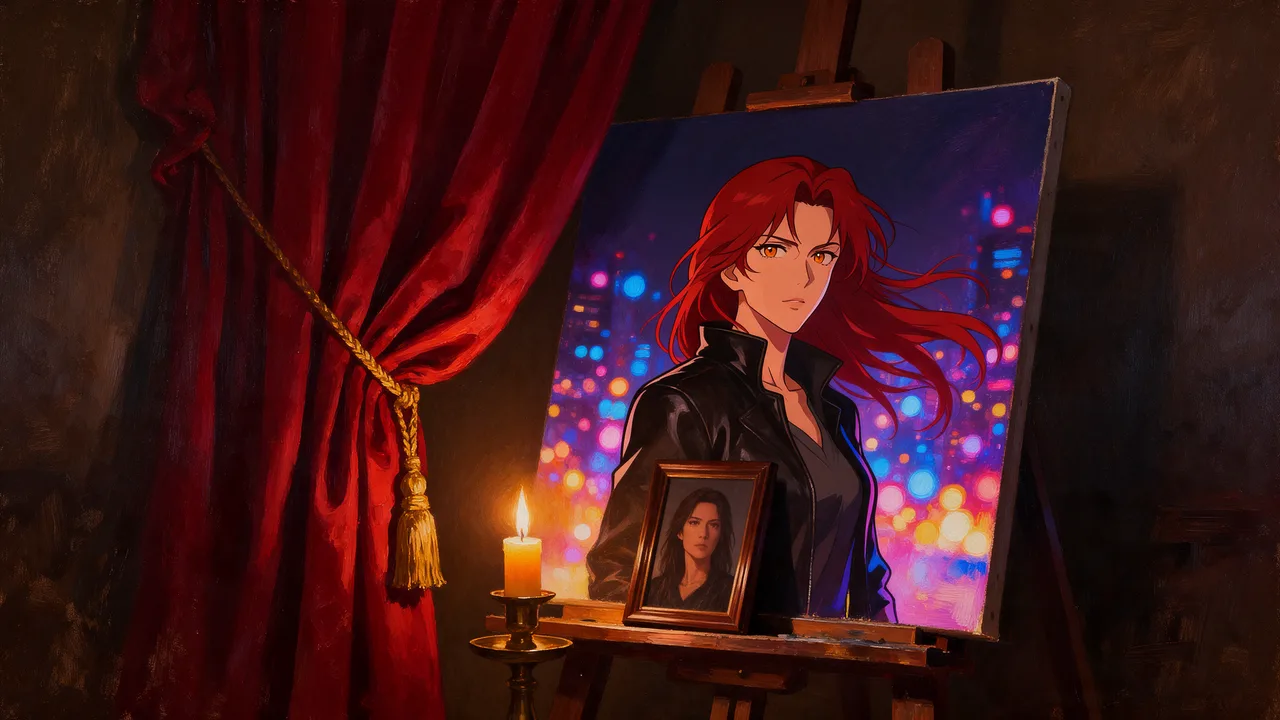
Vellria Anime Pro Spicy Uncensored
Vellria Anime Pro Spicy Uncensored is an AI image model hosted on Vellria with nothing to install: text to image and image to image, output up to 1536×1536. Run it in Studio or over the REST API, 10 credits (100 credits = $1.00).
vellria-anime-pro-spicyOutput
No generation yetCover art
10 credits
Your request will cost 10 credits.
About Anime Pro Spicy
Also known as: Vellria Anime Pro Spicy · Vellria anime model · Seedream 5 Pro anime
Anime Pro Spicy is Vellria's anime image model. It is built on ByteDance's Seedream 5.0 Pro and configured on our side for one look: flat 2D anime with clean line art, cel shading and expressive anime faces. We did not train a new model; what we changed is the setup around it. A fixed anime style instruction travels with every request and the model's reasoning mode stays switched on, so the style holds from the first run instead of depending on the words you pick. It is uncensored, and your prompt is not rewritten into something milder before the model reads it.
Because the anime finish is built in, the prompt can spend every word on the scene. Describe the character's hair, eyes, outfit and expression, then the pose, the place and the light, and leave out tags such as 'anime style' or 'cel shading'. Even a prompt that says photo or realistic comes back drawn, background included, which keeps a series of images looking like frames from the same show. That suits hentai-style scenes, pin-ups and covers, character sheets, and 2D or 2.5D characters you want to see again in new situations.
The second mode is photo-to-anime. Attach a picture and the model repaints the whole frame as an anime illustration while it keeps the person's identity, hairstyle, pose, outfit and composition, so the result reads as the same subject drawn by an animator rather than an effect laid over a photograph. One request takes up to ten pictures, for example a character plus an outfit or a room, and the prompt says how they combine. Output comes in five shapes at 2K: square, landscape, portrait and the two screen formats.
Reasoning costs time: the model plans the picture before it draws, and a run usually takes about a minute. For quick anime drafts steered with Danbooru tags, Anima is the lighter and cheaper choice; for photographs or a style you set yourself, the same base without the anime setup is Seedream 5.0 Pro. Once a still works, Seedance 2.5 can take it as the first frame of a clip.
Anime Pro Spicy in action
Anime Pro Spicy outputs with the exact prompts behind them.
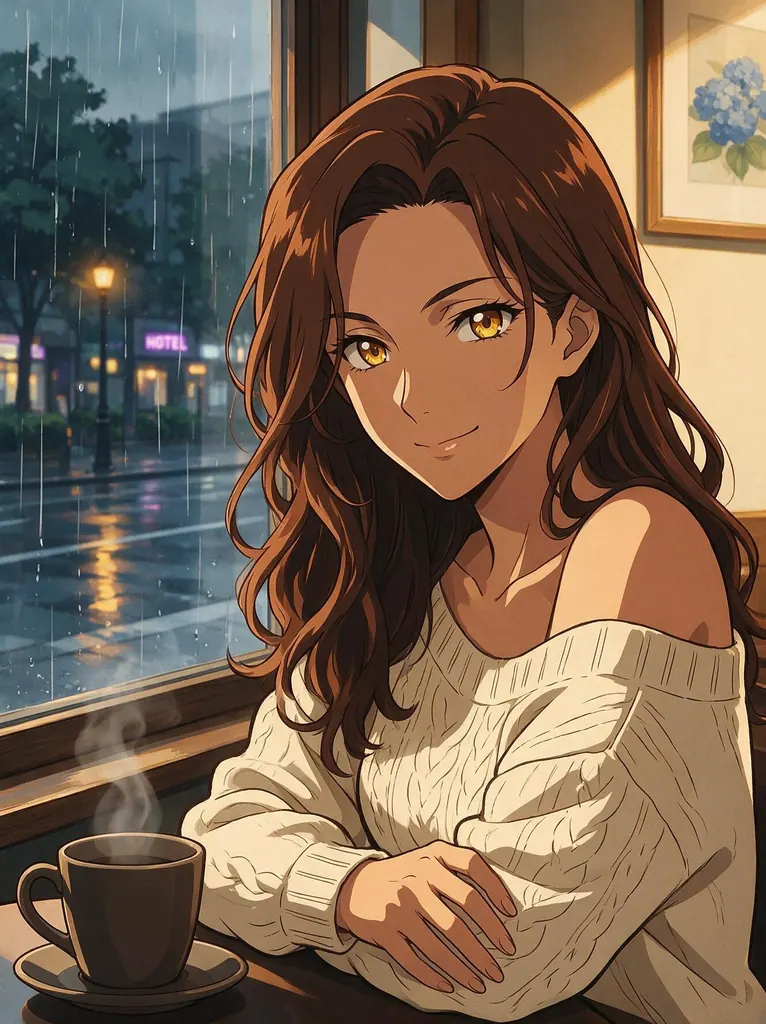
Text to image
Portrait of a grown woman in her mid thirties with a mature face, sharp amber eyes and a calm knowing smile, long wavy chestnut hair over one shoulder, wearing an off-shoulder cream knit sweater, sitting by a cafe window on a rainy afternoon, warm light on her face, adult proportions
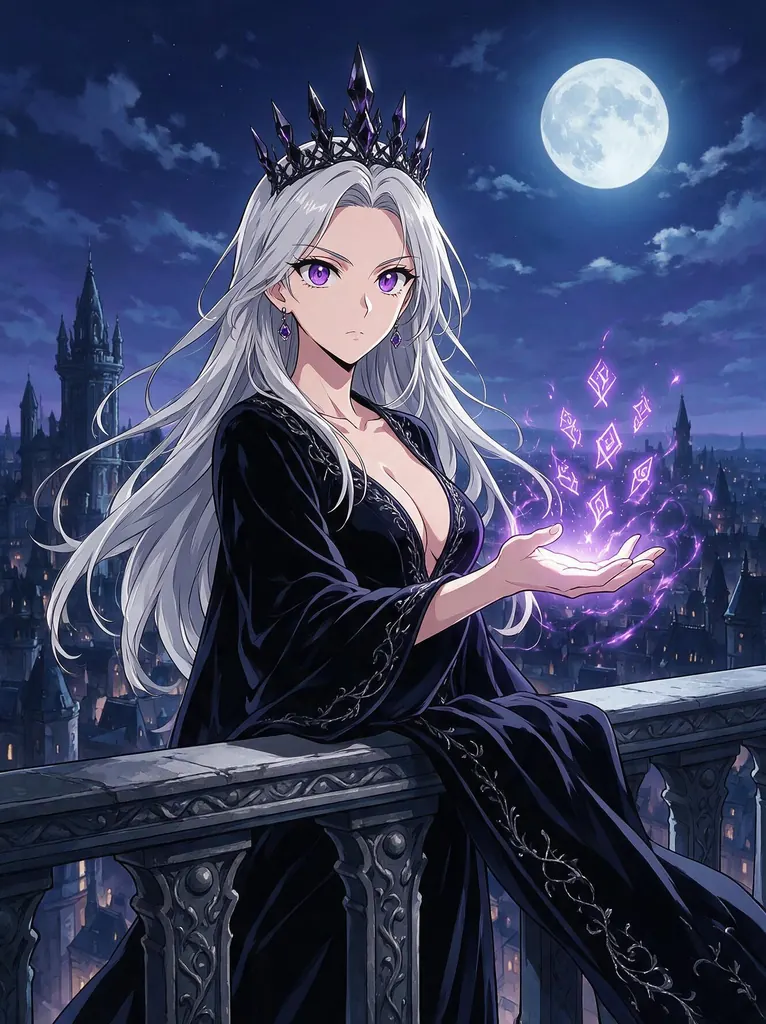
Text to image
A sorceress queen in her late thirties with long silver hair, a mature regal face and violet eyes, wearing a dark velvet gown with a deep neckline and a crown of black crystal, casting glowing violet runes from her open hand on a moonlit castle balcony, adult proportions
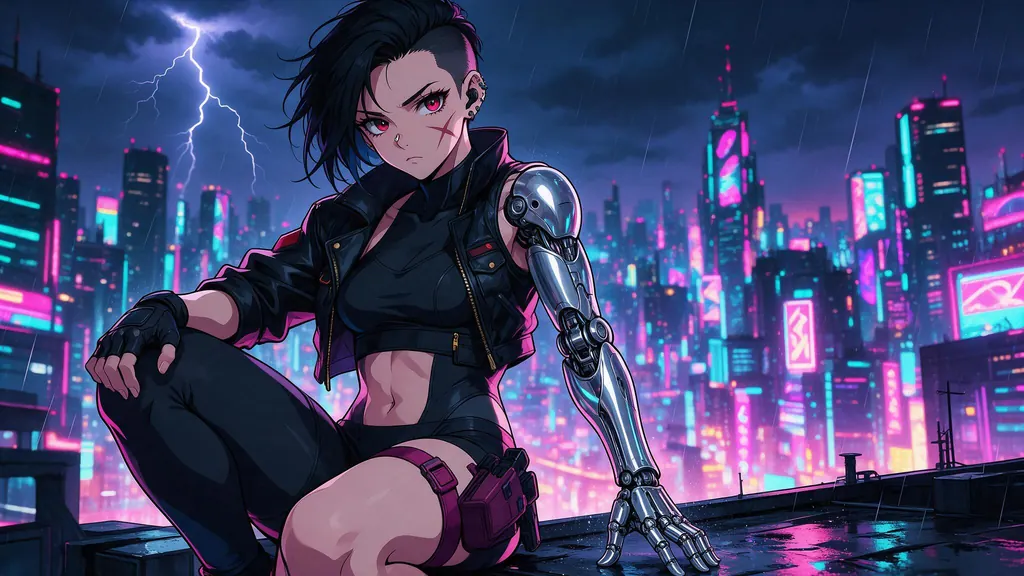
Text to image
A cyberpunk mercenary woman in her thirties with a short black undercut, a scar across her cheek and a chrome cybernetic arm, cropped leather jacket over a black bodysuit, crouching on a rooftop edge above a neon megacity in the rain, pink and cyan signs glowing below, no text, no lettering
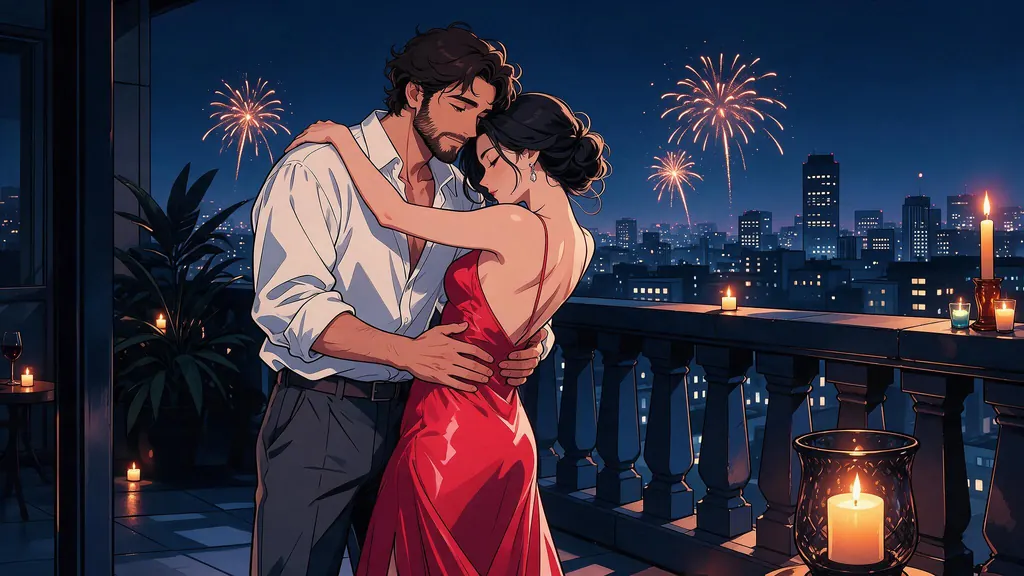
Text to image
A couple in their thirties standing face to face, a bearded man in an open white shirt and a woman in a red silk slip dress, slow dancing barefoot on a candlelit balcony at night, his hands on her waist, her head on his shoulder, city lights and fireworks in the distance, intimate and tender, adult proportions
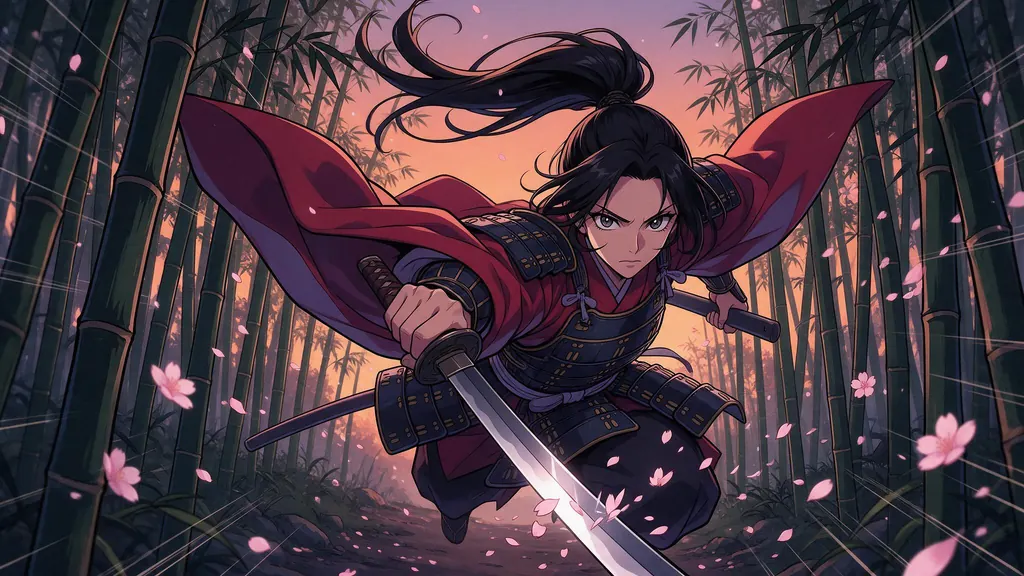
Text to image
A swordswoman in her late thirties with a long black ponytail and a mature determined face, crimson haori over dark armor, mid leap with her katana drawn, slicing through falling cherry blossoms on a bamboo forest path at dusk, dynamic motion lines, dramatic low angle
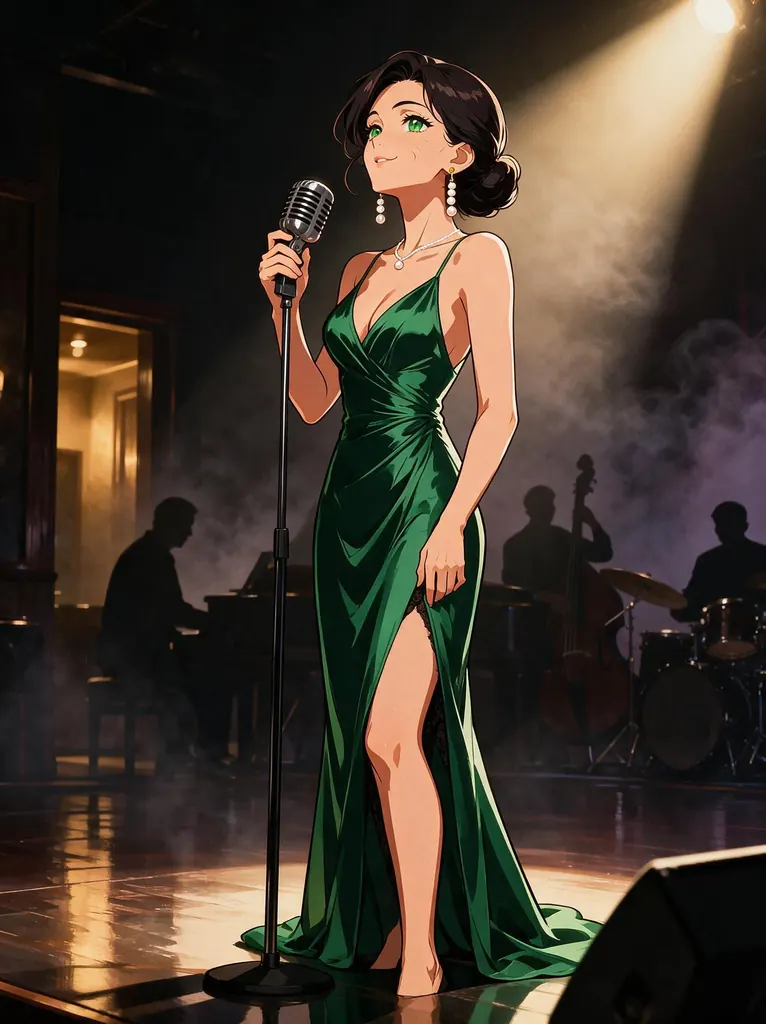
Text to image
A jazz singer in her late thirties with a mature elegant face, faint smile lines and dark hair in a sleek low bun, wearing an emerald satin evening gown and long pearl earrings, singing into a vintage microphone on a small club stage, smoky haze and a single warm spotlight, band silhouettes behind her, adult proportions, no text
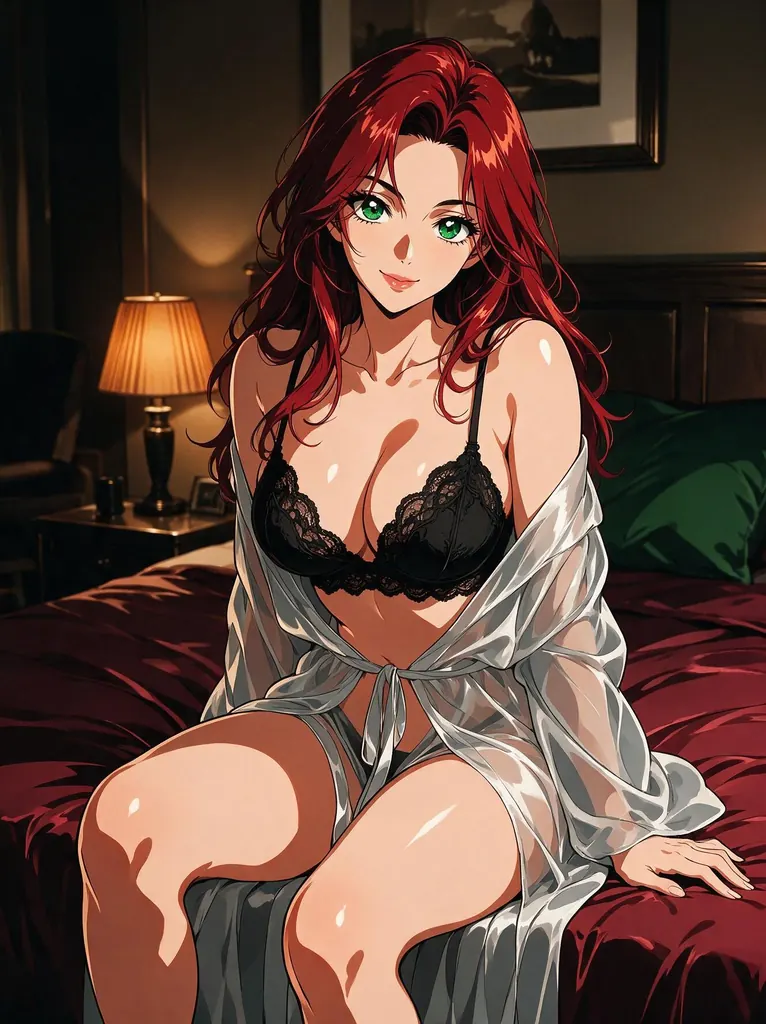
Text to image
Glamour pin-up of a curvy woman in her thirties with a mature face, long red hair and green eyes, wearing a black lace bralette under a sheer silk robe slipping off one shoulder, sitting on the edge of a bed in a dim hotel room, warm lamplight, tasteful and suggestive, adult proportions
- Before
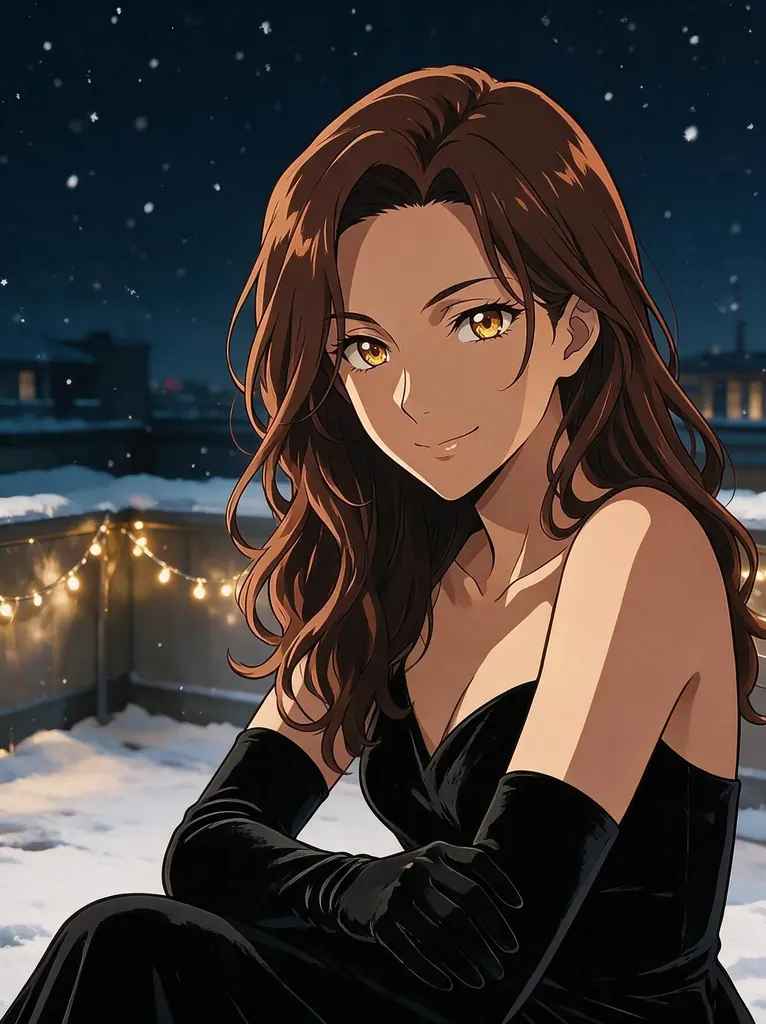 After
Edit
Change her outfit to a black velvet evening dress with long gloves and move her to a snowy rooftop terrace at night with warm string lights; keep her face, hairstyle, eye color and pose unchanged
When to pick Anime Pro Spicy
Pick it when
- You want consistent 2D anime or hentai-style images, explicit scenes included, without adding style tags to every prompt.
- You want a photo, or an earlier render, turned into an anime illustration that keeps the subject's identity, pose and outfit.
- You are building a recurring 2D or 2.5D character and want finished 2K frames that look like they belong to the same series.
Pick another model when
- You want many quick, inexpensive anime drafts or prefer to steer with Danbooru tags; Anima is lighter and costs less per run.
- You want a photograph or a style other than anime; Seedream 5.0 Pro is the same base without the anime setup.
Prompt or reference
Start from text when the character or scene is invented, and pick its frame. Attach pictures when someone or something already exists and should be redrawn as anime: the person keeps their face, hair, pose and clothes while the whole frame, background too, becomes a drawing. Extra pictures after the first add a little each, so attach only what the scene uses.
How to use Anime Pro Spicy on Vellria
- Prompt: up to 9,348 characters in the panel above.
- To edit or combine pictures, attach 1–10 reference images; leave them out to start from text.
- Cost: 10 credits — see pricing.
Example prompts
An adult woman with long silver hair and red eyes in black lace lingerie, kneeling on a futon in a dim tatami room, moonlight through the shoji screen, looking back over her shoulder with a teasing smile.
Two adult lovers in an outdoor hot spring at night, paper lanterns glowing on the rocks, her dark hair pinned up with a red comb, his arm around her waist, steam rising, intimate and explicit.
Character sheet of an original adult elf ranger: front view, back view and three facial expressions, green hooded cloak, fitted leather armor, plain white background.
A muscular adult man with a scar across his chest, shirtless in a rain-soaked neon alley, wet hair falling over his eyes, smoldering look, wide cinematic shot.
Turn this photo into anime: keep her face, hairstyle, pose and outfit, and redraw the whole picture, background included, as a single 2D anime frame at sunset.
Tips
- Skip style words and write who the character is, what they wear, how they pose and where the light comes from; the anime look is already set.
- Keep a short description block for a recurring character, with hair, eyes, outfit and one signature accessory, and paste it unchanged into every prompt so the design stays the same across scenes.
- For photo-to-anime, use a sharp, evenly lit picture with the face clearly visible; the repaint follows what it can see, framing included, so crop before you upload.
- When you attach several pictures, say what each one contributes, such as the character from the first and the outfit from the second; every picture after the first adds a little to the price.
- Set the mood through light and colour, for example sunset rim light or a blue neon night, rather than adjectives; the drawing stays anime either way, and the light is what changes the feel.
Specifications
| Size: | 1536×1536 (1:1, 2K)1776×1328 (4:3, 2K)1328×1776 (3:4, 2K)2048×1152 (16:9, 2K)1152×2048 (9:16, 2K) |
|---|---|
| Reference images: | 1–10 reference images |
See also: uncensored AI image generator · uncensored image editor.
Pricing
| Size | Credits |
|---|---|
| 1536×1536 (1:1, 2K) | 10 credits |
| 1776×1328 (4:3, 2K) | 10 credits |
| 1328×1776 (3:4, 2K) | 10 credits |
| 2048×1152 (16:9, 2K) | 10 credits |
| 1152×2048 (9:16, 2K) | 10 credits |
+1 credit per extra image
Anime Pro Spicy vs Anima and Seedream 5.0 Pro
Anime Pro Spicy sits between two neighbours: it shares its base, sizes and price with Seedream 5.0 Pro, and its purpose with Anima. What it adds is a fixed anime setup on the server side, so the style holds without any tags in the prompt.
| Model | Price | Max size | Reference images |
|---|---|---|---|
| Vellria Anime Pro Spicy Uncensored This page | 10 credits | 1536×1536 | Up to 10 |
| Anima Uncensored | 5 credits | 1024×1024 | Up to 1 |
| Seedream 5 Pro Uncensored | 10 credits | 1536×1536 | Up to 10 |
Prices and limits come from the live model catalog.
Anime Pro Spicy or Anima?
- Price: 5 credits (Anime Pro Spicy: 10 credits)
- Max size: 1024×1024 (Anime Pro Spicy: 1536×1536)
- Reference images: Up to 1 (Anime Pro Spicy: Up to 10)
- Extra reference images: — (Anime Pro Spicy: +1 credit per extra image)
- Prompt length: 10,000 characters (Anime Pro Spicy: 9,348 characters)
- Settings: Seed (Anime Pro Spicy: None)
Anima is an open-weight anime model that reads Danbooru tags and costs less per run, which makes it the drafting tool. Move to Anime Pro Spicy when a frame should come back finished at a larger size, or when a photo has to become anime while the person stays recognisable.
Anime Pro Spicy or Seedream 5.0 Pro?
- Prompt length: 10,000 characters (Anime Pro Spicy: 9,348 characters)
- Settings: Reasoning (Anime Pro Spicy: None)
Seedream 5.0 Pro is the same base without the anime setup, and it lets you switch reasoning off. Choose it for photographs or any style you want to set yourself, and Anime Pro Spicy when every image should come out as anime whatever the wording.
Anime Pro Spicy API: price and a first request
Anime Pro Spicy costs 10 credits over the API, the same rate as in Studio. Model id vellria-anime-pro-spicy on POST /v1/generate/image.
curl https://vellria.com/v1/generate/image \
  -H "Authorization: Bearer vll_..." \
  -H "Content-Type: application/json" \
  -d '{
    "model": "vellria-anime-pro-spicy",
    "prompt": "…",
    "size": "1536*1536"
  }'
Parameters, polling and uploads: API documentation · NSFW image API.
FAQ
Does Anime Pro Spicy allow NSFW?
Yes. It is uncensored: nudity and explicit hentai-style scenes are drawn the way you describe them, and the prompt reaches the model without being softened. The anime finish applies to explicit scenes exactly as it does to everything else.
Is Anime Pro Spicy free?
Free to start: a new account created with Google gets 20 free credits, valid for 7 days (about 10 images on Z-Image Turbo Uncensored), and every signed-in account gets free daily uses of the NSFW prompt generator and the image to prompt tool. The gift is enough to try Anime Pro Spicy, which costs 10 credits. After that every run is paid from prepaid credits at the rate this page shows before you start, and a run that fails at the provider is refunded automatically. Is there a free uncensored AI generator? covers the cheapest way to a first result.
Is Anime Pro Spicy its own model?
It is built on Seedream 5.0 Pro from ByteDance and was not trained by Vellria. Our part is the configuration: a fixed anime style instruction added to every request, and reasoning kept on. Sizes, price and reference limits match Seedream 5.0 Pro.
Do I need to write 'anime style' in my prompts?
No. The style is set on our side, so words like anime, cel shading or 2D add nothing. Use the space for the character, the action and the light. A prompt that asks for a photo or a realistic look still comes back as an anime illustration.
Can it turn my photo into anime?
Yes. Attach the picture and describe the scene you want; the model redraws the whole frame, background included, as 2D anime and keeps the person's identity, hairstyle, pose and outfit. A clear, well-lit picture gives the closest likeness.
Why does a run take about a minute?
Reasoning is always on: the model works out the composition before it draws, which is what keeps the anime style from slipping. That planning step adds time, so plan on roughly a minute per image rather than a few seconds.
Can I use Anime Pro Spicy through the API?
Yes. The API section on this page shows a text-to-image request and one with reference pictures; you send the public model ID and the server picks the matching mode. Uploads and polling are covered in the API reference.
Related models
Turn a still into a clip with one of our video models.
Wan 3.0 Pro Uncensored
Step up for final takes: 2–30 s with sound up to 1080p; start from a still to keep your framing.
Video
from 20 credits / s
Wan 2.2 Uncensored
Budget silent clips of 5 or 8 s at 480p or 720p, landscape or portrait; animates stills too.
Video
from 8 credits / s
Pruna P-Video 2 Pro Uncensored
For the take you keep: 5–15 s clips with sound at 480p or 768p, or start from a still.
Video
from 12 credits / s