
Pruna P-Image Uncensored
Pruna P-Image Uncensored is Pruna AI's image model, hosted on Vellria with nothing to install: text to image and image to image, output up to 1024×1024. Run it in Studio or over the REST API, 4 credits (100 credits = $1.00).
vellria-p-imagePruna P-Image is developed by Pruna AI. Vellria provides access to the model; it does not own it. All trademarks belong to their respective owners.
Output
No generation yetCover art
4 credits
Your request will cost 4 credits.
About Pruna P-Image
Also known as: P-Image · Pruna AI P-Image · P-Image Edit
P-Image is the image model from Pruna AI, a company that specializes in making generative models fast and efficient. It does two jobs on one page: it draws a new picture from a written prompt, and it edits pictures you attach. Vellria runs both halves hosted and uncensored, and a typical image comes back within a few seconds, which makes it the quickest way on this site to find out whether an idea works.
Starting from text gives seven shapes at roughly one megapixel: square, two landscape and two portrait proportions, and the wide and tall screen formats. There is one resolution and one low flat price per image, so the only decision before a run is the frame. That price makes it practical to generate many variations of a pose, an outfit or a setting and keep only the best one.
Editing accepts one to five pictures and costs the same as a fresh image, however many you attach. Leave the shape unset and the result follows the proportions of the first picture; choose one of the seven shapes when the edit has to fit a particular layout. Describe the change in plain words, such as which outfit to swap in or how to relight the room, and say what should stay as it is.
There is no negative prompt and no prompt-expansion step: the model reads your wording as written. For photoreal text-only drafts at larger sizes, Z-Image Turbo reaches 2K; for realism and legible lettering from Black Forest Labs, compare FLUX.2 Klein 9B; and for edits that draw on many references at once, Seedream 5.0 Flash takes more pictures per run.
Pruna P-Image in action
Pruna P-Image outputs with the exact prompts behind them.
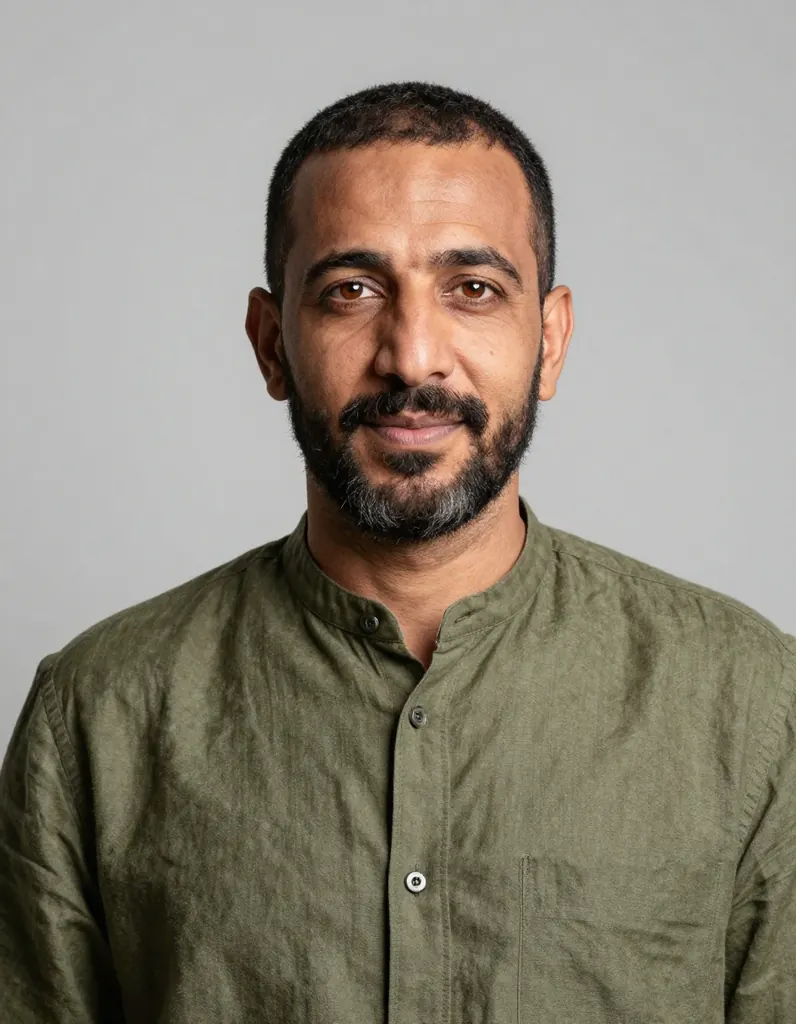
Text to image
Crisp studio portrait of a Moroccan man in his late thirties with a short beard and warm brown eyes, wearing an olive linen shirt, clean light grey backdrop, soft key light and gentle rim light, sharp focus on the eyes, photorealistic
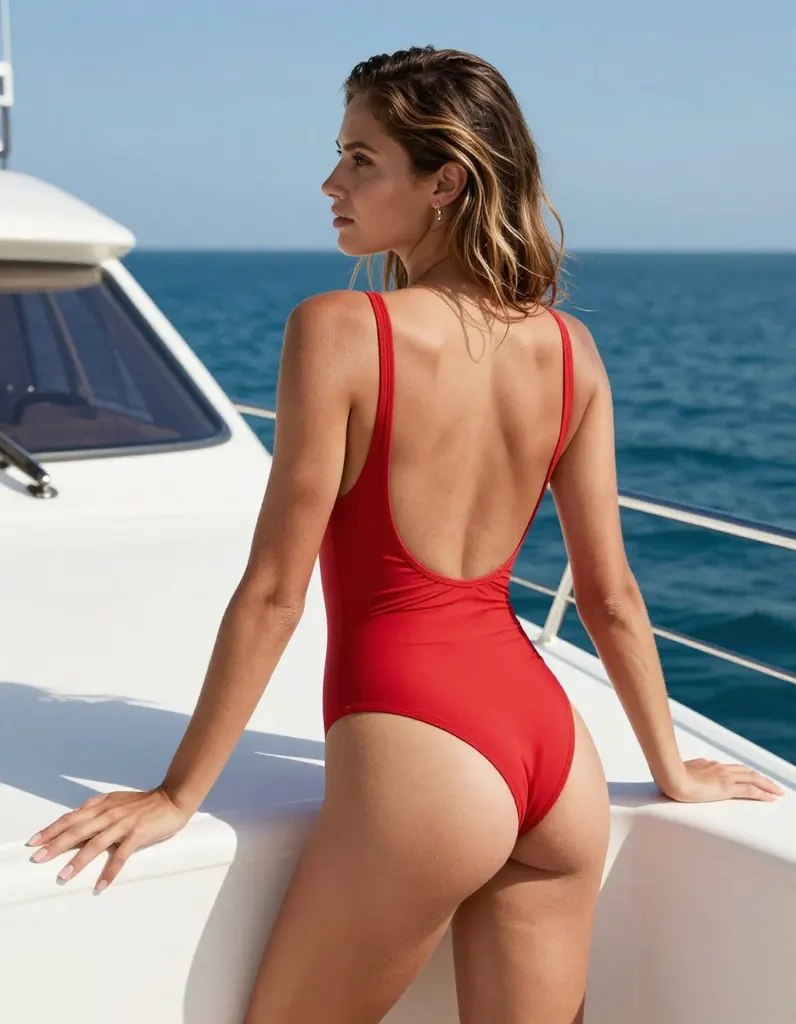
Text to image
Swimwear editorial of a tanned woman in her thirties with sun-bleached hair in a red one-piece swimsuit with a deep back, leaning on a white yacht railing, bright midday sun, crisp shadows, blue sea behind her, sharp commercial photography
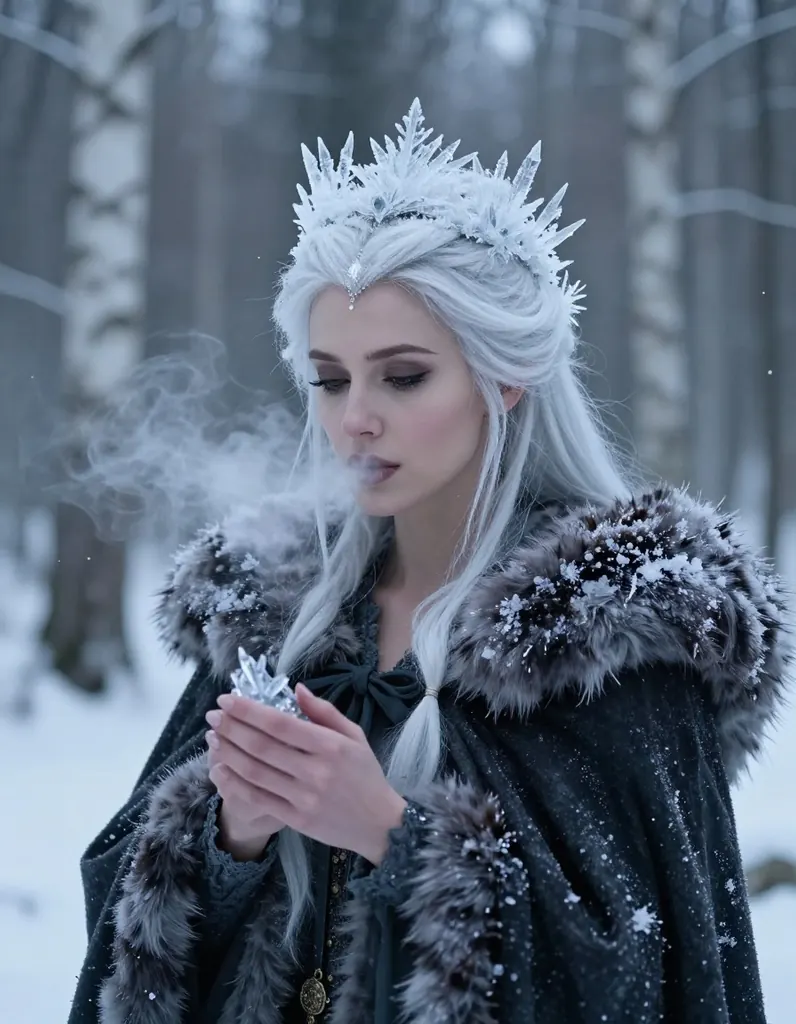
Text to image
Photorealistic fantasy portrait of a woman in her thirties as a winter witch with frost-white hair, a crown of ice crystals and a dark fur-lined cloak, her breath visible in the cold air, snowy birch forest at twilight, crisp detail
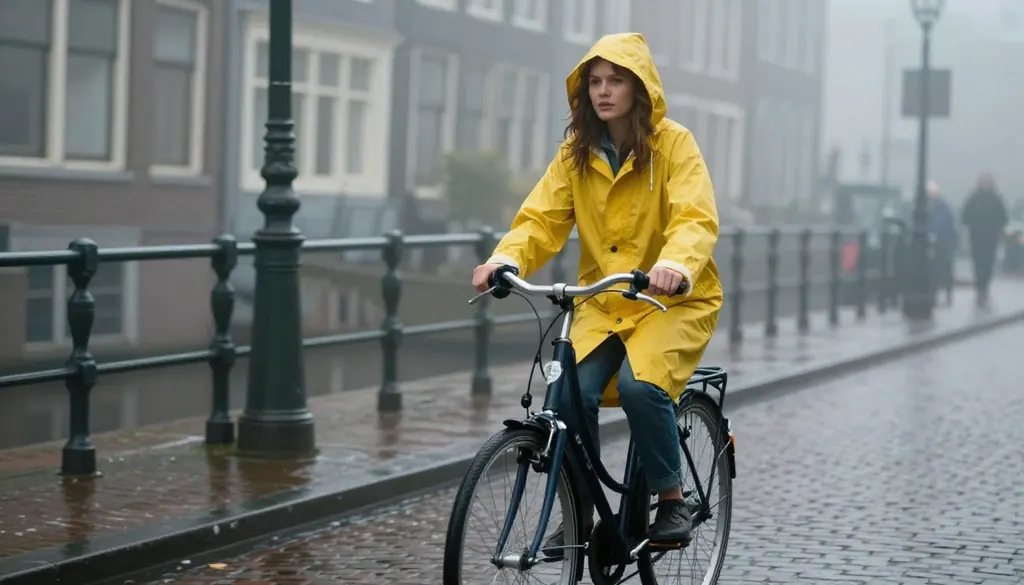
Text to image
Cinematic still of a woman in her thirties in a yellow raincoat riding a bicycle through a misty Amsterdam-style canal street at dawn, soft fog, wet cobblestones, sharp focus, muted film colors, no signs, no text
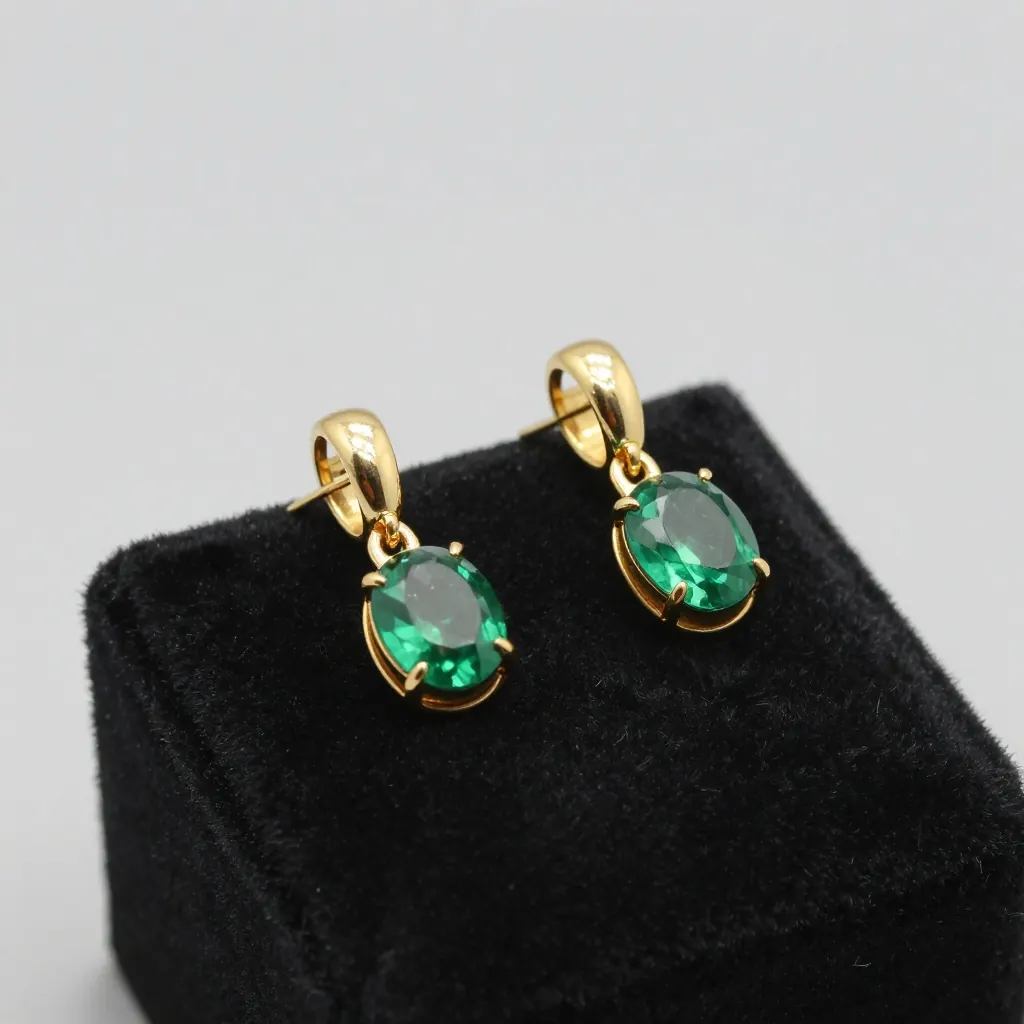
Text to image
Crisp product photograph of a pair of polished gold earrings with emerald stones on a black velvet pedestal, single soft spotlight, sharp reflections, luxury jewelry photography, no text, no logo
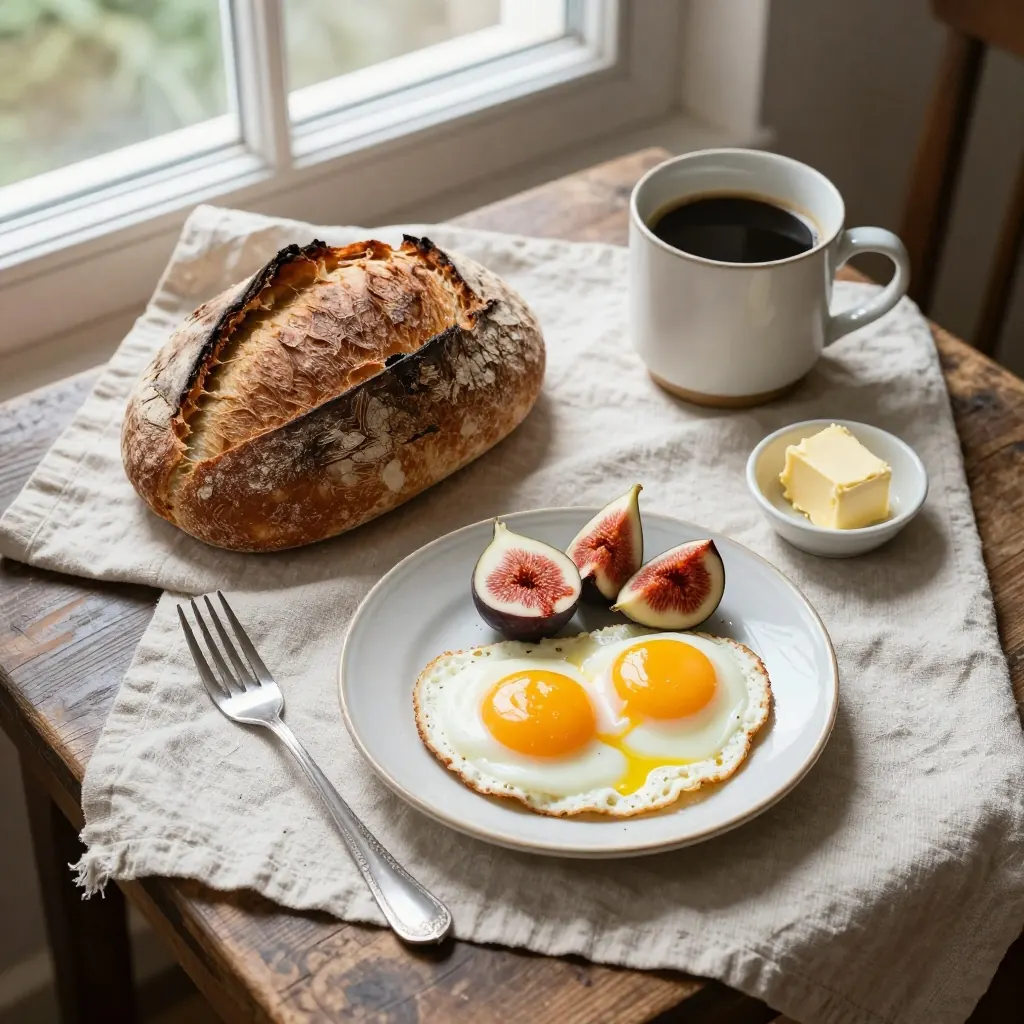
Text to image
Overhead shot of a rustic breakfast table with a sourdough loaf, soft-boiled eggs, butter, figs and a pot of coffee on a linen cloth, bright morning window light, crisp food photography
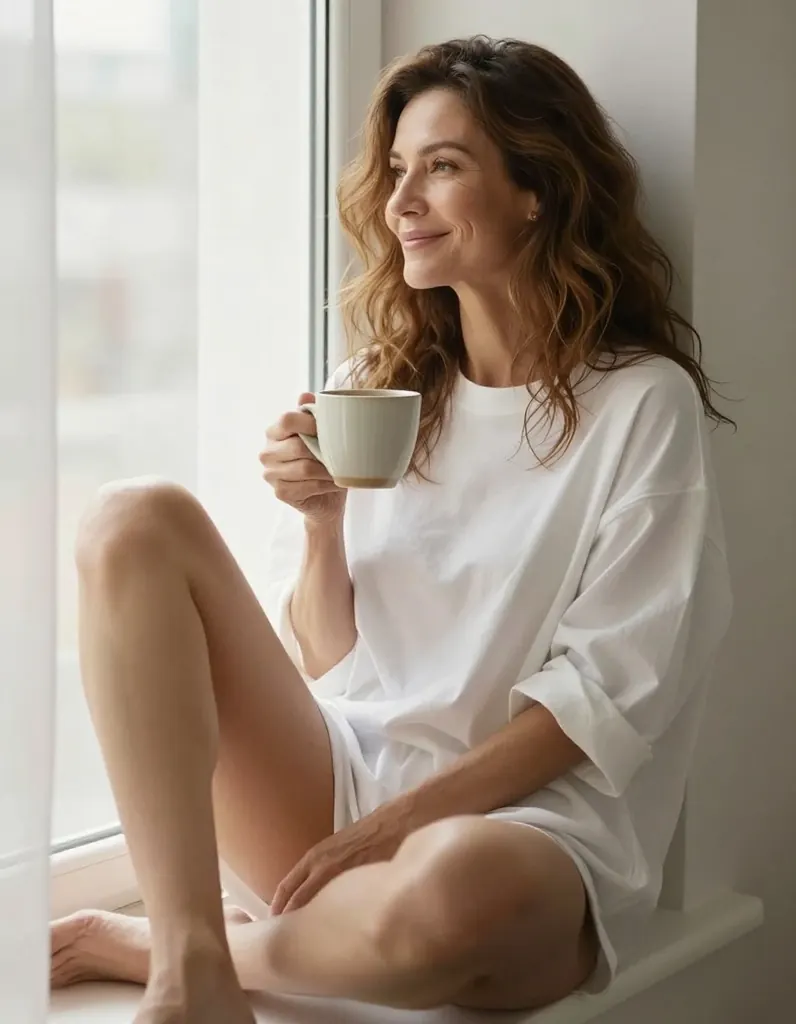
Text to image
A woman in her late thirties with fine smile lines, a mature confident face and wavy chestnut hair, in an oversized white shirt sitting on a sunlit windowsill with her bare legs crossed, holding a ceramic coffee mug, morning light through sheer curtains, relaxed and quietly suggestive, crisp lifestyle photography
- Before
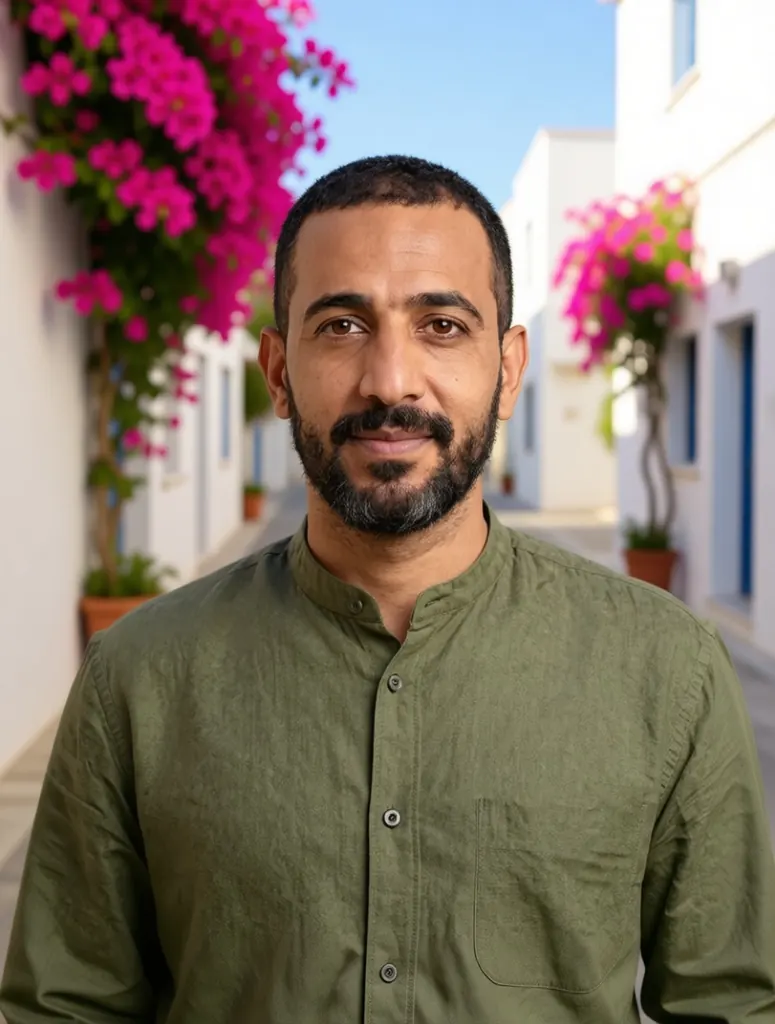 After
AfterEdit
Replace the grey backdrop with a sunlit Mediterranean street with whitewashed walls and bougainvillea; keep the man, his shirt and his pose exactly the same
When to pick Pruna P-Image
Pick it when
- You want the fastest turnaround on this site, to test ideas, poses and outfits in quick succession.
- You want fresh images and edits at one low flat price, with up to five reference pictures at no extra cost.
- About one megapixel in a square, landscape, portrait or screen shape is enough for where the picture is going.
Pick another model when
- The image must be larger than about one megapixel; Seedream 5.0 Pro renders finished high-resolution images.
- Lettering on signs or labels has to come out legible; FLUX.2 Klein 9B is tuned for crisper text.
- An edit draws on more than five references, or you want to name each picture in the prompt; Qwen Image 2.1 takes up to ten.
Prompt or reference
Write a prompt when the picture does not exist yet, and pick its frame. Attach pictures, up to a handful, when a person, outfit or room is already there and only part of it should change: the output keeps the first picture's shape unless you choose another, and extra pictures cost nothing.
How to use Pruna P-Image on Vellria
- Prompt: up to 10,000 characters in the panel above.
- To edit or combine pictures, attach 1–5 reference images; leave them out to start from text.
- Cost: 4 credits — see pricing.
Example prompts
An adult woman in a white linen shirt leaning on a sunlit balcony railing above the sea, warm afternoon light, candid editorial photo.
Wide frame: an adult couple sharing a bath in a candlelit marble bathroom, steam in the air, soft golden light, cinematic photograph.
Tall frame: an adult man in an open black shirt standing in a neon-lit alley at night, rain on the pavement, shallow depth of field.
Edit: put the adult woman from the first picture in the red satin dress from the second picture; keep her face, hair and pose, and change the background to a hotel lobby.
Edit: relight this picture with blue-hour light through the window and add soft film grain; keep the adult subject and the composition unchanged.
Tips
- Write the subject first, then clothing, pose, setting and light; there is no expansion step, so every detail you want has to be in the prompt.
- Use the low price to explore: run the same prompt with several seeds, then lock the seed of the result you like.
- For edits, put the picture whose framing you want to keep in the first slot; with no shape chosen, the result inherits it.
- Name what must stay unchanged in an edit, such as the face, the pose or the room, rather than listing things to avoid.
- When a draft is right but needs more pixels, take the prompt to a larger model instead of enlarging the draft.
Specifications
| Size (Text to image): | 1024×1024 (1:1)1216×832 (3:2)832×1216 (2:3)1152×896 (4:3)896×1152 (3:4)1344×768 (16:9)768×1344 (9:16) |
|---|---|
| Size (Image to image): | 1K · Matches input image1024×1024 (1:1)1216×832 (3:2)832×1216 (2:3)1152×896 (4:3)896×1152 (3:4)1344×768 (16:9)768×1344 (9:16) |
| Reference images: | 1–5 reference images |
See also: uncensored AI image generator · uncensored image editor.
Pricing
Text to image
| Size | Credits |
|---|---|
| 1024×1024 (1:1) | 4 credits |
| 1216×832 (3:2) | 4 credits |
| 832×1216 (2:3) | 4 credits |
| 1152×896 (4:3) | 4 credits |
| 896×1152 (3:4) | 4 credits |
| 1344×768 (16:9) | 4 credits |
| 768×1344 (9:16) | 4 credits |
Image to image
| Size | Credits |
|---|---|
| 1K · Matches input image | 4 credits |
| 1024×1024 (1:1) | 4 credits |
| 1216×832 (3:2) | 4 credits |
| 832×1216 (2:3) | 4 credits |
| 1152×896 (4:3) | 4 credits |
| 896×1152 (3:4) | 4 credits |
| 1344×768 (16:9) | 4 credits |
| 768×1344 (9:16) | 4 credits |
Pruna P-Image vs Z-Image Turbo and FLUX.2 Klein 9B
P-Image is the speed pick among the image models on Vellria: Pruna AI's efficient model for fresh images and multi-picture edits at one low flat price, made for trying many ideas quickly.
| Model | Price | Max size | Reference images |
|---|---|---|---|
| Pruna P-Image Uncensored This page | 4 credits | 1024×1024 | Up to 5 |
| Z-Image Turbo Uncensored | 2 credits | 2048×2048 | None |
| Flux 2 Klein 9B Uncensored | 5 credits | 1024×1024 | Up to 3 |
Prices and limits come from the live model catalog.
Pruna P-Image or Z-Image Turbo?
- Price: 2 credits (Pruna P-Image: 4 credits)
- Max size: 2048×2048 (Pruna P-Image: 1024×1024)
- Reference images: None (Pruna P-Image: Up to 5)
- Extra reference images: — (Pruna P-Image: No extra charge)
Z-Image Turbo is the other low-cost photoreal model and reaches larger sizes, but it works from text alone. Choose it for bigger drafts from a description, and P-Image when you also want to edit pictures you attach.
Pruna P-Image or FLUX.2 Klein 9B?
- Price: 5 credits (Pruna P-Image: 4 credits)
- Reference images: Up to 3 (Pruna P-Image: Up to 5)
FLUX.2 Klein 9B costs a little more per run, is tuned for realism and legible lettering, and takes fewer pictures in an edit. Draft quickly here, then move to it when text in the frame or fine detail matters.
Pruna P-Image API: price and a first request
Pruna P-Image costs 4 credits over the API, the same rate as in Studio. Model id vellria-p-image on POST /v1/generate/image.
curl https://vellria.com/v1/generate/image \
  -H "Authorization: Bearer vll_..." \
  -H "Content-Type: application/json" \
  -d '{
    "model": "vellria-p-image",
    "prompt": "…",
    "size": "1024*1024"
  }'
Parameters, polling and uploads: API documentation · NSFW image API.
FAQ
Does P-Image allow NSFW?
Yes, for fictional adult content: nudity and explicit scenes between adults are allowed in fresh images and in edits. Minors are refused automatically, and editing real people without their consent is prohibited.
Is Pruna P-Image free?
No, there is no free plan, but a new account created with Google gets 20 credits as a gift, valid for 7 days: enough to try Pruna P-Image, which costs 4 credits. After that every run is paid from prepaid credits at the rate this page shows before you start, and a run that fails at the provider is refunded automatically. Is there a free uncensored AI generator? covers the cheapest way to a first result.
How fast is P-Image?
Pruna AI built it for speed, and most images finish within a few seconds of the run starting, with edits taking a little longer. Waiting time in the queue depends on load, but the generation itself is among the quickest on Vellria.
How many pictures can I attach to an edit?
Between one and five, and the price is the same whatever the number. Leave the shape unset to keep the first picture's proportions, or choose one of the seven shapes for a different frame.
What sizes does it produce?
Fresh images come in seven shapes at roughly one megapixel, from square to the tall and wide screen formats. There is a single resolution tier, so you choose the frame rather than the pixel count.
Can I use P-Image through the API?
Yes. The API section on this page shows the request for text and for edits; the API reference covers uploading reference pictures and polling for the result.
Related models
Turn a still into a clip with one of our video models.
Pruna P-Video 2 Uncensored
From a one-second beat to a 20-second take, with sound, at 720p or 1080p; animates stills too.
Video
from 8 credits / s
Wan 3.0 Spicy Uncensored
Wan 3.0 takes of 2–30 s at 480p to 1080p from text or a first frame, with sound on or off.
Video
from 13 credits / s
Wan 3.0 Pro Spicy Uncensored
Full HD takes of 2–30 s from text or a first frame at a single 1080p step, sound on or off.
Video
45 credits / s