
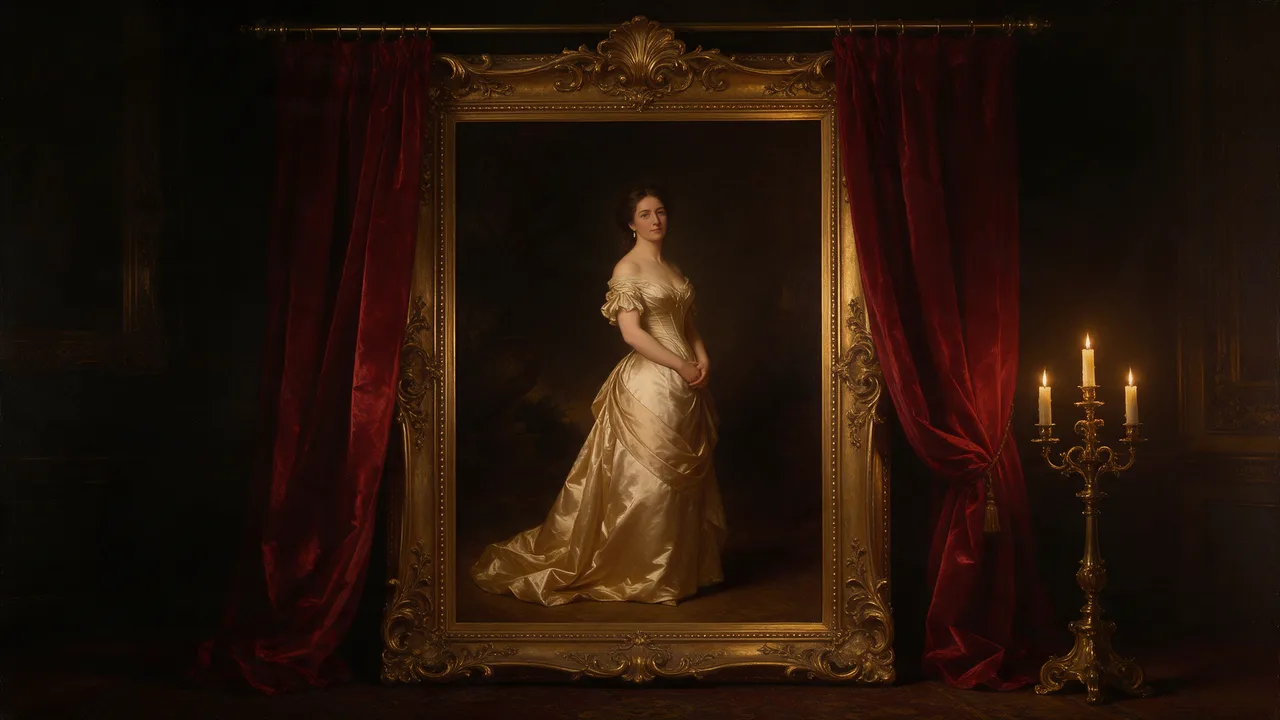
Z-Image Spicy Pro Uncensored
Z-Image Spicy Pro Uncensored is Alibaba Tongyi's image model, hosted on Vellria with nothing to install: text to image, output up to 1680×2520. Run it in Studio or over the REST API, 5 credits (100 credits = $1.00).
vellria-z-image-spicy-proZ-Image Spicy Pro is developed by Alibaba Tongyi. Vellria provides access to the model; it does not own it. All trademarks belong to their respective owners.
Output
No generation yetCover art
5 credits
Your request will cost 5 credits.
About Z-Image Spicy Pro
Also known as: Z Image Spicy Pro · Tongyi Z-Image Spicy Pro
Z-Image Spicy Pro is the larger tier of the Z-Image Spicy line, built on the Z-Image model family from Alibaba's Tongyi lab. It reads the same plain prompts as Z-Image Spicy and adds bigger size steps, reaching 2560 pixels on the long side, while the price stays flat for every size and shape.
The extra pixels matter when the picture itself is the deliverable: a print, a wallpaper, a cover that will be cropped, or a still you plan to cut into several frames. Three size steps, 1K, 2K and 2.5K, run across seven shapes from square to tall 9:16 and wide 16:9. Because the price does not change with size, there is little reason to render a keeper below the top step.
Large files show everything, so write the details you want resolved: fabric and skin texture, where the light falls, what sits in the background and how sharp it should be. Fix the seed when you are close; reruns then start from the same point, and a single changed detail is easy to judge at full size.
Pro works from text alone. Settle the pose and setting on the lower-priced Z-Image Spicy first if you like, then bring the prompt here unchanged. To rework a picture you have already made, hand it to Qwen Image Edit Spicy; to animate a finished still, upload it to Wan 3.0 Pro Spicy as the first frame.
Z-Image Spicy Pro in action
Z-Image Spicy Pro outputs with the exact prompts behind them.
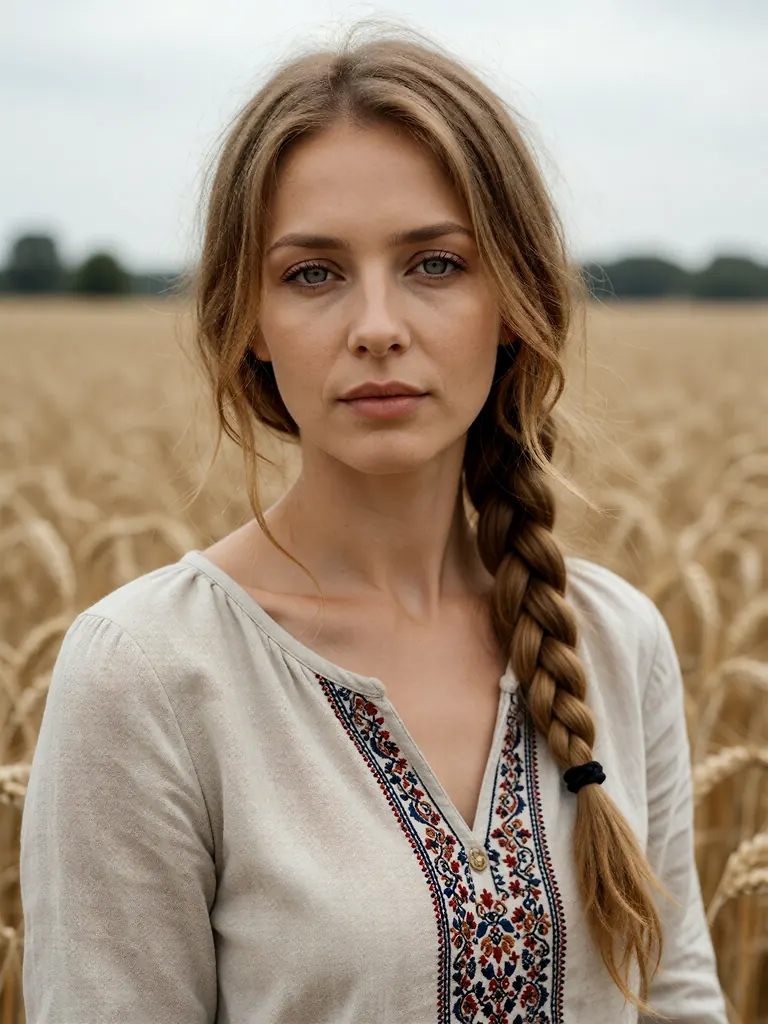
Text to image
Editorial portrait of a Ukrainian woman in her late thirties with honey-blonde hair in a loose braid and grey eyes, wearing an embroidered linen blouse, soft overcast light in a wheat field, calm direct gaze, medium format photography, fine skin detail
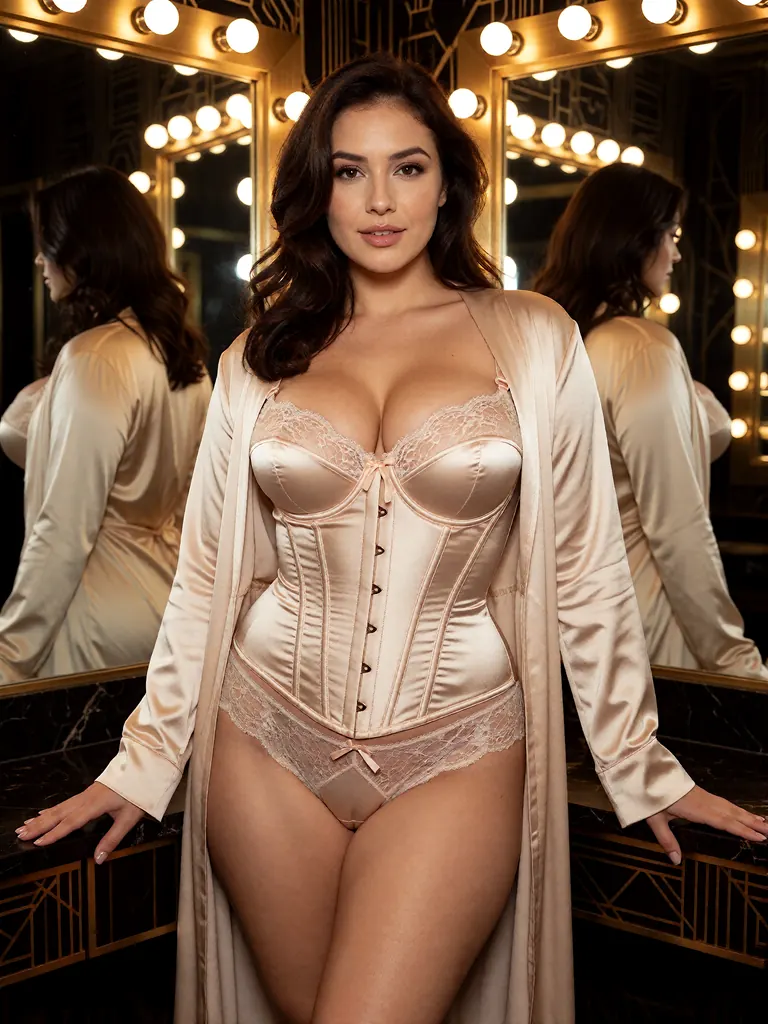
Text to image
Lingerie campaign photo of a curvy brunette woman in her thirties in a champagne satin corset and a matching long robe, standing in a mirrored art deco dressing room, warm vanity bulbs, confident pose, high-end catalog photography
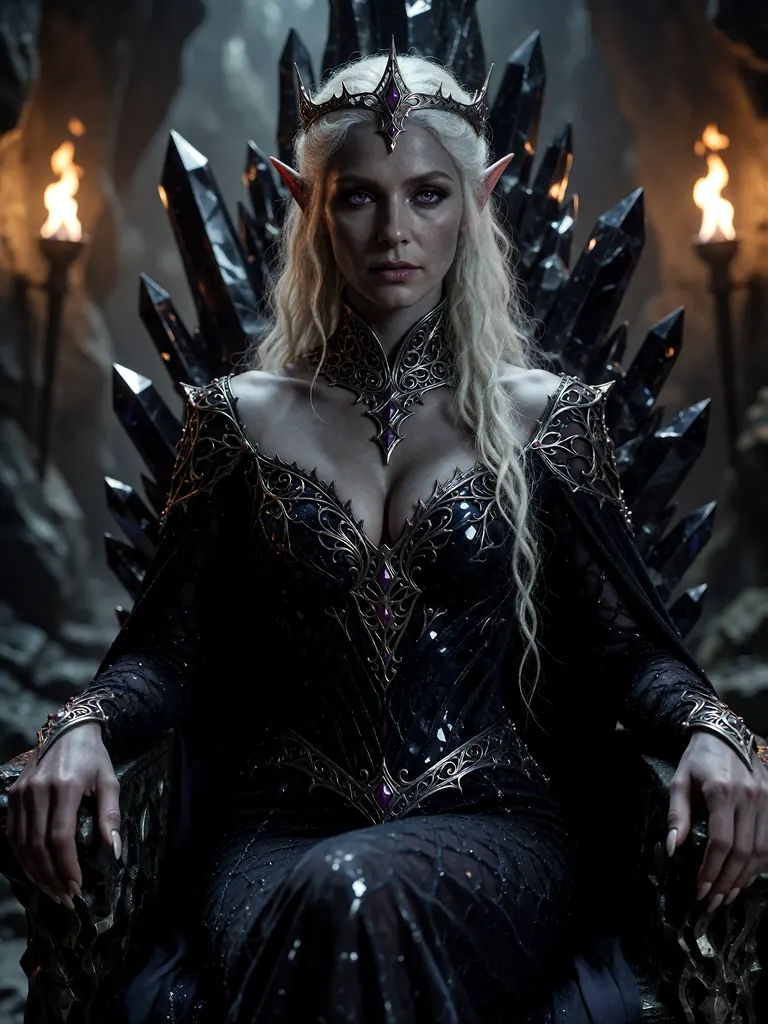
Text to image
Fantasy portrait of a dark elf queen in her forties with ash-grey skin, long white hair and violet eyes, wearing an ornate obsidian gown with a high silver collar, seated on a throne of black crystal in a torchlit cavern, painterly photorealism, extreme detail
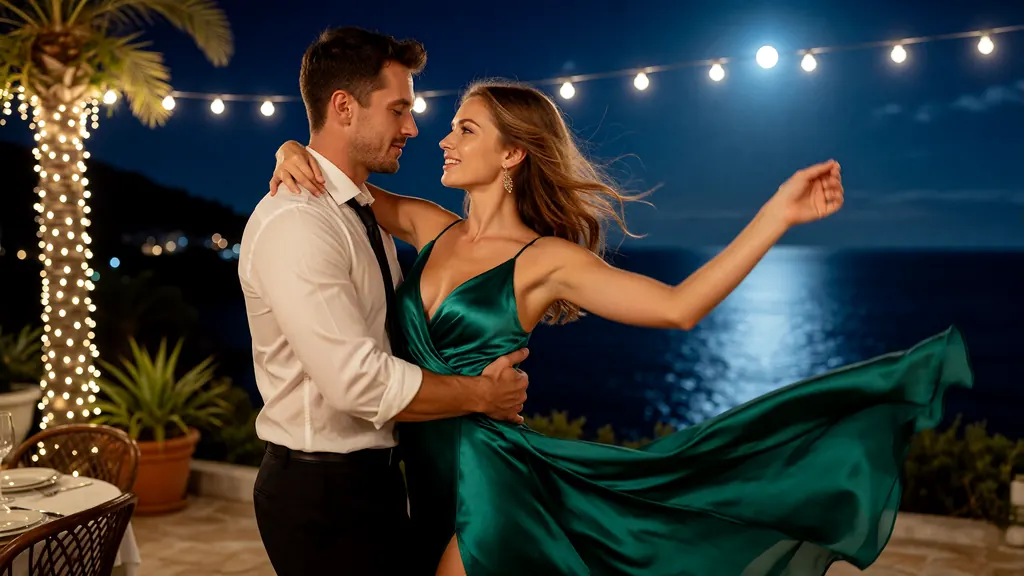
Text to image
Cinematic still of a man and a woman in their thirties in evening wear dancing close on a moonlit terrace above the sea, her emerald silk gown catching the wind, string lights behind them, warm and cool contrast, anamorphic film look
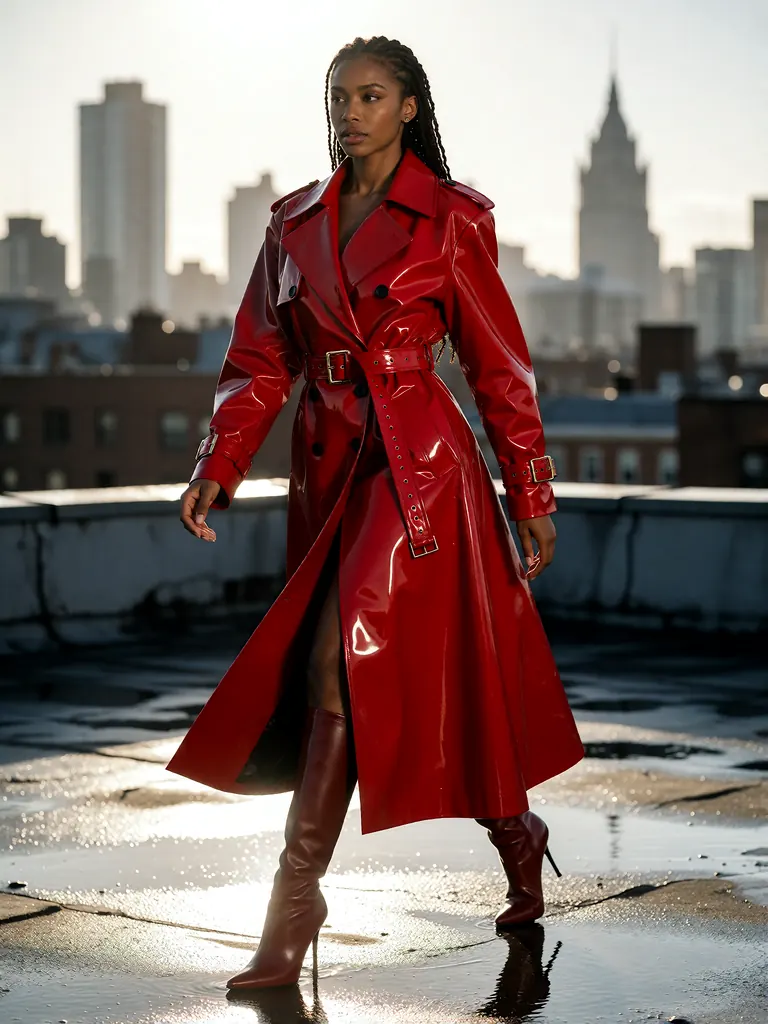
Text to image
High-fashion editorial of a tall Black woman in her thirties in a sculptural red latex trench coat and knee-high boots, striding across a wet rooftop at dusk, the city skyline blurred behind her, hard rim light, magazine photography
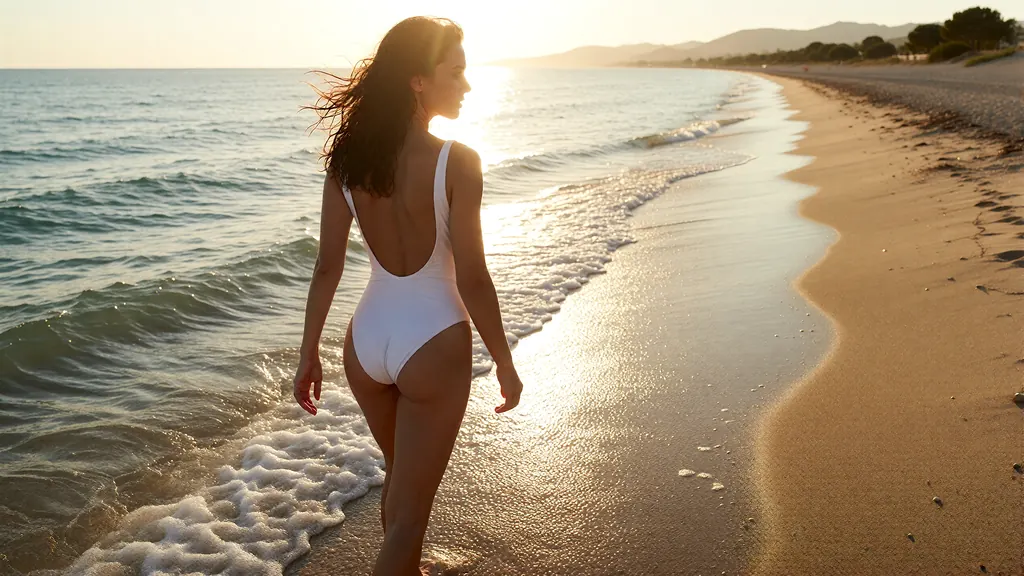
Text to image
Golden hour swimwear editorial of a tanned woman in her thirties in a white one-piece swimsuit with a deep back, walking along the edge of the surf on an empty beach, wet hair swept back, sun flare, warm tones
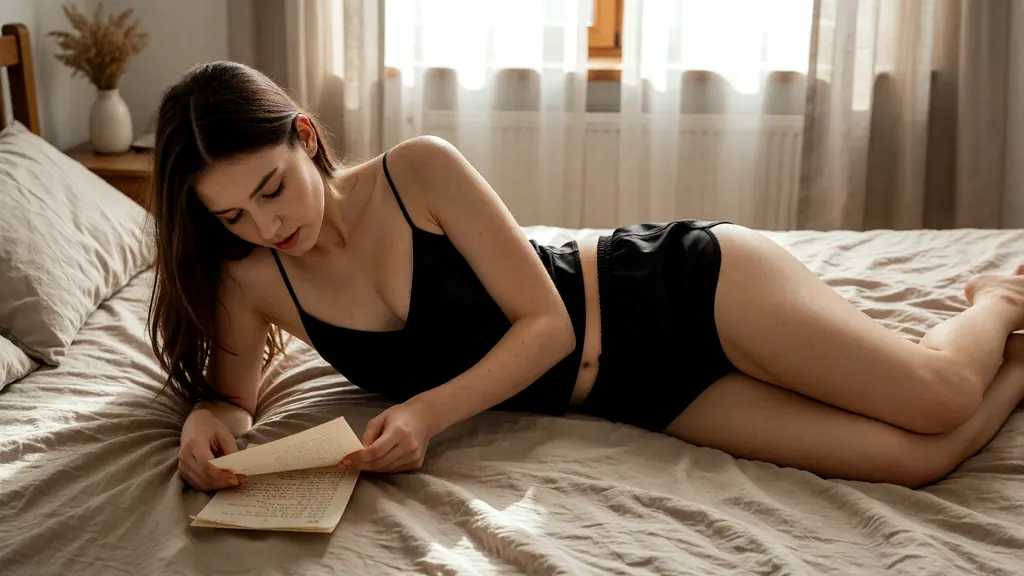
Text to image
A woman in her thirties in a black silk camisole and matching shorts lying on her side across a rumpled bed, propped on one elbow, reading a letter, soft afternoon light through linen curtains, intimate and quietly suggestive, fine detailed photography
When to pick Z-Image Spicy Pro
Pick it when
- The picture is the final file and needs to be large: a print, a wallpaper or a cover with room to crop.
- You found a prompt that works on Z-Image Spicy and want the same idea rendered at a bigger size.
- You want one flat price whatever size and shape you pick, so the top step costs nothing extra.
Pick another model when
- You are still exploring and phone-sized pictures are enough; Z-Image Spicy costs a little less per run.
- You need to change a picture you already have; use Qwen Image Edit Spicy.
- The image should follow a detailed photographer-style brief and accept references; Seedream 5.0 Pro does both.
How to use Z-Image Spicy Pro on Vellria
- Prompt: up to 10,000 characters in the panel above.
- This model starts from text alone, so there is nothing to upload.
- Cost: 5 credits — see pricing.
Example prompts
High-resolution boudoir photograph of an adult woman in an ivory silk slip by a tall window, overcast daylight, visible fabric texture, 85mm lens, portrait frame.
Editorial nude study of an adult male athlete seated on a wooden stool, hard side light, charcoal backdrop, sculpted shadows, fine skin texture.
Wide wallpaper: an adult couple asleep in a sunlit loft bed, tangled sheets, plants on the windowsill, warm morning haze.
Glamour portrait of an adult woman in red satin lingerie on a chaise longue, soft key light, glossy magazine finish, sharp focus on the eyes.
Tips
- Render the keeper at the largest step; the price is the same at every size.
- Describe textures and background detail explicitly; at large sizes vague areas are easy to spot.
- Fix the seed once the composition works, then adjust one detail per run.
- Say that every person in the picture is an adult; it keeps results unambiguous and avoids needless refusals.
Specifications
| Size: | 1024×1024 (1:1)2048×2048 (1:1)1536×2048 (3:4)2048×1536 (4:3)1680×2520 (2:3)2520×1680 (3:2)1440×2560 (9:16)2560×1440 (16:9) |
|---|
See also: uncensored AI image generator.
Pricing
| Size | Credits |
|---|---|
| 1024×1024 (1:1) | 5 credits |
| 2048×2048 (1:1) | 5 credits |
| 1536×2048 (3:4) | 5 credits |
| 2048×1536 (4:3) | 5 credits |
| 1680×2520 (2:3) | 5 credits |
| 2520×1680 (3:2) | 5 credits |
| 1440×2560 (9:16) | 5 credits |
| 2560×1440 (16:9) | 5 credits |
Z-Image Spicy Pro vs Z-Image Spicy and Z-Image Turbo
Z-Image Spicy Pro is the large-file tier of the Z-Image Spicy line from Alibaba's Tongyi lab. All three models compared here start from text only; what separates them is the size range and the price per picture.
| Model | Price | Max size | Reference images |
|---|---|---|---|
| Z-Image Spicy Pro Uncensored This page | 5 credits | 1680×2520 | None |
| Z-Image Spicy Uncensored | 4 credits | 1152×1536 | None |
| Z-Image Turbo Uncensored | 2 credits | 2048×2048 | None |
Prices and limits come from the live model catalog.
Z-Image Spicy Pro or Z-Image Spicy?
- Price: 4 credits (Z-Image Spicy Pro: 5 credits)
- Max size: 1152×1536 (Z-Image Spicy Pro: 1680×2520)
Z-Image Spicy reads the same prompts at smaller sizes and a lower flat price. Draft there, and bring the wording here unchanged when the picture has to be big.
Z-Image Spicy Pro or Z-Image Turbo?
- Price: 2 credits (Z-Image Spicy Pro: 5 credits)
- Max size: 2048×2048 (Z-Image Spicy Pro: 1680×2520)
Z-Image Turbo is the distilled model of the Z-Image family with its own size steps. It is another place to sketch ideas quickly; come back here for the large final file.
Z-Image Spicy Pro API: price and a first request
Z-Image Spicy Pro costs 5 credits over the API, the same rate as in Studio. Model id vellria-z-image-spicy-pro on POST /v1/generate/image.
curl https://vellria.com/v1/generate/image \
  -H "Authorization: Bearer vll_..." \
  -H "Content-Type: application/json" \
  -d '{
    "model": "vellria-z-image-spicy-pro",
    "prompt": "…",
    "size": "1024*1024"
  }'
Parameters, polling and uploads: API documentation · NSFW image API.
FAQ
Does Z-Image Spicy Pro allow NSFW?
Yes, for fictional adult content: nudity and explicit scenes between adults are allowed. Minors are refused automatically and real people may not be depicted without consent.
Is Z-Image Spicy Pro free?
No, there is no free plan, but a new account created with Google gets 20 credits as a gift, valid for 7 days: enough to try Z-Image Spicy Pro, which costs 5 credits. After that every run is paid from prepaid credits at the rate this page shows before you start, and a run that fails at the provider is refunded automatically. Is there a free uncensored AI generator? covers the cheapest way to a first result.
What is the difference between Z-Image Spicy and Z-Image Spicy Pro?
Pro adds larger size steps, up to 2560 pixels on the long side, for a slightly higher flat price. Both work from text only and take the same prompts, so a draft moves between them without rewriting.
Can Z-Image Spicy Pro edit an uploaded image?
No. It builds new pictures from text. To edit a picture, use Qwen Image Edit Spicy, which keeps the size of the picture you upload.
Does a bigger size cost more?
No. Every size and shape costs the same per picture. The pricing table on this page is generated from the live catalog, so it is always current.
Can I use Z-Image Spicy Pro by API?
Yes. The API section on this page shows the request; the API reference covers keys, polling and downloads.
Related models
Turn a still into a clip with one of our video models.
Seedance 2.5 Uncensored
Scenes that arrive with sound, 4–30 s up to 1080p, or bring a still to life as the first frame.
Video
from 35 credits / s
Seedance 2.0 Uncensored
Scenes with sound in 4–15 s takes up to 1080p, or bring a still to life as the opening frame.
Video
from 30 credits / s
MiniMax H3 Video Uncensored
Test shot ideas before the final take: 4–15 s clips up to 4K, or see how a still moves.
Video
from 6 credits / s