
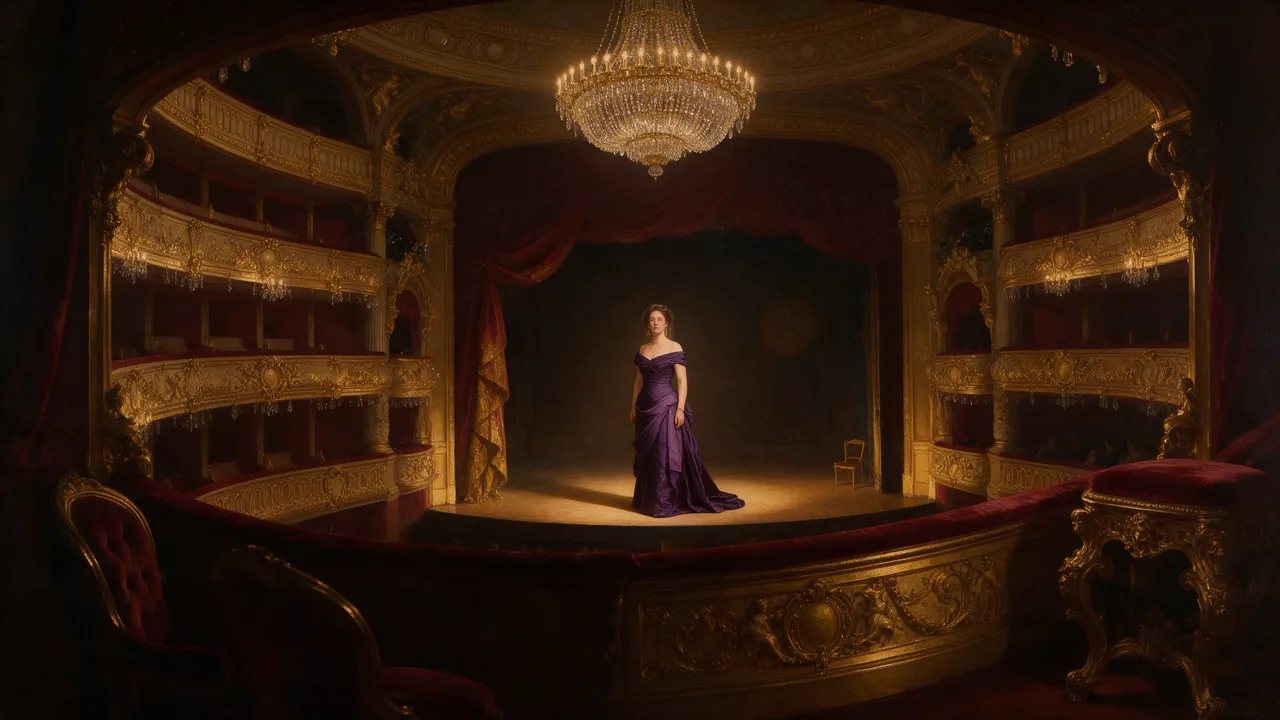
Seedream 4.5 Uncensored
Seedream 4.5 Uncensored is ByteDance's image model, hosted on Vellria with nothing to install: text to image and image to image, output up to 2848×1600. Run it in Studio or over the REST API, 9 credits (100 credits = $1.00).
vellria-seedream-4-5Seedream 4.5 is developed by ByteDance. Vellria provides access to the model; it does not own it. All trademarks belong to their respective owners.
Output
No generation yetCover art
9 credits
Your request will cost 9 credits.
About Seedream 4.5
Also known as: Seedream v4.5 · ByteDance Seedream 4.5 · Seedream 4.5 Edit
Seedream 4.5 is the image model ByteDance's Seed team released between Seedream 4.0 and the Seedream 5.0 line. It keeps the single design of its predecessor, one model that writes new pictures from a prompt and edits the pictures you attach, and puts its improvements where an image gets read closely: lettering, how faithfully the prompt is followed, and faces that hold their features when a picture is reworked. Vellria runs it hosted and uncensored, so there is nothing to install.
Every image comes from the model's 2K tier in eight shapes: square, the 4:3 and 3:2 photo proportions in landscape and portrait, the wide and tall screen formats, and a 21:9 ultrawide for banners and cinematic frames. One price covers all of them, so choose by where the picture will be shown rather than by budget. ByteDance tuned this release for typography, which makes it the Seedream to try for a poster title, a sign above a door or a label on a bottle; put the exact words in quotation marks and keep them short.
Editing takes one to ten pictures at the same flat price. The model is good at keeping what should stay: the face, the light and the colour of the source carry over while your instruction changes the outfit, the setting or the pose. Edits come back in one of the same eight shapes and there is no option that copies the source's proportions, so choose the shape nearest to your picture before running, or crop the source to the frame you want first.
There is no seed and no negative prompt on this model, so a rerun is a new take and the image you like is worth saving. For the earlier generation at a lower price, with an edit mode that follows your photo's proportions, see Seedream 4.0. For much larger files and long edit series, Seedream 5.0 Lite reaches 3K and 4K, and Seedream 5.0 Pro is the newest tier for a single finished frame.
Seedream 4.5 in action
Seedream 4.5 outputs with the exact prompts behind them.
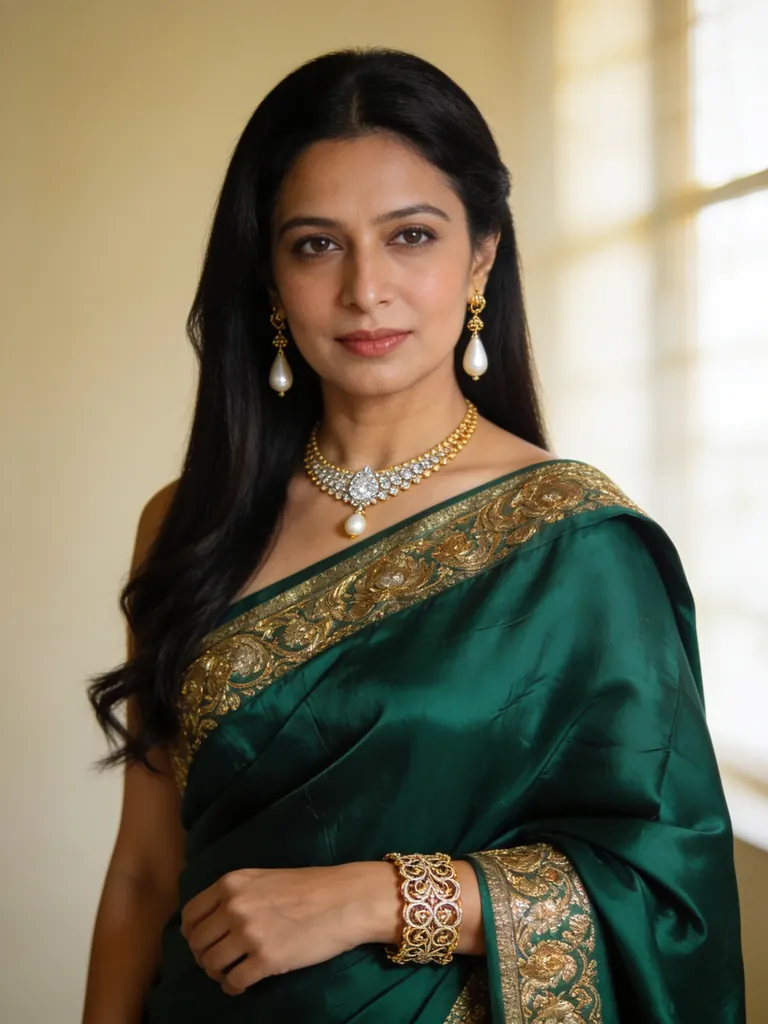
Text to image
Refined editorial portrait of an Indian woman in her late thirties with long black hair and a deep emerald silk saree draped over one shoulder, delicate gold jewelry, soft window light, serene expression, exquisite skin and fabric detail, medium format photography
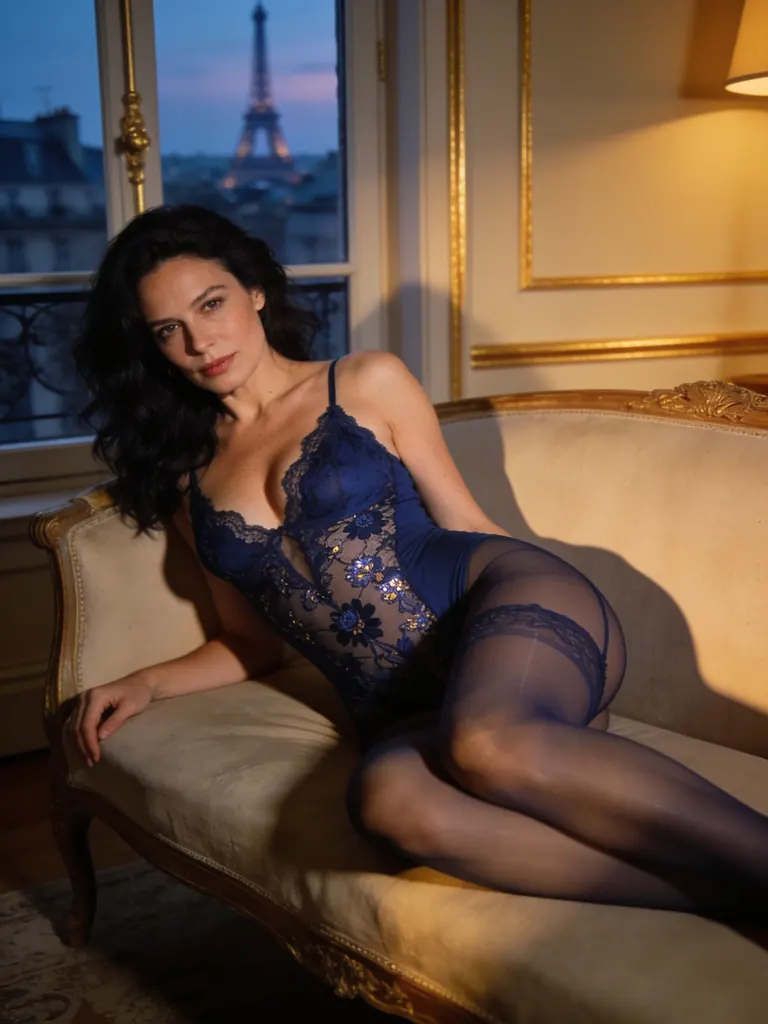
Text to image
Refined boudoir portrait of a raven-haired woman in her thirties in a midnight-blue lace bodysuit and sheer stockings, reclining on a chaise longue in a Parisian apartment, soft dusk light, elegant and suggestive, high-end fashion photography
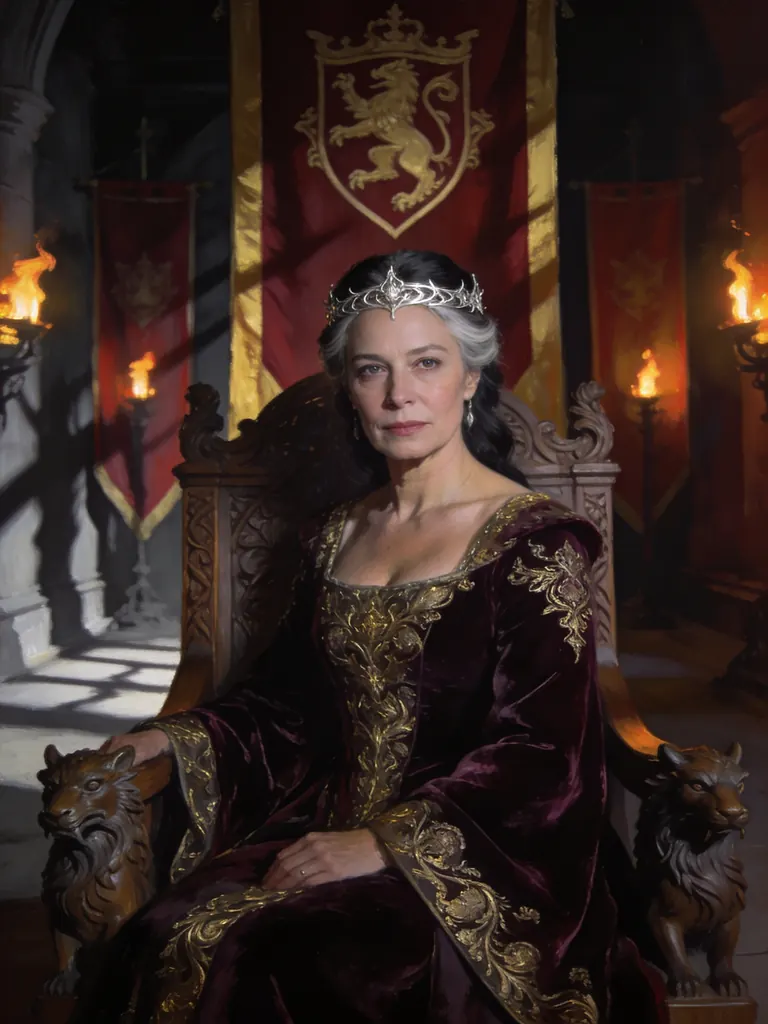
Text to image
Cinematic fantasy portrait of a queen in her forties with streaks of grey in her dark hair, a delicate silver circlet and an embroidered velvet gown, seated on a carved throne in a torchlit hall, banners behind her, painterly photorealism
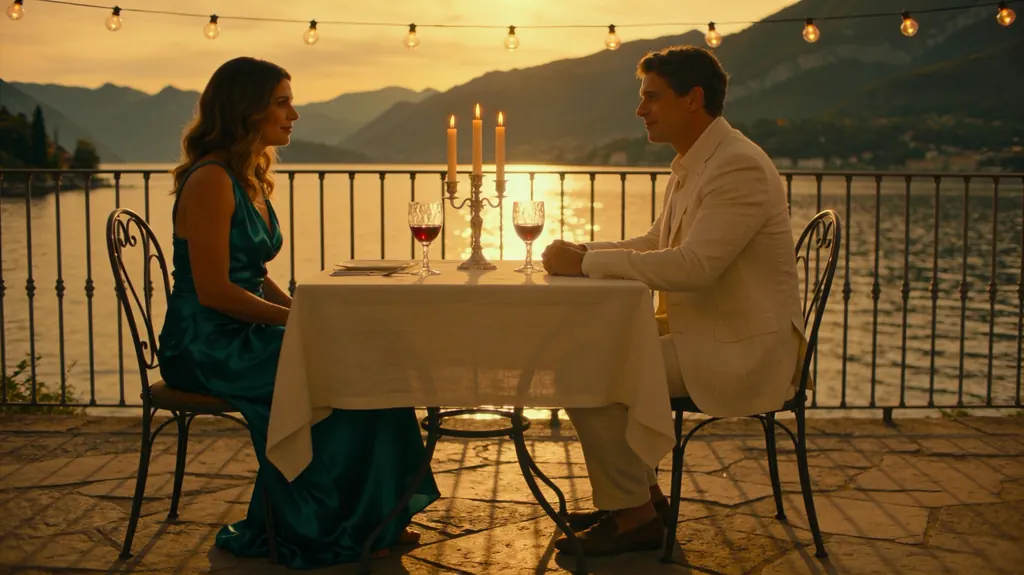
Text to image
Cinematic still of an elegant couple in their thirties at a candlelit dinner table on a terrace overlooking Lake Como at dusk, she in a silk dress, he in a linen suit, glasses of wine, warm string lights, refined film look
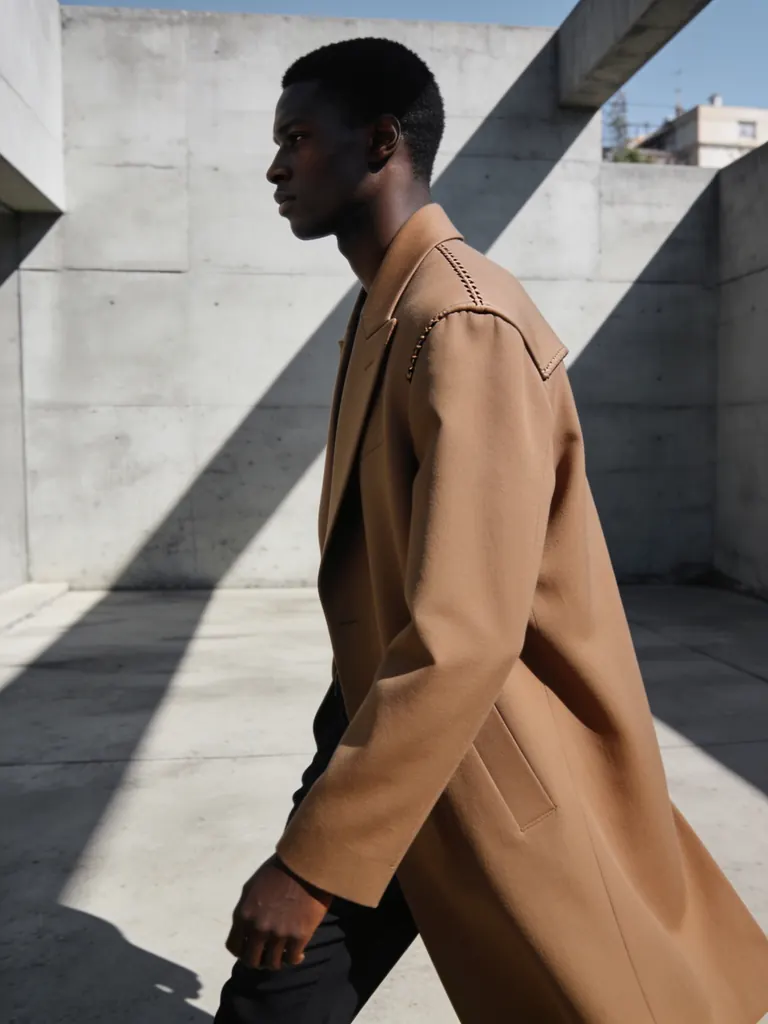
Text to image
High-fashion editorial of a tall Black man in his thirties in a sculptural camel coat walking through a minimalist concrete courtyard, long shadows, clean composition, crisp tailoring detail, magazine photography
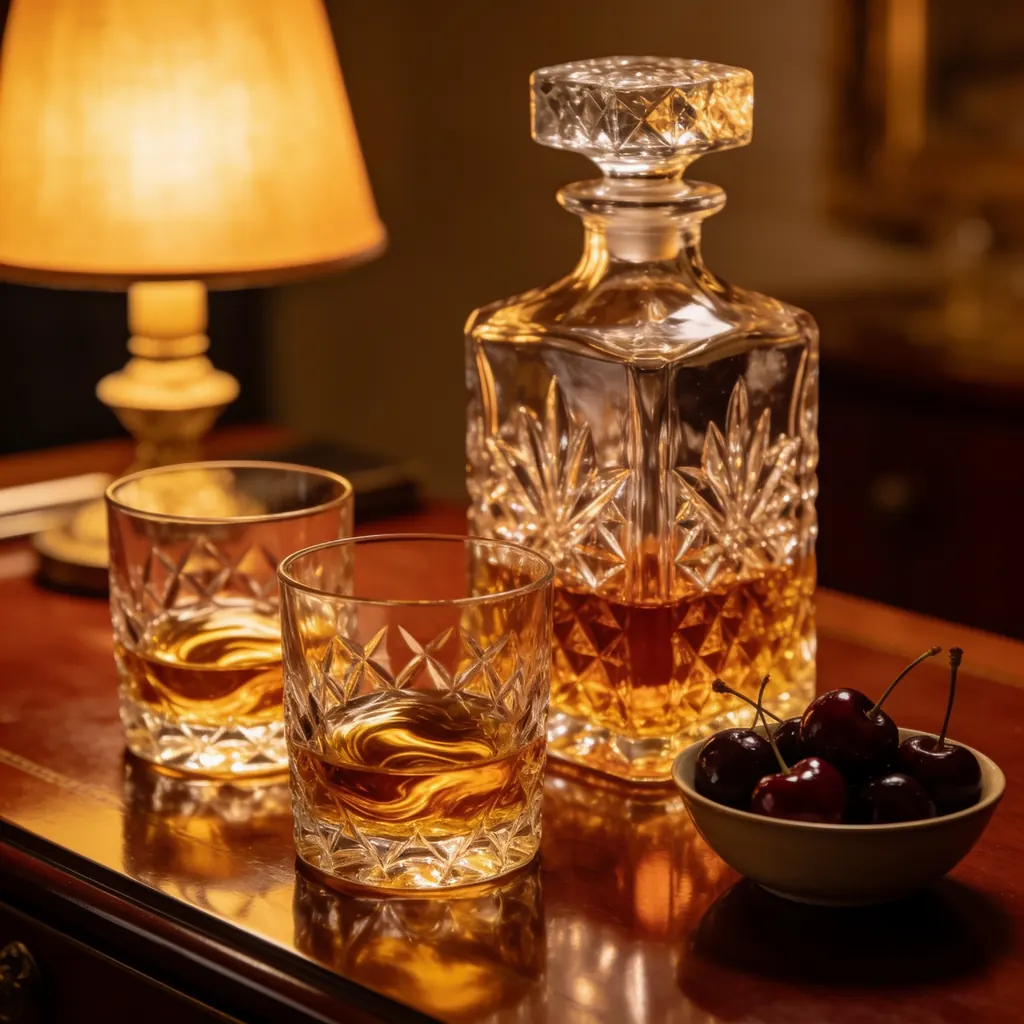
Text to image
Refined still life of a crystal decanter and two cut-glass tumblers with whiskey beside a small bowl of dark cherries on a polished mahogany desk, warm lamp light, rich reflections, luxury editorial photography, no text, no logo, no labels
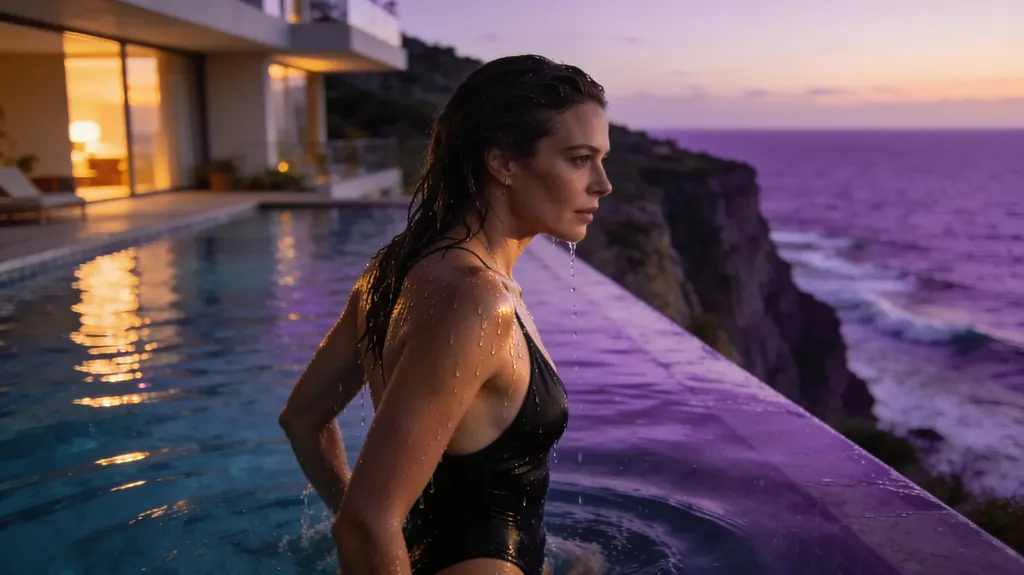
Text to image
Refined cinematic scene of a woman in her thirties stepping out of an infinity pool at a cliffside villa at dusk, a black swimsuit, water running down her shoulders, the sea glowing violet behind her, elegant and suggestive, photorealistic
- Before
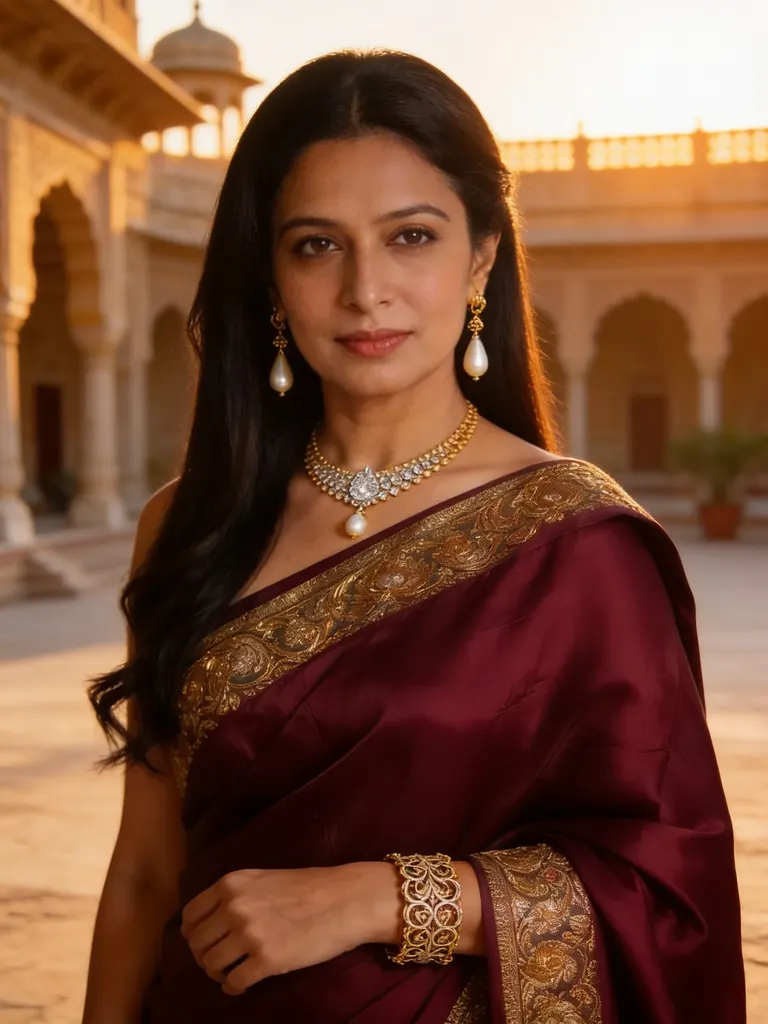 After
AfterEdit
Change the saree to a deep crimson silk with gold embroidery and move her to a palace courtyard at golden hour; keep her face, jewelry and pose unchanged
When to pick Seedream 4.5
Pick it when
- The picture carries a few words of text, such as a poster title, a cover masthead or a shop sign.
- You need a 3:2, 2:3 or ultrawide frame at 2K rather than only square and screen shapes.
- You are editing a portrait and want the face, lighting and colour of the source to survive the change.
Pick another model when
- You want a cheaper run and an edit that keeps your photo's proportions automatically; Seedream 4.0 does both.
- The file has to be much larger than 2K, for a print or a wide banner; Seedream 5.0 Lite renders bigger images.
- You want a seed for rerunning a frame and a negative prompt; Qwen Image 3.0 Pro offers both.
Prompt or reference
Start fresh to compose a new picture and pick its shape. Attach pictures, as many as the edit needs and at no extra cost, when a face, an outfit or a room already exists. Edits do not copy the source's proportions, so settle on the closest shape first or crop the source to it.
How to use Seedream 4.5 on Vellria
- Prompt: up to 10,000 characters in the panel above.
- To edit or combine pictures, attach 1–10 reference images; leave them out to start from text.
- Cost: 9 credits — see pricing.
Example prompts
Vintage travel poster of a lighthouse on a rocky coast at sunset, bold title text "SEA LIGHT" across the top, flat screen-print colors.
Boudoir photo of an adult woman in black lace lingerie on a velvet armchair, soft window light from the left, fine film grain.
Edit: keep the adult man's face and lighting from image 1, dress him in the charcoal suit from image 2 and place him in a hotel lobby at night.
Ultrawide cinematic shot of an adult couple on a rainy balcony above a neon city, she in a red slip dress, he in an open white shirt, shallow depth of field.
Magazine cover: an adult woman with wet hair on a beach at dawn in an open linen shirt, masthead text "SALT" at the top and the caption "Summer issue" bottom left.
Tips
- Put any words that must appear in the picture inside quotation marks; a short title is easier to get right than a whole sentence.
- Edits do not inherit the source's proportions, so pick the matching shape before you run or crop the upload to the frame you are after.
- With several attachments, give each picture a role in the prompt, such as the face from image 1, the outfit from image 2 and the room from image 3.
- Describe light and lens the way a photographer would, for example 'soft window light from the left, 85 mm portrait', instead of stacking adjectives.
- In the 21:9 shape, say where the subject stands in the frame; a centred figure in an ultrawide picture leaves a lot of empty space.
Specifications
| Size: | 2048×2048 (1:1, 2K)2304×1728 (4:3, 2K)1728×2304 (3:4, 2K)2496×1664 (3:2, 2K)1664×2496 (2:3, 2K)2848×1600 (16:9, 2K)1600×2848 (9:16, 2K)3136×1344 (21:9, 2K) |
|---|---|
| Reference images: | 1–10 reference images |
See also: uncensored AI image generator · uncensored image editor.
Pricing
| Size | Credits |
|---|---|
| 2048×2048 (1:1, 2K) | 9 credits |
| 2304×1728 (4:3, 2K) | 9 credits |
| 1728×2304 (3:4, 2K) | 9 credits |
| 2496×1664 (3:2, 2K) | 9 credits |
| 1664×2496 (2:3, 2K) | 9 credits |
| 2848×1600 (16:9, 2K) | 9 credits |
| 1600×2848 (9:16, 2K) | 9 credits |
| 3136×1344 (21:9, 2K) | 9 credits |
Seedream 4.5 vs Seedream 4.0 and Seedream 5.0 Lite
Seedream 4.5 is the middle step of the Seedream line on Vellria: newer than Seedream 4.0 in lettering and prompt adherence, smaller in output than the Seedream 5.0 tiers, with eight fixed shapes and one price however many pictures an edit uses.
| Model | Price | Max size | Reference images |
|---|---|---|---|
| Seedream 4.5 Uncensored This page | 9 credits | 2848×1600 | Up to 10 |
| Seedream 4 Uncensored | 7 credits | 2816×1584 | Up to 10 |
| Seedream 5 Lite Uncensored | 8 credits | 4704×2016 | Up to 10 |
Prices and limits come from the live model catalog.
Seedream 4.5 or Seedream 4.0?
- Price: 7 credits (Seedream 4.5: 9 credits)
- Max size: 2816×1584 (Seedream 4.5: 2848×1600)
Seedream 4.0 is the earlier release at a lower price, with fewer shapes and an edit mode that keeps the proportions of your first picture. Draft and restyle there, and come here when lettering or a finer face matters.
Seedream 4.5 or Seedream 5.0 Lite?
- Price: 8 credits (Seedream 4.5: 9 credits)
- Max size: 4704×2016 (Seedream 4.5: 2848×1600)
Seedream 5.0 Lite renders far larger files and keeps one size across long edit series. Choose it for big prints and character sets, and this model when the frame is a poster or a cover with type on it.
Seedream 4.5 API: price and a first request
Seedream 4.5 costs 9 credits over the API, the same rate as in Studio. Model id vellria-seedream-4-5 on POST /v1/generate/image.
curl https://vellria.com/v1/generate/image \
  -H "Authorization: Bearer vll_..." \
  -H "Content-Type: application/json" \
  -d '{
    "model": "vellria-seedream-4-5",
    "prompt": "…",
    "size": "2048*2048"
  }'
Parameters, polling and uploads: API documentation · NSFW image API.
FAQ
Does Seedream 4.5 allow NSFW?
Yes, on Vellria. Fictional adult nudity and explicit scenes between adults are allowed in new images and in edits. Minors are refused automatically, and depicting real people without their consent is prohibited.
Is Seedream 4.5 free?
No, there is no free plan, but a new account created with Google gets 20 credits as a gift, valid for 7 days: enough to try Seedream 4.5, which costs 9 credits. After that every run is paid from prepaid credits at the rate this page shows before you start, and a run that fails at the provider is refunded automatically. Is there a free uncensored AI generator? covers the cheapest way to a first result.
How is Seedream 4.5 different from Seedream 4.0?
It is the later release: ByteDance improved lettering, prompt adherence and how well edits keep faces, light and colour. It also adds 3:2, 2:3 and ultrawide shapes and costs a little more per image. Seedream 4.0 is cheaper and its edits can follow the proportions of your first picture.
Will an edit keep the size of my photo?
Not by itself. Every edit returns one of the eight fixed shapes, so pick the one closest to your photo or crop the photo before uploading. If you want the proportions carried over without choosing, use Seedream 4.0 instead.
How many pictures can I attach to an edit?
Up to ten, and the price is the same whether you attach one or ten. The cost is shown on the button before you run.
Can I use Seedream 4.5 through the API?
Yes. The API section on this page shows the request for new images and for edits; the API reference covers uploading pictures and polling for the result.
Related models
Turn a still into a clip with one of our video models.
Seedance 2.5 Uncensored
Scenes that arrive with sound, 4–30 s up to 1080p, or bring a still to life as the first frame.
Video
from 35 credits / s
MiniMax H3 Video Uncensored
Test shot ideas before the final take: 4–15 s clips up to 4K, or see how a still moves.
Video
from 6 credits / s
MiniMax H3 Max Uncensored
For the take you keep: 5–15 s clips up to 4K with sound; start from a still if you have one.
Video
from 15 credits / s