
Alternatives
A Venice AI alternative for image and video, and where the conditions attach
Yes, if the part of Venice AI you rely on is pictures and clips. Vellria makes uncensored images and video on prepaid credits, and the browser and your API key draw down the very same balance: no required plan tier sits above it (an optional monthly one exists), and no second meter counts programmatic calls. It is also far narrower than Venice AI, which covers text, images, video, code, audio and search, so if one account across all of those is what you want, this is not offering you a replacement.
Free to start: a new account created with Google gets 20 free credits, valid for 7 days (about 10 images on Z-Image Turbo Uncensored), and every signed-in account gets free daily uses of the NSFW prompt generator and the image to prompt tool.
Text, code and search stay with Venice
Venice AI covers text, images, video, code, audio and search. Vellria makes images and video, plus one uncensored chat model, Uncensored Chat, served raw over an OpenAI-compatible API. Should you want a single account that also searches the web and handles audio, look elsewhere. If video is what brought you here, the Kling AI comparison and the PixVerse comparison go further into clips than this page does.
The API is not the difference either. Venice publishes a REST API at api.venice.ai/api/v1 that authenticates with Bearer tokens and includes an OpenAI-compatible chat endpoint, and its image endpoints take reference images: the edit endpoint works from a source image, and the generate endpoint accepts style reference images. If you are shopping for an API or reference-image support, both have one. What differs is what is attached to using them.
Side by side
Details about Venice AI were checked on September 12, 2026 from its own site and may have changed since.
Browse the models| Vellria | Venice AI | |
|---|---|---|
| What it covers | Image and video generation | Text, images, video, code, audio and search |
| Billing shape | Credits bought up front, plan optional above them | Subscription tiers with a credits layer |
| API metering | Draws on the balance the browser uses | Their FAQ: API usage metered separately from paid plans |
| API shape | Plain REST with a Bearer vll_ key; you poll for results | OpenAI API specification at api.venice.ai/api/v1 |
| Image endpoint filter | No safe-mode style switch in the request | API docs: safe_mode defaults to true |
| Watermark | Files stay as the model rendered them | Their FAQ: removal requires Pro or higher |
| Paying | Partner checkout, card or a local option | Credits in USD or USDC; BTC via BTCPay for yearly plans |
See what the models make
Real outputs from the models on this page, each shown with the exact prompt that produced it. Copy a prompt, or open the model and run it yourself.
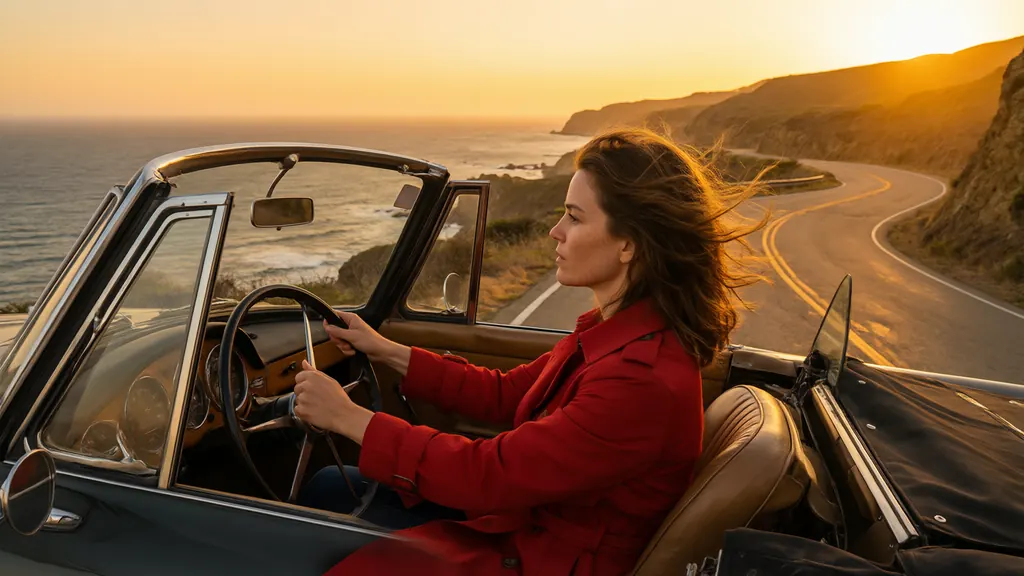
Qwen 3 UncensoredText to image
Precisely described scenes, followed as written, up to 2K; edit with up to 3 references.
8 credits
Cinematic still of a woman in her thirties in a red trench coat driving a vintage convertible along a coastal cliff road at sunset, hair blowing in the wind, warm orange light, film grain, wide anamorphic framing

Seedream 5 Pro UncensoredText to image
Finished 2K images like covers and portraits; add up to 10 images to rework an existing shot.
10 credits
Anime key visual of a tall adult woman in her late twenties, a starship captain in a white and navy uniform with a short dark bob, standing on the bridge with a violet nebula through the window behind her, clean line art, cel shading, vivid colors, no text, no lettering, no logos
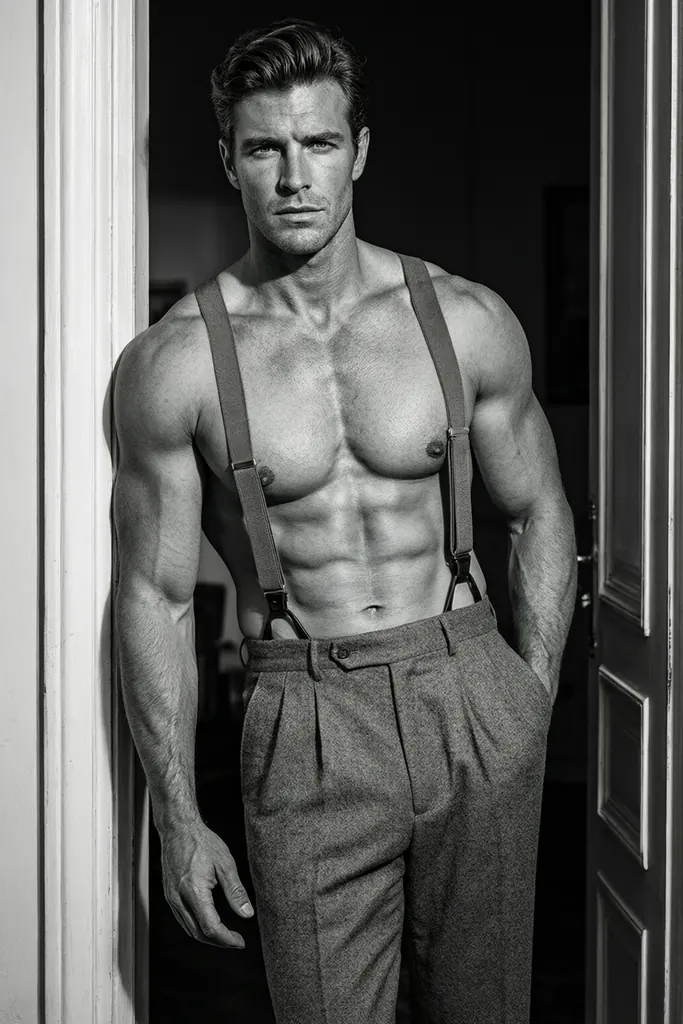
Qwen 3 Pro UncensoredText to image
The Pro tier for the image you mean to keep; edit with up to 3 reference images.
10 credits
Black-and-white glamour photograph of a muscular man in his thirties, shirtless in tailored trousers and suspenders, leaning in a doorway, hard side light sculpting his torso, classic Hollywood style

Wan 2.7 UncensoredText to image
Crisp 2K images that follow your wording; edit or blend up to 9 photos in their own shape.
8 credits
Art nouveau illustration of an elegant woman in her thirties with flowing auburn hair intertwined with lilies, ornate golden border, muted pastel palette, decorative poster style, no text
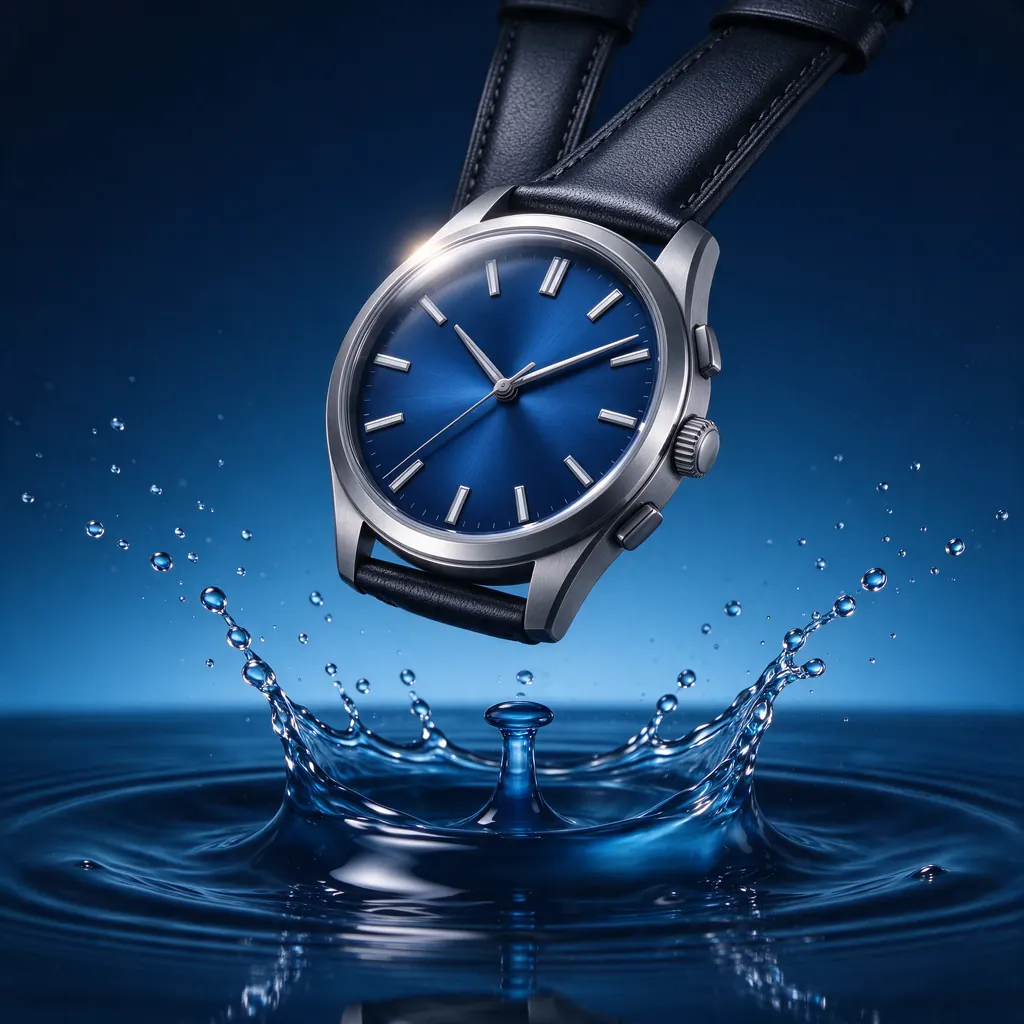
Seedream 5 Flash UncensoredText to image
2K images in five shapes at a single price; edit with up to 10 references at no extra cost.
8 credits
Mechanical wristwatch with a deep blue dial floating above rippling water, splash frozen in motion, high-speed studio product photography, no text, no logo

MiniMax H3 Image UncensoredText to image
Simple 1K images: seven shapes, all one price, or blend up to 9 reference images into one.
8 credits
Sun-drenched yacht deck, a tanned man and woman in their thirties in swimwear lounging on white cushions, turquoise Mediterranean sea, glamorous summer lifestyle photography
Which capability carries which condition
Each Venice detail below comes from Venice's own FAQ, API reference, home page and pricing page as they stood on 12 September 2026. Venice documents these conditions itself, and it can revise any of those pages.
Venice's pricing comparison is organised by plan tier. Removing the watermark from generated images, per Venice's FAQ, requires a Pro plan or higher.
The API carries conditions of its own on top of the plan. Venice's FAQ states that API usage is metered separately, and that "Paid plans do not include unlimited API usage." If your code is the thing doing the work, that is a second meter to budget for on top of whichever plan you are on.
None of this is buried; Venice writes all of it down. The point is that separate capabilities carry separate conditions, and it is worth knowing which attaches where before your code depends on one.
Venice's image API next to Vellria's
For developers, Venice's API is its strongest card, and a real one. Its reference describes the whole API as an implementation of the OpenAI API specification at one base URL, api.venice.ai/api/v1, so client code already written for OpenAI works once that base URL changes, and one key reaches Venice's text models through chat completions as well as its image endpoints. The key travels in a Bearer header, or a crypto wallet can sign in over x402 instead. Rate limits are published: 20 requests a minute on the image, upscale and inpaint endpoints, 60 for partners, while video and music carry no request limit and are billed per generation. Video is asynchronous there too: a job goes onto a queue, you keep the queue_id it hands back, and you poll a retrieve endpoint until the MP4 is ready.
Read the image default before you write code against it. On Venice's image generation endpoint, safe_mode is a boolean that defaults to true, and while it is on, images classified as having adult content come back blurred; two response headers, x-venice-is-blurred and x-venice-is-content-violation, report what happened. Switching it off is one field in the request, so this is a default to set rather than a wall, but a call that leaves the field out gets the blurring. Billing is its own track as well: Venice's FAQ says plan perks such as unlimited text prompts and daily image limits refer to the web and mobile apps, not the API, and every API call spends credits.
Vellria's API is narrower and plainer, and the differences are worth knowing before you port anything. Requests are ordinary REST with a console key in the header, Authorization: Bearer vll_..., and a single JSON body serves every image and video model: it names the model, carries the prompt and adds whatever options that model lists. There is no safe_mode counterpart to remember and no blur header to inspect, because the body has no content switch at all. Every run, image or video, is asynchronous: you get a generation id back and read that record until it settles. The gaps, just as plainly: the image and video endpoints are not OpenAI-compatible, so an OpenAI client needs a thin adapter you write yourself (only chat, with Uncensored Chat, takes an OpenAI client as is); no official SDK; and no outbound webhooks, so polling is how your code learns a run has finished. Endpoints live in the API documentation, image model ids and prices on the NSFW image API page, and calling the API from your code builds the loop step by step.
One meter for the browser and the key
Venice keeps plan perks on its apps and bills API calls from credits. Vellria has only the credits by default: no plan or tier is required, just a prepaid balance that Studio and every API key draw from, so a script and a person clicking through the site pay identical prices out of one pot. An optional monthly plan sits beside that balance rather than replacing it. Nothing renews beneath the balance unless you choose one, and a month without runs leaves pay-as-you-go credits exactly where they were. That one balance runs image models such as Qwen 3 and video models such as Seedance 2.5, and the uncensored AI image generator page covers the browser side.
The charge lands when you submit a run, not when it completes. Should the provider fail that run, the credits go back automatically, without a ticket.
Prices sit with each model: its page lists the sizes it accepts and what each one costs, fetched live, and the pricing page tabulates the catalog from the figures the server bills against. As for marks on the output, a file comes back as the model produced it, and since neither of its optional plan tiers touches output files, no tier changes that.
Paying, and what there is to buy
Venice's FAQ states that it "does not broadly accept crypto for all purchases": credits can be bought with USD or USDC, and for subscriptions BTC is accepted through BTCPay for yearly plans. Which method applies depends on what you are buying, and for subscriptions on the billing period too.
On Vellria credits are the one thing whose payment method is flexible: the checkout our payment partner hosts accepts cards alongside whichever local options your country has, and the balance grows when a payment clears regardless of which one you pick. An optional monthly plan is the other thing to buy, and it is card-only. No API add-on or billing period changes which method applies to a credit top-up. A payment you abandon halfway stays listed on your balance page with a link back into its checkout.
Try it with a ready prompt
Each prompt opens in Studio with the text already in the box and the model selected; change anything you like before you run it.
Image prompt
Editorial boudoir photo of a confident adult man in his forties, shirtless on unmade linen sheets at sunrise, soft window light, muted earth tones, 50mm lens, natural skin texture.
Video prompt
An adult woman in a silk robe walks to a rain-streaked window at night, lets the robe slip from her shoulders and looks back at the camera, slow handheld push-in, neon reflections on the glass, cinematic.
Switching from Venice AI in 3 steps
Sign up with Google
Create an account with Google: a new account gets 20 free credits, valid for 7 days, once per person. An account made with an email and password works too, without the gift.
Paste your prompt
Open an image model in Studio and paste a prompt you used on Venice AI, written out in full sentences. The model page shows the price before you run it.
Turn the image into a video
Send the finished image to a video model as its start frame and describe the movement. Video is priced per second, and the cost is shown before the clip starts.
FAQ ( 6 )
Frequently asked questions
Is Vellria a drop-in replacement for Venice AI?
Does Venice AI have an API and reference images?
Can code written for Venice's API call Vellria unchanged?
What happens to credits I do not spend?
Will my images come back watermarked?
Can I try it for free?
Other alternatives
- Candy AI alternative
- OurDream AI alternative
- Civitai alternative
- Mage.space alternative
- Promptchan alternative
- SoulGen alternative
- Hailuo AI alternative
- Perchance alternative
- Kling AI alternative
- PixVerse alternative
- Seduced AI alternative
- Unstable Diffusion alternative
- Higgsfield alternative
- Grok Imagine alternative
- Nano Banana alternative
- Veo alternative
- ChatGPT image alternative
- Sora alternative
- Midjourney alternative
- Leonardo AI alternative
- Tensor.Art alternative
- PixAI alternative
- NovelAI alternative
- SeaArt alternative
- Pollo AI alternative
Try Vellria on the sign-up gift
Free to start: a new account created with Google gets 20 free credits, valid for 7 days (about 10 images on Z-Image Turbo Uncensored), and every signed-in account gets free daily uses of the NSFW prompt generator and the image to prompt tool.