
Bria FIBO 2.0 Uncensored
Bria FIBO 2.0 Uncensored is Bria's image model, hosted on Vellria with nothing to install: text to image and image to image, output up to 2048×2048. Run it in Studio or over the REST API, 10 credits (100 credits = $1.00).
vellria-bria-fibo-2-0Bria FIBO 2.0 is developed by Bria. Vellria provides access to the model; it does not own it. All trademarks belong to their respective owners.
Output
No generation yetCover art
10 credits
Your request will cost 10 credits.
About Bria FIBO 2.0
Also known as: FIBO 2.0 · FIBO 2
Bria FIBO 2.0 is the newest generation of FIBO, the image model family from Bria AI. Bria built FIBO around structured prompting: the model learned from long, detailed captions that describe lighting, composition, color and camera one attribute at a time, and Bria presents it as a model for controlled, repeatable pictures. Bria also says its training data is licensed. This page runs FIBO 2.0 for both text-to-image and editing.
Text-to-image gives you 1K or 2K output, with 2K as the default, and both sizes cost the same. 2K covers the standard square, wide and tall shapes; 1K adds a set of extra-wide and extra-tall frames for long banners and narrow vertical layouts. Since the price never moves with size or shape, the decision is only about where the picture will be shown.
Bria's own tools can take a full JSON description of a scene. Here you write a plain-text prompt, and it reaches the model exactly as typed, with nothing rewriting it on the way. You keep most of the benefit by writing the way FIBO was trained: name the subject, then wardrobe, pose, setting, light, lens and palette, each as a short plain statement. A seed lets you repeat a result and then change a single attribute.
Editing takes one to four reference pictures, and extra references are not charged. The edited image keeps the proportions of the first picture, so trim that one to the shape you need before uploading. For instruction edits that hold a face closely, compare Qwen Image Edit 2511; for merging several photos at high resolution, look at Wan 2.7 Image. The previous generation, Bria FIBO 1.5, remains available at the same price.
On Vellria, Bria FIBO 2.0 is uncensored for fictional adult content: nudity and explicit scenes between adults are allowed, and nothing rewrites your prompt. An automatic check refuses prompts that sexualize minors, and real people may not be shown without their consent.
Bria FIBO 2.0 in action
Bria FIBO 2.0 outputs with the exact prompts behind them.
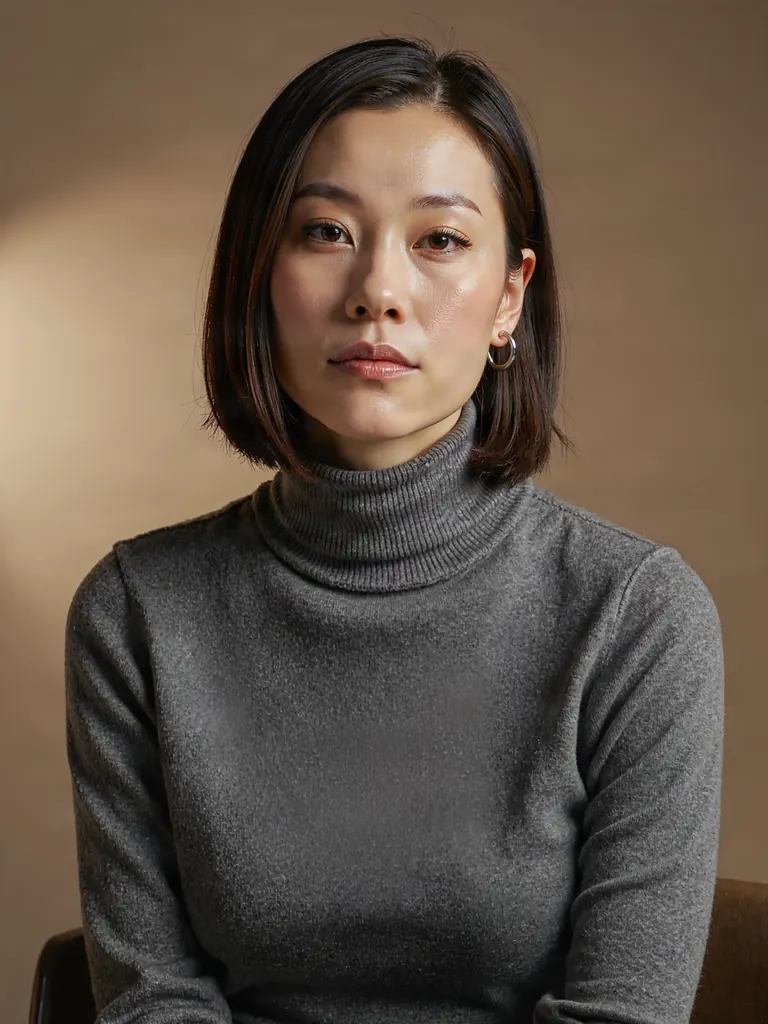
Text to image
Editorial portrait of a Korean woman in her late thirties with a sleek shoulder-length bob, wearing a charcoal turtleneck and small silver hoop earrings, seated against a warm taupe backdrop, soft key light from the left, calm direct gaze, 85mm lens, fine skin texture
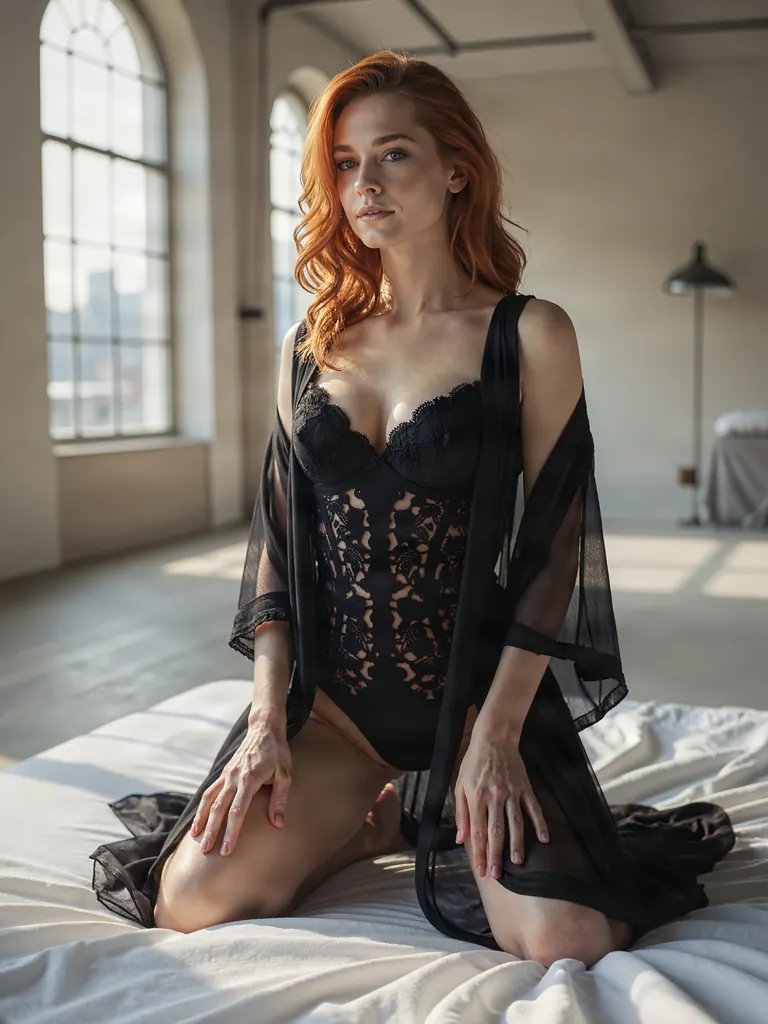
Text to image
Boudoir photo of a red-haired woman in her thirties in a black lace bodysuit under a sheer black robe, kneeling on white linen sheets in a sunlit loft, soft morning window light, tasteful and suggestive, editorial film look
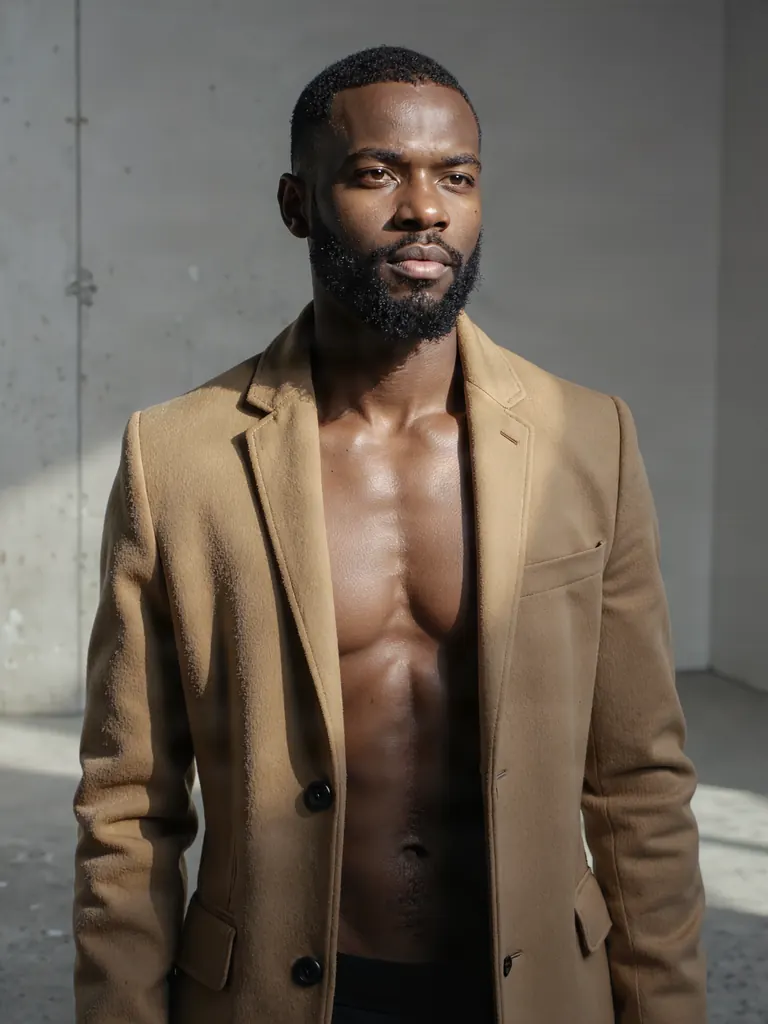
Text to image
Half-length fashion portrait of a Black man in his late thirties with a trimmed beard, bare chest under an open camel wool coat, standing in a minimalist concrete studio, hard side light, sculpted shadows, editorial photography
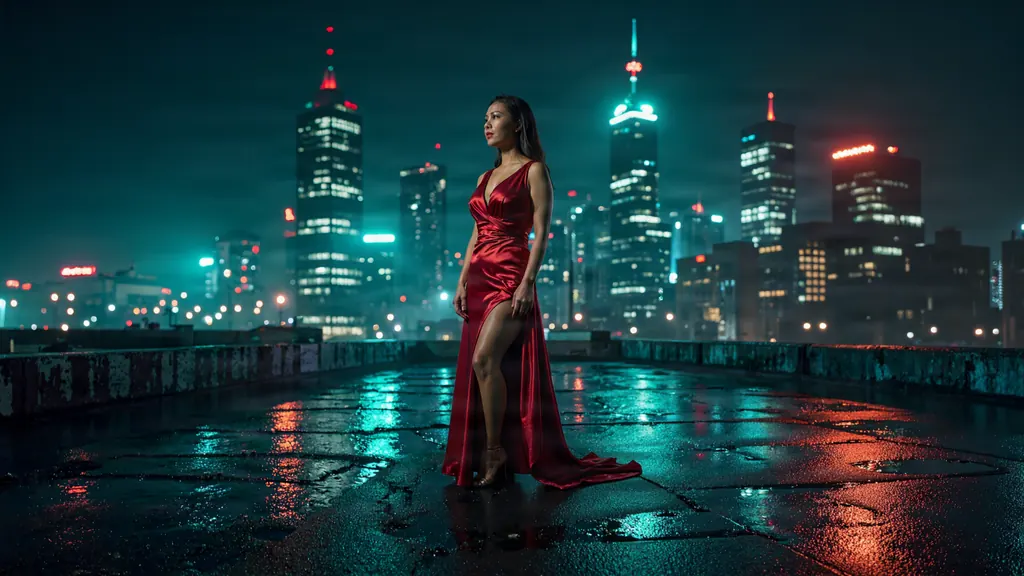
Text to image
Cinematic wide shot of a woman in her thirties in a crimson evening gown standing on a rain-soaked rooftop at night, the city skyline glowing behind her, wet reflections on the floor, teal and red palette, anamorphic lens look
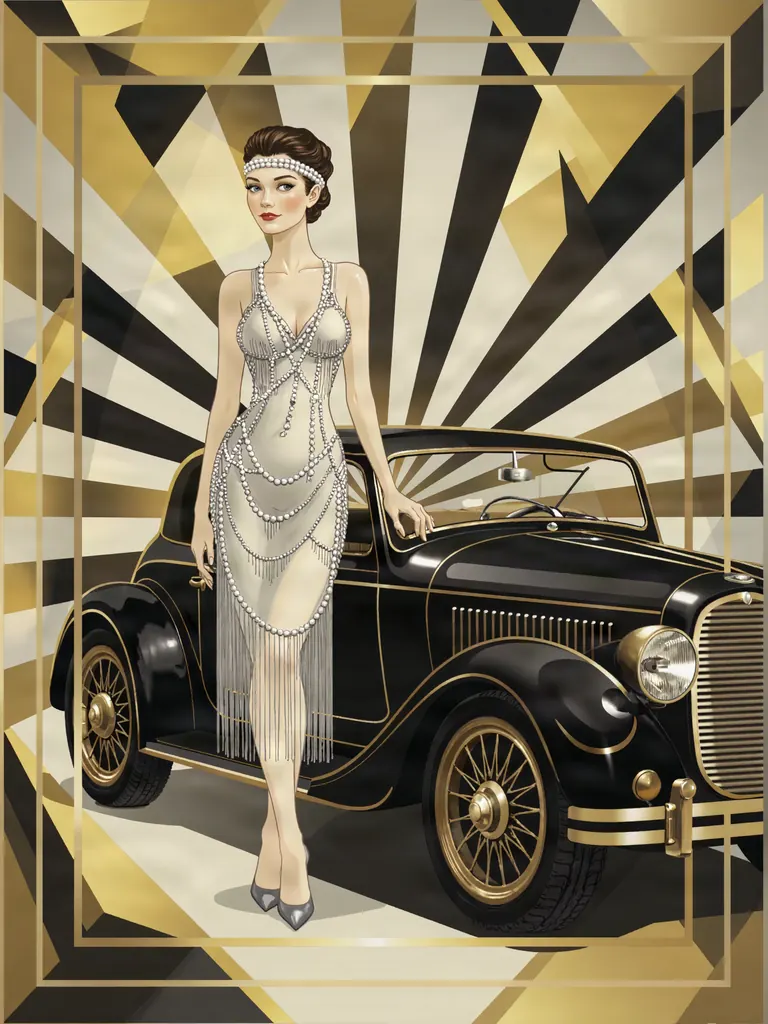
Text to image
Art deco poster illustration of a woman in her thirties in a silver beaded flapper dress and a long string of pearls, standing upright beside a sleek 1920s roadster with one gloved hand resting on its door, full figure, elegant simple pose, geometric sunburst background, gold, black and cream palette, no text
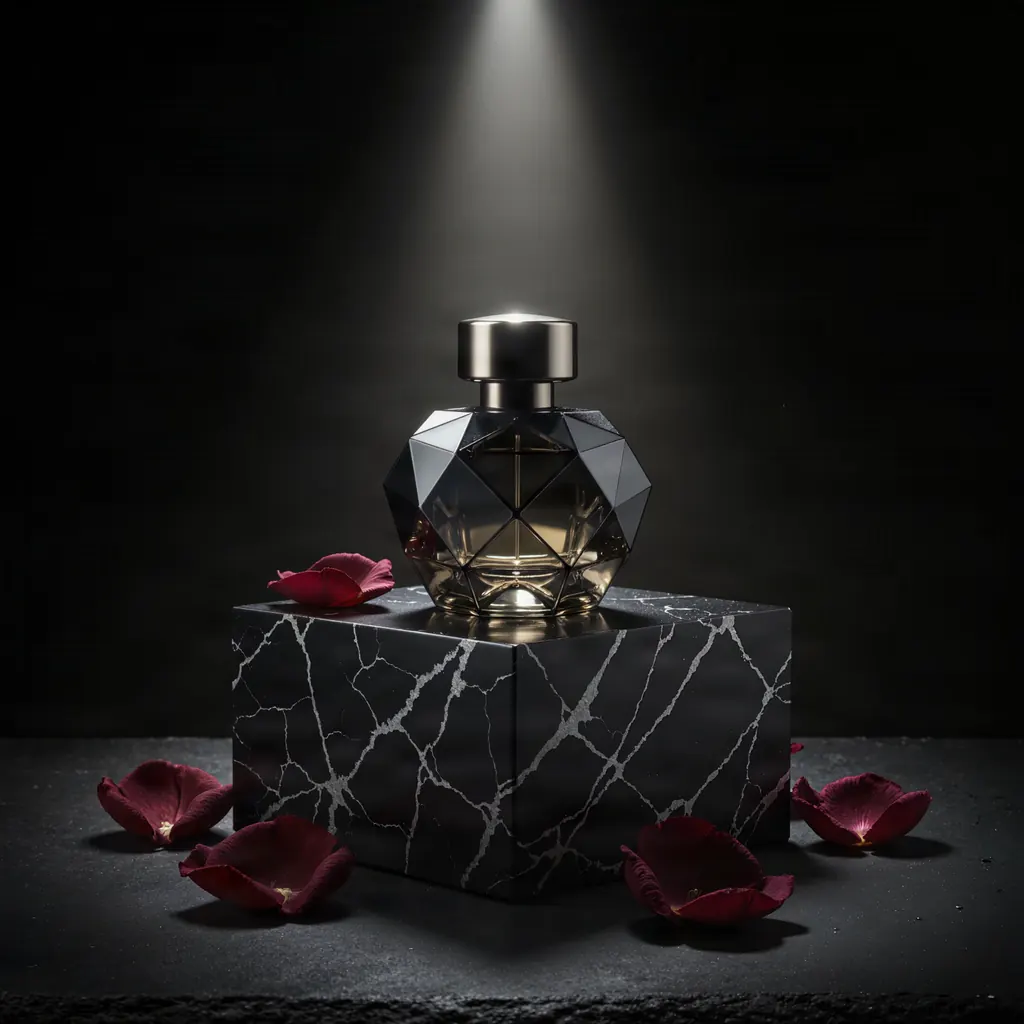
Text to image
Luxury perfume bottle of faceted smoked glass on a black marble plinth with scattered dark red rose petals, a single beam of hard light from above, deep shadows, commercial product photography, no text, no logo, no label
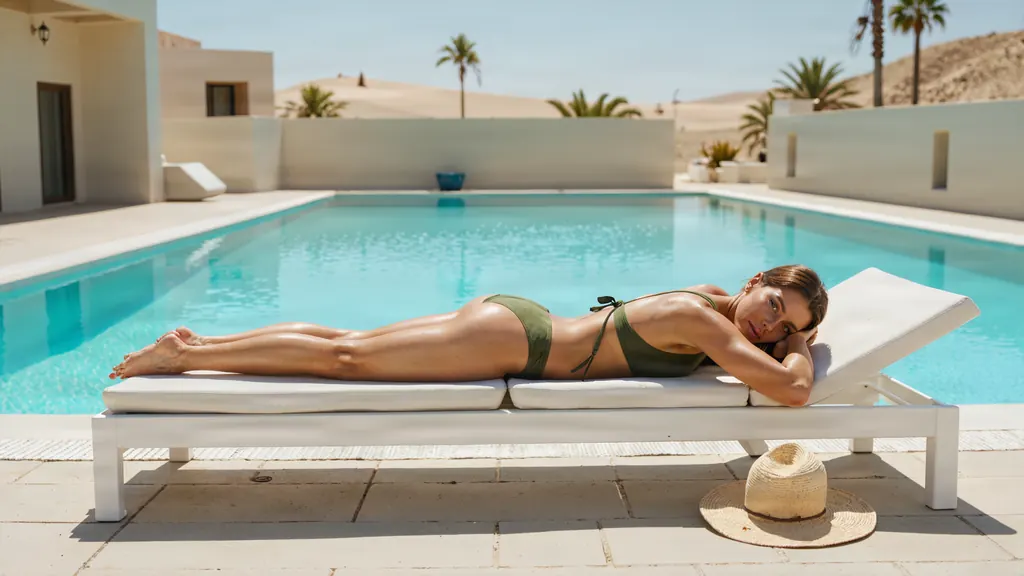
Text to image
A woman in her thirties lying on her stomach on a white sun lounger beside a turquoise pool at a desert villa, her bikini top untied, a wide straw hat beside her, hard noon sun and crisp shadows, sensual and tasteful, photorealistic
- Before
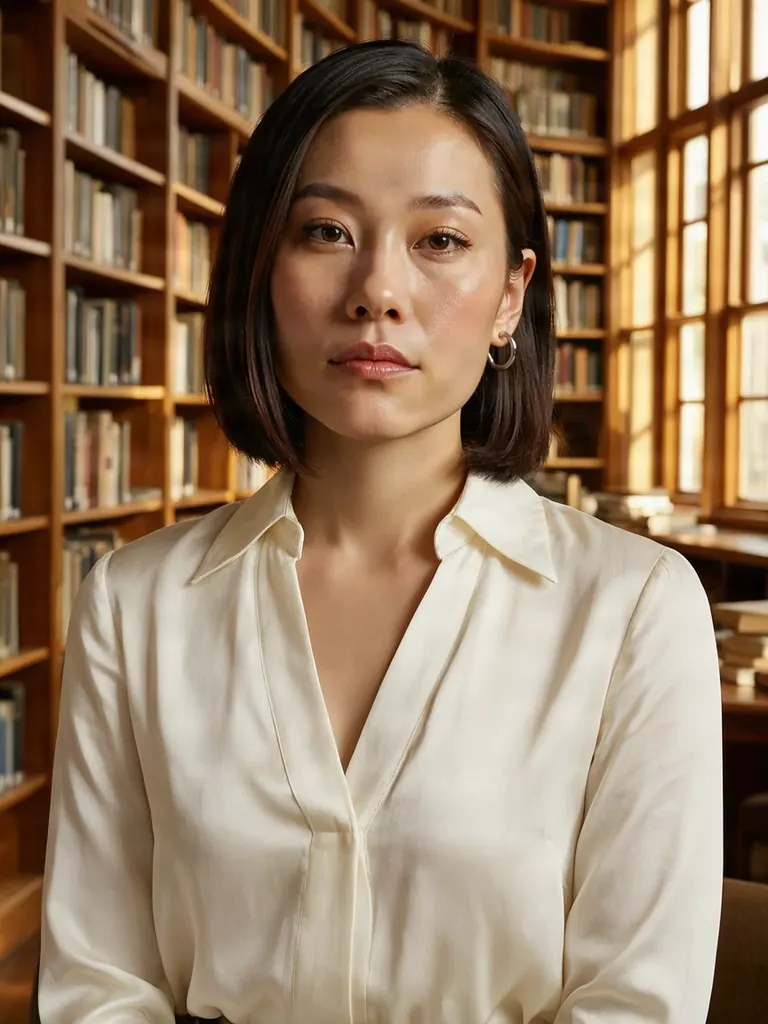 After
AfterEdit
Change her turtleneck to an ivory silk blouse with an open collar and replace the backdrop with a sunlit library of tall wooden bookshelves; keep her face, hairstyle, earrings and pose unchanged
When to pick Bria FIBO 2.0
Pick it when
- You like writing prompts as a list of attributes and want a model trained to read descriptions that way.
- You need a large picture in a set shape, from a square post to a phone-height story or a long banner, at one price whatever you pick.
- Your edit draws on several reference pictures and you do not want each extra one to raise the cost.
Pick another model when
- One hero portrait where photographic light and lens detail matter most; Seedream 5.0 Pro is the heavier tool for that.
- You want many quick, low-cost drafts while you look for an idea; Z-Image Turbo costs less per picture.
- You need instruction edits that hold a face and pose very closely; Qwen Image Edit 2511 is the dedicated editor.
Prompt or reference
Start fresh when you want to pick the shape. Attach pictures to edit instead, several at no extra cost; the result follows the proportions of the first one, so crop it before you upload.
How to use Bria FIBO 2.0 on Vellria
- Prompt: up to 10,000 characters in the panel above.
- To edit or combine pictures, attach 1–4 reference images; leave them out to start from text.
- Cost: 10 credits — see pricing.
Example prompts
Subject: an adult woman in her thirties with long dark hair. Wardrobe: black silk slip dress. Pose: seated on the edge of a hotel bed, looking over her shoulder. Setting: city lights through tall windows. Light: warm bedside lamp. Lens: 50mm, shallow depth of field.
Wide banner: an adult couple in white linen on a sailboat deck at sunset, her head on his shoulder, sea spray, golden backlight, copy space on the left.
Tall frame: an adult man in his thirties in an open white shirt leaning in the sunlit doorway of a Mediterranean villa, bougainvillea, hard shadows, film photography look.
Edit with references: dress the woman from picture 1 in the red velvet gown from picture 2 and place her in the candlelit library from picture 3; keep her face and pose.
Square boudoir still life: a silk robe, pearl earrings and an open perfume bottle on rumpled ivory sheets, soft morning light, editorial product style.
Tips
- Write the prompt in labeled parts, subject, wardrobe, pose, setting, light and lens, rather than one long sentence.
- Stay on 2K for detail; switch to 1K only when you need one of the extra-wide or extra-tall frames, since the price is the same.
- When a result is close, keep the seed and change one attribute; it refines the picture without losing the composition.
- For edits, crop the first reference to the target shape and give every other picture a clear job in the instruction.
Specifications
| Size (Text to image): | 2048×2048 (1:1, 2K)2304×1536 (3:2, 2K)1536×2304 (2:3, 2K)2048×1536 (4:3, 2K)1536×2048 (3:4, 2K)1920×1536 (5:4, 2K)1536×1920 (4:5, 2K)2048×1152 (16:9, 2K)1152×2048 (9:16, 2K)1024×1024 (1:1, 1K)1248×832 (3:2, 1K)832×1248 (2:3, 1K)1152×864 (4:3, 1K)864×1152 (3:4, 1K)1120×896 (5:4, 1K)896×1120 (4:5, 1K)1408×792 (16:9, 1K)792×1408 (9:16, 1K)1280×800 (16:10, 1K)800×1280 (10:16, 1K)1440×720 (2:1, 1K)720×1440 (1:2, 1K)1568×672 (21:9, 1K)672×1568 (9:21, 1K)1776×592 (3:1, 1K)592×1776 (1:3, 1K)2048×512 (4:1, 1K)512×2048 (1:4, 1K)2320×464 (5:1, 1K)464×2320 (1:5, 1K) |
|---|---|
| Size (Image to image): | 1K · Matches input image |
| Reference images: | 1–4 reference images |
See also: uncensored AI image generator · uncensored image editor.
Pricing
Text to image
| Size | Credits |
|---|---|
| 2048×2048 (1:1, 2K) | 10 credits |
| 2304×1536 (3:2, 2K) | 10 credits |
| 1536×2304 (2:3, 2K) | 10 credits |
| 2048×1536 (4:3, 2K) | 10 credits |
| 1536×2048 (3:4, 2K) | 10 credits |
| 1920×1536 (5:4, 2K) | 10 credits |
| 1536×1920 (4:5, 2K) | 10 credits |
| 2048×1152 (16:9, 2K) | 10 credits |
| 1152×2048 (9:16, 2K) | 10 credits |
| 1024×1024 (1:1, 1K) | 10 credits |
| 1248×832 (3:2, 1K) | 10 credits |
| 832×1248 (2:3, 1K) | 10 credits |
| 1152×864 (4:3, 1K) | 10 credits |
| 864×1152 (3:4, 1K) | 10 credits |
| 1120×896 (5:4, 1K) | 10 credits |
| 896×1120 (4:5, 1K) | 10 credits |
| 1408×792 (16:9, 1K) | 10 credits |
| 792×1408 (9:16, 1K) | 10 credits |
| 1280×800 (16:10, 1K) | 10 credits |
| 800×1280 (10:16, 1K) | 10 credits |
| 1440×720 (2:1, 1K) | 10 credits |
| 720×1440 (1:2, 1K) | 10 credits |
| 1568×672 (21:9, 1K) | 10 credits |
| 672×1568 (9:21, 1K) | 10 credits |
| 1776×592 (3:1, 1K) | 10 credits |
| 592×1776 (1:3, 1K) | 10 credits |
| 2048×512 (4:1, 1K) | 10 credits |
| 512×2048 (1:4, 1K) | 10 credits |
| 2320×464 (5:1, 1K) | 10 credits |
| 464×2320 (1:5, 1K) | 10 credits |
Image to image
| Size | Credits |
|---|---|
| 1K · Matches input image | 10 credits |
Bria FIBO 2.0 vs Bria FIBO 1.5 and Wan 2.7 Image
Bria FIBO 2.0 is the current generation of Bria's FIBO line on Vellria. Its strengths are prompts written as plain lists of attributes, a choice of output size at one price, and edits that take several references without any extra charge.
| Model | Price | Max size | Reference images |
|---|---|---|---|
| Bria FIBO 2.0 Uncensored This page | 10 credits | 2048×2048 | Up to 4 |
| Bria FIBO 1.5 Uncensored | 10 credits | 2048×2048 | Up to 4 |
| Wan 2.7 Uncensored | 8 credits | 2K | Up to 9 |
Prices and limits come from the live model catalog.
Bria FIBO 2.0 or Bria FIBO 1.5?
Same price and limits as this page.
FIBO 1.5 is the previous generation at the same price, with one fixed size for each shape. Keep it when an older prompt already gives the look you want; start new work on FIBO 2.0 and compare the two on the same wording.
Bria FIBO 2.0 or Wan 2.7 Image?
- Price: 8 credits (Bria FIBO 2.0: 10 credits)
- Max size: 2K (Bria FIBO 2.0: 2048×2048)
- Reference images: Up to 9 (Bria FIBO 2.0: Up to 4)
- Prompt length: 5,000 characters (Bria FIBO 2.0: 10,000 characters)
Wan 2.7 Image comes from Alibaba and follows wording closely at a single high resolution, merging several photos in the first photo's shape. Pick it for photo composites; pick FIBO 2.0 when you want to choose the frame and describe the scene attribute by attribute.
Bria FIBO 2.0 API: price and a first request
Bria FIBO 2.0 costs 10 credits over the API, the same rate as in Studio. Model id vellria-bria-fibo-2-0 on POST /v1/generate/image.
curl https://vellria.com/v1/generate/image \
  -H "Authorization: Bearer vll_..." \
  -H "Content-Type: application/json" \
  -d '{
    "model": "vellria-bria-fibo-2-0",
    "prompt": "…",
    "size": "2048*2048"
  }'
Parameters, polling and uploads: API documentation · NSFW image API.
FAQ
Does Bria FIBO 2.0 allow NSFW?
Yes, for fictional adult content on Vellria: nudity and explicit scenes between adults are allowed. Prompts that sexualize minors are refused automatically, and showing real people without consent is prohibited.
Is Bria FIBO 2.0 free?
No, there is no free plan, but a new account created with Google gets 20 credits as a gift, valid for 7 days: enough to try Bria FIBO 2.0, which costs 10 credits. After that every run is paid from prepaid credits at the rate this page shows before you start, and a run that fails at the provider is refunded automatically. Is there a free uncensored AI generator? covers the cheapest way to a first result.
Can I send a JSON prompt?
There is no separate structured-prompt field here, only the text prompt. You can write the attributes as labeled lines, or paste a JSON-style list as text; either way it is passed to the model as written.
What is the difference between 1K and 2K?
2K is the default and gives the larger picture in the standard shapes. 1K is smaller but opens extra-wide and extra-tall frames. Both cost the same; the pricing table below is generated from the live catalog.
How does editing work?
Attach one to four pictures and describe the change. Extra references add nothing to the price, and the result keeps the proportions of the first picture you attach.
How is FIBO 2.0 different from FIBO 1.5?
Both come from Bria and cost the same per picture. FIBO 2.0 is the newer generation and lets you choose between 1K and 2K output, while FIBO 1.5 renders one fixed size per shape. Run the same prompt on both and keep the look you prefer.
Related models
Turn a still into a clip with one of our video models.
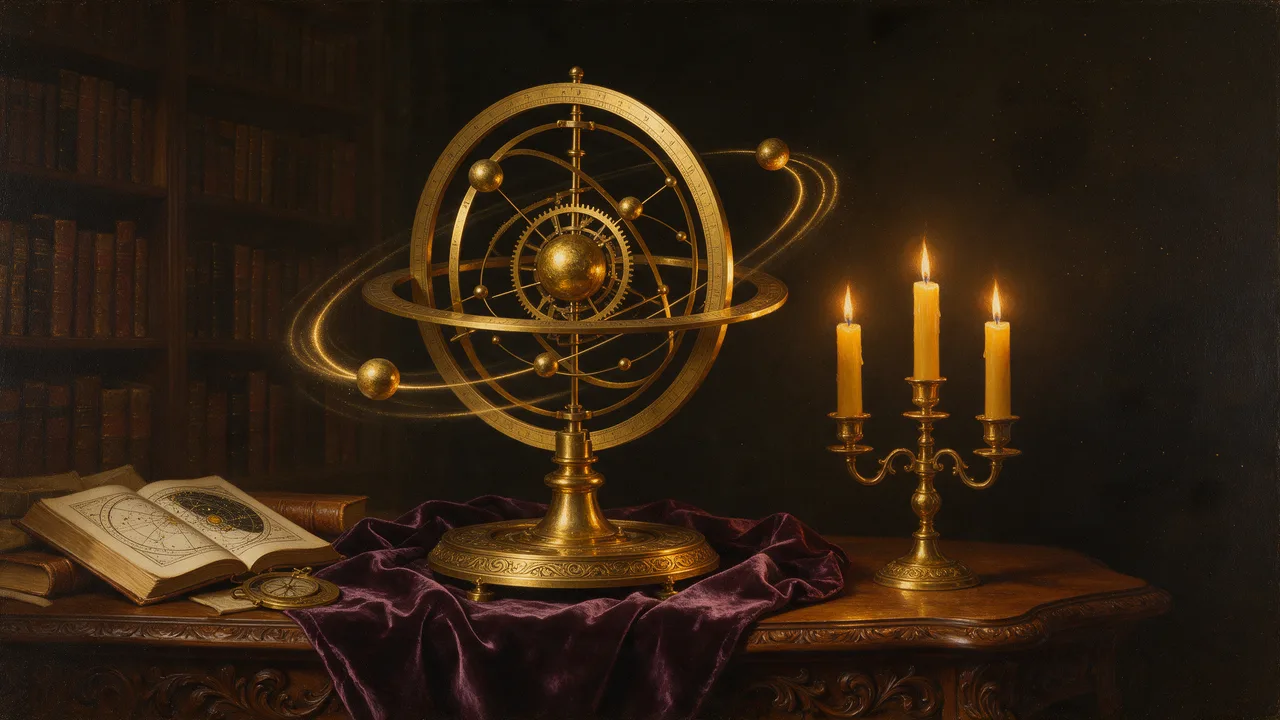
Pruna P-Video 2 Pro Uncensored
For the take you keep: 5–15 s clips with sound at 480p or 768p, or start from a still.
Video
from 12 credits / s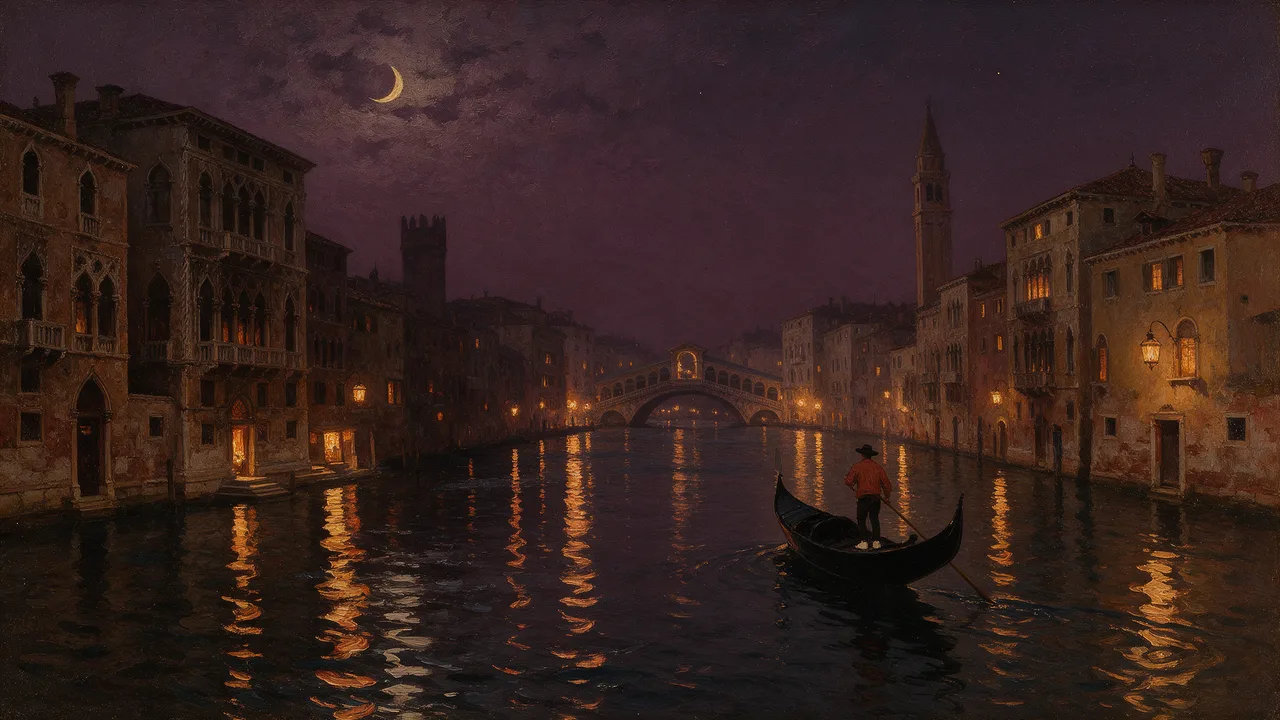
Pruna P-Video 2 Uncensored
From a one-second beat to a 20-second take, with sound, at 720p or 1080p; animates stills too.
Video
from 8 credits / s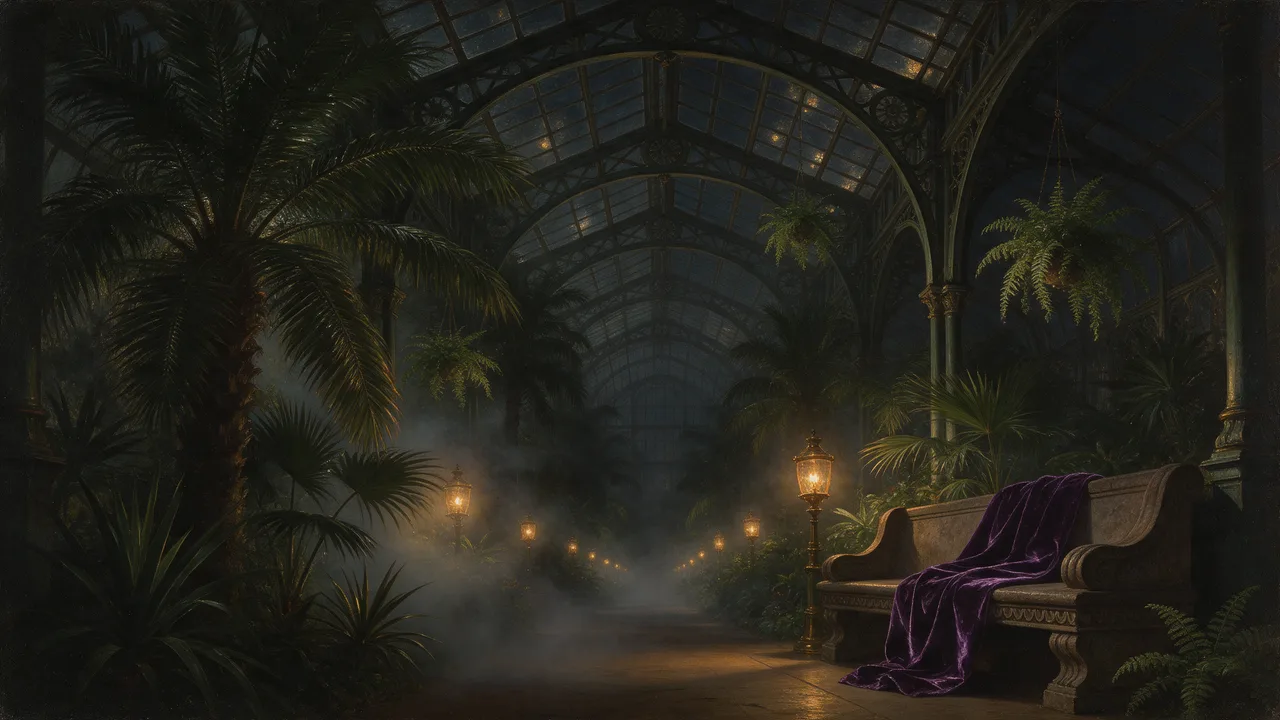
LTX 2.5 Pro Uncensored
Top-quality takes with sound, 6, 8 or 10 s, from 720p up to 4K, landscape or portrait; animates stills too.
Video
from 35 credits / s