
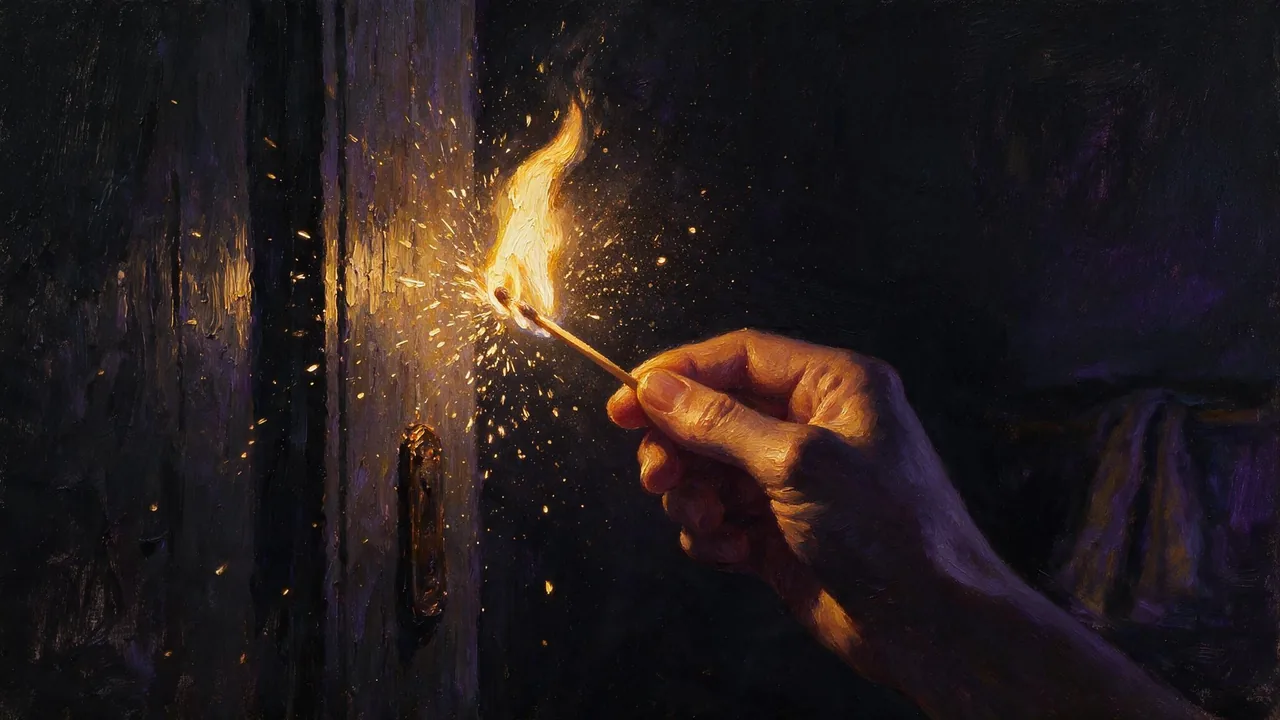
Z-Image Turbo Uncensored
Z-Image Turbo Uncensored is Alibaba Tongyi's image model, hosted on Vellria with nothing to install: text to image, output up to 2048×2048. Run it in Studio or over the REST API, 2 credits (100 credits = $1.00).
vellria-z-image-turboZ-Image Turbo is developed by Alibaba Tongyi. Vellria provides access to the model; it does not own it. All trademarks belong to their respective owners.
Output
No generation yetCover art
2 credits
Your request will cost 2 credits.
About Z-Image Turbo
Also known as: Z-Image · Z Image Turbo · Tongyi Z-Image Turbo · Alibaba Z-Image
Z-Image Turbo is a compact text-to-image model from Alibaba's Tongyi lab, distilled to render in very few steps. The result is a model that answers quickly and costs little per picture while still leaning photographic: skin texture, fabric and daylight come out natural without long, technical prompts.
Speed and price make it a sketchbook. Generate many variations of a pose, an outfit or a setting, keep the ones that work, and only then spend on a heavier model such as Seedream 5 Pro for a final render. It also makes inexpensive opening frames for video models like LTX 2.5 Fast.
Plain descriptive prompts work best: the subject, what they wear or do not wear, the place, the light and the camera distance. Because the model is small, a short, concrete sentence often beats a long list of style keywords, and it is worth fixing a seed when you want to compare small wording changes.
Z-Image Turbo works from text only: it builds a new picture from your description and does not take an uploaded photo. To change a picture you already have while keeping the person in it, such as a new outfit, background or light, use Qwen Image Edit 2511, which follows edit instructions closely and accepts several references.
Z-Image Turbo in action
Z-Image Turbo outputs with the exact prompts behind them.
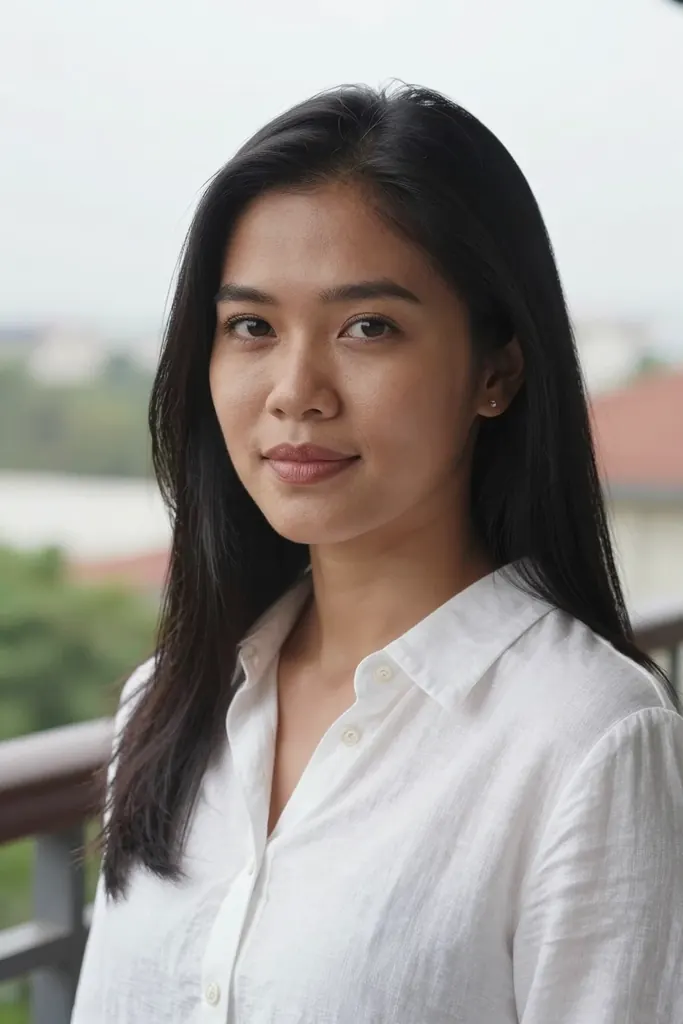
Text to image
Close-up portrait of a Filipino woman in her early thirties with long straight black hair and a white linen shirt, soft overcast daylight on a balcony, natural makeup, calm confident gaze, 85mm lens, photorealistic skin texture
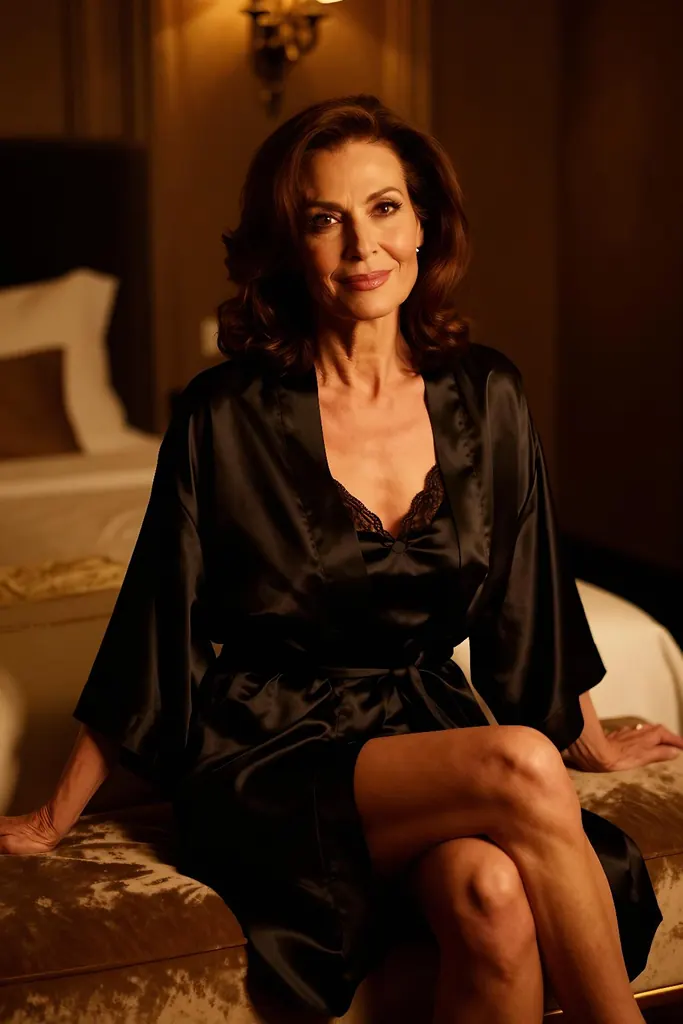
Text to image
Boudoir photo of an elegant mature brunette woman in her late thirties with fine smile lines and a confident knowing gaze, wearing a black satin slip and a silk robe, seated upright on a velvet chaise in a dim art deco bedroom, legs together to one side, warm amber lamplight, tasteful and suggestive, film photography look
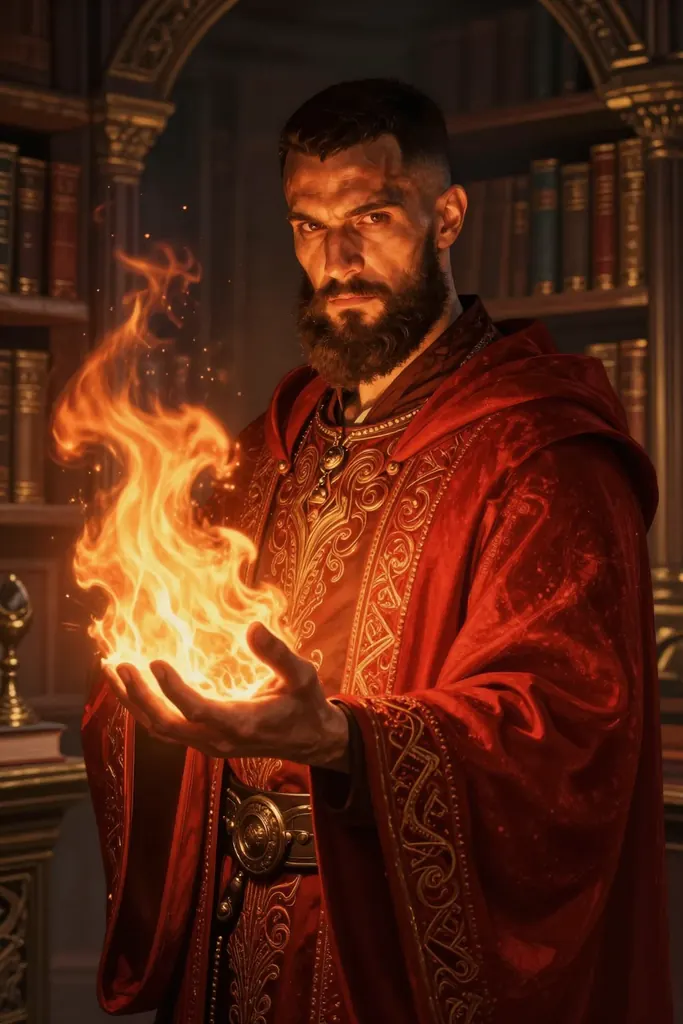
Text to image
Fantasy portrait of a fire mage man in his thirties with a short dark beard and copper-brown skin, embroidered crimson robes, flames curling from his open palm, ancient library behind him, dramatic rim light, detailed digital painting
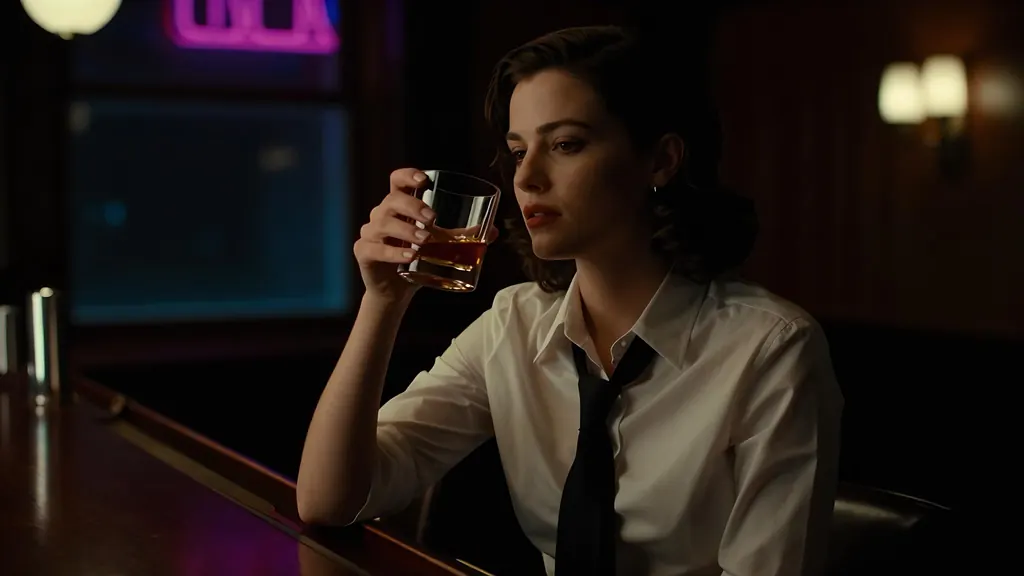
Text to image
Cinematic still of a woman in her thirties in a white shirt with a loosened black tie sitting at a dim hotel bar at midnight, a glass of whiskey in her hand, neon glow through the window, shallow depth of field, 35mm film grain
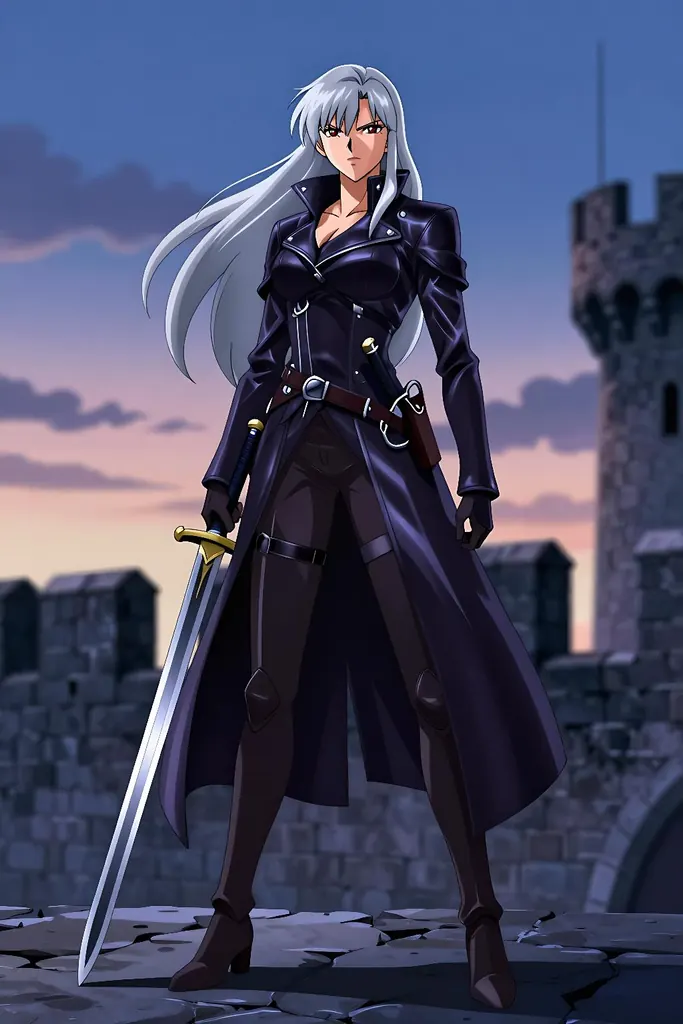
Text to image
Anime illustration of a tall adult woman in her thirties, a confident sword-wielding mercenary with long silver hair and a dark leather coat, standing on a windswept castle wall at dusk, clean line art, cel shading, no text
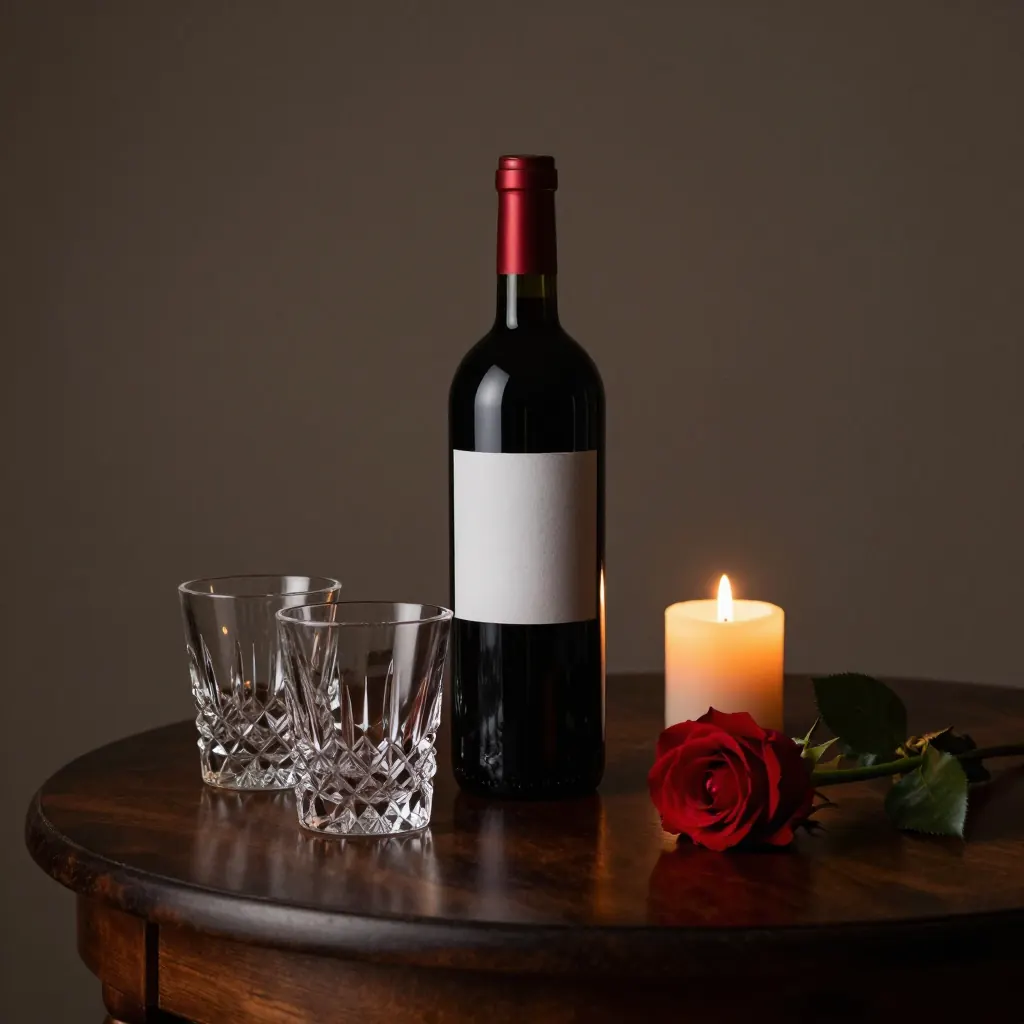
Text to image
A bottle of red wine and two crystal glasses on a dark walnut table beside a lit candle and a single red rose, moody low-key studio lighting, no text, no logo, no label
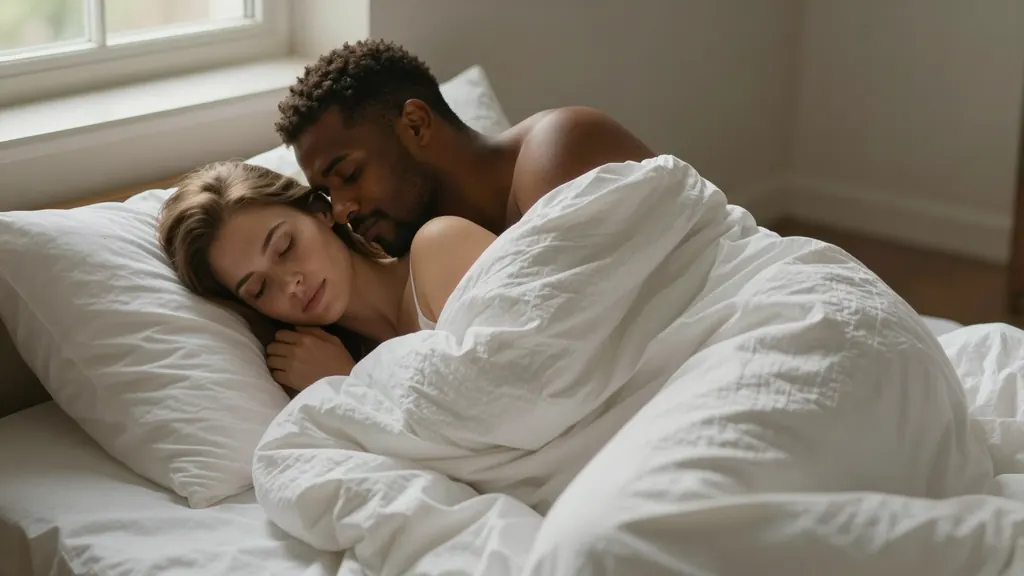
Text to image
Intimate morning scene of a couple in their thirties, a Black man and a white woman, wrapped together in white linen sheets on a bed in a sunlit loft, her bare shoulders and his arm around her, the sheet covering them to the chest, soft warm light, tasteful and romantic, photorealistic
When to pick Z-Image Turbo
Pick it when
- You want many cheap variations of a pose, outfit or setting before settling on one direction.
- You need inexpensive opening frames to feed into a video model, and photographic skin and fabric are enough.
- You want photographic skin and fabric from a short, plain description without paying for a heavy model.
Pick another model when
- The picture is the final deliverable and lighting and placement must follow a detailed brief; use Seedream 5.0 Pro.
- You want to edit a photo you already have; Qwen Image Edit 2511 keeps the person and follows the instruction.
- You want drafts at a flat price in the Seedream look; Seedream 5.0 Flash is the match.
How to use Z-Image Turbo on Vellria
- Prompt: up to 10,000 characters in the panel above.
- This model starts from text alone, so there is nothing to upload.
- Cost: 2 credits — see pricing.
Example prompts
Photo of an adult woman lying on white linen by a window, natural morning light, relaxed smile, shallow depth of field.
Close-up portrait of an adult woman with wet hair in a dim bathroom, candle light, steam on the mirror, photorealistic.
Full-length shot of a muscular adult man in a towel in a steamy tiled bathroom, warm overhead light, 35mm film look.
Adult couple embracing on a rooftop at dusk, city lights behind them, candid photograph, soft grain.
Tips
- Use it to explore many variations cheaply, then re-render the keeper on a larger model.
- Fix the seed when comparing two versions of the same prompt.
- To change a photo you already have, switch to Qwen Image Edit 2511; Z-Image Turbo starts from text.
- Short, concrete descriptions beat long lists of style keywords.
- Name the light source, for example a window, a lamp or the setting sun, to anchor the photographic look and keep shadows consistent.
Specifications
| Size: | 1024×1024 (1:1)1536×1024 (3:2)1024×1536 (2:3)2048×1152 (16:9)1152×2048 (9:16)2048×2048 (1:1, 2K) |
|---|
See also: uncensored AI image generator.
Pricing
| Size | Credits |
|---|---|
| 1024×1024 (1:1) | 2 credits |
| 1536×1024 (3:2) | 2 credits |
| 1024×1536 (2:3) | 2 credits |
| 2048×1152 (16:9) | 2 credits |
| 1152×2048 (9:16) | 2 credits |
| 2048×2048 (1:1, 2K) | 2 credits |
Z-Image Turbo vs Qwen Image Edit 3.0, Wan 2.7 Image, and Seedream 5.0 Flash
Z-Image Turbo is a low-cost image model from Alibaba's Tongyi lab that works from text alone. It has no reference upload; when a picture needs editing or merging, the models compared below take over.
| Model | Price | Max size | Reference images |
|---|---|---|---|
| Z-Image Turbo Uncensored This page | 2 credits | 2048×2048 | None |
| Qwen 3 Uncensored | 8 credits | 2048×2048 | Up to 3 |
| Wan 2.7 Uncensored | 8 credits | 2K | Up to 9 |
| Seedream 5 Flash Uncensored | 8 credits | 2816×1584 | Up to 10 |
Prices and limits come from the live model catalog.
Z-Image Turbo or Qwen Image Edit 3.0?
- Price: 8 credits (Z-Image Turbo: 2 credits)
- Reference images: Up to 3 (Z-Image Turbo: None)
- Extra reference images: +1 credit per extra image (Z-Image Turbo: —)
- Prompt length: 8,000 characters (Z-Image Turbo: 10,000 characters)
- Settings: Seed, Negative prompt (Z-Image Turbo: Seed)
Qwen Image Edit 3.0 costs more per image but adds an edit mode with reference pictures and follows a literal, itemised prompt. Sketch here, then move to Qwen when an image needs changes rather than a fresh roll.
Z-Image Turbo or Wan 2.7 Image?
- Price: 8 credits (Z-Image Turbo: 2 credits)
- Max size: 2K (Z-Image Turbo: 2048×2048)
- Reference images: Up to 9 (Z-Image Turbo: None)
- Extra reference images: No extra charge (Z-Image Turbo: —)
- Prompt length: 5,000 characters (Z-Image Turbo: 10,000 characters)
Wan 2.7 Image is the choice when several photos have to become one scene. Z-Image Turbo cannot take a picture as input, so it belongs to the earlier, idea-finding step.
Z-Image Turbo or Seedream 5.0 Flash?
- Price: 8 credits (Z-Image Turbo: 2 credits)
- Max size: 2816×1584 (Z-Image Turbo: 2048×2048)
- Reference images: Up to 10 (Z-Image Turbo: None)
- Extra reference images: No extra charge (Z-Image Turbo: —)
- Settings: None (Z-Image Turbo: Seed)
Seedream 5.0 Flash is the other drafting option: one price per run as well, but with reference editing and the Seedream look. Try both on the same short prompt before settling on a drafting model.
Z-Image Turbo API: price and a first request
Z-Image Turbo costs 2 credits over the API, the same rate as in Studio. Model id vellria-z-image-turbo on POST /v1/generate/image.
curl https://vellria.com/v1/generate/image \
  -H "Authorization: Bearer vll_..." \
  -H "Content-Type: application/json" \
  -d '{
    "model": "vellria-z-image-turbo",
    "prompt": "…",
    "size": "1024*1024"
  }'
Parameters, polling and uploads: API documentation · NSFW image API.
FAQ
Does Z-Image Turbo allow NSFW?
Yes, for fictional adult content. Nudity and explicit scenes between adults are allowed. Minors are refused automatically and real people may not be depicted without consent.
Is Z-Image Turbo free?
No, there is no free plan, but a new account created with Google gets 20 credits as a gift, valid for 7 days: enough to try Z-Image Turbo, which costs 2 credits. After that every run is paid from prepaid credits at the rate this page shows before you start, and a run that fails at the provider is refunded automatically. Is there a free uncensored AI generator? covers the cheapest way to a first result.
Who makes Z-Image Turbo?
Alibaba's Tongyi lab develops the Z-Image family; Turbo is the distilled, fast version. Vellria runs it as an uncensored online generator and API.
Can Z-Image Turbo edit my own photo?
No. On Vellria Z-Image Turbo is text to image only. To change a photo you already have, use Qwen Image Edit 2511, which keeps the person and follows edit instructions.
Can I use Z-Image Turbo by API?
Yes. The API section on this page shows the request; see the API reference for authentication and downloads.
Related models
Turn a still into a clip with one of our video models.
Lime 1.0 Spicy Uncensored
Low-cost clips of 5 or 10 s at 480p or 720p from your still, with sound made in every run.
Video
from 8 credits / s
Seedance 2.5 Uncensored
Scenes that arrive with sound, 4–30 s up to 1080p, or bring a still to life as the first frame.
Video
from 35 credits / s
Seedance 2.0 Uncensored
Scenes with sound in 4–15 s takes up to 1080p, or bring a still to life as the opening frame.
Video
from 30 credits / s