
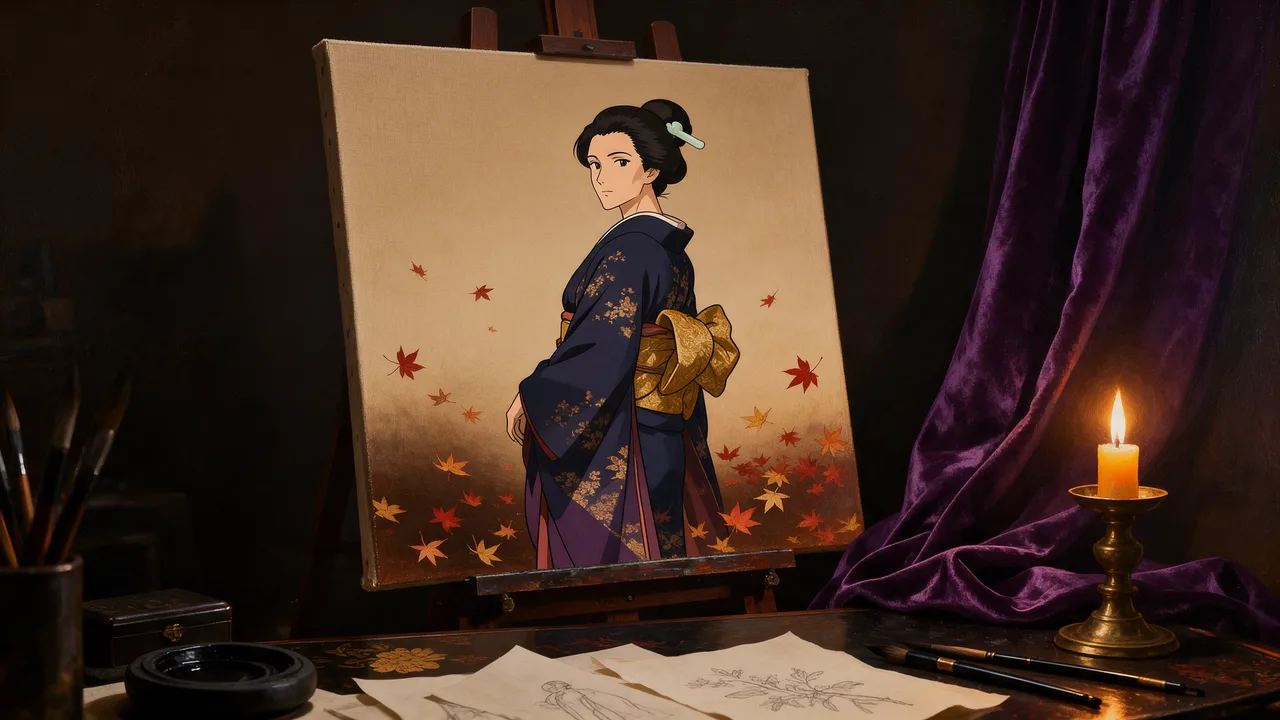
Anima Uncensored
Anima Uncensored is CircleStone Labs's image model, hosted on Vellria with nothing to install: text to image and image to image, output up to 1024×1024. Run it in Studio or over the REST API, 5 credits (100 credits = $1.00).
vellria-animaAnima is developed by CircleStone Labs. Vellria provides access to the model; it does not own it. All trademarks belong to their respective owners.
Output
No generation yetCover art
5 credits
Your request will cost 5 credits.
About Anima
Also known as: CircleStone Anima · Anima anime model · Anima image model
Anima is an anime illustration model from CircleStone Labs, created in collaboration with Comfy Org and released with open weights. It is a compact model of about two billion parameters, built around one style rather than everything at once: drawn characters, line work and the colouring of anime and illustration art. Vellria runs it hosted and uncensored, so there is nothing to install and no checkpoint to download.
Prompts can be written two ways. The model card says Danbooru-style tags work best, as a comma-separated list such as 'solo, mature female, long hair, red dress, night, city lights', and natural language is understood too. When you write in plain sentences, use at least two of them: the character first, then the setting and the light. Because this site is for adults only, describe every character with adult tags such as 'mature female' or 'adult man'.
Starting from text offers seven shapes at roughly one megapixel, with a single resolution tier and one low flat price, which makes it inexpensive to try many character designs in a row. Image-to-image takes a single source picture and repaints it in the model's anime style: the result keeps the proportions of the source, and how far it departs from the original is fixed rather than adjustable. A seed is available in both modes; there is no negative prompt.
For photographs instead of drawings, Z-Image Turbo is the low-cost photoreal model that works from text. When a picture needs a targeted edit that keeps everything else, or several references merged into one frame, Seedream 5.0 Flash and Qwen Image 2.1 accept multiple pictures, which Anima does not.
Anima in action
Anima outputs with the exact prompts behind them.
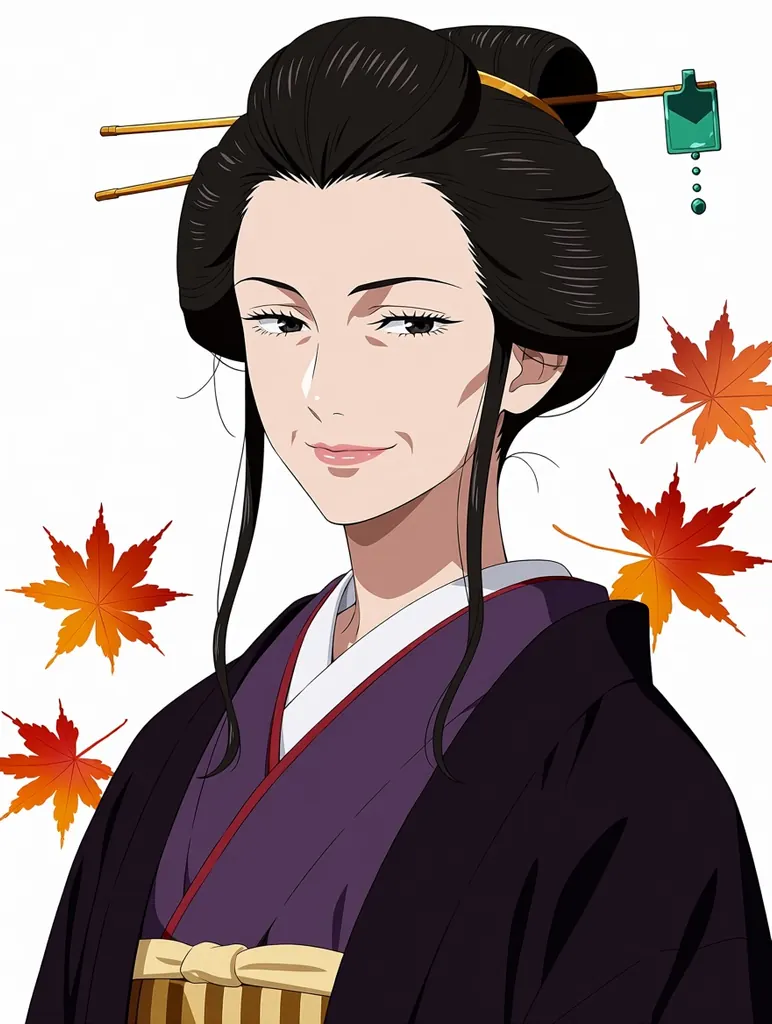
Text to image
Anime illustration portrait of a mature adult woman in her late thirties with an elegant long face, defined cheekbones, faint smile lines and a calm confident gaze, long dark hair pinned up with a jade hairpin, wearing a deep indigo kimono with a gold obi, autumn maple leaves drifting behind her, clean line art, soft cel shading, adult proportions, no text
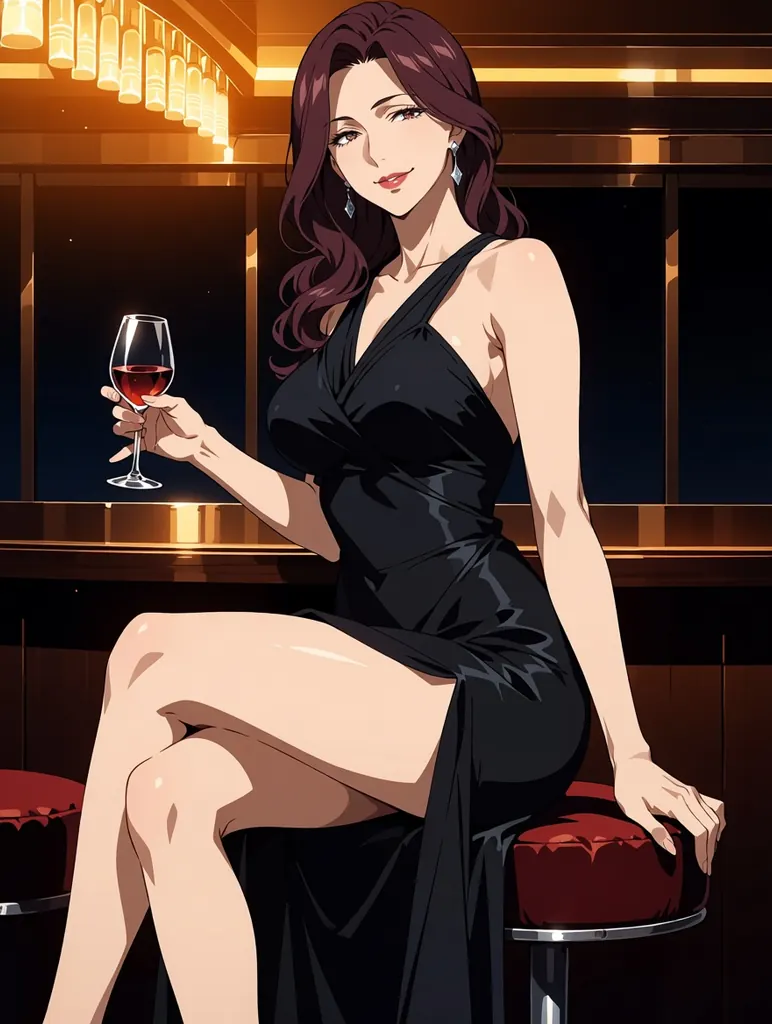
Text to image
Anime illustration of an elegant adult woman in her late thirties with a mature face, faint smile lines and long wavy burgundy hair, wearing a black satin evening dress with a high slit, seated on a velvet bar stool in a dim jazz lounge, a glass of red wine in her hand, sultry knowing smile, warm amber lighting, refined line art, adult proportions, no text, no letters, no signature, no watermark
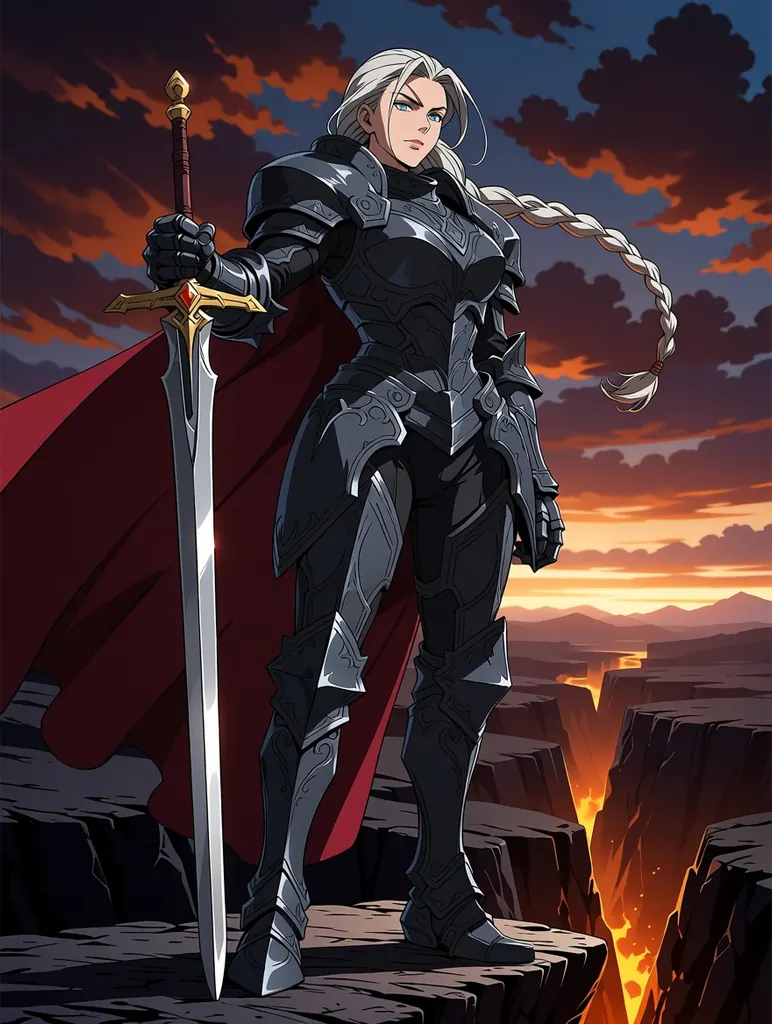
Text to image
Anime fantasy key visual of a seasoned female knight commander, a grown woman in her late thirties with a long silver braid, a scar over one eyebrow and a strong mature face, ornate dark steel armor shaped for a woman with a crimson cape, planting a greatsword on a cliff above a burning valley at dusk, dramatic sky, detailed line art, cel shading, no text, no signature, no watermark
Text to image
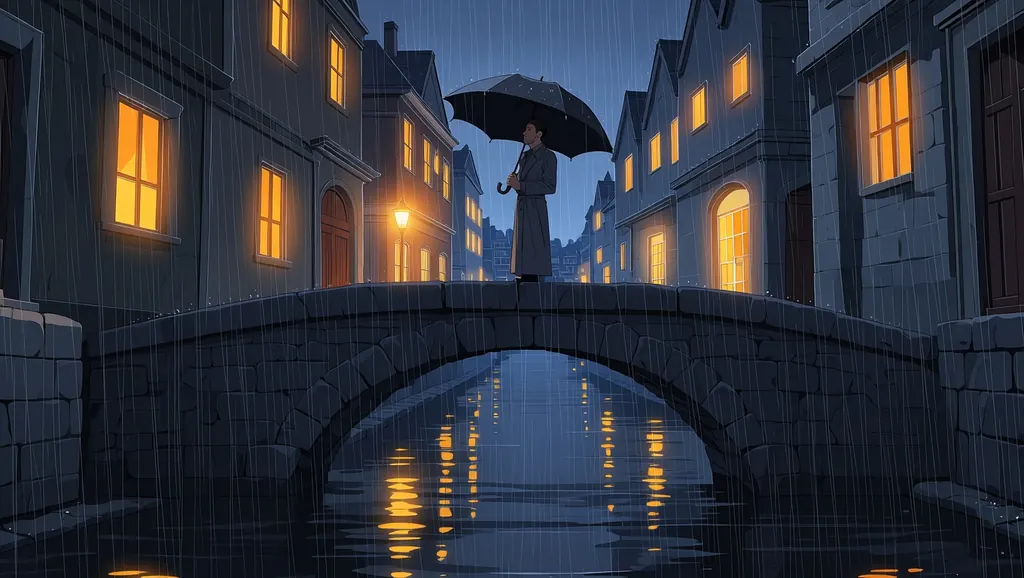
Anime film still of a bearded adult man in his late thirties in a long grey coat standing on an old stone bridge over a river at night in the rain, holding a black umbrella, warm windows of riverside houses glowing, reflections on the wet stone, painted background art, cinematic widescreen composition, no text, no signs, no signature, no watermark
Text to image
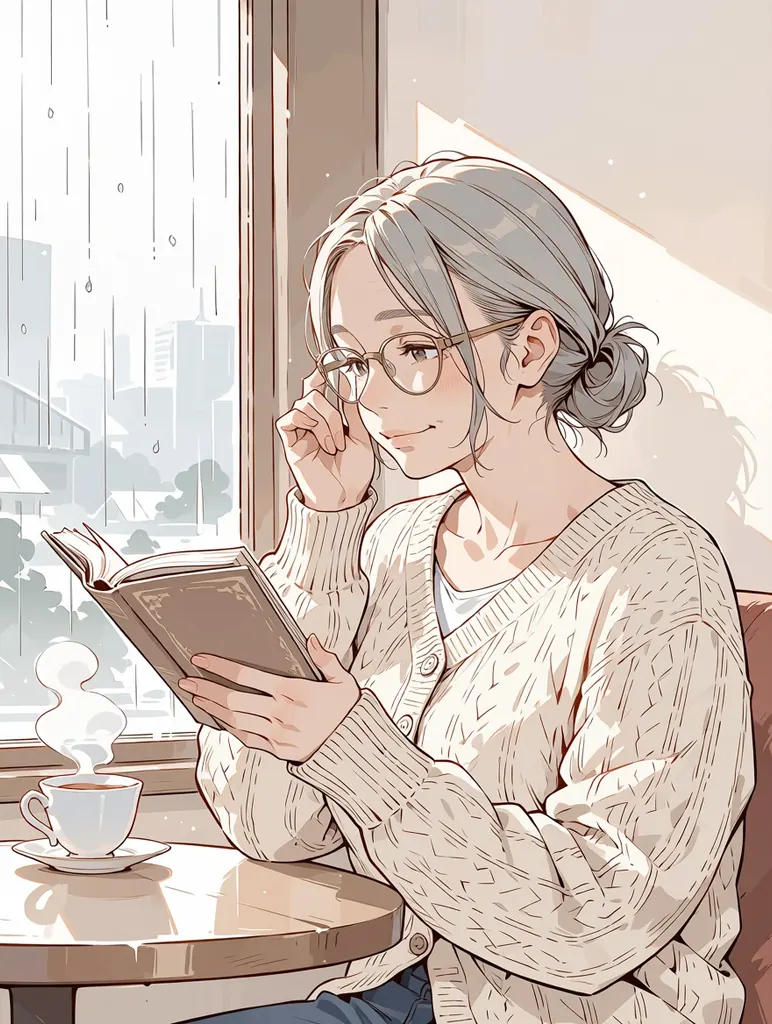
Soft watercolor anime illustration of an older woman in her early fifties with silver-grey hair in a low bun, fine wrinkles around her eyes and reading glasses, wearing a cream knit cardigan, reading a book by a window in a quiet cafe on a rainy afternoon, steam rising from a teacup, gentle pastel washes, delicate ink lines, adult proportions, no text, no signature, no watermark
Text to image
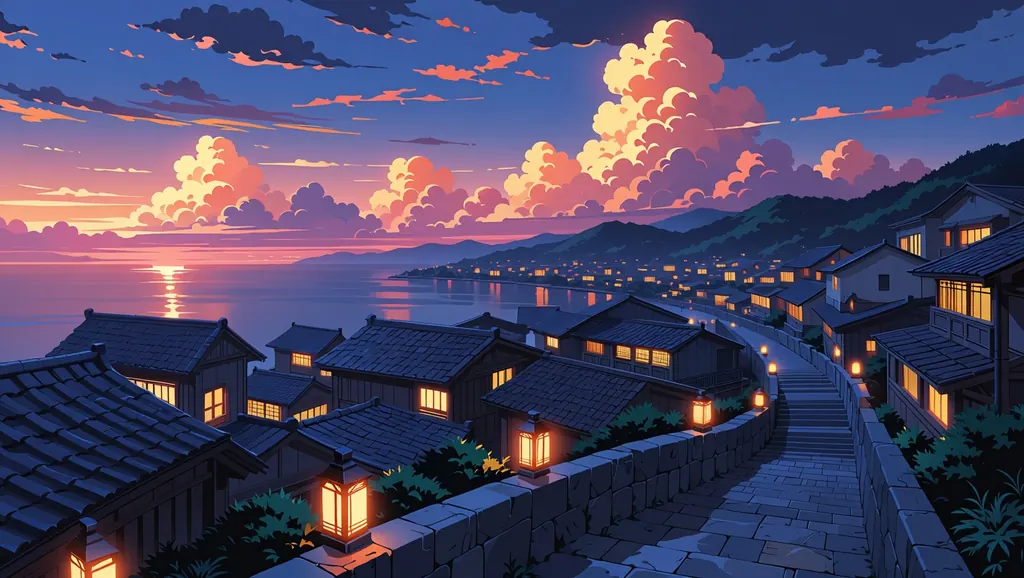
Anime background art of a seaside town on a summer evening, tiled roofs stepping down a hillside to a calm harbor, paper lanterns glowing along a stone staircase, towering cumulus clouds lit pink and gold by the sunset, highly detailed painted scenery, no people, no text, no signs, no signature, no watermark
Text to image
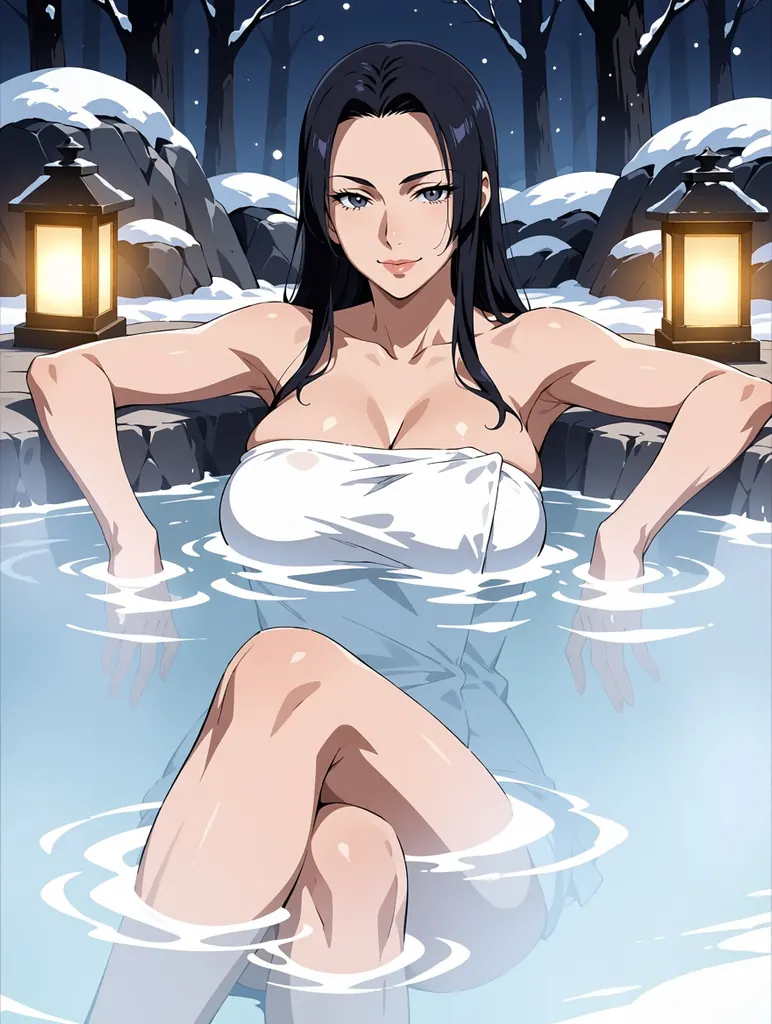
Anime illustration of a confident adult woman in her thirties with a mature face and long black hair, lounging in a steaming outdoor hot spring at night, a white towel wrapped around her, bare shoulders above the water, snow falling on the rocks around her, lanterns glowing, tasteful and suggestive, refined line art, adult proportions, no text
- Before
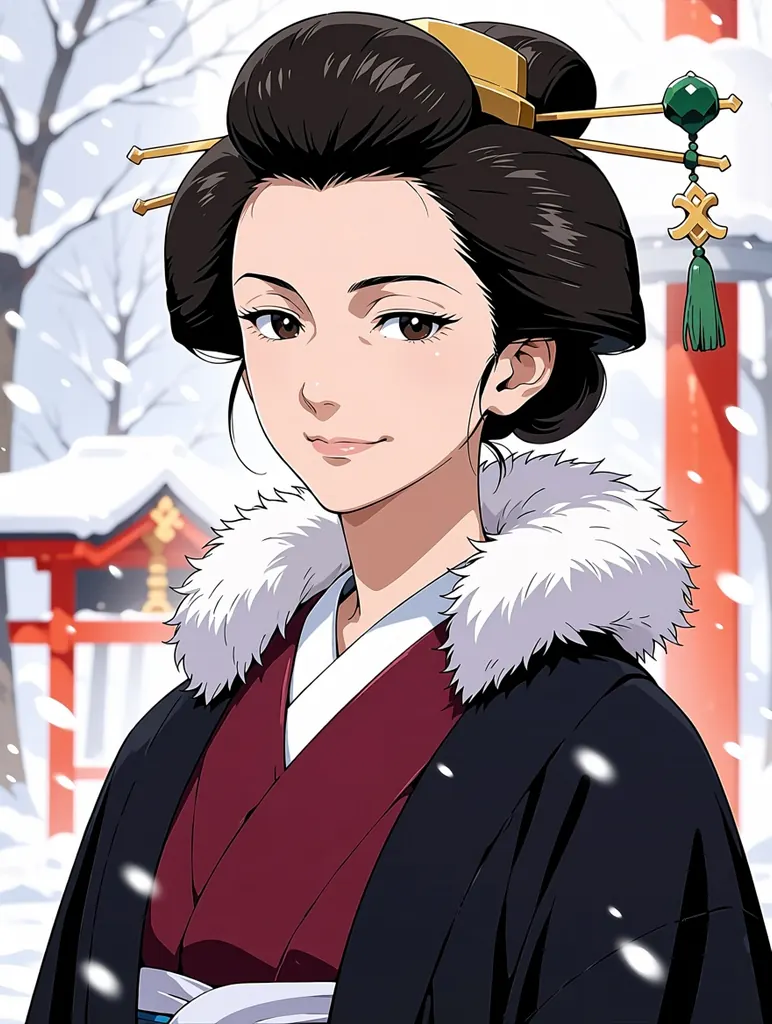 After
AfterEdit
Anime illustration of the same mature adult woman in her late thirties with an elegant long face and dark hair pinned up with a jade hairpin, now in a winter scene: a crimson kimono with a white fur stole, heavy snow falling, a red-lacquered shrine gate softly blurred behind her, clean line art, soft cel shading, adult proportions, no text
When to pick Anima
Pick it when
- You want anime or illustration-style images of original adult characters rather than photographs.
- You already think in Danbooru-style tags and want a model that reads them directly.
- You want many inexpensive character drafts at one flat price, or an anime version of a render you made yourself.
Pick another model when
- You want a photographic look; Z-Image Turbo is the low-cost photoreal option.
- You need to change specific details while keeping the rest, or merge several references; use Seedream 5.0 Flash.
- The image must be larger than about one megapixel; Seedream 5.0 Pro renders finished high-resolution images.
Prompt or reference
Begin with text when the character or scene is new, and choose its frame. Attach a single picture of your own when its composition already works and you want it redrawn in the anime style: the output keeps that picture's proportions, and the strength of the repaint is fixed, so describe the look you are after rather than how much should change.
How to use Anima on Vellria
- Prompt: up to 10,000 characters in the panel above.
- To edit or combine pictures, attach 1 reference image; leave them out to start from text.
- Cost: 5 credits — see pricing.
Example prompts
solo, mature female, adult woman, long silver hair, red eyes, black lace lingerie, sitting on the edge of a bed, night city window, soft rim light, anime coloring
An anime illustration of an adult woman with short black hair and a leather jacket, leaning on a motorbike at dusk. Neon signs reflect on the wet asphalt, and she looks back over her shoulder with a confident smile.
solo, mature male, adult man, muscular, shirtless, white towel around waist, hot spring, steam, night, paper lanterns, warm light, detailed background
An anime-style adult couple slow dancing in a candlelit ballroom, she in a backless red gown and he in a dark suit. Warm light falls across the marble floor, with soft bloom around the candles.
Repaint: keep the pose and composition of the source picture and redraw the adult woman as an anime illustration with cel shading, bold outlines and vivid colors.
Tips
- Open the tag list with the subject and adult tags (solo, mature female or adult man), then clothing, pose, setting and light.
- If you prefer sentences to tags, write at least two; the model card advises against single-line natural-language prompts.
- Invent your own characters and describe them by their look; real people and named characters from existing franchises do not belong in the prompt.
- For image-to-image, use a picture you generated yourself and crop it first, since the repaint keeps its framing.
- Lock the seed once a character design works, then change one tag at a time to vary the outfit or setting.
Specifications
| Size (Text to image): | 1024×1024 (1:1)1248×832 (3:2)832×1248 (2:3)1168×880 (4:3)880×1168 (3:4)1360×768 (16:9)768×1360 (9:16) |
|---|---|
| Size (Image to image): | 1K · Matches input image |
| Reference images: | 1 reference image |
See also: uncensored AI image generator · uncensored image editor.
Pricing
Text to image
| Size | Credits |
|---|---|
| 1024×1024 (1:1) | 5 credits |
| 1248×832 (3:2) | 5 credits |
| 832×1248 (2:3) | 5 credits |
| 1168×880 (4:3) | 5 credits |
| 880×1168 (3:4) | 5 credits |
| 1360×768 (16:9) | 5 credits |
| 768×1360 (9:16) | 5 credits |
Image to image
| Size | Credits |
|---|---|
| 1K · Matches input image | 5 credits |
Anima vs Z-Image Turbo and Seedream 5.0 Flash
Anima is the anime specialist among the image models on Vellria: an open-weight illustration model from CircleStone Labs that reads Danbooru-style tags, runs at a low flat price and takes one source picture for restyling.
| Model | Price | Max size | Reference images |
|---|---|---|---|
| Anima Uncensored This page | 5 credits | 1024×1024 | Up to 1 |
| Z-Image Turbo Uncensored | 2 credits | 2048×2048 | None |
| Seedream 5 Flash Uncensored | 8 credits | 2816×1584 | Up to 10 |
Prices and limits come from the live model catalog.
Anima or Z-Image Turbo?
- Price: 2 credits (Anima: 5 credits)
- Max size: 2048×2048 (Anima: 1024×1024)
- Reference images: None (Anima: Up to 1)
Z-Image Turbo is the other low-cost model, but it aims at photographs and works from text only. Pick it for realistic skin and daylight, and Anima for drawn characters or for repainting a picture of your own.
Anima or Seedream 5.0 Flash?
- Price: 8 credits (Anima: 5 credits)
- Max size: 2816×1584 (Anima: 1024×1024)
- Reference images: Up to 10 (Anima: Up to 1)
- Extra reference images: No extra charge (Anima: —)
- Settings: None (Anima: Seed)
Seedream 5.0 Flash also charges one price per run and takes many reference pictures for real edits. Use it when an image must change in one place and keep the rest, and Anima when the whole picture should become an illustration.
Anima API: price and a first request
Anima costs 5 credits over the API, the same rate as in Studio. Model id vellria-anima on POST /v1/generate/image.
curl https://vellria.com/v1/generate/image \
  -H "Authorization: Bearer vll_..." \
  -H "Content-Type: application/json" \
  -d '{
    "model": "vellria-anima",
    "prompt": "…",
    "size": "1024*1024"
  }'
Parameters, polling and uploads: API documentation · NSFW image API.
FAQ
Does Anima allow NSFW?
Yes, for fictional adult characters: nudity and explicit scenes between adults are allowed in illustrated form. Minors are refused automatically, whatever the art style, and depicting real people without consent is prohibited.
Is Anima free?
No, there is no free plan, but a new account created with Google gets 20 credits as a gift, valid for 7 days: enough to try Anima, which costs 5 credits. After that every run is paid from prepaid credits at the rate this page shows before you start, and a run that fails at the provider is refunded automatically. Is there a free uncensored AI generator? covers the cheapest way to a first result.
Who makes Anima?
CircleStone Labs, in collaboration with Comfy Org. The weights are open, so the same model can be run locally; on Vellria it runs hosted as an online generator and API.
Should I write tags or sentences?
Either works. The model card recommends Danbooru-style tags for the most reliable results; plain language is understood as well, but give it at least two sentences rather than a single line.
Can Anima restyle a picture I already have?
Yes, one picture at a time. It repaints the source in anime style and keeps its proportions, and the strength of the change is fixed. To alter one detail while leaving the rest intact, an editing model such as Qwen Image 2.1 is a closer fit.
Can I use Anima through the API?
Yes. The API section on this page shows the request for text-to-image and for image-to-image with a source picture; see the API reference for uploads and polling.
Related models
Turn a still into a clip with one of our video models.
MiniMax H3 Video Uncensored
Test shot ideas before the final take: 4–15 s clips up to 4K, or see how a still moves.
Video
from 6 credits / s
MiniMax H3 Max Uncensored
For the take you keep: 5–15 s clips up to 4K with sound; start from a still if you have one.
Video
from 15 credits / s
Wan 3.0 Uncensored
Long single takes up to 30 s with sound, 480p to 1080p, or animate a still as the opening shot.
Video
from 15 credits / s