

Qwen 3 Uncensored
Qwen 3 Uncensored is Alibaba's image model, hosted on Vellria with nothing to install: text to image and image to image, output up to 2048×2048. Run it in Studio or over the REST API, 8 credits (100 credits = $1.00).
vellria-qwen-3Qwen 3 is developed by Alibaba. Vellria provides access to the model; it does not own it. All trademarks belong to their respective owners.
Output
No generation yetCover art
8 credits
Your request will cost 8 credits.
About Qwen Image Edit 3.0
Also known as: Qwen Image 3.0 · Qwen-Image 3.0 Edit · Qwen 3
This page runs Qwen-Image 3.0, the third generation of Alibaba's Qwen image model, in both of its modes: text-to-image and image editing. The editing mode is what people mean when they search for Qwen Image Edit. The original Qwen-Image and Qwen-Image-Edit were released by Alibaba's Qwen team as open weights, and they are widely run locally, NSFW work included, because they take instructions literally. Qwen-Image 3.0 is the hosted successor of that line, so you get the same instruction-following without downloading checkpoints or wiring nodes.
The defining trait is literalness. Qwen follows your wording as written, with nothing added, trimmed or softened, so the words you choose are the ones that shape the picture. That makes it the model for scenes you can describe exactly: who is in the frame, what they wear or do not wear, where they stand, what is on the wall behind them. It rewards a plain inventory more than poetic description.
As an editor, Qwen Image Edit 3.0 is built for targeted changes. Upload a picture you made, say what should be different — swap the outfit for lingerie, move the scene from a studio to a beach at dusk, change the hair color — and the rest of the image is left alone. You can attach a few references at once; the first is included and each additional one is charged, so bring only what the edit depends on.
When the image is the one you plan to keep, step up to Qwen Image 3.0 Pro, which adds a fixed seed and negative prompts. For photographic polish on portraits, compare it with Seedream 5.0 Pro; for merging several photos into one scene, Wan 2.7 Image is the alternative.
Qwen Image Edit 3.0 in action
Qwen Image Edit 3.0 outputs with the exact prompts behind them.
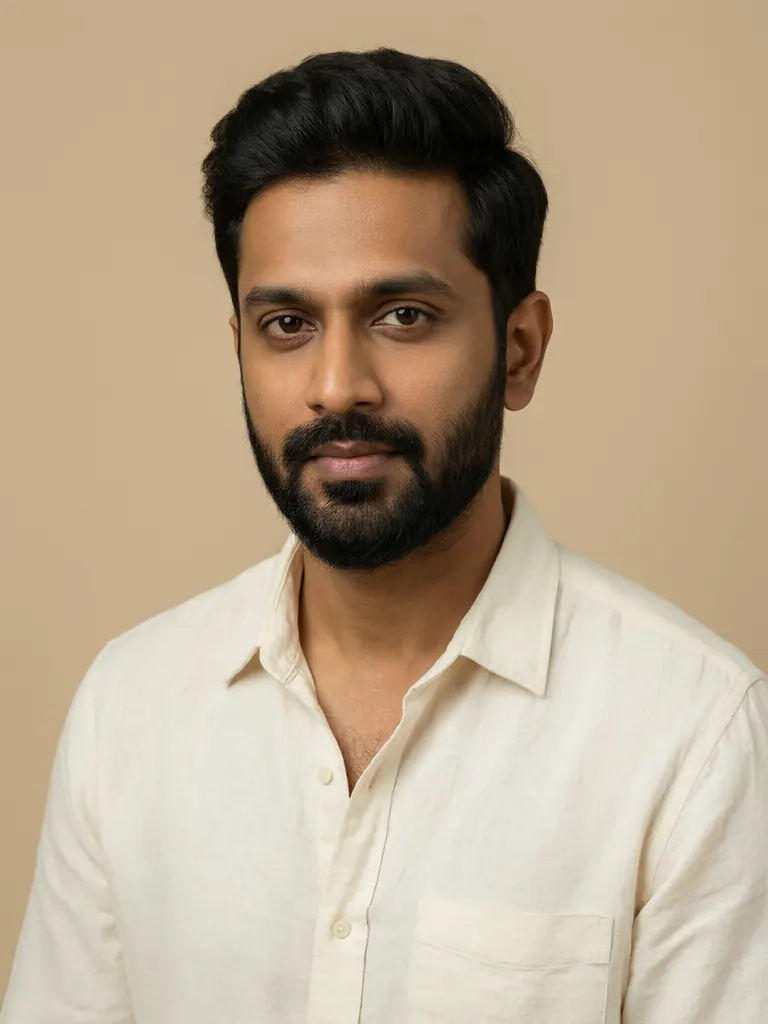
Text to image
Studio portrait of a South Asian man in his mid-thirties with a neat beard, wearing a cream linen shirt, soft beige backdrop, butterfly lighting, calm expression, crisp detail, medium format photography
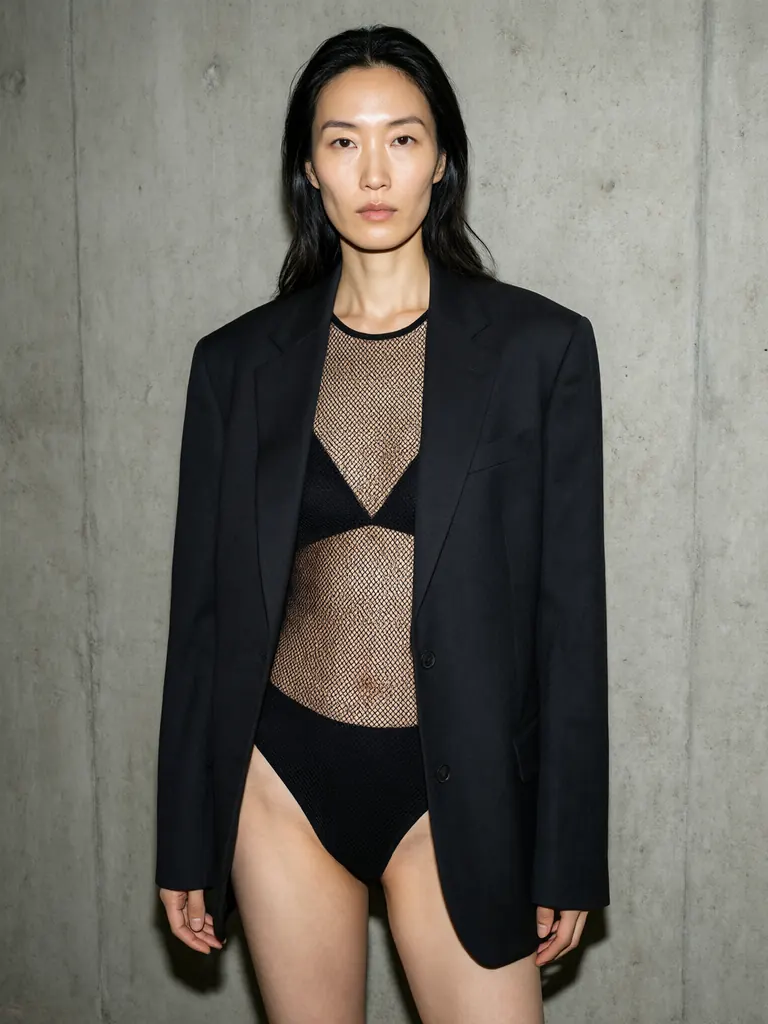
Text to image
Fashion editorial of a tall East Asian woman in her thirties wearing a sheer black mesh bodysuit under an oversized tailored blazer, posing against a raw concrete wall, hard on-camera flash, high contrast, magazine style
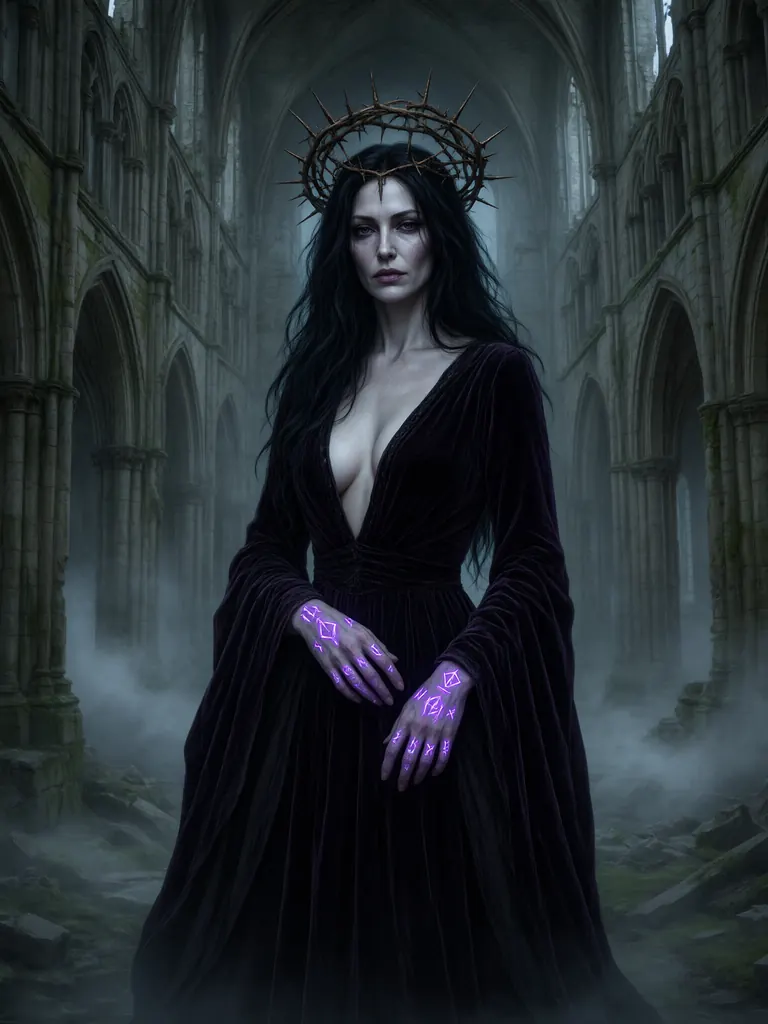
Text to image
Dark sorceress in her thirties with pale skin and long black hair, a crown of thorns and glowing purple runes on her hands, flowing velvet gown with a deep neckline, gothic cathedral ruins behind her, drifting fog, digital painting
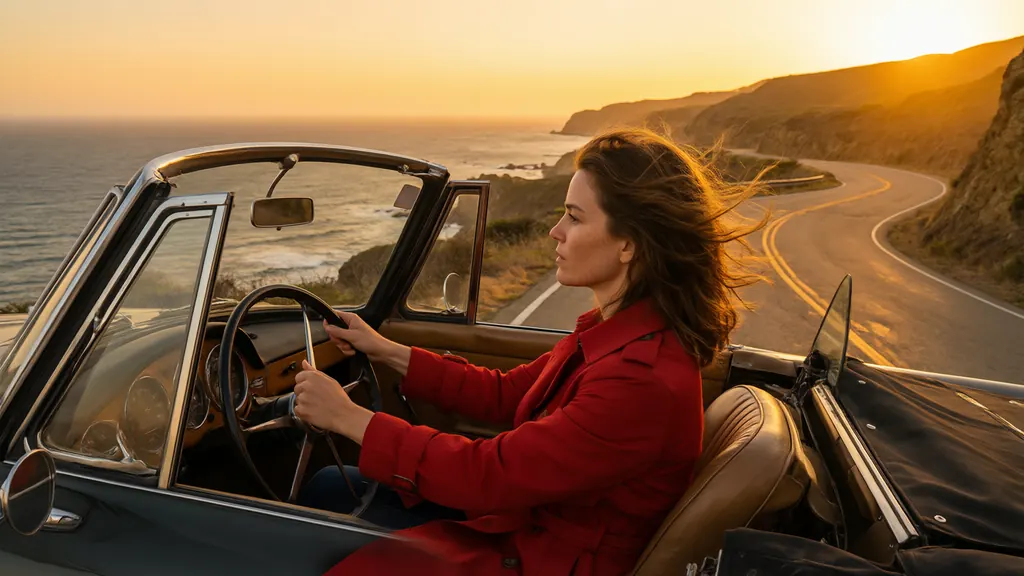
Text to image
Cinematic still of a woman in her thirties in a red trench coat driving a vintage convertible along a coastal cliff road at sunset, hair blowing in the wind, warm orange light, film grain, wide anamorphic framing
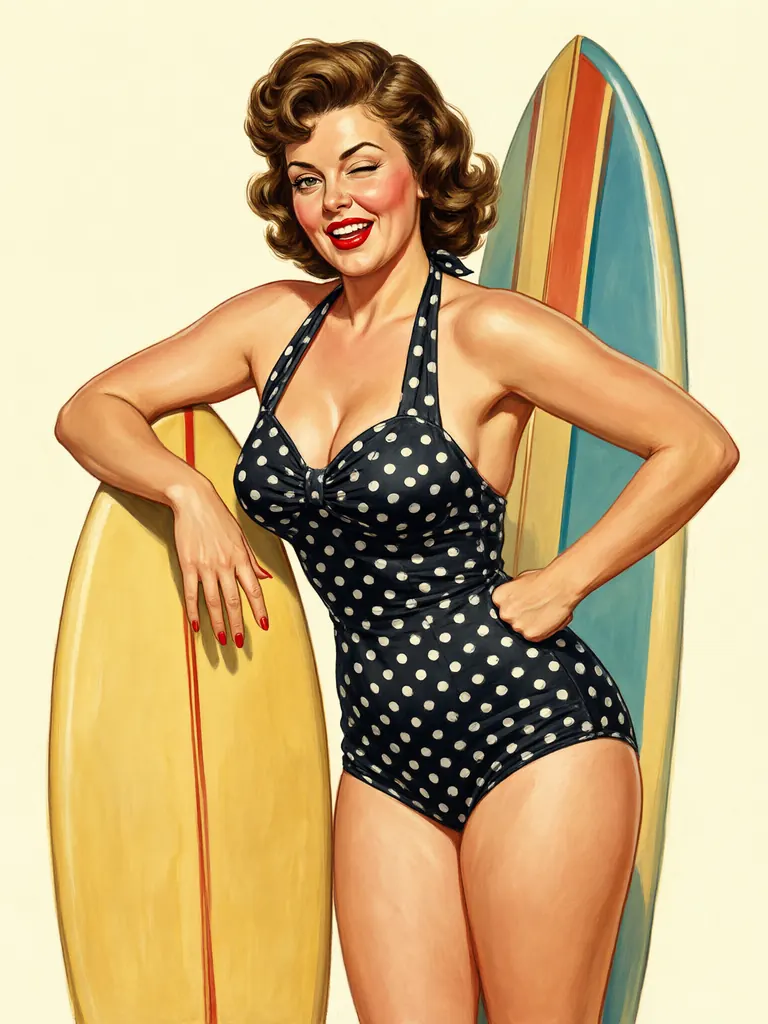
Text to image
Vintage pin-up illustration of a curvy woman in her thirties in a polka-dot halter swimsuit leaning on a retro surfboard, 1950s gouache poster style, bold flat colors, playful wink, no text
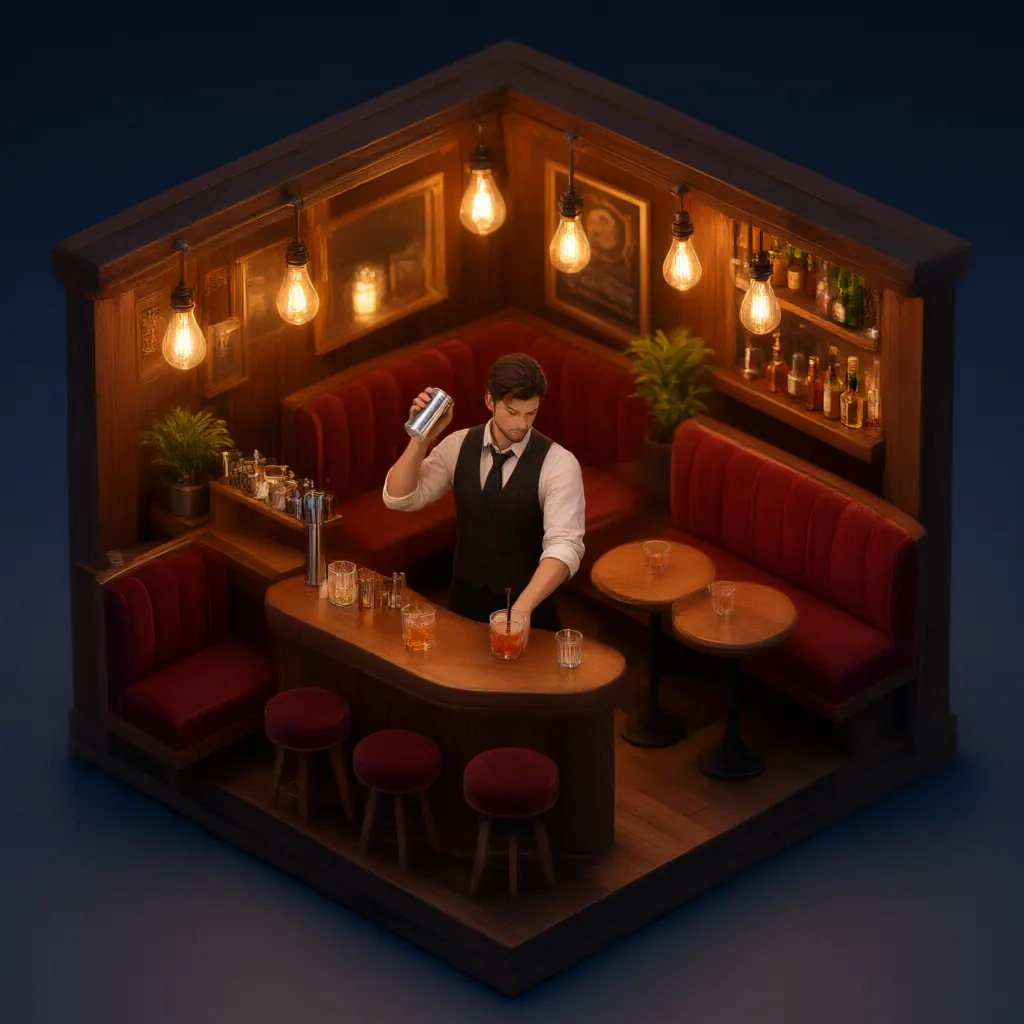
Text to image
Isometric 3D render of a tiny cozy cocktail bar at night with warm Edison bulbs, velvet booths and a bartender shaking a drink, miniature diorama style, soft global illumination
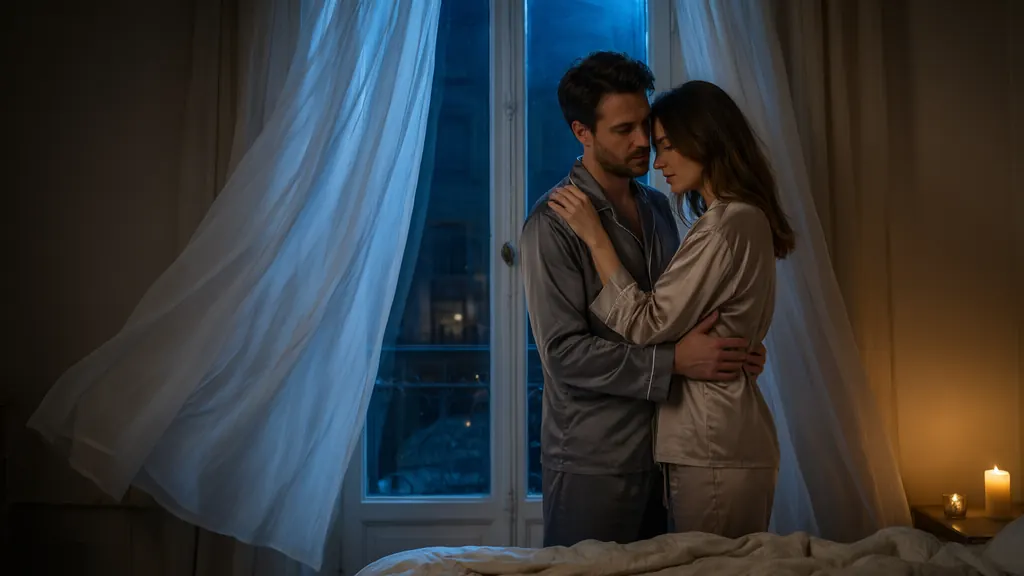
Text to image
Moody bedroom scene of a couple in their thirties, a man and a woman in silk loungewear embracing by a tall window as sheer curtains blow inward, blue night light mixed with warm candle glow, intimate but tasteful, cinematic
- Before
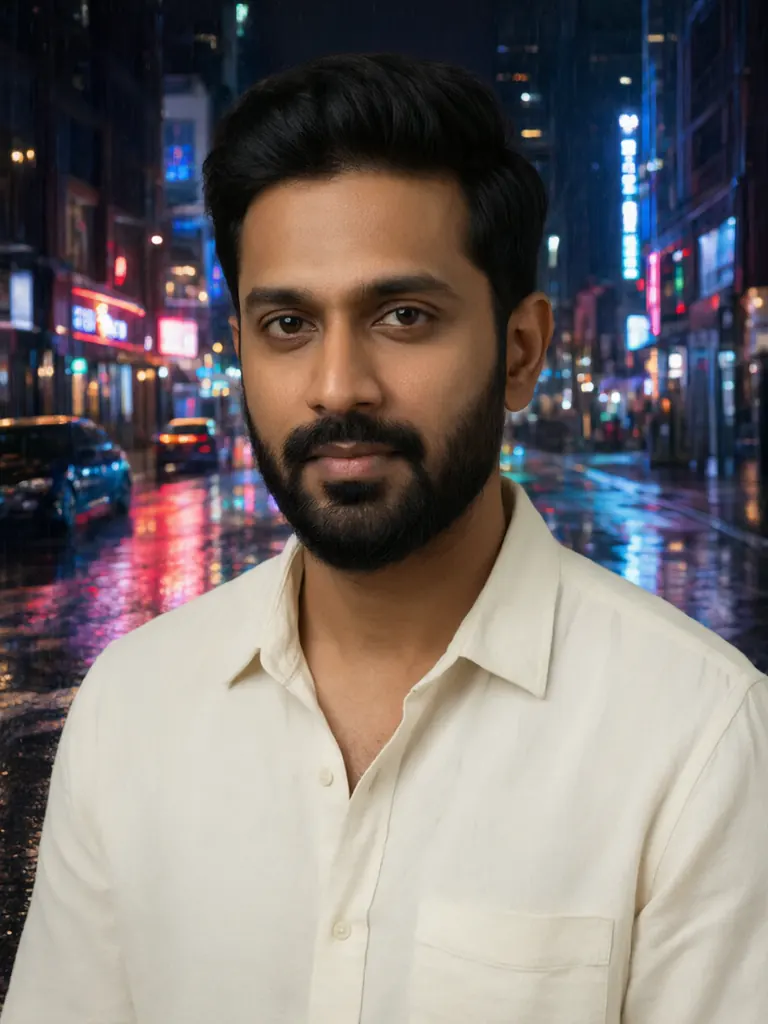 After
Edit
Replace the background with a rainy neon-lit city street at night with reflections on the wet pavement; keep the man, his pose and his clothing exactly the same
When to pick Qwen Image Edit 3.0
Pick it when
- You can describe the scene as a plain inventory and want the model to follow that wording literally, with nothing added or softened.
- You need a targeted edit on your own generated image, such as swapping an outfit or background, while the face and pose stay unchanged.
- You are exploring ideas on the standard Qwen tier before moving the prompt that works to the Pro tier for the version you keep.
Pick another model when
- You want to rerun a frame exactly with a fixed seed or rule things out with a negative prompt; use Qwen Image 3.0 Pro.
- You know the open-weight Qwen editor and want that release, with a seed and a single flat price; try Qwen Image Edit 2511.
- You want to merge several photos into one scene while keeping the first photo's shape; Wan 2.7 Image is built for that.
Prompt or reference
Start fresh while the composition is still open; it is also the only way to reach the largest sizes, so decide whether final size matters before you attach anything. Attach a picture once you have one and want most of it left alone — the same way of writing works for both. Every picture past the first adds to the cost.
How to use Qwen Image Edit 3.0 on Vellria
- Prompt: up to 8,000 characters in the panel above.
- To edit or combine pictures, attach 1–3 reference images; leave them out to start from text.
- Cost: 8 credits — see pricing.
Example prompts
An adult woman in her late twenties standing in a sunlit loft, wearing only an oversized white shirt, barefoot on wooden floorboards, a record player and a fern behind her, natural light, photographic.
Edit: replace the shirt with black lace lingerie; keep her face, pose, the room and the light exactly the same.
Two adult men in a steam room, towels around their waists, tiled walls, warm haze, soft overhead light, candid documentary style.
Edit: change the background to a moonlit beach with waves behind them; keep both people and their positions unchanged.
Pin-up illustration of an adult woman in a 1940s sailor outfit sitting on a ship's railing, bold ink lines, flat retro colors, cream paper texture.
Tips
- Write edits as instructions ('replace', 'remove', 'keep') rather than as a new description of the whole scene.
- List the elements of a fresh image in the order you want them read: subject, clothing, pose, setting, light.
- The largest sizes are only available when starting fresh, so decide on final size before you attach a reference.
- If an edit changes too much, repeat the parts that must stay the same — Qwen treats them as constraints.
Specifications
| Size (Text to image): | 1024×1024 (1:1)1536×1024 (3:2)1024×1536 (2:3)2048×1536 (4:3, 2K)1536×2048 (3:4, 2K)2048×1152 (16:9)1152×2048 (9:16)2048×2048 (1:1, 2K) |
|---|---|
| Size (Image to image): | 1024×1024 (1:1)1280×960 (4:3)960×1280 (3:4)1280×720 (16:9)720×1280 (9:16)1440×1440 (1:1, max.) |
| Reference images: | 1–3 reference images |
See also: uncensored AI image generator · uncensored image editor.
Pricing
Text to image
| Size | Credits |
|---|---|
| 1024×1024 (1:1) | 8 credits |
| 1536×1024 (3:2) | 8 credits |
| 1024×1536 (2:3) | 8 credits |
| 2048×1536 (4:3, 2K) | 8 credits |
| 1536×2048 (3:4, 2K) | 8 credits |
| 2048×1152 (16:9) | 8 credits |
| 1152×2048 (9:16) | 8 credits |
| 2048×2048 (1:1, 2K) | 8 credits |
Image to image
| Size | Credits |
|---|---|
| 1024×1024 (1:1) | 8 credits |
| 1280×960 (4:3) | 8 credits |
| 960×1280 (3:4) | 8 credits |
| 1280×720 (16:9) | 8 credits |
| 720×1280 (9:16) | 8 credits |
| 1440×1440 (1:1, max.) | 8 credits |
+1 credit per extra image
Qwen Image Edit 3.0 vs Qwen Image 3.0 Pro and Qwen Image Edit 2511
Qwen Image Edit 3.0 is the standard tier of Alibaba's Qwen-Image 3.0 on Vellria and the Qwen model with the widest choice of fresh-image sizes. Two relatives sit next to it: the Pro tier of the same generation, and the open-weight 2511 release at a lower flat price.
| Model | Price | Max size | Reference images |
|---|---|---|---|
| Qwen 3 Uncensored This page | 8 credits | 2048×2048 | Up to 3 |
| Qwen 3 Pro Uncensored | 10 credits | 1440×1440 | Up to 3 |
| Qwen Image Edit 2511 Uncensored | 6 credits | 1280×960 | Up to 3 |
Prices and limits come from the live model catalog.
Qwen Image Edit 3.0 or Qwen Image 3.0 Pro?
- Price: 10 credits (Qwen Image Edit 3.0: 8 credits)
- Max size: 1440×1440 (Qwen Image Edit 3.0: 2048×2048)
Pro is Alibaba's higher tier of the same Qwen-Image 3.0 model. In the catalog it costs more and offers fewer fresh-image sizes, so the practical test is simple: run a prompt that already works here on Pro and keep whichever frame you prefer.
Qwen Image Edit 3.0 or Qwen Image Edit 2511?
- Price: 6 credits (Qwen Image Edit 3.0: 8 credits)
- Max size: 1280×960 (Qwen Image Edit 3.0: 2048×2048)
- Extra reference images: No extra charge (Qwen Image Edit 3.0: +1 credit per extra image)
- Prompt length: 10,000 characters (Qwen Image Edit 3.0: 8,000 characters)
- Settings: Seed (Qwen Image Edit 3.0: Seed, Negative prompt)
Qwen Image Edit 2511 is the open-weight editor release, hosted at a lower flat price with extra reference pictures included. It suits instruction edits on smaller frames; for larger fresh images this tier fits better.
Qwen Image Edit 3.0 API: price and a first request
Qwen Image Edit 3.0 costs 8 credits over the API, the same rate as in Studio. Model id vellria-qwen-3 on POST /v1/generate/image.
curl https://vellria.com/v1/generate/image \
  -H "Authorization: Bearer vll_..." \
  -H "Content-Type: application/json" \
  -d '{
    "model": "vellria-qwen-3",
    "prompt": "…",
    "size": "1024*1024"
  }'
Parameters, polling and uploads: API documentation · NSFW image API.
FAQ
Does Qwen Image Edit allow NSFW?
Yes. Fictional adult nudity and explicit scenes between adults are allowed, and the prompt goes through unchanged. Minors are refused automatically, and editing real people without consent is prohibited.
Is Qwen Image Edit 3.0 free?
Free to start: a new account created with Google gets 20 free credits, valid for 7 days (about 10 images on Z-Image Turbo Uncensored), and every signed-in account gets free daily uses of the NSFW prompt generator and the image to prompt tool. The gift is enough to try Qwen Image Edit 3.0, which costs 8 credits. After that every run is paid from prepaid credits at the rate this page shows before you start, and a run that fails at the provider is refunded automatically. Is there a free uncensored AI generator? covers the cheapest way to a first result.
Is this Qwen Image Edit?
It is Qwen-Image 3.0 from Alibaba, the successor to the open Qwen-Image and Qwen-Image-Edit releases. The edit mode on this page is its image-editing endpoint, so Qwen Image Edit workflows translate directly.
Do I need a GPU or a ComfyUI workflow?
No. Unlike local Qwen-Image-Edit checkpoints, this runs hosted: type a prompt or upload an image here, or call the API with the model id shown below.
How many reference images can I attach?
A few at once; the exact limit is in the specifications table. The first picture is included and each extra one adds to the cost.
What is the difference from Qwen Image 3.0 Pro?
The Pro tier adds a fixed seed and a negative prompt, which helps you return to a frame you liked. The standard tier is the cheaper place to explore.
Related models
Turn a still into a clip with one of our video models.
Wan 3.0 Pro Uncensored
Step up for final takes: 2–30 s with sound up to 1080p; start from a still to keep your framing.
Video
from 20 credits / s
MiniMax H3 Max Uncensored
For the take you keep: 5–15 s clips up to 4K with sound; start from a still if you have one.
Video
from 15 credits / s
Wan 2.2 Uncensored
Budget silent clips of 5 or 8 s at 480p or 720p, landscape or portrait; animates stills too.
Video
from 8 credits / s