

Qwen Image Edit 2511 Uncensored
Qwen Image Edit 2511 Uncensored is Alibaba's image model, hosted on Vellria with nothing to install: text to image and image to image, output up to 1280×960. Run it in Studio or over the REST API, 6 credits (100 credits = $1.00).
vellria-qwen-image-edit-2511Qwen Image Edit 2511 is developed by Alibaba. Vellria provides access to the model; it does not own it. All trademarks belong to their respective owners.
Output
No generation yetCover art
6 credits
Your request will cost 6 credits.
About Qwen Image Edit 2511
Also known as: Qwen-Image-Edit-2511 · Qwen Image 2512 · Qwen Image Edit
Qwen Image Edit 2511 is the open-weight image editor from Alibaba's Qwen team, and this page pairs it with Qwen Image 2512, the text-to-image model from the same family. If you searched for Qwen Image Edit because you know the open checkpoints, this is that line under its release name rather than a renamed hosted tier: the editor handles pictures you attach, and the 2512 generator handles prompts that start from nothing.
Editing is the main reason to open this page. Describe the change in plain words — swap the outfit, move the scene to a hotel room at night, change the hair to copper red — and the model rewrites the picture while holding the face, pose and framing. Up to three pictures can go in together, so a person from one, a costume from another and a room from a third can end up in a single frame, and adding pictures does not raise the price.
Starting from text runs Qwen Image 2512 at a moderate resolution in five shapes: square, two landscape and two portrait. Both modes cost the same flat amount per image and both accept a seed, so a frame you like can be rerun and nudged one word at a time. Neither model has a prompt-expansion step in front of it; what you write is what the model reads.
For the newer hosted generation of the family, Qwen Image Edit 3.0 reaches larger sizes, and Qwen Image 3.0 Pro adds a negative prompt. When you need a polished high-resolution portrait, compare Seedream 5.0 Pro; for merging photos in their own proportions, Wan 2.7 Image is the other editor to try.
Qwen Image Edit 2511 in action
Qwen Image Edit 2511 outputs with the exact prompts behind them.
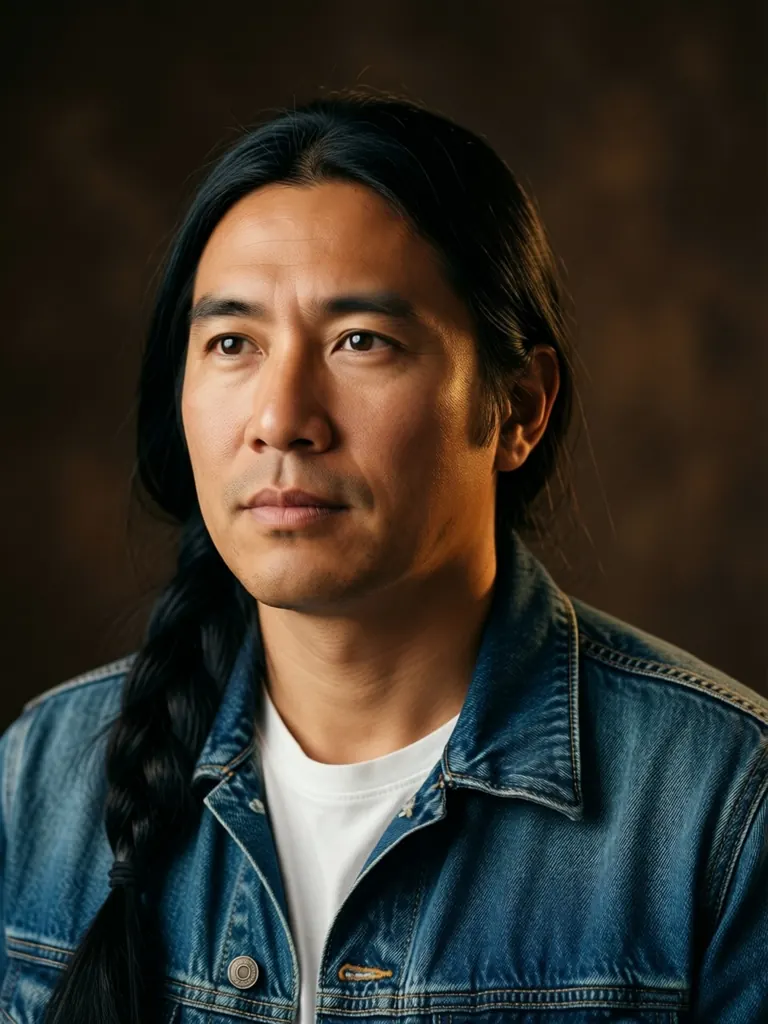
Text to image
Studio portrait of a Native American man in his late thirties with long black hair tied back, a denim jacket over a white t-shirt, warm side light against a dark brown backdrop, thoughtful expression, medium format photography
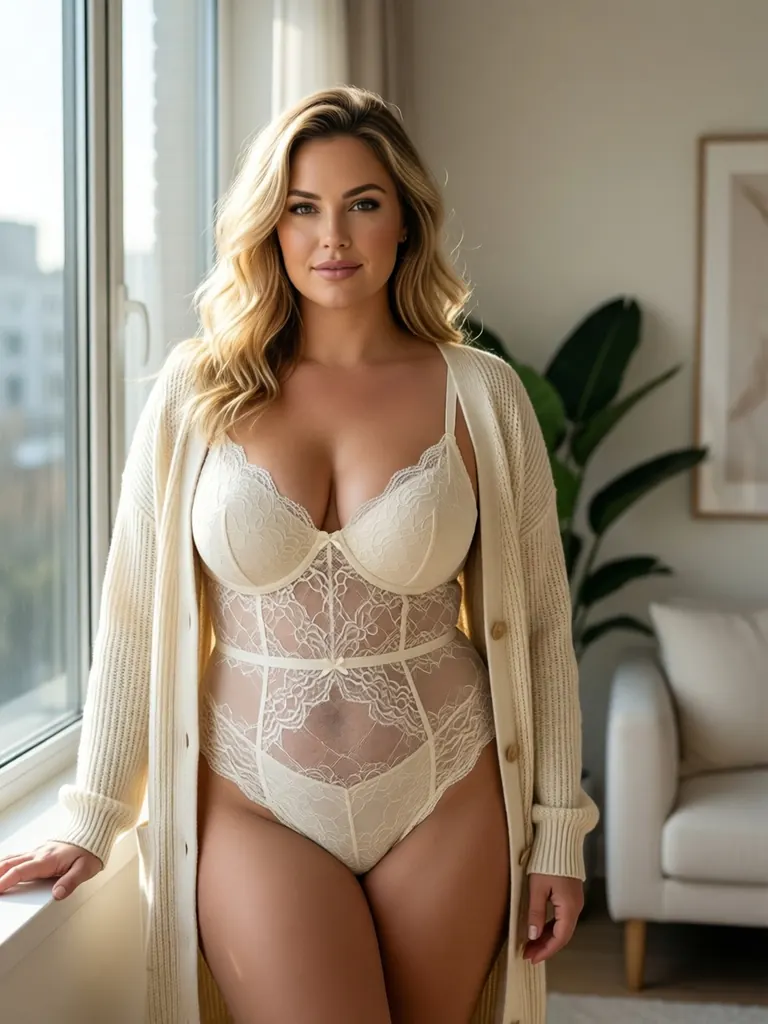
Text to image
Lingerie editorial of a curvy blonde woman in her thirties in an ivory lace bodysuit and an open cream cardigan, standing by a sunlit window in a minimalist apartment, soft natural light, confident pose, high-end catalog style
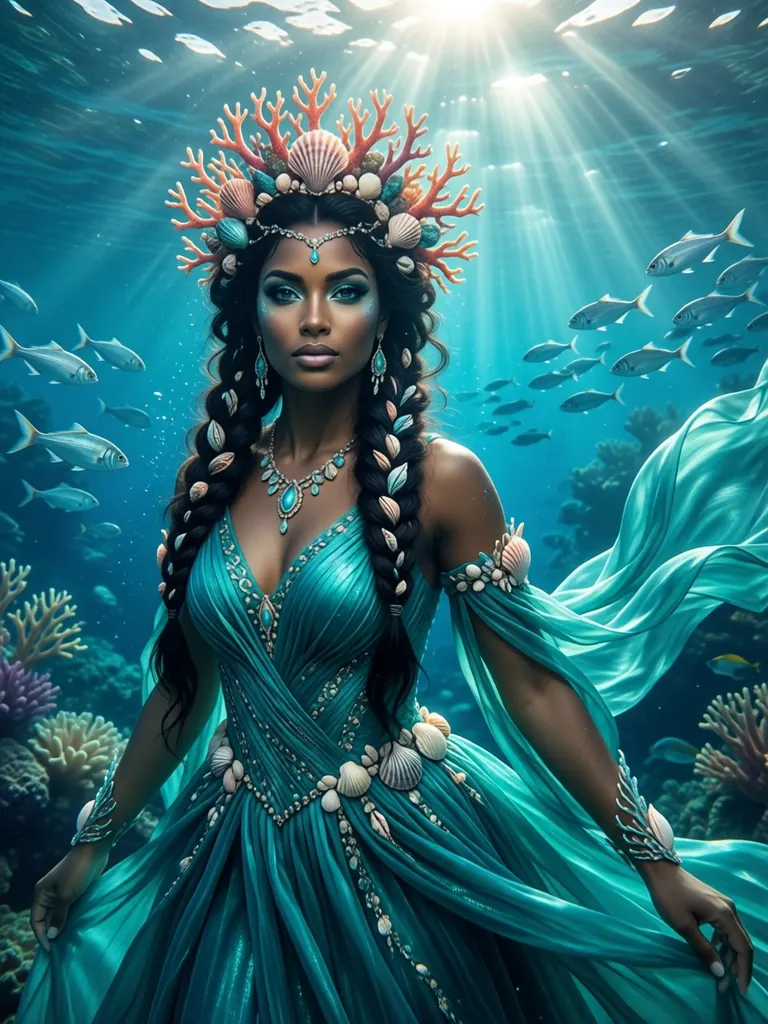
Text to image
Underwater sea queen in her thirties with dark skin, braided hair woven with shells and a coral crown, a flowing turquoise gown, rays of sunlight piercing the water, schools of silver fish, detailed fantasy concept art
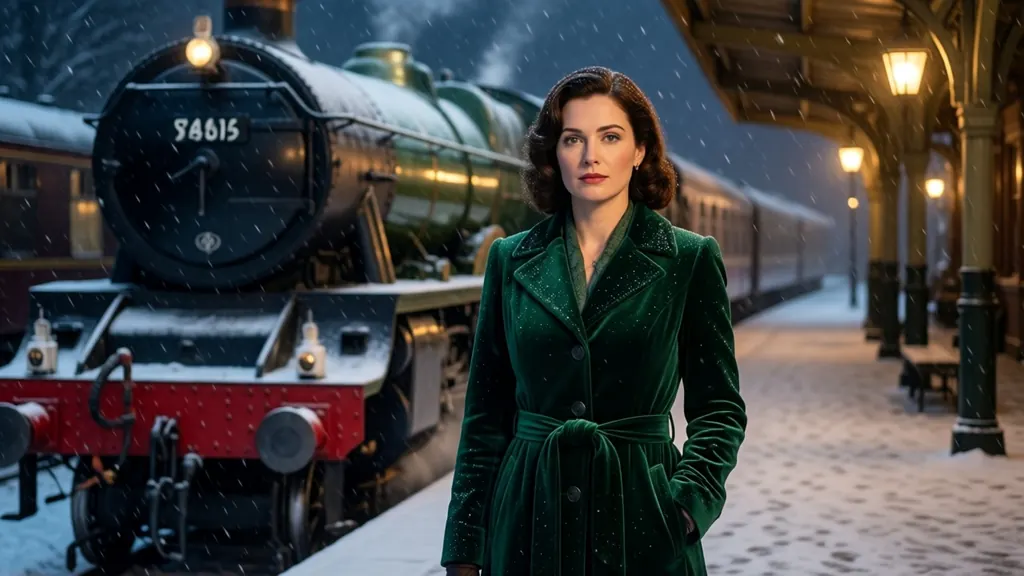
Text to image
Cinematic still of a woman in her thirties in a green velvet coat standing on a train platform in heavy snow at night, a vintage steam train behind her, warm lantern light, 1940s film look, no signs, no text
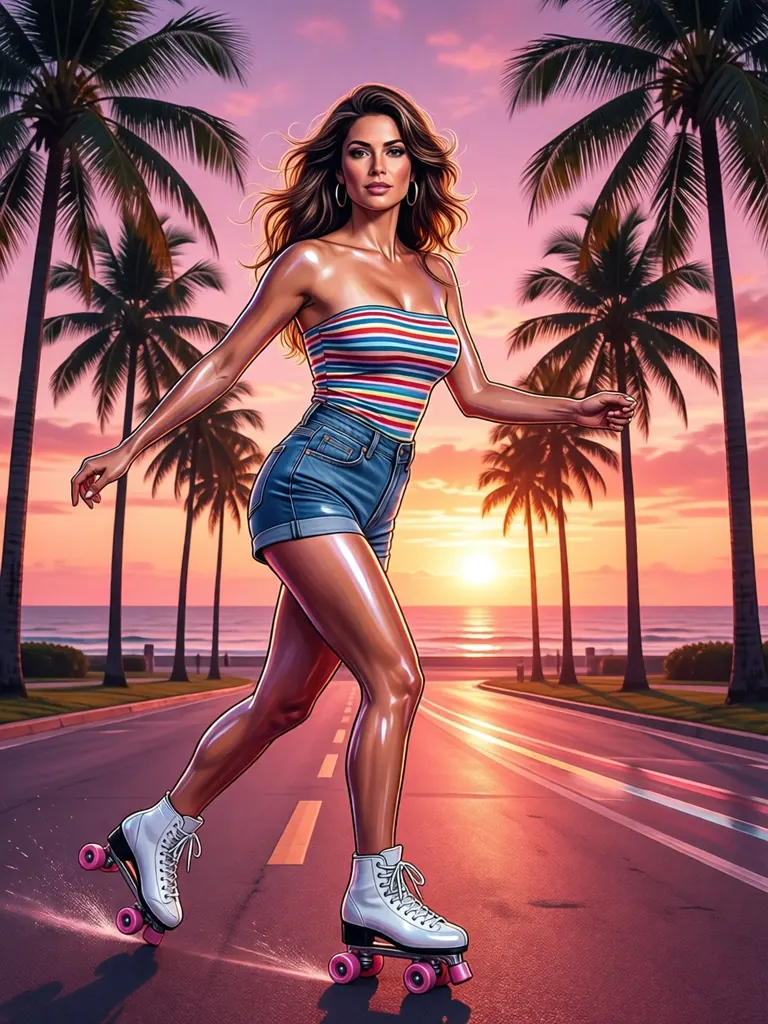
Text to image
Retro 1970s airbrush illustration of a roller-skating woman in her thirties in high-waisted shorts and a striped tube top, palm trees and a pink sunset, glossy chrome highlights, no text
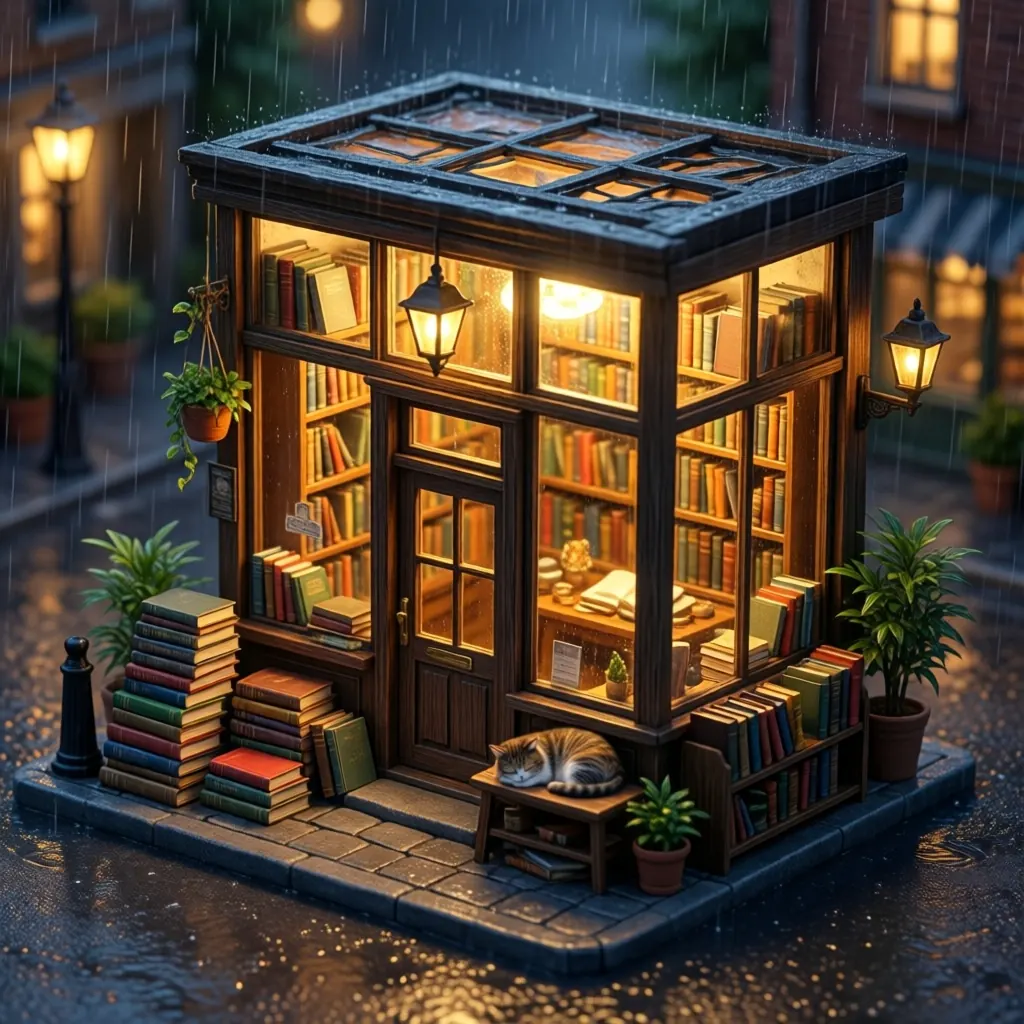
Text to image
Isometric 3D render of a tiny cozy bookshop on a rainy evening with warm window light, stacks of books and a sleeping cat, miniature diorama style, soft global illumination, no text, no signs
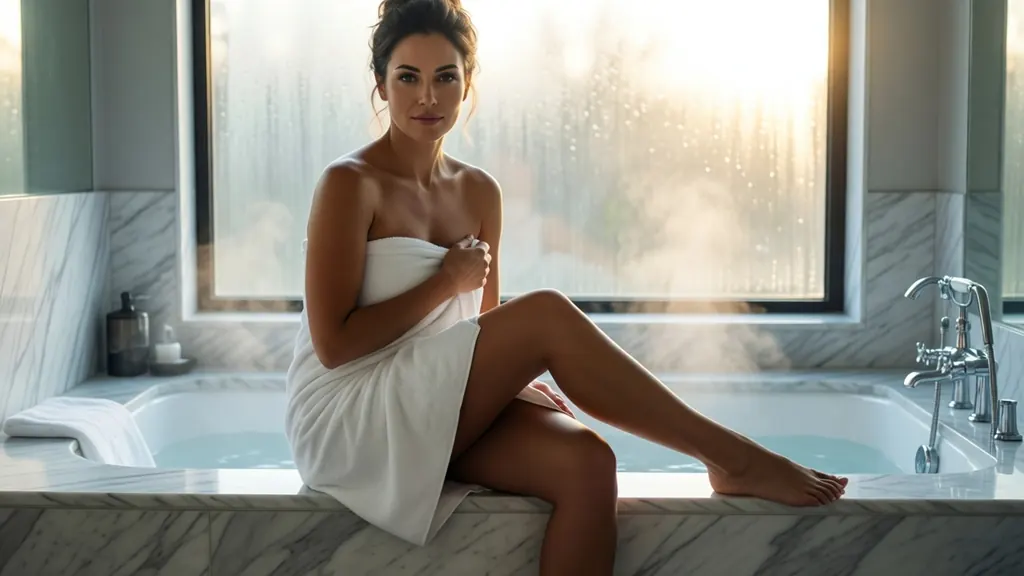
Text to image
A woman in her thirties wrapped in a white bath towel sitting on the edge of a marble bathtub, legs crossed, steam rising, morning light through frosted glass, bare shoulders, elegant and sensual spa photography
- Before
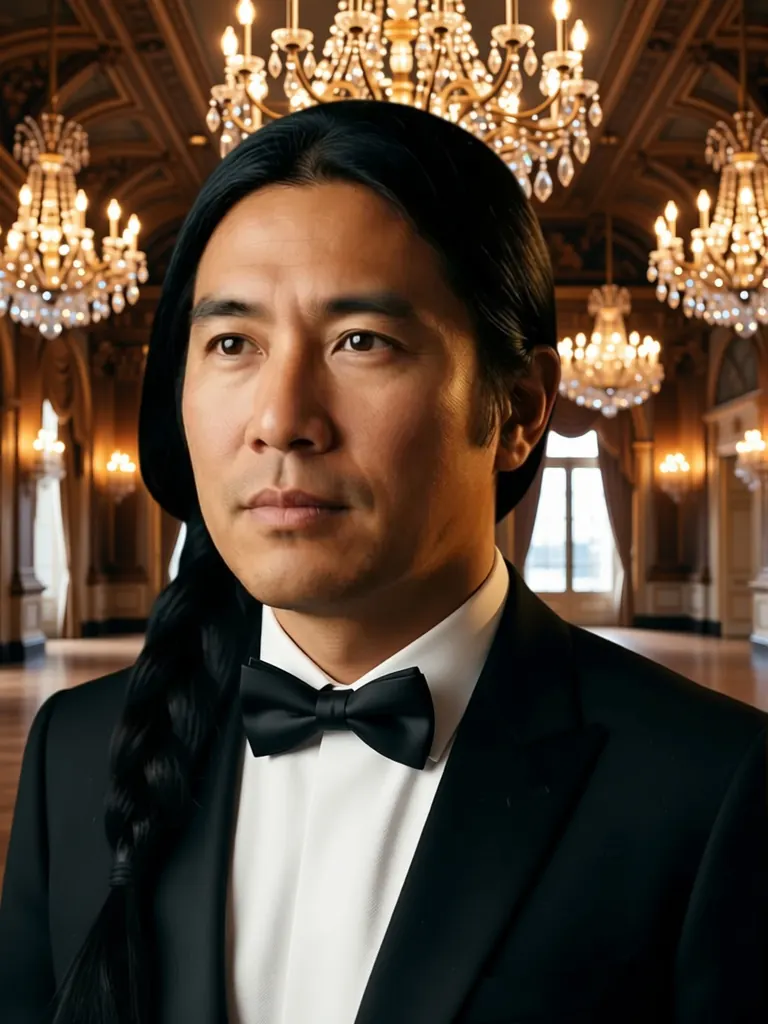 After
AfterEdit
Change his denim jacket to a black tuxedo with a bow tie and replace the backdrop with a grand ballroom lit by crystal chandeliers; keep his face, hair and pose unchanged
When to pick Qwen Image Edit 2511
Pick it when
- You want an instruction-based edit on your own generated picture, keeping face, pose and framing while one element changes.
- You need to combine a person, an outfit and a setting from up to three pictures at no extra cost per picture.
- You know the open Qwen Image Edit checkpoints and want that release hosted, with a seed for repeatable results.
Pick another model when
- You need large output sizes from a fresh prompt; Qwen Image Edit 3.0 is the hosted generation with bigger frames.
- You want negative prompts to rule out unwanted details; Qwen Image 3.0 Pro adds them alongside a fixed seed.
- The image is a final high-resolution portrait or cover; render it on Seedream 5.0 Pro instead.
Prompt or reference
Attach a picture when the person or the scene already exists and only something about it should change: the edit keeps the shape of your first picture, so crop before you upload. Start from text when you are inventing the image, and pick a square, wide or tall frame. Both cost the same, and extra pictures add nothing.
How to use Qwen Image Edit 2511 on Vellria
- Prompt: up to 10,000 characters in the panel above.
- To edit or combine pictures, attach 1–3 reference images; leave them out to start from text.
- Cost: 6 credits — see pricing.
Example prompts
Edit: replace the denim jacket with a sheer black blouse; keep her face, pose, hair and the café background unchanged.
Combine: the adult woman from picture 1 wearing the corset from picture 2, standing in the library from picture 3, warm lamp light.
Edit: move the scene to a hotel room at night with city lights through the window; keep the adult man's pose and framing.
Tall frame: an adult woman in a red bikini on a sailboat bow at sunset, wind in her hair, glossy travel-magazine photo.
Square frame: an adult couple asleep under white sheets, morning light through linen curtains, soft film grain.
Tips
- Write edits as short commands and name what must stay; the model treats the unchanged parts as constraints.
- Put the picture whose proportions you want first; the edited result follows that picture's shape.
- Give each reference a role in the prompt, such as 'picture 2 for the outfit', so nothing is merged by guesswork.
- Lock the seed once a result is close, then change one instruction per run.
Specifications
| Size (Text to image): | 1024×1024 (1:1)1280×960 (4:3)960×1280 (3:4)1280×720 (16:9)720×1280 (9:16) |
|---|---|
| Size (Image to image): | 1K · Matches input image |
| Reference images: | 1–3 reference images |
See also: uncensored AI image generator · uncensored image editor.
Pricing
Text to image
| Size | Credits |
|---|---|
| 1024×1024 (1:1) | 6 credits |
| 1280×960 (4:3) | 6 credits |
| 960×1280 (3:4) | 6 credits |
| 1280×720 (16:9) | 6 credits |
| 720×1280 (9:16) | 6 credits |
Image to image
| Size | Credits |
|---|---|
| 1K · Matches input image | 6 credits |
Qwen Image Edit 2511 vs Qwen Image Edit 3.0 and Qwen Image 3.0 Pro
Qwen Image Edit 2511 is the open-weight member of the Qwen family on Vellria: the release people run locally in ComfyUI, hosted at one flat price, with a seed setting and no charge for extra reference pictures.
| Model | Price | Max size | Reference images |
|---|---|---|---|
| Qwen Image Edit 2511 Uncensored This page | 6 credits | 1280×960 | Up to 3 |
| Qwen 3 Uncensored | 8 credits | 2048×2048 | Up to 3 |
| Qwen 3 Pro Uncensored | 10 credits | 1440×1440 | Up to 3 |
Prices and limits come from the live model catalog.
Qwen Image Edit 2511 or Qwen Image Edit 3.0?
- Price: 8 credits (Qwen Image Edit 2511: 6 credits)
- Max size: 2048×2048 (Qwen Image Edit 2511: 1280×960)
- Extra reference images: +1 credit per extra image (Qwen Image Edit 2511: No extra charge)
- Prompt length: 8,000 characters (Qwen Image Edit 2511: 10,000 characters)
- Settings: Seed, Negative prompt (Qwen Image Edit 2511: Seed)
Qwen Image Edit 3.0 is the newer hosted generation. Pick it when a fresh image has to be larger than this release allows or when you want a negative prompt; each extra reference costs a little there.
Qwen Image Edit 2511 or Qwen Image 3.0 Pro?
- Price: 10 credits (Qwen Image Edit 2511: 6 credits)
- Max size: 1440×1440 (Qwen Image Edit 2511: 1280×960)
- Extra reference images: +1 credit per extra image (Qwen Image Edit 2511: No extra charge)
- Prompt length: 8,000 characters (Qwen Image Edit 2511: 10,000 characters)
- Settings: Seed, Negative prompt (Qwen Image Edit 2511: Seed)
Qwen Image 3.0 Pro is the top tier of the newer generation. Use it for the edit you plan to keep, and this release for the many quick passes before it.
Qwen Image Edit 2511 API: price and a first request
Qwen Image Edit 2511 costs 6 credits over the API, the same rate as in Studio. Model id vellria-qwen-image-edit-2511 on POST /v1/generate/image.
curl https://vellria.com/v1/generate/image \
  -H "Authorization: Bearer vll_..." \
  -H "Content-Type: application/json" \
  -d '{
    "model": "vellria-qwen-image-edit-2511",
    "prompt": "…",
    "size": "1024*1024"
  }'
Parameters, polling and uploads: API documentation · NSFW image API.
FAQ
Does Qwen Image Edit 2511 allow NSFW?
Yes, for fictional adult content: nudity and explicit scenes between adults are allowed, in edits and in fresh images. Minors are refused automatically, and editing real people without consent is prohibited.
Is Qwen Image Edit 2511 free?
No, there is no free plan, but a new account created with Google gets 20 credits as a gift, valid for 7 days: enough to try Qwen Image Edit 2511, which costs 6 credits. After that every run is paid from prepaid credits at the rate this page shows before you start, and a run that fails at the provider is refunded automatically. Is there a free uncensored AI generator? covers the cheapest way to a first result.
Is this the open-source Qwen Image Edit?
Yes. It is Qwen Image Edit 2511, an open-weight release from Alibaba's Qwen team, run hosted here so there is nothing to download. Prompts that start from text use Qwen Image 2512 from the same family.
How many pictures can I attach?
Up to three per edit, and the price stays the same whatever the number. The result keeps the proportions of the first picture.
How does it differ from Qwen Image Edit 3.0?
Qwen Image Edit 3.0 is the newer hosted generation with larger sizes; 2511 is the open-weight editor at one flat price, with a seed in both modes. Run the same edit on both and keep the result that suits the picture.
Can I call Qwen Image Edit 2511 through the API?
Yes. Edits work by API too: attach the reference pictures to the request shown in the API section on this page; the API reference covers uploads and polling.
Related models
Turn a still into a clip with one of our video models.
Wan 3.0 Pro Spicy Uncensored
Full HD takes of 2–30 s from text or a first frame at a single 1080p step, sound on or off.
Video
45 credits / s
Wan 2.2 Spicy Uncensored
Budget clips of 5 or 8 s at 480p or 720p that bring your still to life as the first frame.
Video
from 5 credits / s
Lime 1.0 Spicy Uncensored
Low-cost clips of 5 or 10 s at 480p or 720p from your still, with sound made in every run.
Video
from 8 credits / s