
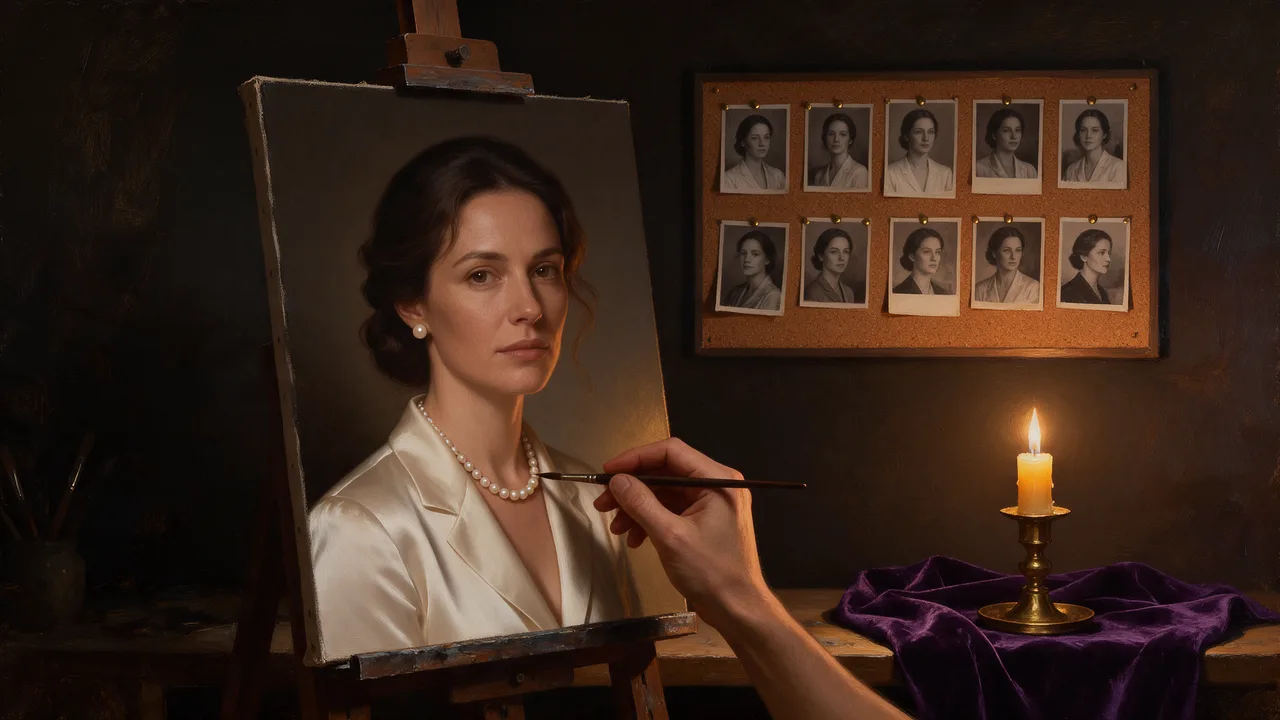
Qwen Image 2.1 Uncensored
Qwen Image 2.1 Uncensored is Alibaba's image model, hosted on Vellria with nothing to install: text to image and image to image, output up to 1184×896. Run it in Studio or over the REST API, from 7 credits (100 credits = $1.00).
vellria-qwen-image-2-1Qwen Image 2.1 is developed by Alibaba. Vellria provides access to the model; it does not own it. All trademarks belong to their respective owners.
Output
No generation yetCover art
from 7 credits
Your request will cost 7 credits.
About Qwen Image 2.1
Also known as: Qwen-Image-2.1 · Qwen Image 2.1 Edit · Alibaba Qwen Image 2.1
Qwen Image 2.1 is an image model from Alibaba's Qwen team that covers two jobs on one page: it builds a new picture from a written prompt, and it edits or combines pictures you attach. Vellria runs both halves hosted and uncensored, so the same page, the same seed setting and the same way of writing carry you from a first draft to a reworked frame without switching models.
Starting from text gives seven shapes: square, two landscape and two portrait proportions, plus the wide and tall screen formats, all at roughly one megapixel. There is a single resolution tier, so the only choice is the frame the picture will be shown in. A fresh image costs a little less than an edit, which makes text the cheaper place to try an idea before reference material comes in.
Editing is where this release differs most from the open Qwen Image Edit 2511 on this site. It takes anywhere from one to ten pictures, and the prompt can point at each one by its tag, from <Picture 1> to <Picture 10>, so an instruction like 'the woman from <Picture 1> in the dress from <Picture 2>' is read as written. With no shape chosen, the result follows the first picture's proportions; pick one of the seven shapes when the frame has to fit somewhere else.
There is no negative prompt and no prompt-expansion step in front of the model: it reads your words as you typed them, so describe what belongs in the frame rather than what to keep out. If you rely on a negative prompt, Qwen Image 3.0 Pro has one, and for larger frames from a fresh prompt Qwen Image Edit 3.0 is the hosted generation with bigger sizes. For edits at one flat price however many pictures you attach, compare Seedream 5.0 Flash.
Qwen Image 2.1 in action
Qwen Image 2.1 outputs with the exact prompts behind them.
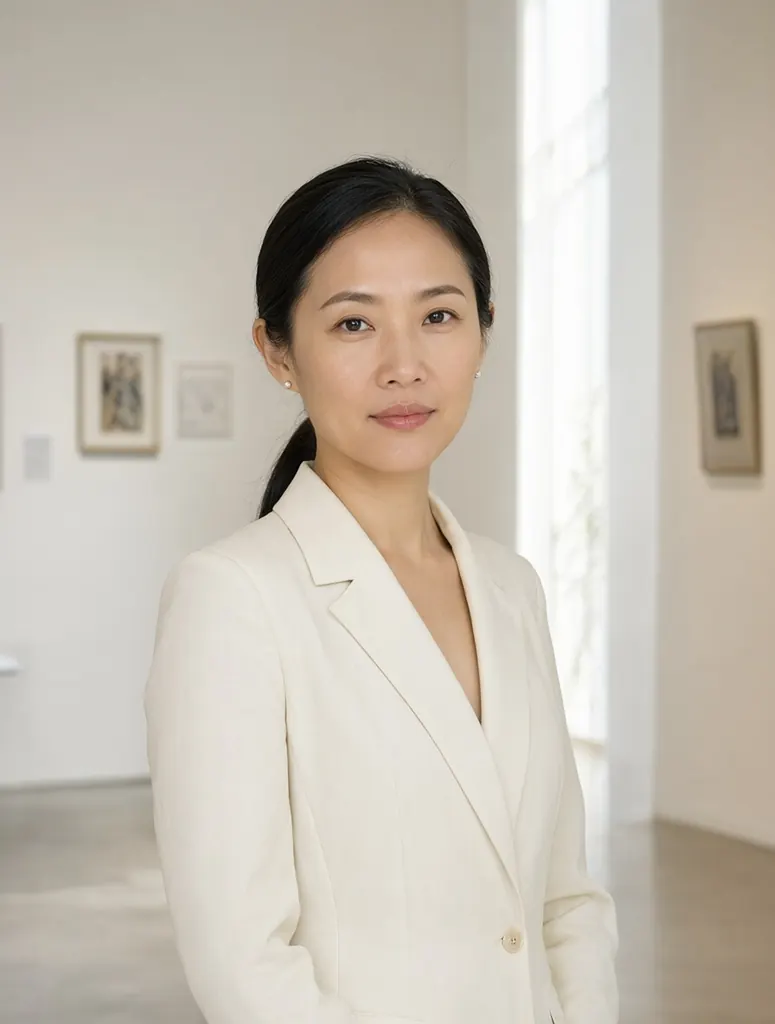
Text to image
Editorial portrait of a Vietnamese woman in her mid-thirties with a sleek low ponytail and small pearl earrings, wearing a tailored ivory blazer, standing in a sunlit gallery with white walls, soft natural light, calm direct gaze, 85mm lens, photorealistic skin texture
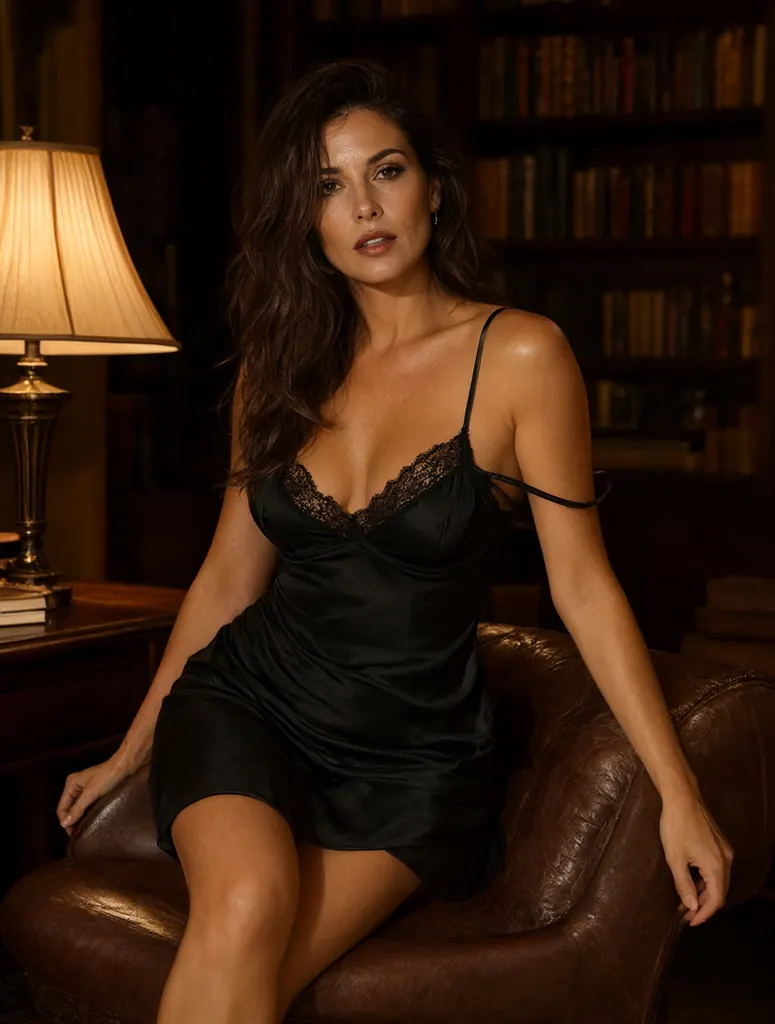
Text to image
Lingerie editorial of a brunette woman in her thirties in a black silk slip dress with lace trim, sitting on the arm of a leather armchair in a dim library, one strap slipping off her shoulder, warm reading lamp light, confident and suggestive, high-end magazine photography
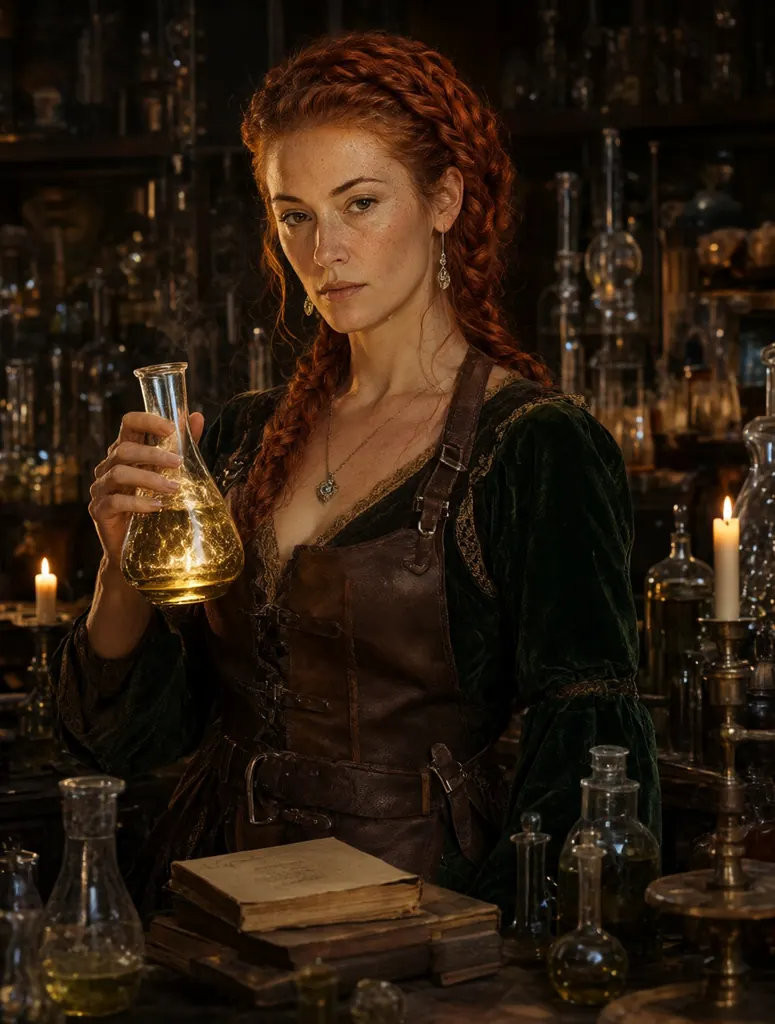
Text to image
Fantasy portrait of an alchemist woman in her late thirties with copper-red braided hair and freckles, a leather apron over a green velvet dress, holding a glowing flask in a candlelit laboratory full of glass vessels and old books, photoreal fantasy concept art
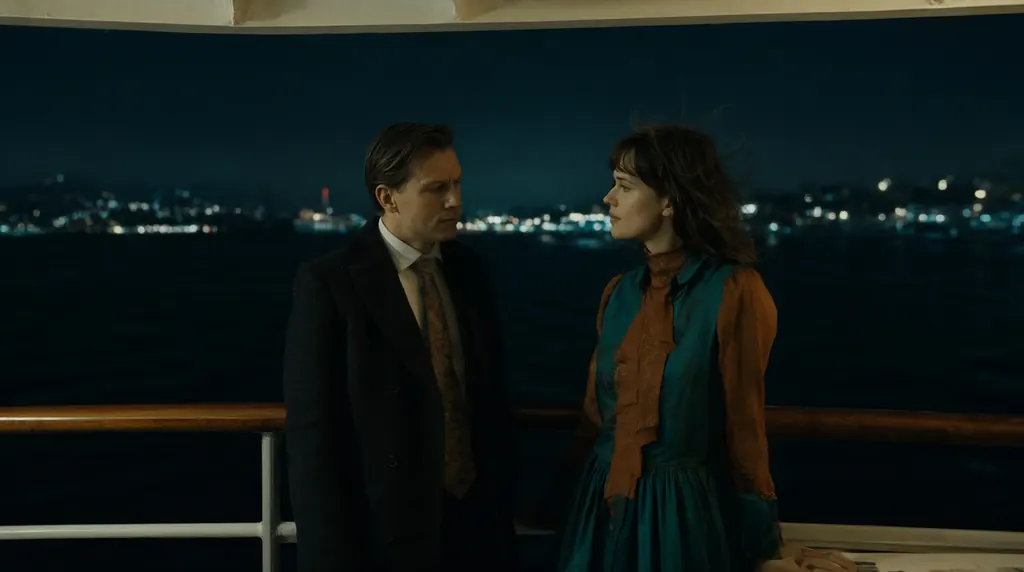
Text to image
Cinematic still of a man and a woman in their thirties in evening wear sharing a quiet moment on the deck of a night ferry crossing a harbor, city lights glittering on the dark water behind them, wind in her hair, teal and amber color grade, 35mm film look
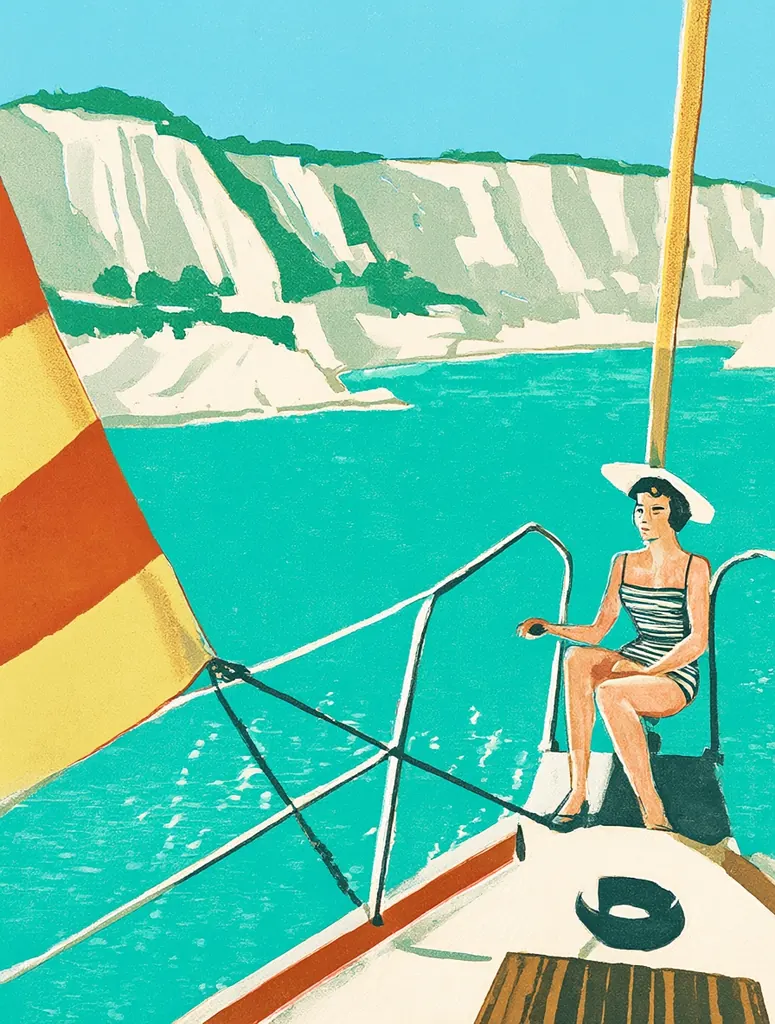
Text to image
Mid-century travel poster illustration of a woman in her thirties in a wide-brimmed sun hat and a striped swimsuit seated on a sailboat bow, a turquoise bay and white cliffs behind her, bold flat colors, screen-print texture, no text, no lettering
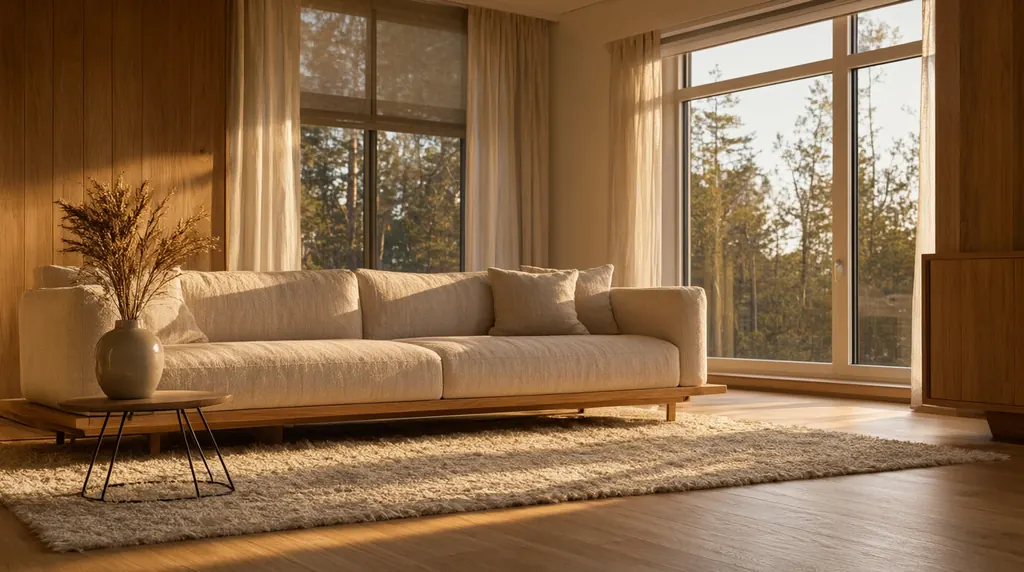
Text to image
Photorealistic interior of a modern Scandinavian living room at golden hour, a low linen sofa, a wool rug, a ceramic vase with dried grasses, tall windows with a forest view, warm sunlight raking across oak floors, architectural photography, no text
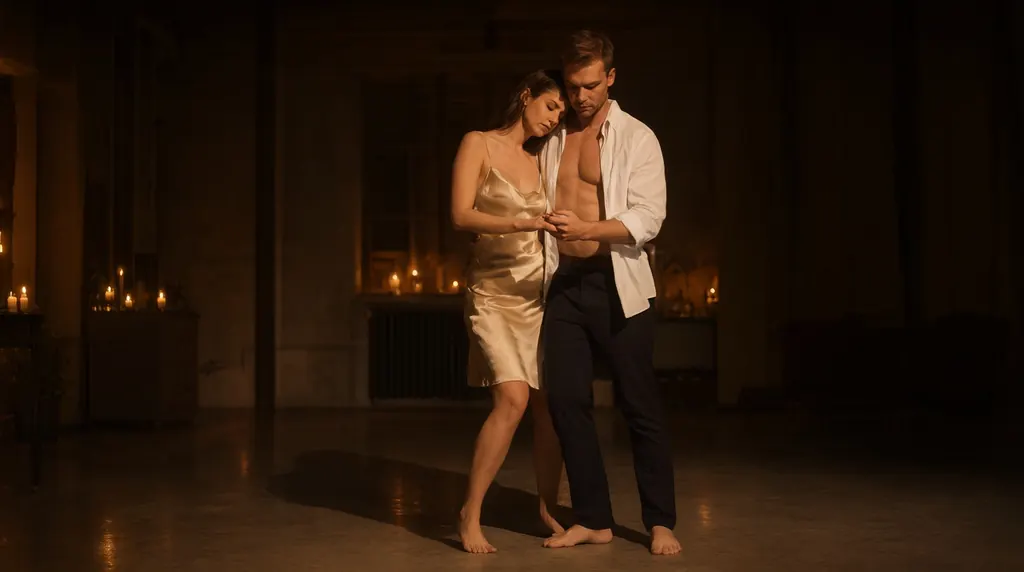
Text to image
A couple in their thirties slow dancing barefoot in a candlelit loft at night, her silk camisole and his open white shirt, her head resting on his shoulder, soft warm glow and deep shadows, intimate but tasteful, photorealistic
- Before
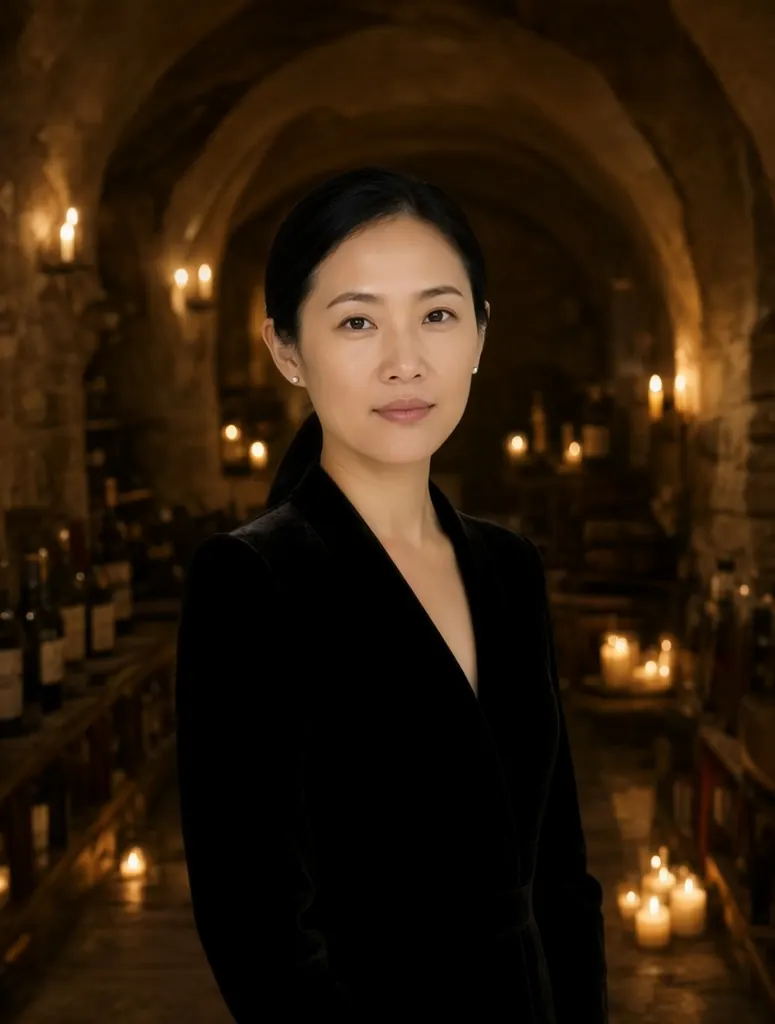 After
AfterEdit
Change her ivory blazer to a black velvet evening dress and turn the gallery into a candlelit wine cellar with stone arches; keep her face, hairstyle, earrings and pose unchanged
When to pick Qwen Image 2.1
Pick it when
- You want to merge a person, an outfit and a room from several pictures and name each source directly in the prompt.
- You want fresh images and edits from the same Qwen model, with a seed for rerunning a frame you like.
- The picture is going into a fixed layout and about one megapixel is enough, in square, landscape, portrait or screen shapes.
Pick another model when
- You only need a quick instruction edit on up to three pictures at one flat price; Qwen Image Edit 2511 covers that.
- You want a negative prompt to rule out details; Qwen Image 3.0 Pro offers one.
- The final image has to be larger than about one megapixel; Qwen Image Edit 3.0 reaches bigger sizes.
Prompt or reference
Write from scratch while you are still inventing the picture; it is also the slightly cheaper way to explore. Switch to attached pictures once a person, outfit or room already exists. Leave the shape unset and the result takes the proportions of the first picture, or choose a shape yourself. Every picture past the first adds a little, so bring only what the edit uses.
How to use Qwen Image 2.1 on Vellria
- Prompt: up to 10,000 characters in the panel above.
- To edit or combine pictures, attach 1–10 reference images; leave them out to start from text.
- Cost: from 7 credits — see pricing.
Example prompts
Edit: the adult woman from <Picture 1> wearing the black evening dress from <Picture 2>; keep her face, hair and pose, move her to a rooftop bar at night.
Combine: the adult man from <Picture 1> and the adult woman from <Picture 2> sitting close on the velvet sofa from <Picture 3>, warm lamp light, candid photo.
Edit: relight <Picture 1> with golden-hour sun from the left and replace the background with a vineyard; keep the adult couple and their pose unchanged.
Wide frame: an adult woman in an open white linen shirt on a hotel balcony at sunrise, sea behind her, soft natural light, editorial photo.
Tall frame: an adult man with wet hair in a dark tiled shower, single overhead light, steam on the glass, cinematic photograph.
Tips
- Refer to attached pictures by their tags, <Picture 1>, <Picture 2> and so on, and give each one a job in the sentence.
- Put the picture whose framing you want to keep in the first slot; with no shape selected, the edit inherits it.
- Without a negative prompt, phrase constraints positively: 'keep her face and pose unchanged' works better than a list of things to avoid.
- Fix the seed once a result is close, then change one instruction per run so you can see what each word does.
- Draft the idea from text first, since fresh images cost less, and bring in reference pictures when the composition is settled.
Specifications
| Size (Text to image): | 1024×1024 (1:1)1248×832 (3:2)832×1248 (2:3)1184×896 (4:3)896×1184 (3:4)1376×768 (16:9)768×1376 (9:16) |
|---|---|
| Size (Image to image): | 1K · Matches input image1024×1024 (1:1)1248×832 (3:2)832×1248 (2:3)1184×896 (4:3)896×1184 (3:4)1376×768 (16:9)768×1376 (9:16) |
| Reference images: | 1–10 reference images |
See also: uncensored AI image generator · uncensored image editor.
Pricing
Text to image
| Size | Credits |
|---|---|
| 1024×1024 (1:1) | 7 credits |
| 1248×832 (3:2) | 7 credits |
| 832×1248 (2:3) | 7 credits |
| 1184×896 (4:3) | 7 credits |
| 896×1184 (3:4) | 7 credits |
| 1376×768 (16:9) | 7 credits |
| 768×1376 (9:16) | 7 credits |
Image to image
| Size | Credits |
|---|---|
| 1K · Matches input image | 8 credits |
| 1024×1024 (1:1) | 8 credits |
| 1248×832 (3:2) | 8 credits |
| 832×1248 (2:3) | 8 credits |
| 1184×896 (4:3) | 8 credits |
| 896×1184 (3:4) | 8 credits |
| 1376×768 (16:9) | 8 credits |
| 768×1376 (9:16) | 8 credits |
+1 credit per extra image
Qwen Image 2.1 vs Qwen Image Edit 2511 and Qwen Image Edit 3.0
Qwen Image 2.1 sits between the open-weight Qwen editor and the newer hosted Qwen generation on Vellria: one model for fresh images and multi-picture edits, with picture tags in the prompt and a small charge for each extra reference.
| Model | Price | Max size | Reference images |
|---|---|---|---|
| Qwen Image 2.1 Uncensored This page | from 7 credits | 1184×896 | Up to 10 |
| Qwen Image Edit 2511 Uncensored | 6 credits | 1280×960 | Up to 3 |
| Qwen 3 Uncensored | 8 credits | 2048×2048 | Up to 3 |
Prices and limits come from the live model catalog.
Qwen Image 2.1 or Qwen Image Edit 2511?
- Price: 6 credits (Qwen Image 2.1: from 7 credits)
- Max size: 1280×960 (Qwen Image 2.1: 1184×896)
- Reference images: Up to 3 (Qwen Image 2.1: Up to 10)
- Extra reference images: No extra charge (Qwen Image 2.1: +1 credit per extra image)
Qwen Image Edit 2511 is the open-weight release, with a flat price whatever the number of pictures, but it accepts fewer of them. Use it for quick single edits, and this model when a scene draws on many sources.
Qwen Image 2.1 or Qwen Image Edit 3.0?
- Price: 8 credits (Qwen Image 2.1: from 7 credits)
- Max size: 2048×2048 (Qwen Image 2.1: 1184×896)
- Reference images: Up to 3 (Qwen Image 2.1: Up to 10)
- Prompt length: 8,000 characters (Qwen Image 2.1: 10,000 characters)
- Settings: Seed, Negative prompt (Qwen Image 2.1: Seed)
Qwen Image Edit 3.0 reaches larger sizes and adds a negative prompt. Draft and combine here, then move to it when the keeper has to be bigger than this model's single resolution tier.
Qwen Image 2.1 API: price and a first request
Qwen Image 2.1 costs from 7 credits over the API, the same rate as in Studio. Model id vellria-qwen-image-2-1 on POST /v1/generate/image.
curl https://vellria.com/v1/generate/image \
  -H "Authorization: Bearer vll_..." \
  -H "Content-Type: application/json" \
  -d '{
    "model": "vellria-qwen-image-2-1",
    "prompt": "…",
    "size": "1024*1024"
  }'
Parameters, polling and uploads: API documentation · NSFW image API.
FAQ
Does Qwen Image 2.1 allow NSFW?
Yes, for fictional adult content: nudity and explicit scenes between adults are allowed in fresh images and in edits. Minors are refused automatically, and editing real people without their consent is prohibited.
Is Qwen Image 2.1 free?
No, there is no free plan, but a new account created with Google gets 20 credits as a gift, valid for 7 days: enough to try Qwen Image 2.1, which costs from 7 credits. After that every run is paid from prepaid credits at the rate this page shows before you start, and a run that fails at the provider is refunded automatically. Is there a free uncensored AI generator? covers the cheapest way to a first result.
How many pictures can I attach to an edit?
Between one and ten. The first picture is part of the base price and each further one adds a little, and the cost shown before you run already counts them. In the prompt, refer to them as <Picture 1>, <Picture 2> and so on.
What shape does an edit come back in?
If you leave the shape unset, the result follows the proportions of the first picture. You can also pick one of the seven shapes, from square to the tall and wide screen formats, and the edit is framed to it.
How is it different from Qwen Image Edit 2511?
Qwen Image Edit 2511 is the open-weight editor: up to three pictures at one flat price. Qwen Image 2.1 takes up to ten pictures, lets the prompt name each one, and charges a little for every extra picture. For a simple one-picture change both work, so try the same instruction on each.
Can I use Qwen Image 2.1 through the API?
Yes. The API section on this page shows the request for text and for edits; the API reference covers uploading reference pictures and polling for the result.
Related models
Turn a still into a clip with one of our video models.
Wan 3.0 Prime Spicy Uncensored
The faster Wan 3.0 Spicy tier: 2–30 s at 480p to 1080p from text or a still, sound on or off.
Video
from 17 credits / s
Seedance 2.0 Uncensored
Scenes with sound in 4–15 s takes up to 1080p, or bring a still to life as the opening frame.
Video
from 30 credits / s
MiniMax H3 Video Uncensored
Test shot ideas before the final take: 4–15 s clips up to 4K, or see how a still moves.
Video
from 6 credits / s