
Pruna P-Video 2 Pro Uncensored
Pruna P-Video 2 Pro Uncensored is Pruna AI's video model, hosted on Vellria with nothing to install: text to video and image to video, 480p to 768p, clips of 5–15s. Run it in Studio or over the REST API, from 12 credits / s (100 credits = $1.00).
vellria-p-video-2-proPruna P-Video 2 Pro is developed by Pruna AI. Vellria provides access to the model; it does not own it. All trademarks belong to their respective owners.
Output
No generation yetCover art
from 12 credits / s
Your request will cost 60 credits.
About Pruna P-Video 2 Pro
Also known as: P-Video 2 Pro · Pruna AI P-Video 2 Pro
P-Video 2 Pro is the higher tier of P-Video 2, the video model from Pruna AI. Pruna is known mainly for making AI models smaller and faster to run, and its own video models carry that focus. The name gets little search traffic compared with Seedance or Wan, which says more about marketing than about the model: it is a capable finishing tier with sound in every clip.
It is a model for the take you intend to keep. Every clip has audio, so write the action to be heard as well as seen: the scrape of a chair, a whisper, the shower running. A re-run is a fresh take, not an enlarged copy, so settle the idea on short runs at the lower resolution before spending on the length you need.
Since you pay finishing rates per second, it pays to open the clip on a frame you have already made: the composition is settled, the proportions come with it, and the render budget is spent on movement. Text-only prompts remain the route when no existing picture suits the shot, and they let you set the proportions directly. Our NSFW image to video page explains how to prepare a still for this.
For covering everything from a one-second beat to a long take at a lower price, the standard Pruna P-Video 2 is the sibling. For finishing clips with a different character, compare MiniMax H3 Max and Wan 3.0 Pro.
Pruna P-Video 2 Pro in action
Pruna P-Video 2 Pro outputs with the exact prompts behind them.
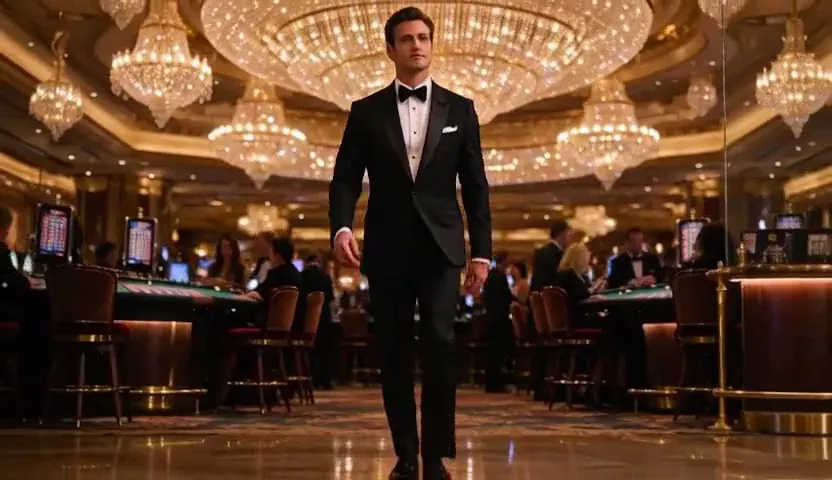
Image to video
He walks through the casino as the chandeliers glitter and guests turn to watch, smooth steadicam follow
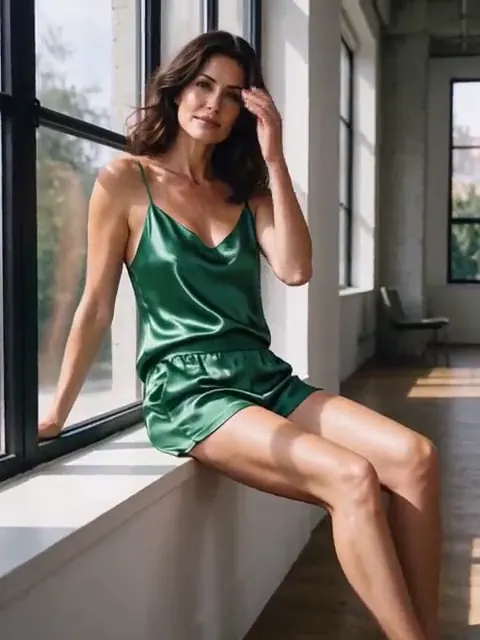
Image to video
She turns from the window toward the camera and tucks her hair behind her ear, sunlight flickering through the curtains
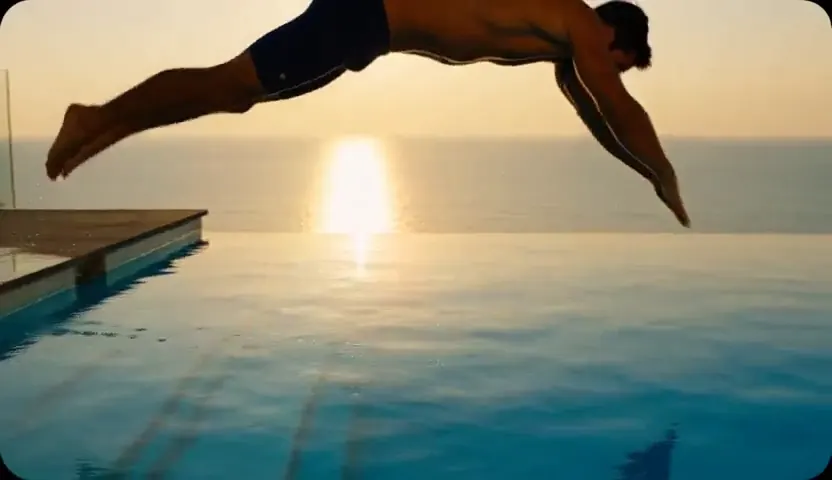
Text to video
Slow-motion shot of a man in his thirties diving into a turquoise infinity pool at sunset, water splashing in golden light, the camera follows from the side
When to pick Pruna P-Video 2 Pro
Pick it when
- You settled the idea on short, lower-resolution runs and now want the finishing take with sound in every clip.
- You already have a still with the right composition and want the finishing budget spent on movement, not rediscovery.
- Sound is part of the brief, such as a whisper, a chair scraping or a running shower, and the take is meant to be kept.
Pick another model when
- You need anything from a one-second loop to a long take at a lower price; the standard Pruna P-Video 2 covers that range.
- The final take should be one long unbroken shot; compare Wan 3.0 Pro, which is built around long single takes.
- You drafted on MiniMax H3 Video and want the same resolution and frame shapes for the keeper; use MiniMax H3 Max.
Prompt or reference
Each second is priced for a finished take, so start from a picture you already have when you can: it opens the clip and fixes its shape, and the render goes into movement instead of rediscovering a composition you own. Write the scene from scratch when no picture fits; that is also the way to choose the shape yourself.
How to use Pruna P-Video 2 Pro on Vellria
- Prompt: up to 10,000 characters in the panel above.
- Cost: from 12 credits / s — see pricing.
Example prompts
From the uploaded still: the adult woman in the bathtub lifts one leg from the foam and laughs, water sloshing, a radio playing softly in the next room.
An adult man in a towel shaves in front of a steamy mirror, wipes it clear and notices someone behind him, quiet bathroom echo, static close shot.
Adult couple slow-dancing in a kitchen at midnight, fridge hum and a crackling vinyl record, warm pendant light, handheld camera.
An adult woman in a trench coat and nothing else walks through a rainy alley toward a neon motel sign, heels clicking, rain hiss.
Tips
- Prototype at the lower resolution with a short length; re-run for the keeper.
- Treat sound as part of the brief, not an afterthought.
- Use image-to-video whenever the composition already exists.
- If a take is close but not right, change one detail and re-run rather than rewriting everything.
Specifications
| Resolution: | 480p768p |
|---|---|
| Duration: | 5–15s |
| Aspect ratio (Text to video): | 16:99:164:33:43:22:31:1 |
| Reference images: | 1 reference image |
See also: uncensored AI video generator · NSFW video generation · NSFW image to video.
Pricing
| Resolution | Credits |
|---|---|
| 480p | 12 credits / s |
| 768p | 20 credits / s |
Pruna P-Video 2 Pro vs Pruna P-Video 2
Pruna P-Video 2 Pro is the finishing tier of Pruna's P-Video 2 line. It has its own resolution steps and a narrower range of lengths than the standard tier, and every clip comes with sound.
| Model | Price | Max resolution | Duration | Reference images |
|---|---|---|---|---|
| Pruna P-Video 2 Pro Uncensored This page | from 12 credits / s | 768p | 5–15s | Up to 1 |
| Pruna P-Video 2 Uncensored | from 8 credits / s | 1080p | 1–20s | Up to 1 |
Prices and limits come from the live model catalog.
Pruna P-Video 2 Pro or Pruna P-Video 2?
- Price: from 8 credits / s (Pruna P-Video 2 Pro: from 12 credits / s)
- Max resolution: 1080p (Pruna P-Video 2 Pro: 768p)
- Duration: 1–20s (Pruna P-Video 2 Pro: 5–15s)
- Settings: Audio (Pruna P-Video 2 Pro: None)
The standard P-Video 2 covers more ground for less per second: very short loops through long takes, at higher resolution steps, with sound you can switch off. Pro is Pruna's finishing tier of the same line, so run the same prompt on both when a take matters.
Pruna P-Video 2 Pro API: price and a first request
Pruna P-Video 2 Pro costs from 12 credits / s over the API, the same rate as in Studio. Model id vellria-p-video-2-pro on POST /v1/generate/video.
curl https://vellria.com/v1/generate/video \
  -H "Authorization: Bearer vll_..." \
  -H "Content-Type: application/json" \
  -d '{
    "model": "vellria-p-video-2-pro",
    "prompt": "…",
    "duration": 5,
    "resolution": "480p",
    "ratio": "16:9"
  }'
Parameters, polling and uploads: API documentation · NSFW video API.
FAQ
Does Pruna P-Video 2 Pro allow NSFW?
On Vellria, yes, for fictional adult content. Nudity and explicit scenes between adults are allowed. Minors are refused automatically and real people may not be animated without consent.
Is Pruna P-Video 2 Pro free?
No, there is no free plan, but a new account created with Google gets 20 credits as a gift, valid for 7 days, which you can put toward Pruna P-Video 2 Pro at from 12 credits / s. Beyond that every run is paid from prepaid credits at the rate this page shows before you start, and a run that fails at the provider is refunded automatically. Is there a free uncensored AI generator? covers the cheapest way to a first result.
Who makes P-Video 2 Pro?
Pruna AI, a company known for model optimization. P-Video 2 is its video model and Pro is the higher tier.
What is the difference between P-Video 2 and P-Video 2 Pro?
Pro is the finishing tier with its own resolution steps; the standard P-Video 2 covers a wider range of lengths and is the better place to explore. The specifications below list both sides.
Does P-Video 2 Pro have sound?
Yes, every clip includes audio.
Related models
Make the start frame for your clip with one of our image models.
Pruna P-Image Uncensored
Uncensored 1K images in seconds, in seven shapes; edit up to 5 references at the same low price.
Image
4 credits
Seedream 5 Pro Uncensored
Finished 2K images like covers and portraits; add up to 10 images to rework an existing shot.
Image
10 credits
Qwen 3 Uncensored
Precisely described scenes, followed as written, up to 2K; edit with up to 3 references.
Image
8 credits