
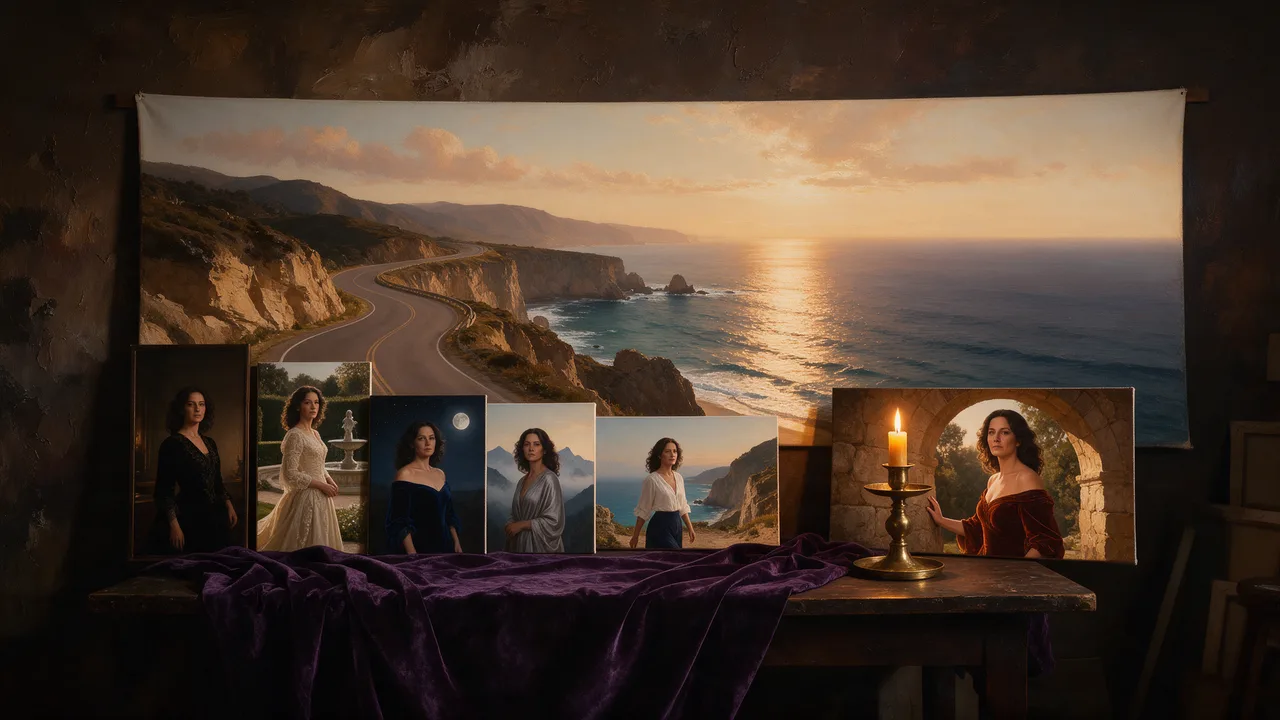
Seedream 5.5 Uncensored
Seedream 5.5 Uncensored is ByteDance's image model, hosted on Vellria with nothing to install: text to image and image to image, output up to 2816×1584. Run it in Studio or over the REST API, 8 credits (100 credits = $1.00).
vellria-seedream-5-5Seedream 5.5 is developed by ByteDance. Vellria provides access to the model; it does not own it. All trademarks belong to their respective owners.
Output
No generation yetCover art
8 credits
Your request will cost 8 credits.
About Seedream 5.5
Also known as: Seedream v5.5 · ByteDance Seedream 5.5 · Seedream 5.5 Edit
Seedream 5.5 is the newest Seedream release from ByteDance's Seed team on Vellria, the step after the Seedream 5.0 tiers. Like the rest of the line it is one model with two jobs: it writes a new picture from your prompt, and it reworks the pictures you attach. Vellria runs it hosted and uncensored, so there is nothing to install and no GPU to manage, and your prompt reaches the model as you wrote it, without a rewriting layer in between. Adult nudity and explicit scenes between adults are accepted in both modes.
Every image is rendered at 2K in one of eight shapes: a square, the 4:3 and 3:2 photo proportions in landscape and portrait, the 16:9 and 9:16 screen formats, and a 21:9 ultrawide for banners and cinematic frames. One flat price covers every shape and both modes, and it sits below Seedream 4.5, so the frame is a question of where the picture will be shown rather than of budget. The square is the default. Pick the shape before you write, because composition follows the frame: a subject described for a tall picture lands differently in a wide one.
Editing accepts one to ten pictures and costs the same whether you attach one or all ten. In our own tests an edit kept the same person: the face and build from the source survived while the instruction changed the outfit, the room or the pose. Results come back in one of the same eight shapes and nothing copies the proportions of your upload, so match the shape to it, or crop the upload to the frame you are after, before you run.
There is no seed and no negative prompt here, so every run is a fresh take; save the one you like rather than hoping to reproduce it later. If you want the frame to follow your photo automatically and fewer shapes are enough (square, 4:3, 3:4, 16:9 and 9:16), Seedream 5.0 Flash costs the same. For the earlier release that ByteDance tuned for lettering, see Seedream 4.5, and for files well beyond 2K, Seedream 5.0 Lite renders at 3K and 4K.
Seedream 5.5 in action
Seedream 5.5 outputs with the exact prompts behind them.
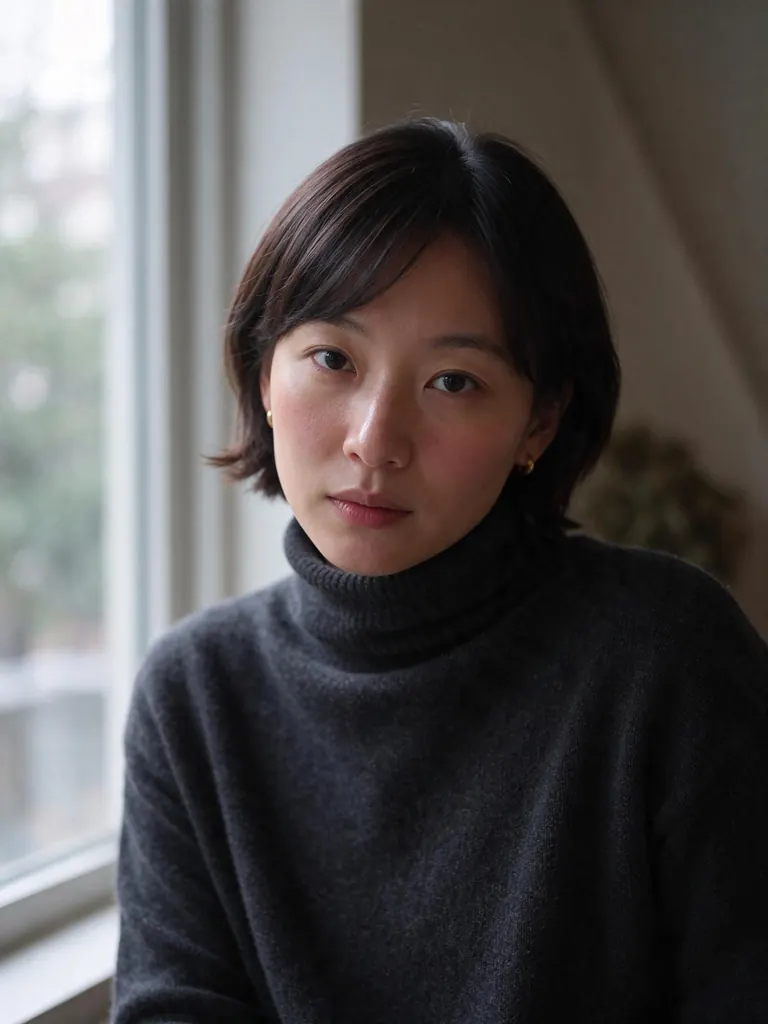
Text to image
Natural light editorial portrait of a Korean woman in her mid-thirties with a sleek shoulder-length bob and small gold stud earrings, wearing a charcoal cashmere turtleneck, sitting by a tall window on an overcast afternoon, calm direct gaze, 85mm lens, photorealistic skin texture
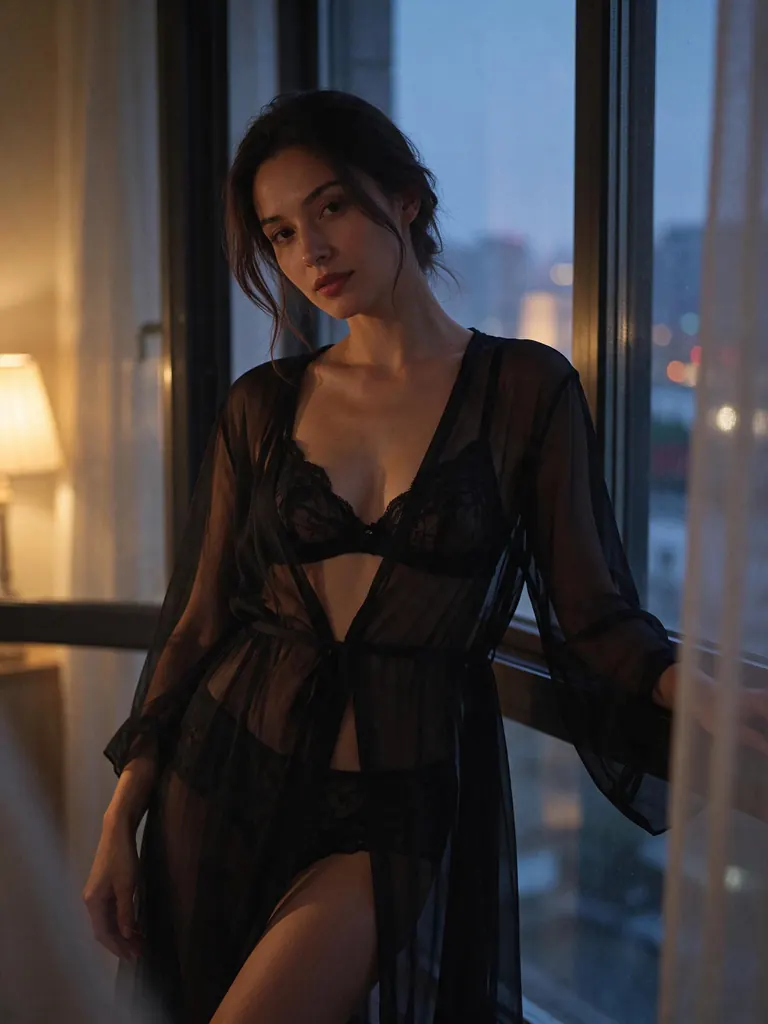
Text to image
Boudoir glamour photo of a dark-haired woman in her thirties in a sheer black robe over a black lace bralette, standing by a tall window at dusk, warm lamp light from one side and cool city glow from the other, tasteful and suggestive, 50mm film look
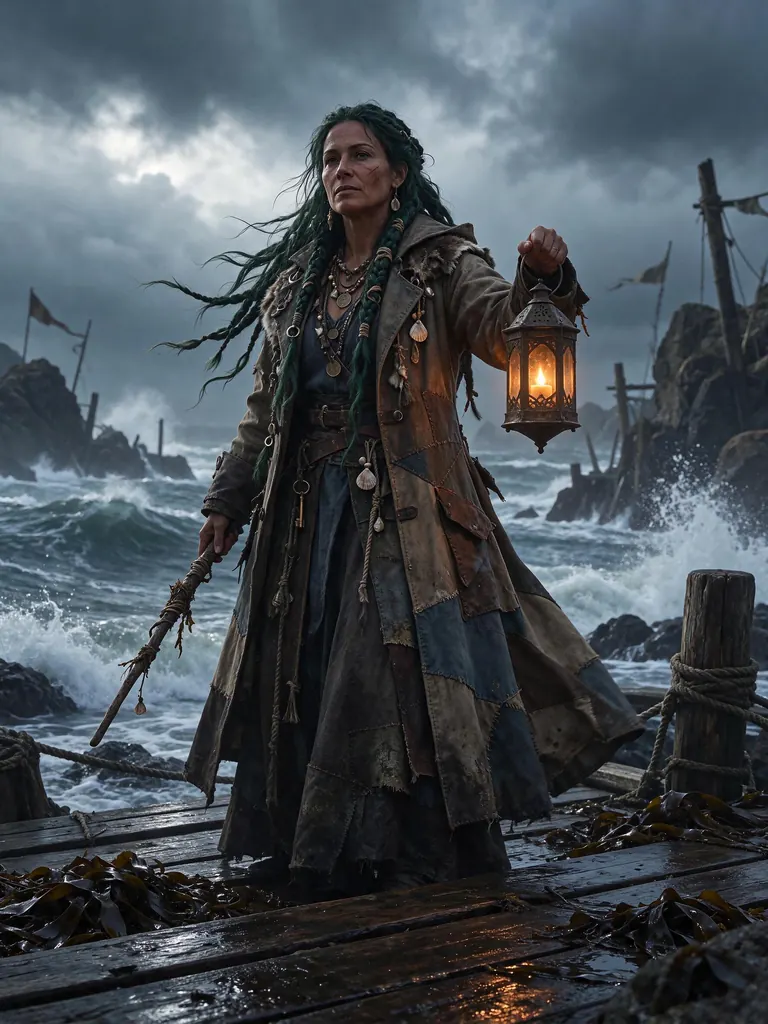
Text to image
Fantasy portrait of a sea witch woman in her late thirties with long dark green braids threaded with shells, a weathered mature face and a long coat of patched sailcloth, standing on a storm-lashed wooden pier holding a glowing lantern, crashing waves behind her, photoreal fantasy concept art
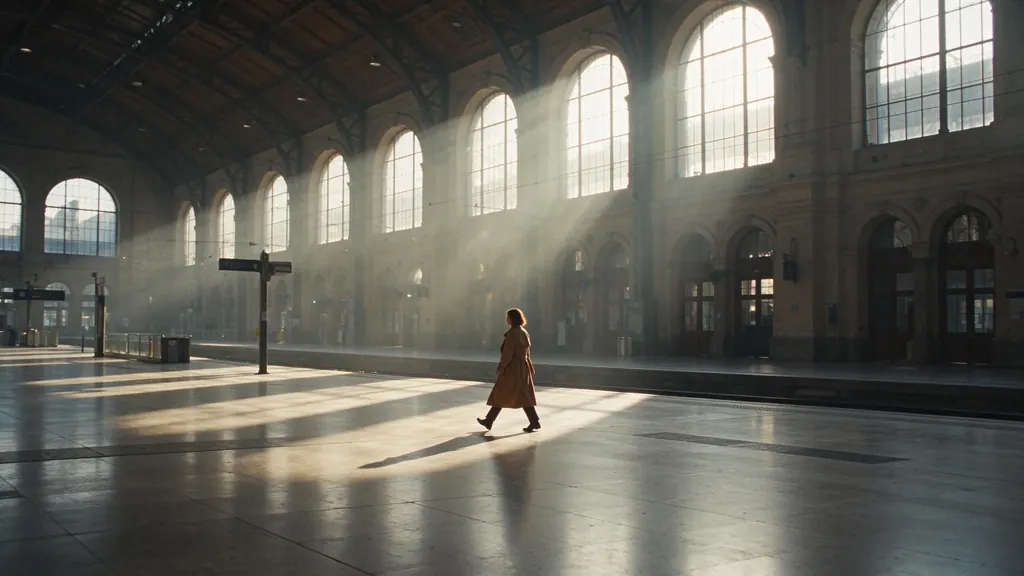
Text to image
Cinematic wide still of a woman in her thirties in a camel trench coat walking alone across a vast empty railway station hall at dawn, shafts of light through tall arched windows, long shadows on the marble floor, muted film colors, anamorphic look, no signs, no text
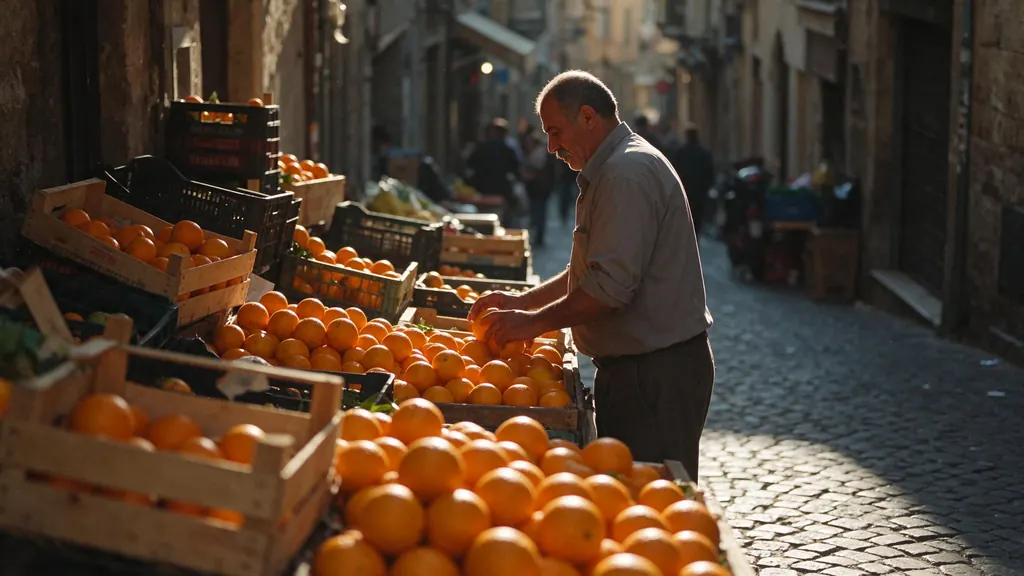
Text to image
Documentary street photograph of a fruit vendor man in his fifties with a grey mustache and rolled-up sleeves arranging oranges at a market stall on a steep cobbled street at golden hour, warm low sun, candid moment, 35mm film look, no signs, no text
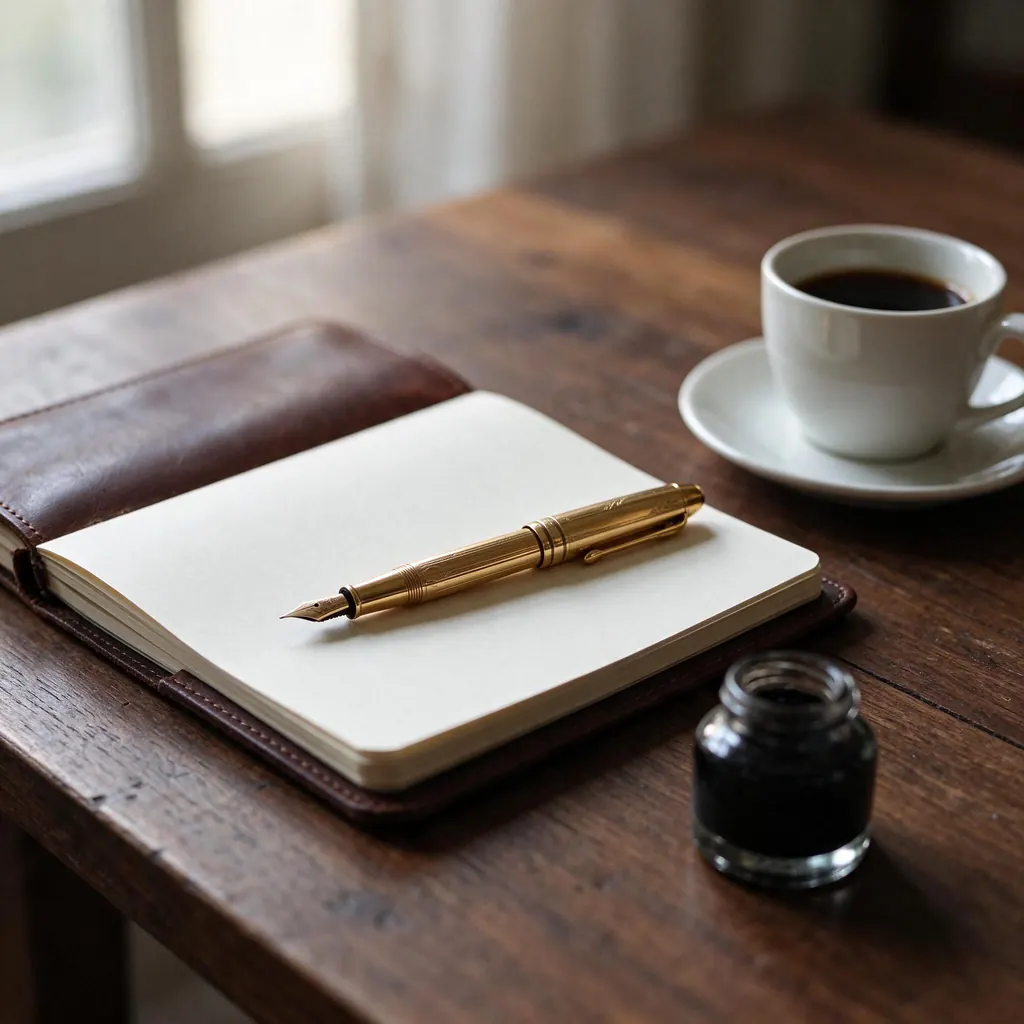
Text to image
Luxury still life of a vintage gold fountain pen resting on a leather notebook with blank cream pages beside a cup of black coffee on a walnut desk, soft morning window light, rich textures, editorial photography, no text, no writing, no logo
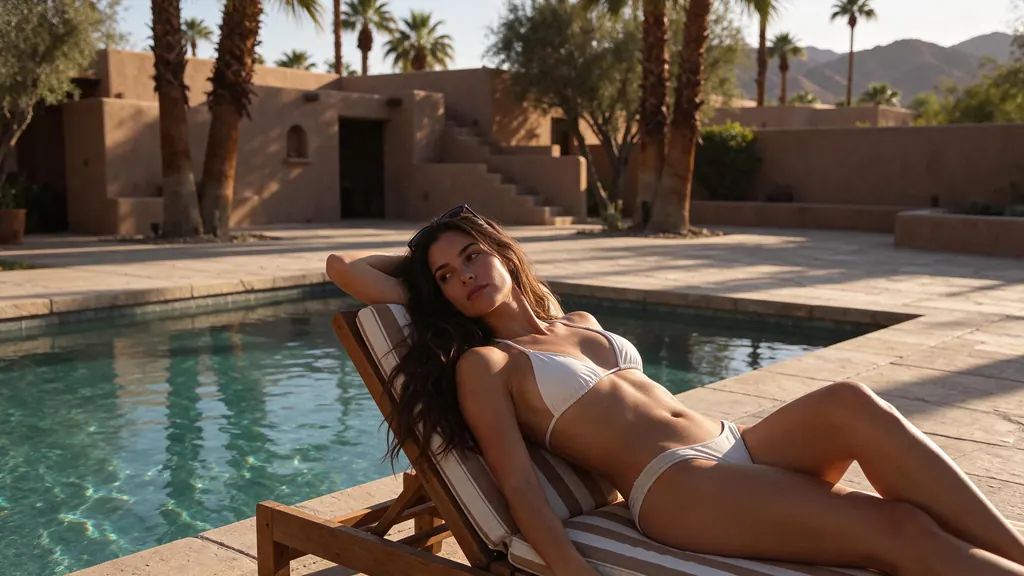
Text to image
A woman in her thirties lying on a sun lounger beside a turquoise pool at a desert villa in the late afternoon, a white bikini and sunglasses pushed up into her hair, warm sun on her bare shoulders and legs, palm shadows across the stone deck, relaxed and suggestive, photorealistic
- Before
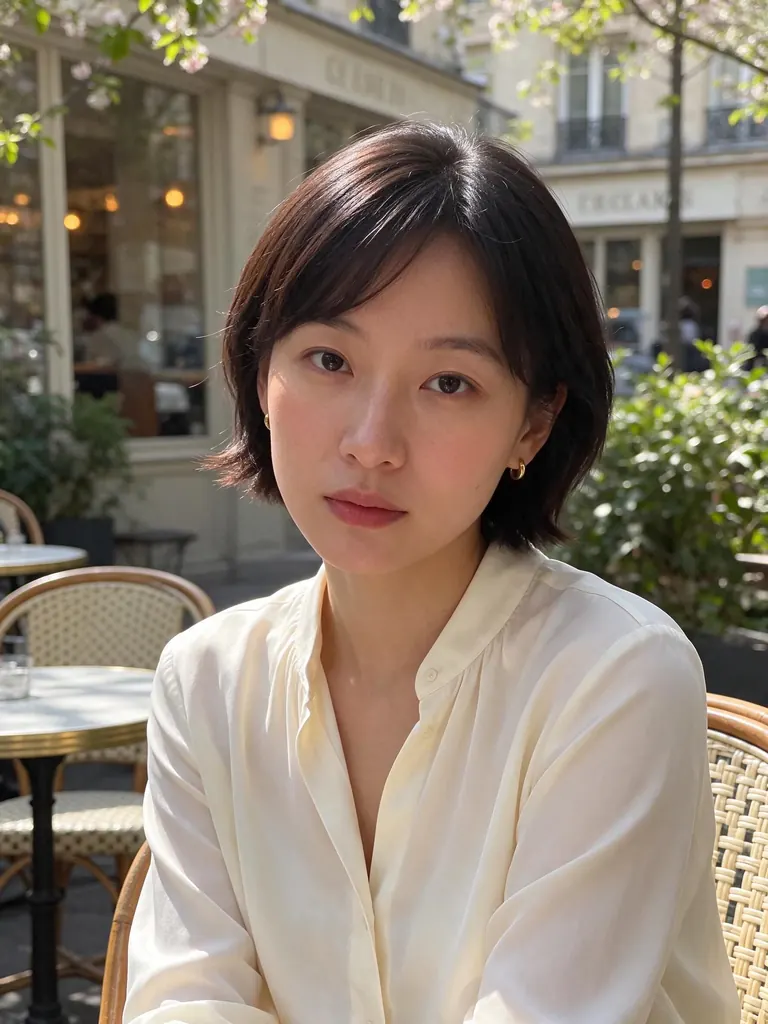 After
Edit
Change her charcoal turtleneck to a cream silk blouse and move her to a sunlit Parisian cafe terrace in spring; keep her face, hairstyle, earrings and pose unchanged
When to pick Seedream 5.5
Pick it when
- You want the newest Seedream at 2K, with one flat price whether you create a picture or edit one.
- The frame is a 3:2 photo, a 2:3 portrait or a 21:9 banner, shapes Seedream 5.0 Flash does not offer.
- An edit has to keep the same person while the outfit, the setting or the pose changes.
Pick another model when
- Your edit should take on your photo's proportions without choosing a shape; Seedream 5.0 Flash does that at the same price.
- You want the Seedream release that ByteDance tuned specifically for lettering on posters and covers; Seedream 4.5 is that one.
- The file has to be much larger than 2K, for a print or a wide display; Seedream 5.0 Lite renders bigger images.
Prompt or reference
Write a prompt alone to compose a new picture in the shape you pick. Attach pictures when a person, an outfit or a place already exists, as many as the job needs at no extra cost. The result does not take on the outline of your upload, so pick the nearest shape or crop the upload first.
How to use Seedream 5.5 on Vellria
- Prompt: up to 10,000 characters in the panel above.
- To edit or combine pictures, attach 1–10 reference images; leave them out to start from text.
- Cost: 8 credits — see pricing.
Example prompts
Editorial photo of an adult woman in a sheer black robe by a tall window at dusk, warm lamp light from one side, cool city glow from the other, 50 mm lens.
Ultrawide cinematic frame of an adult couple resting in silk sheets in a sunlit loft, soft morning light, muted film colours, the pair placed on the left third.
Edit: keep the adult woman from image 1 exactly as she is, change her outfit to a red satin slip dress and move her to a candlelit wine cellar.
Edit: the adult man from image 1 wearing the leather jacket from image 2, standing on the rooftop from image 3 at blue hour, shirt open.
Fashion portrait in a 2:3 frame: an adult model in an open tailored white blazer, seamless grey backdrop, hard side light, crisp shadows.
Tips
- Choose the shape first and describe the subject for it; in the 21:9 frame, say where the figure stands, or the edges fill with empty space.
- Give every attachment a role in an edit, for example the face from image 1, the jacket from image 2 and the location from image 3.
- When an edit must keep the person, say so plainly, such as 'keep her face and hair unchanged', and then describe only what should change.
- Write light the way a photographer would, with a direction and a source, instead of stacking adjectives like 'stunning' or 'beautiful'.
- There is no negative prompt, so describe what belongs in the frame rather than listing what you want kept out of it.
Specifications
| Size: | 2048×2048 (1:1, 2K)2368×1776 (4:3, 2K)1776×2368 (3:4, 2K)2496×1664 (3:2, 2K)1664×2496 (2:3, 2K)2816×1584 (16:9, 2K)1584×2816 (9:16, 2K)3136×1344 (21:9, 2K) |
|---|---|
| Reference images: | 1–10 reference images |
See also: uncensored AI image generator · uncensored image editor.
Pricing
| Size | Credits |
|---|---|
| 2048×2048 (1:1, 2K) | 8 credits |
| 2368×1776 (4:3, 2K) | 8 credits |
| 1776×2368 (3:4, 2K) | 8 credits |
| 2496×1664 (3:2, 2K) | 8 credits |
| 1664×2496 (2:3, 2K) | 8 credits |
| 2816×1584 (16:9, 2K) | 8 credits |
| 1584×2816 (9:16, 2K) | 8 credits |
| 3136×1344 (21:9, 2K) | 8 credits |
Seedream 5.5 vs Seedream 5.0 Flash and Seedream 4.5
Seedream 5.5 is the newest Seedream on Vellria: high-resolution output in eight fixed shapes, one flat price for creating and editing, and edits built from up to ten pictures.
| Model | Price | Max size | Reference images |
|---|---|---|---|
| Seedream 5.5 Uncensored This page | 8 credits | 2816×1584 | Up to 10 |
| Seedream 5 Flash Uncensored | 8 credits | 2816×1584 | Up to 10 |
| Seedream 4.5 Uncensored | 9 credits | 2848×1600 | Up to 10 |
Prices and limits come from the live model catalog.
Seedream 5.5 or Seedream 5.0 Flash?
Same price and limits as this page.
Seedream 5.0 Flash costs the same and renders at the same resolution, with fewer shapes and edits that start from your photo's proportions. Use it when an edit should follow your upload, and this model when you need a 3:2 or ultrawide frame.
Seedream 5.5 or Seedream 4.5?
- Price: 9 credits (Seedream 5.5: 8 credits)
- Max size: 2848×1600 (Seedream 5.5: 2816×1584)
Seedream 4.5 is the earlier release, tuned by ByteDance for lettering, with a similar set of shapes at a slightly higher price. Pick it for a poster or cover with words on it, and this model for the newer release at the lower price.
Seedream 5.5 API: price and a first request
Seedream 5.5 costs 8 credits over the API, the same rate as in Studio. Model id vellria-seedream-5-5 on POST /v1/generate/image.
curl https://vellria.com/v1/generate/image \
  -H "Authorization: Bearer vll_..." \
  -H "Content-Type: application/json" \
  -d '{
    "model": "vellria-seedream-5-5",
    "prompt": "…",
    "size": "2048*2048"
  }'
Parameters, polling and uploads: API documentation · NSFW image API.
FAQ
Does Seedream 5.5 allow NSFW?
Yes, on Vellria. Adult nudity and explicit scenes between fictional adults are accepted in new images and in edits, and your prompt is sent to the model as written. Anything involving minors is refused automatically, and depicting real people without their consent is prohibited.
Is Seedream 5.5 free?
Free to start: a new account created with Google gets 20 free credits, valid for 7 days (about 10 images on Z-Image Turbo Uncensored), and every signed-in account gets free daily uses of the NSFW prompt generator and the image to prompt tool. The gift is enough to try Seedream 5.5, which costs 8 credits. After that every run is paid from prepaid credits at the rate this page shows before you start, and a run that fails at the provider is refunded automatically. Is there a free uncensored AI generator? covers the cheapest way to a first result.
How is Seedream 5.5 different from Seedream 5.0 Flash?
Both render at 2K for the same flat price. Seedream 5.5 is the later release and adds 3:2, 2:3 and 21:9 shapes, and its edits return one of those fixed shapes. Flash offers fewer shapes, but its edits start from the proportions of the first picture you attach.
Will an edit keep the same person?
That is what it did in our tests: the face and build from the source carried over while the outfit, setting or pose changed. State clearly what must stay and what should change, and give each attached picture a role in the prompt.
What resolution does Seedream 5.5 produce?
Every image is 2K. The long side runs from 2048 pixels on the square to 3136 on the 21:9 ultrawide, and the exact sizes are listed in the specs on this page. This model has no 3K or 4K option.
Can I use Seedream 5.5 through the API?
Yes. The API section on this page shows the request for new images and for edits; the API reference covers uploading pictures and polling for the result.
Related models
Turn a still into a clip with one of our video models.
Seedance 2.5 Uncensored
Scenes that arrive with sound, 4–30 s up to 1080p; bring a still to life as the first frame or cast up to 10 references.
Video
from 35 credits / s
MiniMax H3 Video Uncensored
Test shot ideas before the final take: 4–15 s clips up to 4K, or see how a still moves.
Video
from 6 credits / s
MiniMax H3 Max Uncensored
For the take you keep: 5–15 s clips up to 4K with sound; start from a still if you have one.
Video
from 15 credits / s